Best AI phones 2025: which smartphone has the best AI features?
From the Galaxy S25 Ultra to the Pixel 9 Pro, these are the best phones with AI abilities

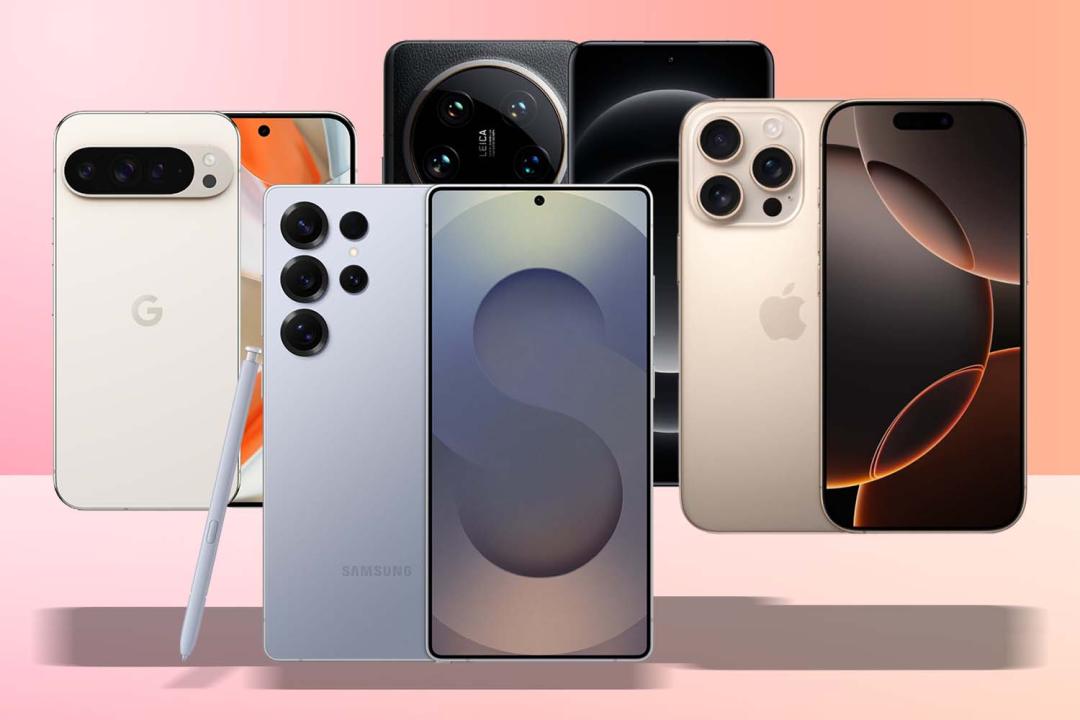
Artificial intelligence, or AI, is the phone world’s new favourite buzzword. Almost every upcoming phone has plans to incorporate machine learning and large language models in some form or another, and the first to do so are already on sale. But what are the best AI phones – and the features they bring actually worth having?
I’ve used a bunch of phones with AI on board, and a handful more that offload their AI processing to the cloud. The best AI smartphones have a mix of both. You’ll even find AI cameras and AI image editing on certain flagships. Some use cases are genuinely impressive, and will appeal to most phone owners; others are a lot more niche, and will only be useful to a small minority. These are the models that stand out so far.
Why you can trust Stuff: Our team of experts rigorously test each product and provide honest, unbiased reviews to help you make informed decisions. For more details, read how we test and rate products.
Quick list: What is the best AI smartphone?
The Samsung Galaxy S25 Ultra (buy now) is as feature-stuffed as AI phones get right now. As well as having most of Google’s Gemini smarts, there’s a full contingent of Galaxy AI features too. It’s all tightly integrated into OneUI, which is more streamlined than ever – and the phone itself is a true blue flagship.
While the Google Pixel 10 Pro XL (buy now) might not have the outright best camera hardware of any phone, its image processing is phenomenal – as are its AI abilities. Beyond generative edits, it can also analyse a scene in the camera app and suggest ways to change the composition for more impactful shots.
The Apple iPhone 17 Pro Max (buy now) ticks all the AI boxes, but in a typically Apple way. It’s all tightly integrated into each iOS 26 app, and has improved considerably since its initial introduction.
The Nothing Phone 3a (buy now) costs a quarter of the other phones listed here, but has raced ahead with a clever AI-powered central hub that stores and sorts all your notes, screenshots and saved links. It’s like a smart scrapbook for the 2020s.
The best AI smartphones on sale now:
Best AI smartphone overall
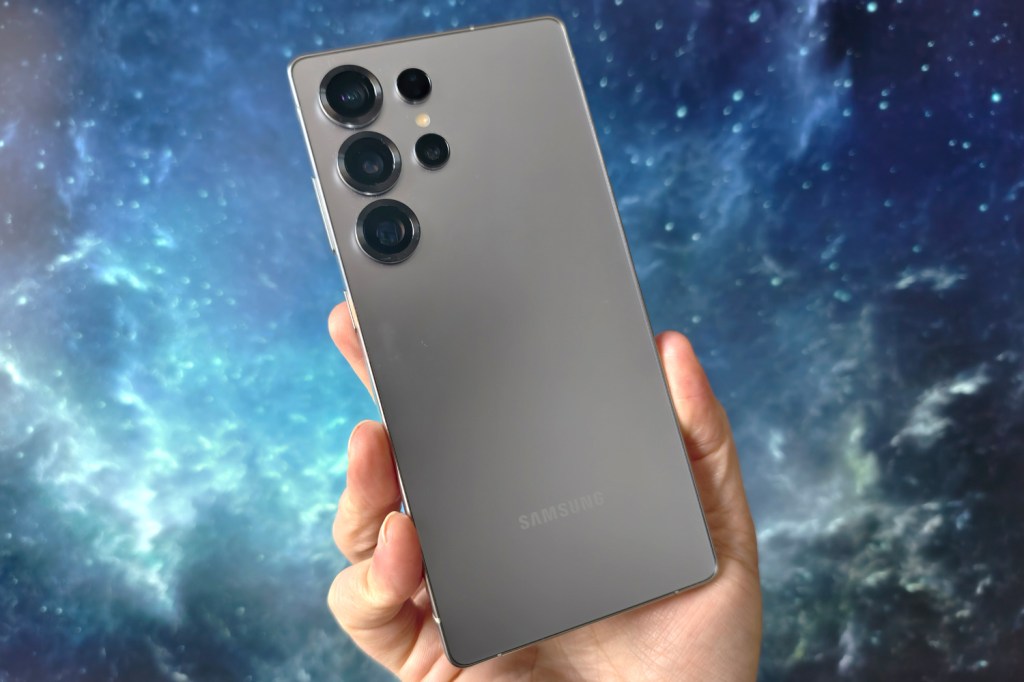
1. Samsung Galaxy S25 Ultra
Stuff Verdict
Modest hardware changes make it a somewhat disappointing year-on-year upgrade, but there’s no denying the Galaxy S25 Ultra stuffs in ample amounts of AI.
Pros
- AI offerings far more streamlined than previous efforts
- Flagship performance, display and build quality
- Very capable (if not class-leading) cameras
Cons
- AI functions only free for first year
- As expensive as flagship phones get
| Samsung Galaxy S25 Ultra tech specs | |
| Screen | 6.9in, 3200×1440 AMOLED w/ 1-120Hz LTPO adaptive refresh, 2600 nits |
| CPU | Qualcomm Snapdragon 8 Elite For Galaxy |
| Memory | 12GB RAM |
| Storage | 256GB/512GB/1TB on-board |
| Cameras | 200MP, f/1.7 main w/ Quad pixel AF, OIS + 50MP, f/3.4 periscope zoom w/ dual pixel AF, OIS, 5x optical zoom + 10MP, f/2.4 zoom w/ dual pixel AF, OIS, 3x optical zoom + 50MP, f/2.2 ultrawide rear 12MP, f/2.2 front w. dual pixel AF |
| Battery | 5000mAh w/ 45W wired, 15W wireless charging |
| OS | Android 15 w/ OneUI 7 |
| Dimensions | 163x78x8.2mm, 218g |
The corners might be a little rounder and the sides a little flatter, but otherwise the Galaxy S25 Ultra is very similar to last year’s effort. A faster chipset with better cooling, uprated ultrawide camera and tougher, less reflective display glass are the only improvements of note. But given the S24 Ultra was such a fantastic all-rounder, marginal gains are still enough to make this new phone rather desirable indeed.
A Snapdragon 8 Elite For Galaxy CPU provides the performance muscle, with Samsung-specific tweaks that give it the edge over rival flagships. 12GB of RAM and a range of capacity options mean there’s a model out there for everyone. The S Pen stylus is a little more basic this time around, but still comes into its own for note-taking and doodling.
The 200MP main snapper continues to trade blows with the best of ’em, and though the two telephotos aren’t quite class-leaders, they can still bag a pleasant pic. The 50MP ultrawide is a welcome improvement, and adds macro close-up abilities to boot. Samsung hasn’t boosted the 5000mAh battery between generations, but the more efficient CPU helps it last the day on a single charge.
Galaxy S25 Ultra AI features
Galaxy AI, Samsung’s suite of AI-enhanced software, debuted on the Galaxy S24 Ultra, but felt a bit piecemeal; things are a lot more cohesive this year, with shortcuts and OS-wide tools instead of standalone apps. AI Select lives in a pop-out sidebar and lets you highlight text to activate Writing Assist, or images to generatively edit them.
Writing Assist is an evolution of the Chat assist tool baked into the S24 Ultra’s onscreen keyboard. It can create more professional-sounding copy for work, pepper sentences with hashtags for sharing on social media, or sprinkle in emojis for expressive texting. There are also options to summarise longer stretches of text, translate between languages, and check spelling and grammar on the fly.
You’ll also find a transcription summariser built into the voice recorder, which transcribes conversations on the fly (in multiple languages, to boot) and then creates a succinct synopsis in just a few taps. Real-time voice translation, for both phone calls and in person, also relies on AI to give speedy and accurate interpretation. It supports 13 languages at launch, with more expected to follow later.
Now Brief and the Now Bar are all new for 2025. The former is a contextual hub that summarises useful info from your apps. Think sports scores, weather reports, commute traffic and upcoming calendar appointments. The latter simplifies that even further on your lock screen, a bit like Live Activities on iOS.
There’s also Circle to Search; this Google-led tool isn’t exclusive to Samsung phones any more, but it works brilliantly with the S25 Ultra’s S Pen. Press and hold the home button (or gesture bar, if you’re using gesture controls) and draw a circle around anything onscreen. Machine learning recognises objects and locations in a flash, bringing up relevant Google searches – including where to buy the items in question.
Samsung has also added AI to its image editor and photo gallery. It can remove unwanted reflections from glass and shadows from faces with a tap, delete or reposition objects anywhere in the frame, and generationally expand any images you’ve cropped too tightly. The AI camera elements are largely done post-shutter press, rather than before, but object detection does rely on machine learning.
Finally, Instant Slow-mo can create extra frames and inject them into your recorded video footage, creating a convincing effect even if your clips were only shot at 30fps. Just preview your video in the Samsung Gallery app, press and hold on the moment you want slowed down, and it’ll play back brilliantly smoothly.
The best news for owners of older Galaxy phones? Samsung will likely bring most of these AI additions to the Galaxy Z Fold6, Flip6, Galaxy S24 and Galaxy S23 series, meaning you don’t need to upgrade to try them out.
- Read more: Samsung Galaxy S25 Ultra review
Best AI smartphone for photography
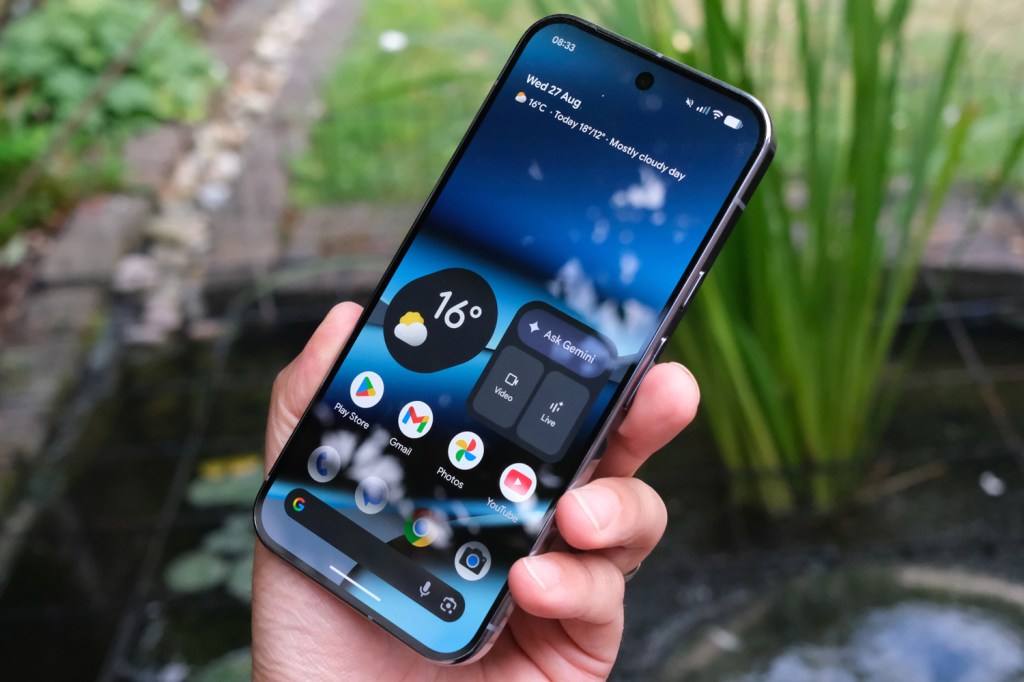
2. Google Pixel 10 Pro / XL
Stuff Verdict
Big or small, Google has got you covered for AI. The Pixel 10 Pro duo are outstanding phones that take lovely photos, offer a streamlined take on Android, and have plenty of AI-infused apps.
Pros
- Flagship-worthy build and styling
- Consistently great cameras in all conditions
- Android’s AI upgrades a sign of things to come
Cons
- Beaten on raw processing power by Snapdragon rivals
- Higher price makes rivals more tempting
| Google Pixel 10 Pro tech specs | |
| Screen | 6.3in, 1280×2856, 1-120Hz AMOLED (Pro) 6.8in, 2992×1344, 1-120Hz AMOLED (Pro XL) |
| CPU | Google Tensor G5 |
| Memory | 16GB RAM |
| Storage | 128/256/512GB, 1TB on-board |
| Cameras | 50MP, f/1.7 w/ dual pixel PDAF, OIS + 48MP, f/2.8 telephoto w/ dual pixel PDAF, OIS, 5x optical zoom + 48MP, f/1.7 ultrawide w/ dual pixel PDAF rear 42MP, f/2.2 front w/ PDAF |
| Battery | 4870mAh (Pro) 5200mAh (Pro XL) |
| OS | Android 15 |
| Dimensions | 152.8x72x8.5 mm, 207g (Pro) 163x77x8.5 mm, 232g (Pro XL) |
The days of Google’s flagship Pixel phones being the “value” option are long gone. With the Pixel 10 Pro and Pixel 10 Pro XL, Google has doubled down on premium design and cutting-edge hardware to go toe-to-toe with Samsung and Apple. Comfortably the best-looking Pixels yet, both models feature a refined matte glass back, polished metal frame and slimmer, more uniform bezels. For the first time, you can pick between two sizes without compromise: the 6.3in Pixel 10 Pro or the larger 6.8in Pixel 10 Pro XL.
Under the hood, both phones are powered by the new Tensor G5 processor, paired with 16GB of RAM. This not only delivers smoother performance across the board but also supercharges Google’s AI features, many of which now run fully on-device. The triple rear camera system remains the star, with a 50MP main sensor, 48MP ultrawide and 48MP telephoto offering up to 100x Pro Res Zoom. The front camera is equally impressive: a 42MP ultrawide with autofocus, easily one of the best selfie shooters on any phone.
Battery life has also seen a boost, with the Pro XL benefitting from a hefty 5200mAh cell, while both models gain faster charging — up to 45W wired and 25W Qi2.2 wireless on the XL.
Google Pixel 10 Pro AI features
On the software side, Gemini is now at the core of the Pixel experience. Gemini Live lets you have fluid, natural conversations with Google’s AI, complete with screen and camera sharing for real-time help. Magic Cue brings proactive intelligence into chats, calls and searches, surfacing exactly the right info at the right moment. Camera Coach guides you step-by-step to better photos, Auto Best Take ensures group shots look flawless, and 50MP Portrait Mode takes the highest-resolution portraits of any phone.
Right now, its top features include a Summarise function in the voice recorder app. Open any recording, tap the Transcript button, then Summarise at the top; the phone will generate a bullet point synopsis, all on-device.
Smart reply in Gboard uses AI to suggest responses to your WhatsApp, Line, and KakaoTalk chats – but only in US English right now, and as a developer preview. It should start rolling out more widely later this year.
Circle to search is available to everyone, right now. Press and hold the gesture indicator (or onscreen home button if you have it enabled) and draw a circle around any onscreen text or image; your phone will then look it up on Google, using machine learning to recognise objects and locations with impressive speed and accuracy.
The Pixel 9 Pro can also create AI-generated wallpapers. It’s baked into Android 14, so will eventually be added to other manufacturers’ mobiles. You can pick from a bunch of themes, objects, materials and colours, with the phone creating a mix of convincing, surreal and clearly computer generated images.
Naturally for a Pixel phone, the Pixel 9 Pro’s AI focuses heavily on photography. Magic Editor intelligently recognises objects when you tap them, letting you move them around the image – or remove them entirely, with the phone filling in the gaps. The results can be genuinely impressive.
Finally, Video Boost sends your recorded video footage off to the Cloud for AI-based processing. It enhances colour and lighting to an impressive degree, but it’s Google’s servers doing all the heavy lifting here, rather than your phone.
With Android 15 and seven years of promised OS and security updates, the Pixel 10 Pro and Pro XL are built to last. They’re premium in every sense — from hardware to AI smarts — and mark the point where Google’s Pro phones truly feel like equals to the competition, not alternatives
- Read more: Google Pixel 10 Pro XL review
Best Apple AI smartphone
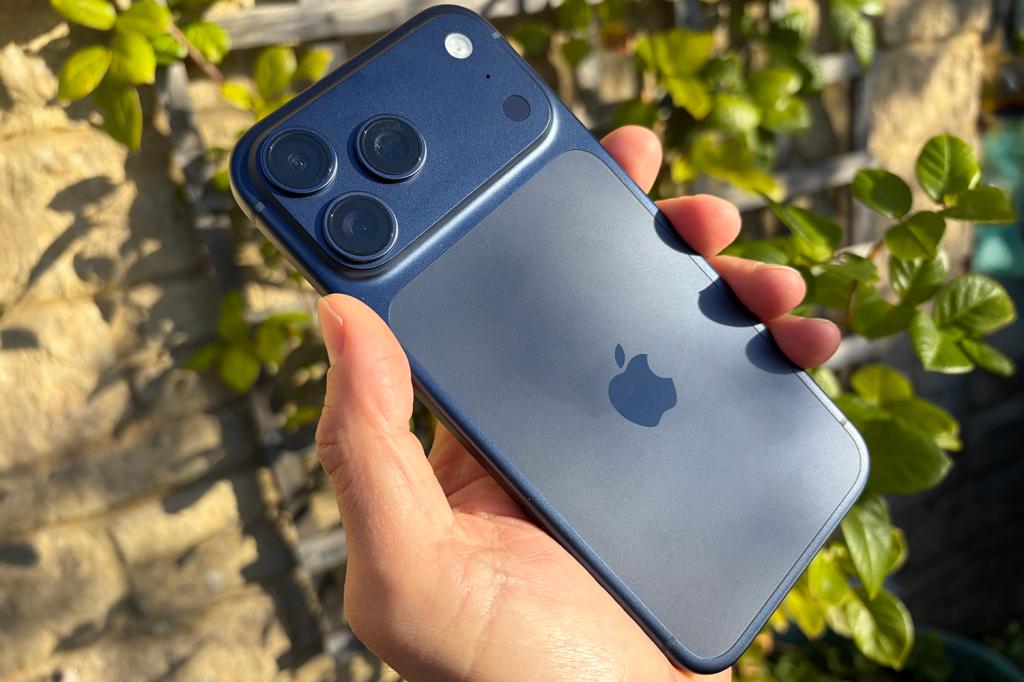
3. Apple iPhone 17 Pro Max
Stuff Verdict
With a supreme spec sheet, there’s little that can be argued against the Pro Max. It’s still very expensive, but this premium phone can do pretty much anything.
Pros
- Ludicrously powerful with impressive battery life
- Impressive new camera smarts
- Incorporates AI throughout the OS in ways only Apple can do
Cons
- Distinctive new design maybe not to all tastes
- Return to aluminium after years of tough titanium
The latest, greatest Pro iPhone looks quite different from the old one, with a giant device-spanning camera bar making room for an even more capable telephoto lens. It’s good for 4x optical snaps and 8x ‘lossless’ ones with a bit of algorithmic trickery. New A19 Pro silicon is excessively quick in both apps and games, and battery life is better than ever.
Going back to aluminium after a few years of titanium-hewn iPhones might feel like a backwards step, but it has allowed Apple to mix things up on the colour palette for the first time in what seems like forever. Cosmic Orange is definitely the highlight. It arrived running iOS 26 – a radical visual rethink of Apple’s mobile operating system, with ‘Liquid Glass’ effects almost everywhere you look. But if you’re only interested in AI, it’ll be Apple Intelligence that makes the biggest impact.
iPhone 17 Pro Max AI features
Apple Intelligence admittedly had some teething problems. It didn’t arrive alongside the iPhone 16, and saw a staggered rollout across various territories. Apple had to roll back certain features because they were inaccurate, like the notification summaries that showed false headlines attributed to the BBC and other news sources. But a year later, iOS 26 has expanded its feature set significantly.
Live translation is built into Messages, FaceTime, and the Phone app, working on the fly to eliminate language barriers; Image Playground now has baked-in ChatGPT support to generate images in custom styles based on text prompts, not just the ones installed by default from Apple; and Visual Intelligence is able to scan your screen now, inferring context to add things like appointments to your calendar.
This is all on top of the existing feature set. Writing Tools live in a contextual menu and lets you proofread or rewrite text selections or entire documents. It can summarise articles, reformat them into bullet points or tables, and directly call up ChatGPT through its Compose option.
The Photos app has a Clean Up option similar to Google’s Magic Eraser. It also lets you search for specific pics or clips using natural language, then create Memories animations from the prompts.
The Notes app can transcribe recordings, and summarise that transcription for quick reference later. The dialler app can do the same for calls (as long as you live somewhere it’s legal to record phone conversations).
And Siri can phone a friend for more complex queries, by tapping into ChatGPT – with or without a free or paid OpenAI account.
Best affordable AI smartphone
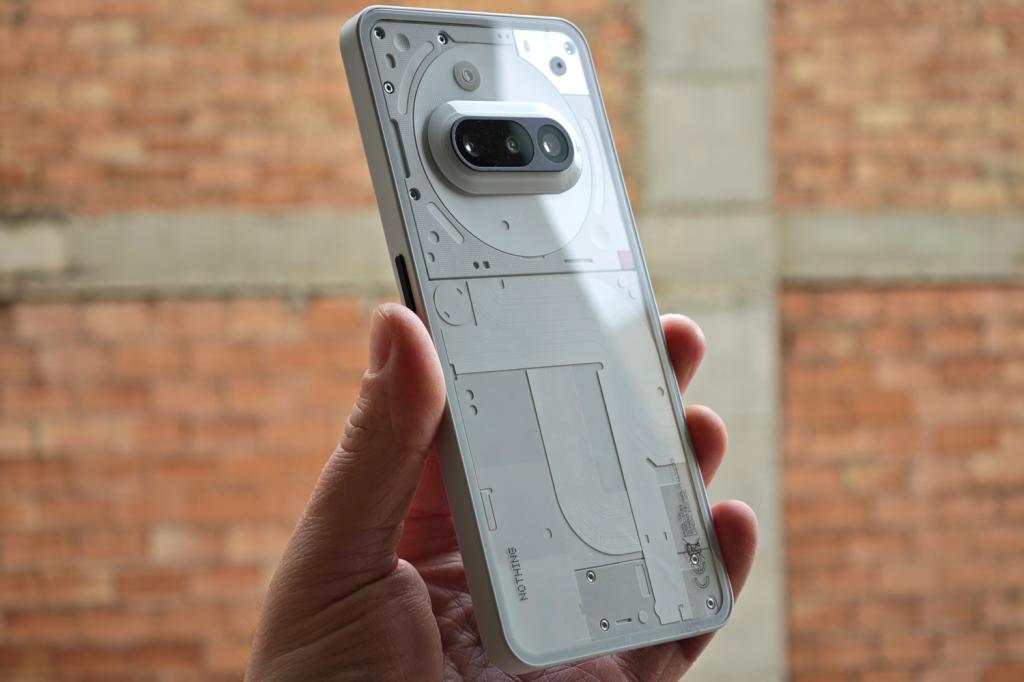
4. Nothing Phone 3a
Stuff Verdict
By closely sticking to what made its predecessor such a success, the Nothing Phone 3a delivers a superb all-round experience for affordable money.
Pros
- Mid-tier performance and battery for considerably less cash
- Familiar Nothing hallmarks like glyphs and widget-based OS
- Capable cameras for the money, with mature processing
Cons
- Can’t match the 3a Pro for zoom clarity
| Nothing Phone 3a specs | |
| Screen | 6.77in, FHD+ 120Hz AMOLED |
| CPU | Qualcomm Snapdragon 7s Gen 3 |
| Memory | 8/12GB |
| Cameras | 50MP, f/1.88 main w/ OIS + 50MP, f/2.0 telephoto w/ 2x zoom + 8MP, f/2.2 ultrawide rear 32MP, f/2.2 front |
| Storage | 128/256GB on-board |
| Operating system | Android 15 w/ Nothing OS 3.1 |
| Battery | 5000mAh, 50W wired charging |
| Dimensions | 164x78x8.35mm, 201g |
Phone 3a feels like the final form of Nothing’s original smartphone vision: impressively capable hardware, distinctive design, and unique glyph lighting, all at a very affordable price. It doesn’t mix things up too dramatically from the previous generation, but a faster chipset, third rear camera lens and faster wired charging all help make it a successful replacement. There’s not much else out there that feels as well rounded for so little cash.
This was also the first phone to bring Nothing’s AI vision to the fore, adding a new Essential Key at the side of the phone dedicated to waking the firm’s Essential Space software suite. At launch there wasn’t a whole lot to write home about, but Nothing has iterated and improved it to the point owners will absolutely want to check it out.
Nothing Phone 3a AI features
Phone 3a has all of Android’s usual AI-driven features, including Circle to Search and Gemini Live – but the Essential Space is unique to Nothing hardware. It’s a hub for all your screenshots, voice notes and web links, opened with a double-press of the dedicated button. Press the Essential key once and it’ll take a screen grab; hold it down and it’ll record a voice memo.
AI then analyses each entry, pulling text from photos and making everything searchable. Voice recordings are transcribed automatically (with good accuracy, based on my testing).
There’s also Essential Search, which dials into your calendar, contacts book, image gallery and apps list. You can use it for web searches, and it’ll answer natural language questions too. It’s a decent replacement for Android’s usual Google search widget, and is improving with each new update to NothingOS.
- Read more: Nothing Phone 3a review
Frequently Asked Questions
Do I have to pay for AI on my smartphone?
Currently, most phone brands are in a “the first hit is free” phase: the various AI features are baked into each handset from the factory, with no need to pay extra upfront to access them. That’s rapidly changing, though: you might find tasks that need a lot of cloud-based processing, like image generation, require paid-for tokens. Google bundles access to its best Gemini models (and advanced NotebookLLM features) under its Google One AI Pro plan, which costs $20/£19 per month – although this also comes with 2TB of cloud storage, among other perks.
Can I keep all AI processing on my phone, rather than the cloud?
If you’re concerned about data security and don’t like the idea of algorithms storing your personal info somewhere in the online ether, most phones give you the option to restrict AI processing to on-device only. This may lock you out of certain features, and it may not be as quick to process, though it’ll vary between brands and apps.
How we test smartphones
We’ve tested every phone on this list ourselves, so you can trust our picks. We treat each handset like a daily driver – not a staged demo – and that makes a big difference to the recommendations we give.
Typically, we spend a week or more with each phone, using it for calls, streaming, navigation, photos, messaging and gaming. That hands-on time lets us spot real-world strengths and quirks that a quick bench test would miss. We stress-test performance by multitasking and running demanding games like Genshin Impact or Call of Duty: Mobile, check battery life across different usage patterns, and time how long each device actually takes to charge from 0 to 100%.
Displays get judged for brightness, colour accuracy and outdoor readability, but also for how they handle different media. We watch HDR shows on Netflix, scroll through Instagram’s bright feeds, stream YouTube videos in varying resolutions and browse photos to see how punchy – or natural – colours look. We also note how smooth adaptive refresh rates feel when scrolling or gaming, and whether viewing angles hold up under harsh light.
Camera testing includes daylight, low-light and video scenarios – everything from shooting portraits in busy city streets to night scenes and 4K stabilised clips – to see how lenses, autofocus and image processing behave. We also pay attention to build quality (does it scratch easily?), speaker performance when playing music or YouTube, and any software oddities, like app crashes or slow animations. We look at how clean the interface feels, whether there’s bloatware, and how strong the manufacturer’s update promise really is.
Our reviews cover the essentials separately – battery, screen, camera, performance and everyday usability – so you get a clear picture of what owning the phone will be like, not just what its spec sheet says. The goal is simple: help you buy a phone that actually fits your life.
For more information on Stuff’s rating and review process, read our page on how we test products.
Recent updates
15th October 2025: Nothing Phone 3a added. Xiaomi 15 Ultra, Honor 400 Pro removed. FAQ section added.


 Tom Morgan-Freelander
Deputy Editor
Tom Morgan-Freelander
Deputy Editor