Chillblast Cryo Core review: this small system is an ideal PC gamer starting point
This RTX 5060 gaming rig won't dominate your desk


Stuff Verdict
A space-saving SFF gaming PC that hits the 1080p performance sweet spot for sensible cash. The Chillblast Cryo Core has limited upgrade potential but its distinctive case earns style points
Pros
- Strong performance for the size and money
- Wonderfully small and quiet in operation
- Peripheral bundle offers great value for gaming PC newcomers
Cons
- RTX 5060 relies on DLSS for high resolution gaming
- Small form factor limits upgrade potential
- Price premium over doing it yourself, as with any prebuilt PC
Introduction
If you’re a PC gamer that’s short on space, you’ve got two options: spend major money on a gaming laptop, or go for a small form factor (SFF) rig. While you’ll also have to factor a screen into your budget, an SFF build should deliver more out-the-box oomph and have a better upgrade path. The tiny cases can be a nightmare to build in, though, which is where Chillblast comes in.
The UK-based prebuilt specialist’s Cryo Core system is brilliantly compact, being shorter than a milk carton and with a smaller desk footprint than a 13in Apple MacBook. Yet it still has room inside for a potent AMD processor, Nvidia RTX graphics – and just enough fans that they should stay cool while you’re playing.
At £1699 for the PC on its lonesome or £2080 with a premium peripheral bundle it’s easier on the wallet than a similarly powerful gaming laptop, and undercuts rival system builder Overclockers’ smallest offering. With memory pricing having gone stratospheric lately, there’s no guarantee you could build the same yourself for less. Does that make it an obvious choice for students, apartment-dwellers or ex-console owners wanting to get into PC gaming?
How we test gaming hardware
All games consoles and gaming hardware tested on Stuff are put through their paces with days’ worth of play time. We use our years of testing experience to judge areas such as build quality, software experience, battery life and other features. Manufacturers have no visibility on reviews before they appear online, and we never accept payment to feature products.
Find out more about how we test and rate products.
Case design & build: hard hats at the ready
Shipping issues can see some PC builders fall at the first hurdle, but the Cyro Core arrived in mint condition. Chillblast uses a reassuring amount of packing material to protect the case from dings and dents while in transit, while an expanding foam insert keeps the internal hardware in place. It was such a tight fit that I dislodged one of the CPU cooler’s fan clips while removing it; thankfully putting it back into place didn’t require me to undo any of the impeccable cable management.
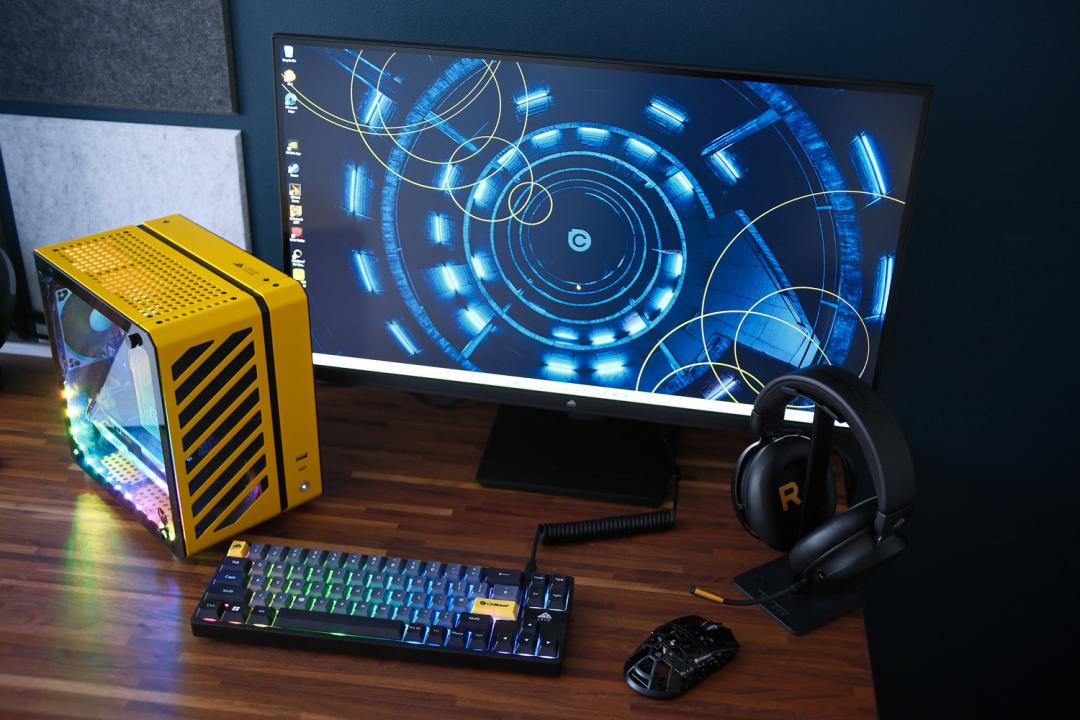
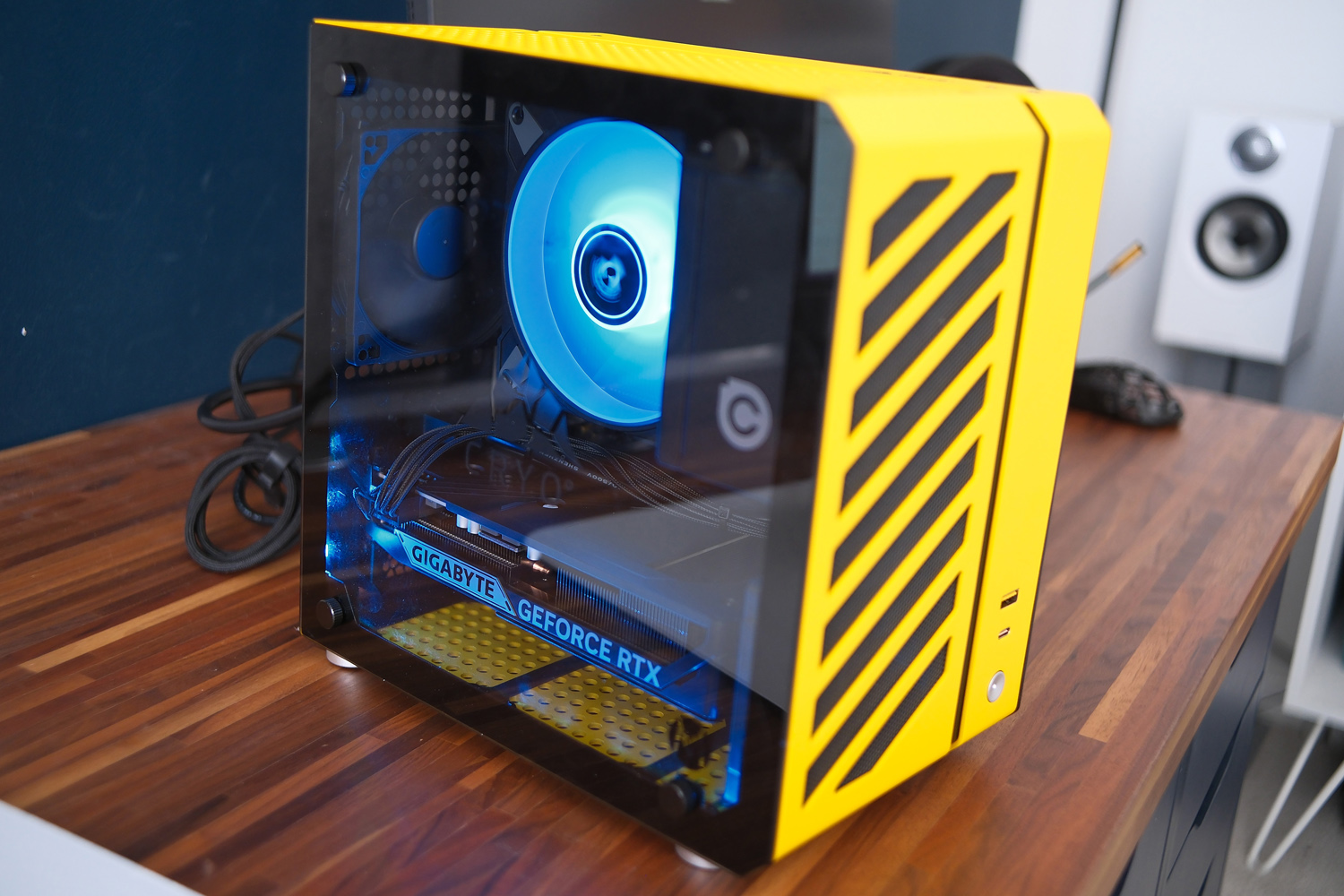
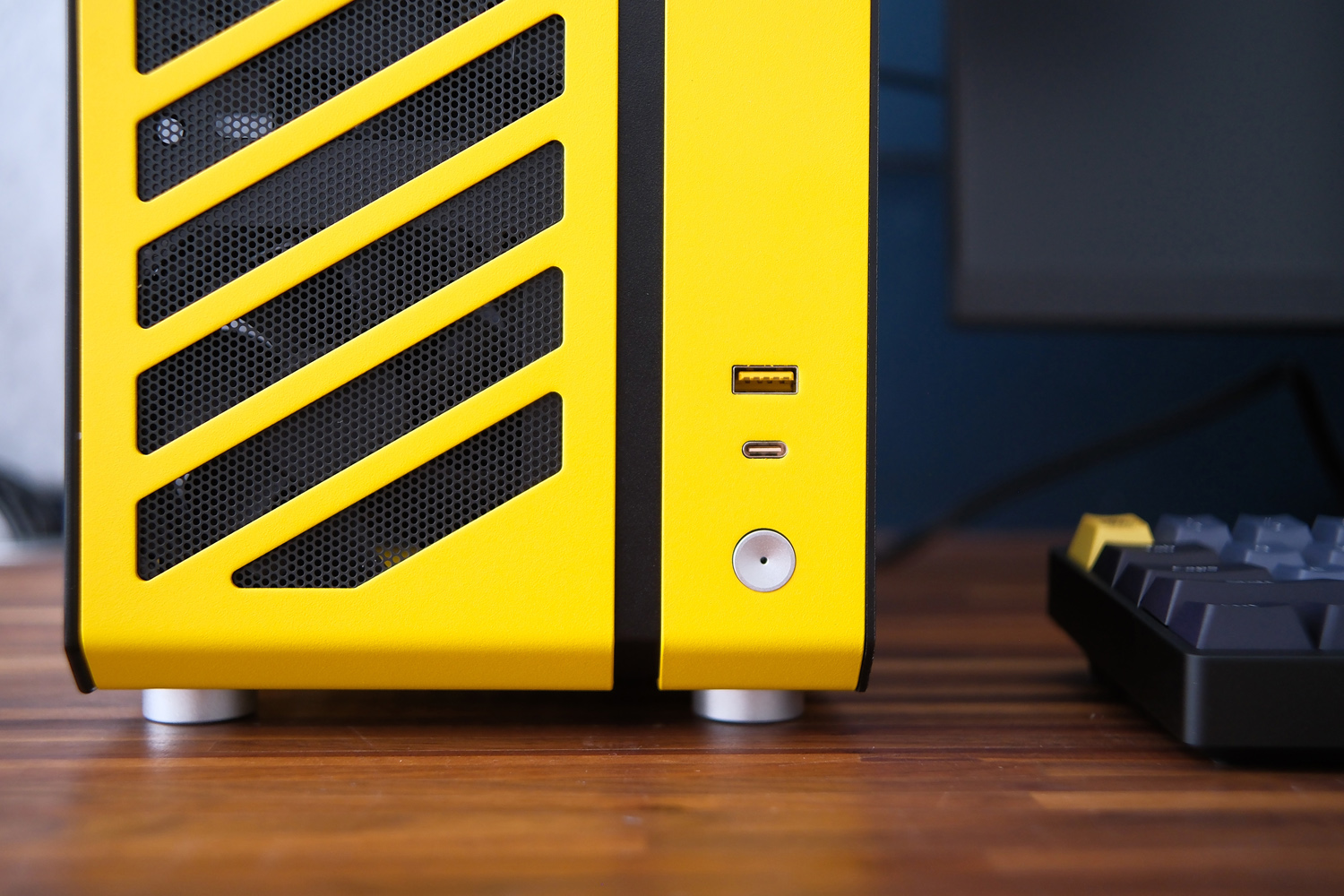
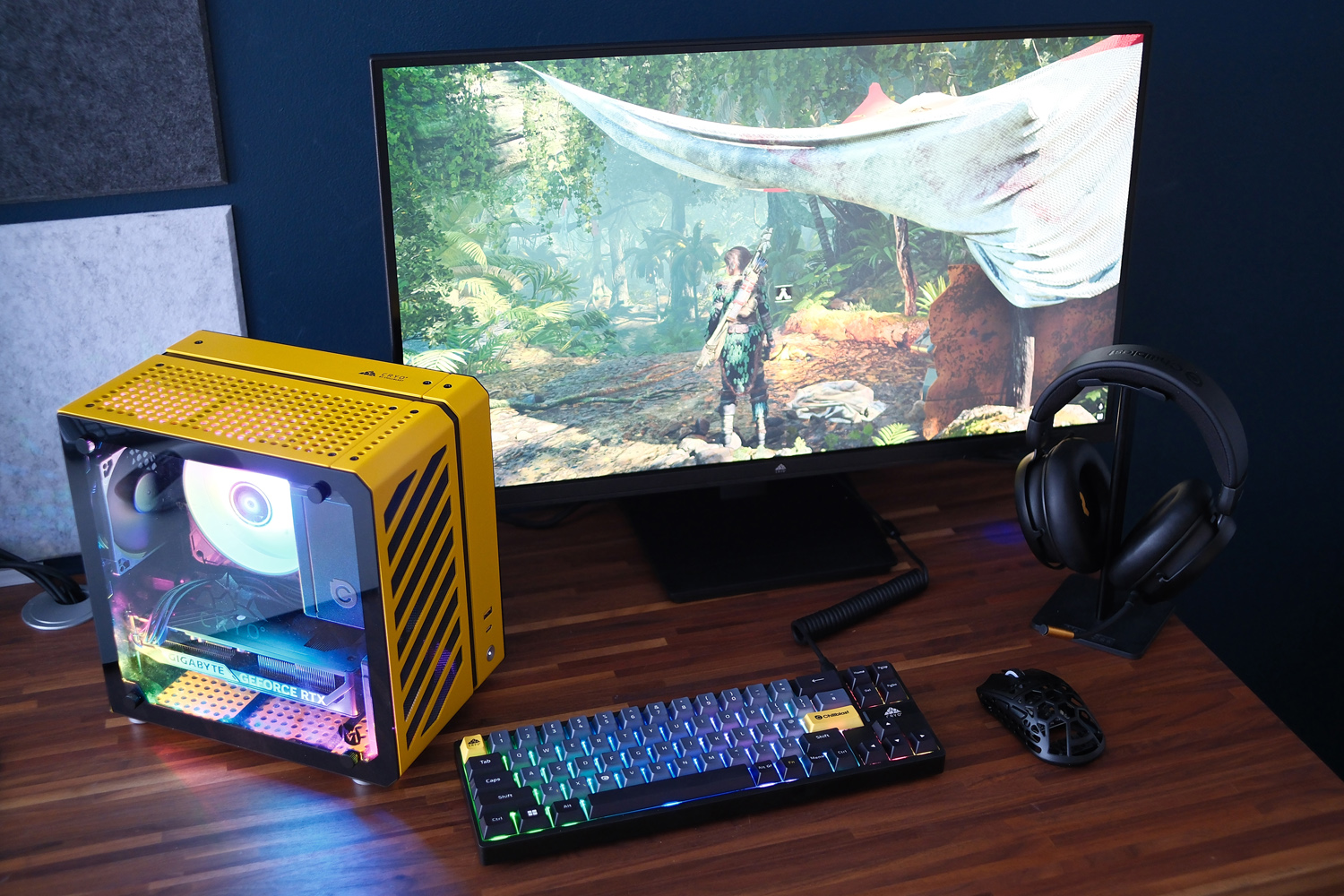
The system itself is built inside the wonderfully compact Mechanic Master C26, a 13.2-litre mini-ITX case finished in industrial-like yellow aluminium. The diagonal air vents in the front panel give me construction site vibes. It took up very little room on my desk, unlike my own tower-style PC case (which has now been relegated to the floor), and I could also fit it next to my living room TV with very little fuss. A carry handle included in the box (but not fitted as standard) makes it easy to carry from room to room.
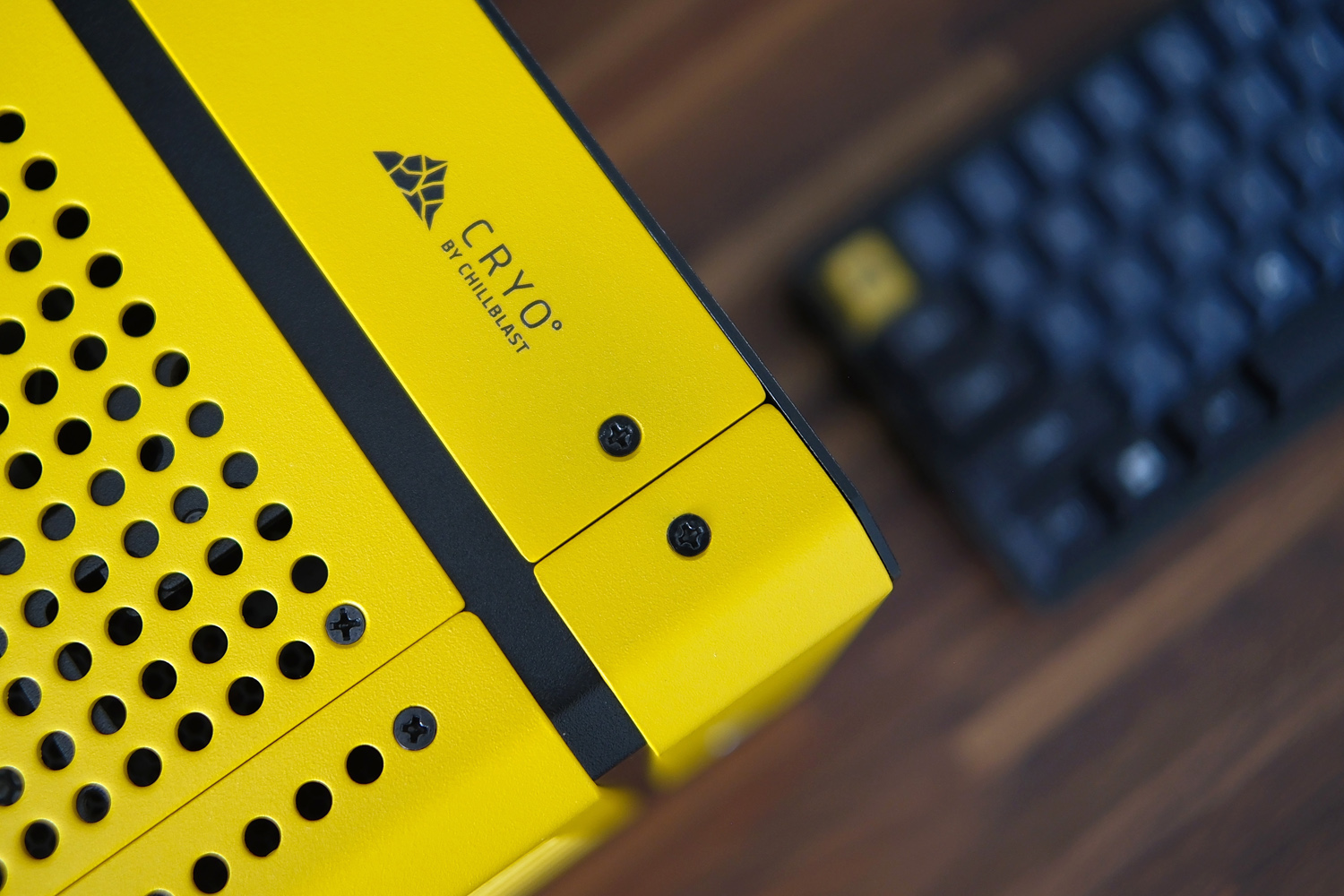
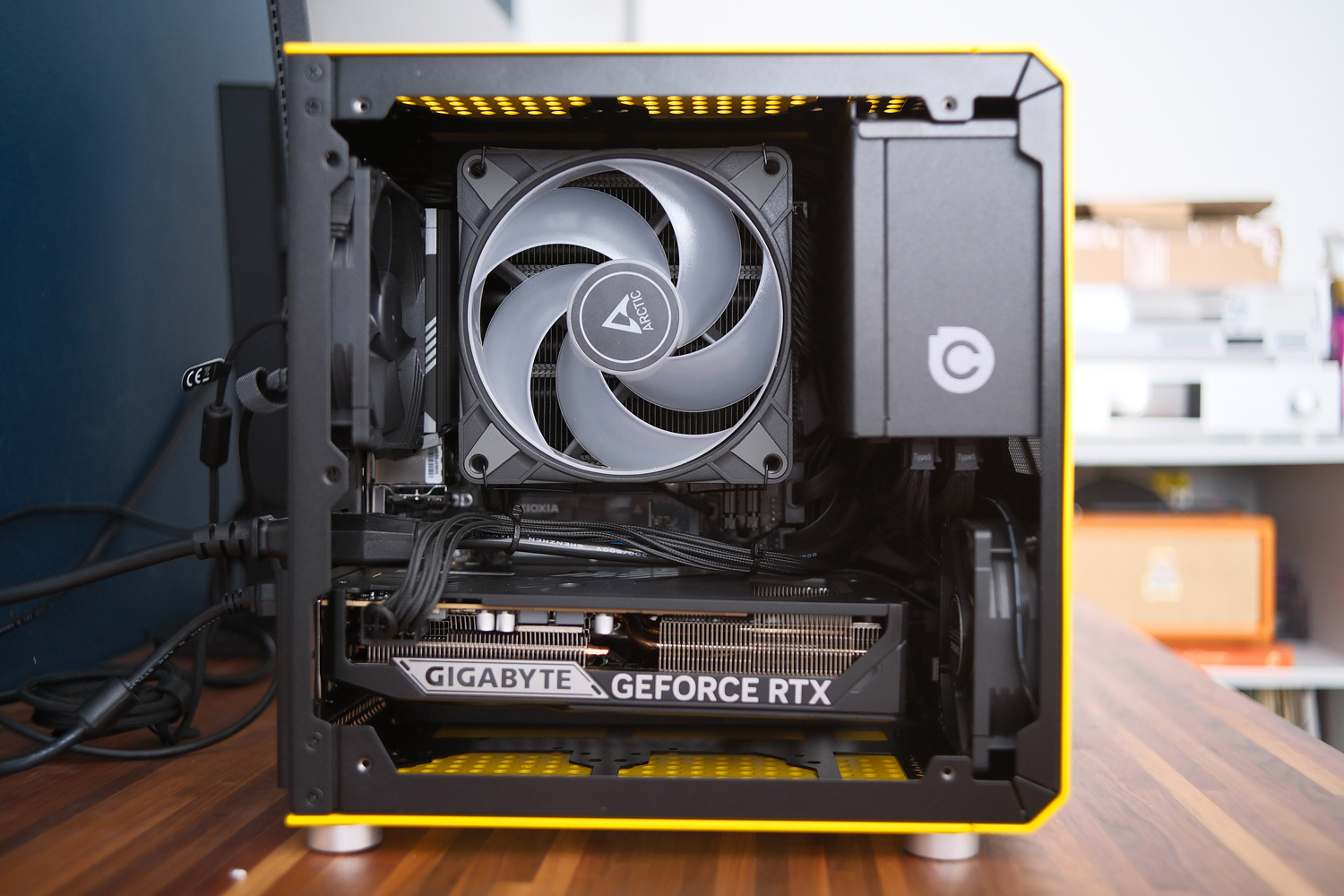
A tempered glass side panel lets you see the entire system, with just a slim black border obscuring the RGB light strip Chillblast has fitted around the bottom edge. It illuminates the graphics card rather neatly, in a rainbow pattern that matches the CPU cooler’s 120mm fan. Both are addressable, so you can mix up the colour scheme through software. An etched Cryo logo on the glass is a nice touch, as is the subtle logo on the top of the chassis; they show Chillblast hasn’t just plucked the case off the shelf, but spent the time to customise it.
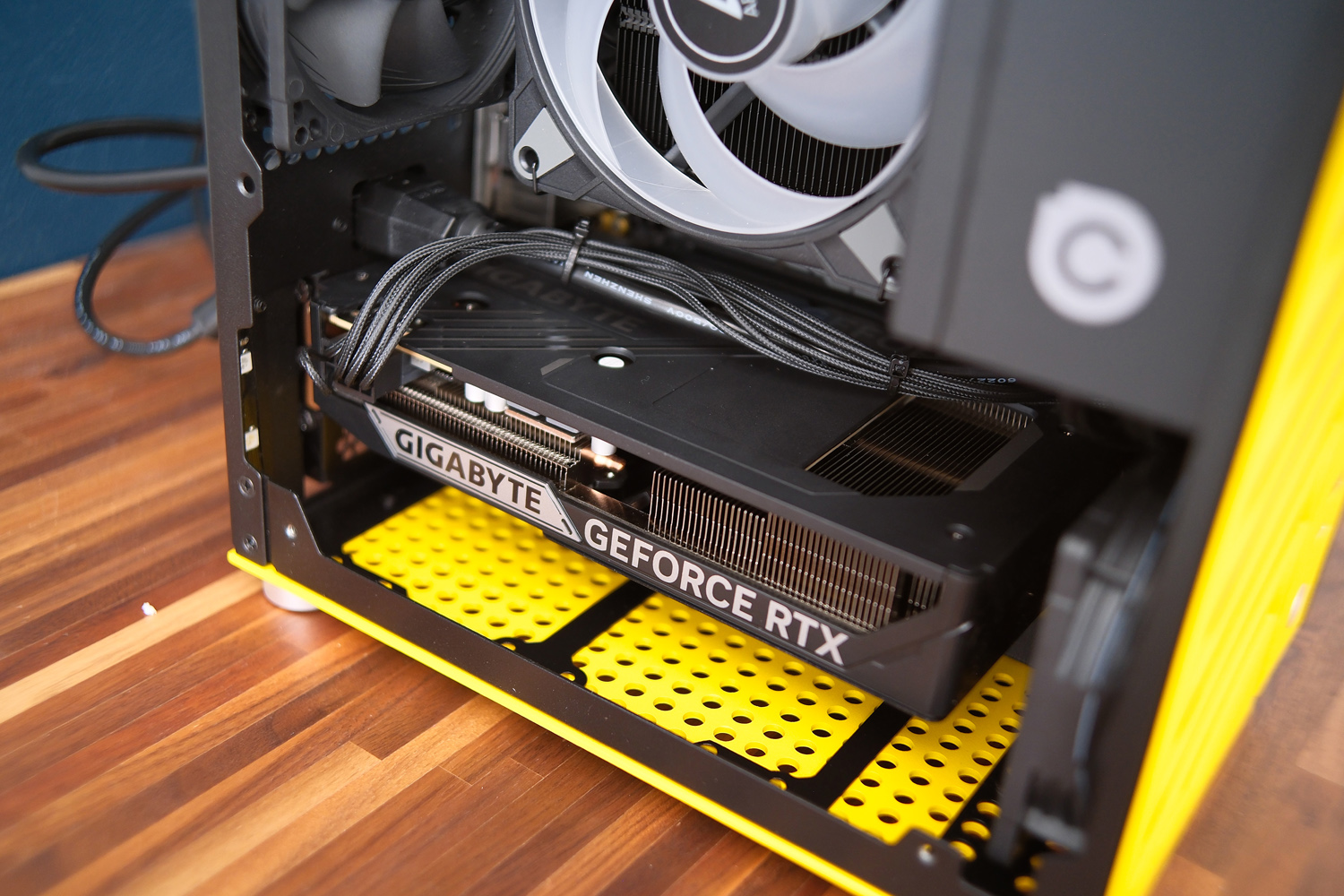
With a mostly traditional layout (bar the front-mounted power supply) the case doesn’t make it easy to hide cables out of sight. Chillblast has managed to tuck almost everything out of sight, though, bar the eight-pin GPU power connector (awkwardly located on the left facing edge of the Gigabyte card used here) and chunky PSU extension cable. Cable ties keep both firmly in place.
I’m glad the company didn’t cheap out on a no-name power supply. You’re getting a reputable Corsair SFF unit here, with the unused modular cables included in the box should you need them later down the line. The 750W output is still the small form factor sweet spot without stepping up to the larger SFX-L standard.
Hardware & connectivity: plug in baby
Chillblast sidestepped the usual PC builder mix-and-match approach to components when it debuted the Cryo Core as a single variant with specific hardware. Since this review’s original publication, however, the firm has told me models with more powerful GPUs are on the way. An RTX 5070 system is first in line and an RTX 5080 will appear later down the line. Dimensions permitting, a fire-breathing RTX 5090 rig might eventually make an appearance too.
At the time of writing, the headline specs were an AMD Ryzen 5 9600X processor, 32GB of DDR5 memory, 2TB PCIe 4.0 x4 NVMe SSD and Gigabyte GeForce RTX 5060 graphics card. Everything slots into a Gigabyte B650I AX mini-ITX motherboard.
It’s a strong selection for the cash: the always helpful website PCPartPicker suggests buying everything individually would probably run you somewhere in the region of £1600, and that figure is only increasing on account of volatile memory prices caused by the AI boom. Given the case doesn’t look especially fun to build in – and that the Cryo Core comes with a five year warranty (three years parts and labour, plus two years labour) – I can already say Chillblast is offering good value for money, even before breaking out the benchmarks.
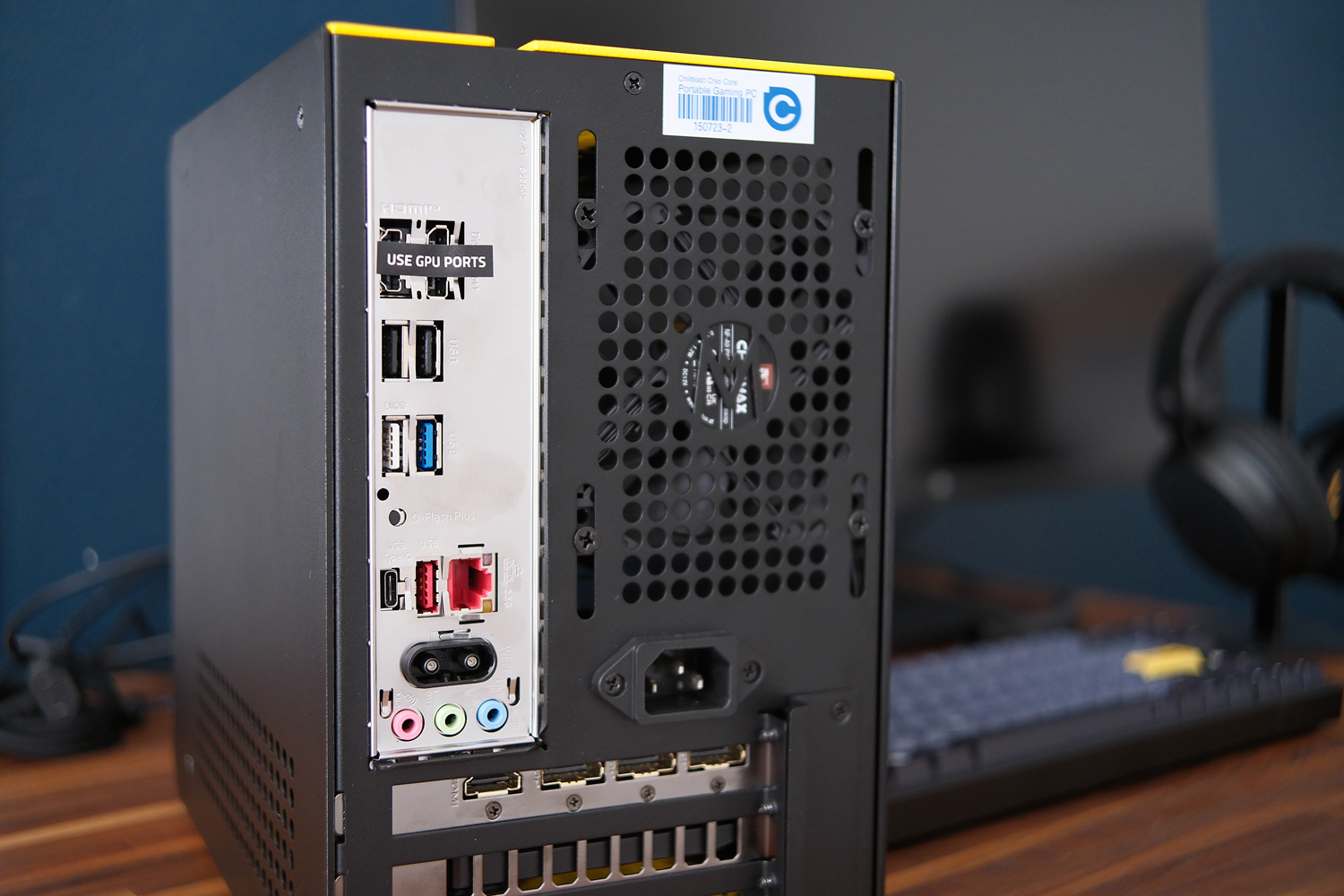
The motherboard has integrated Wi-Fi and Bluetooth, so you won’t need to use its onboard Ethernet connection unless you want the best possible connection for multiplayer gaming. The single M.2 slot and both memory slots are filled, so any future upgrades will mean removing the original SSD or RAM.
Your GPU upgrade path might also be limited. The included Gigabyte RTX 5060 is a dual-slot design, and while the case has room for a triple-slot card, you’re restricted on length by the front case fan. Cards based on Nvidia’s reference design should fit, but more potent overclocked cards with third-party coolers seem unlikely.
External connectivity is pretty good, with a brace of USBs and three 3.5mm audio ports. I also like how Chillblast puts a sticker over the onboard HDMI and DisplayPort connectors, reminding you to use the ones on the GPU instead. Up front you get one USB Type-C and one Type-A.
The CPU is chilled by a Thermalright low-profile air cooler, which feels like a sensible choice. Single fan closed-loop liquid cooling systems aren’t usually as efficient as a good air cooler, and you don’t have to worry about leaks or evaporation.
Peripherals: worth their weight
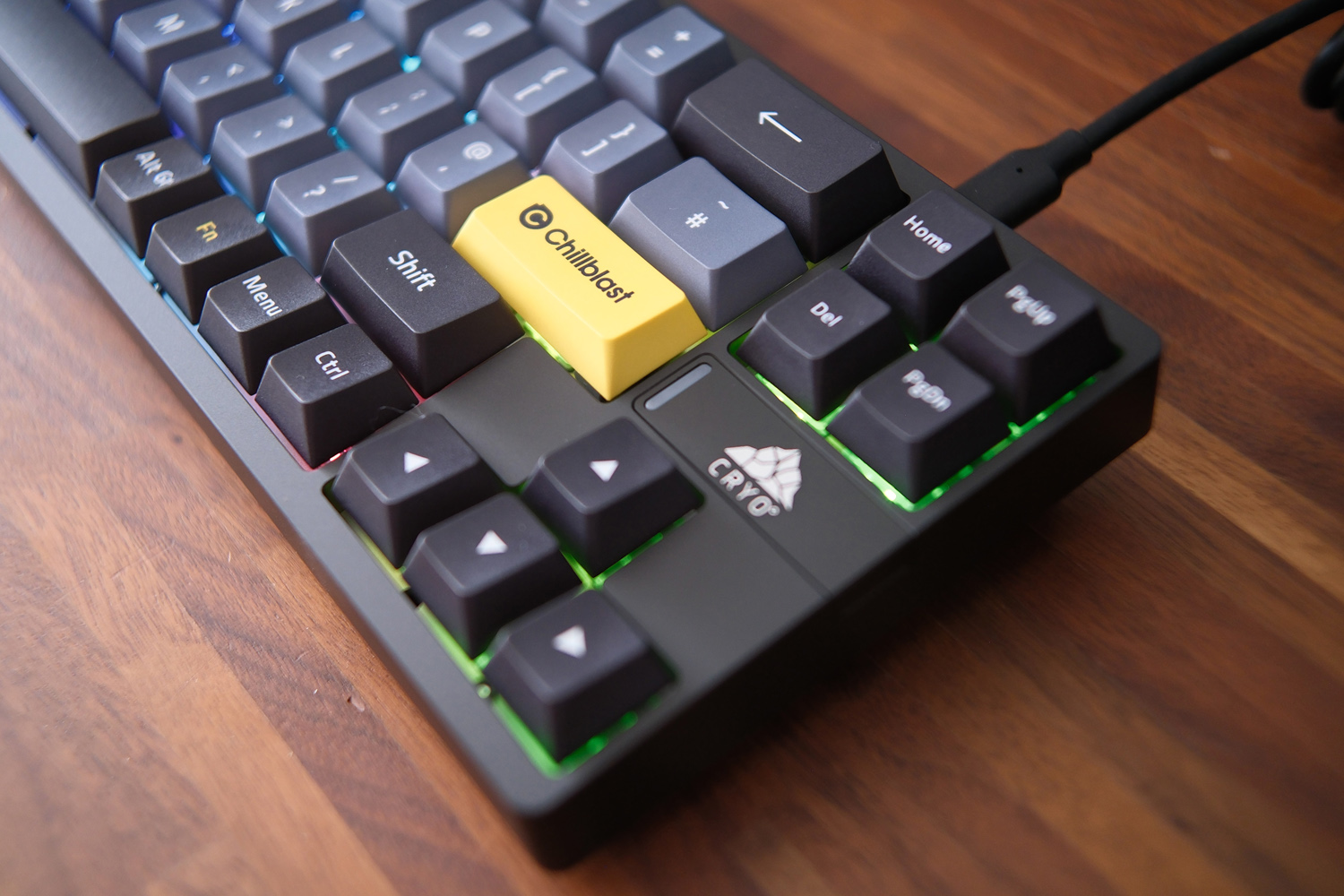
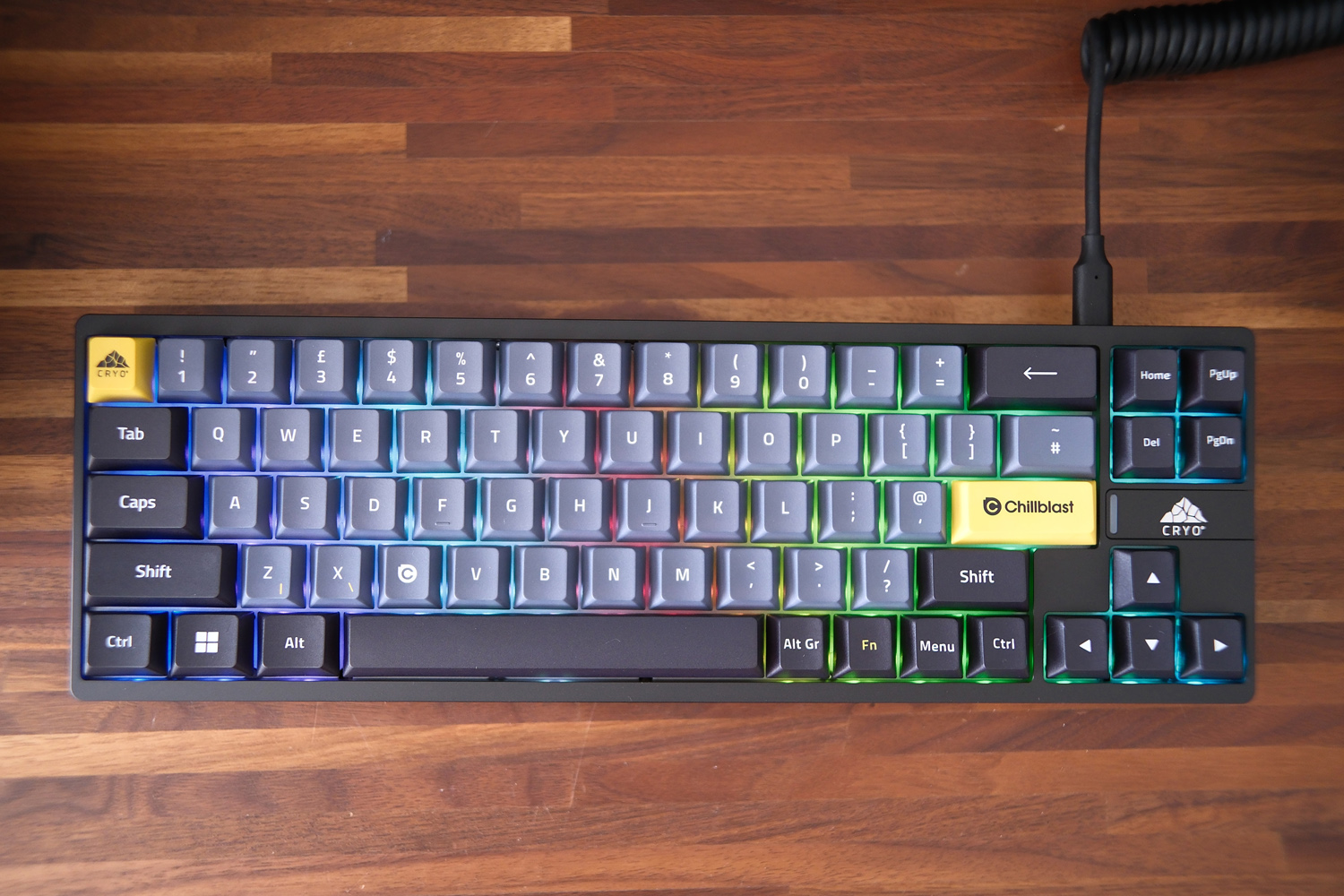
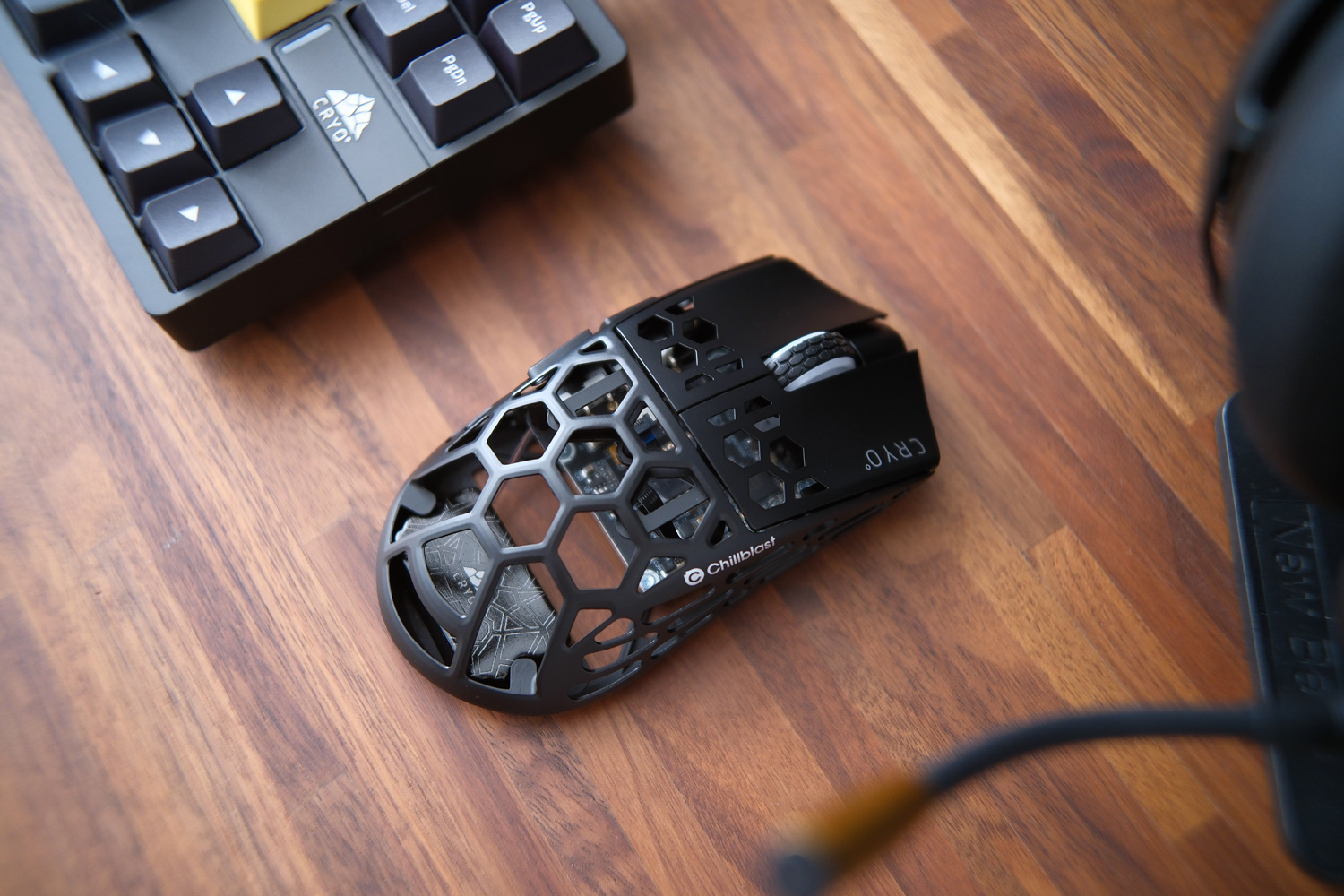
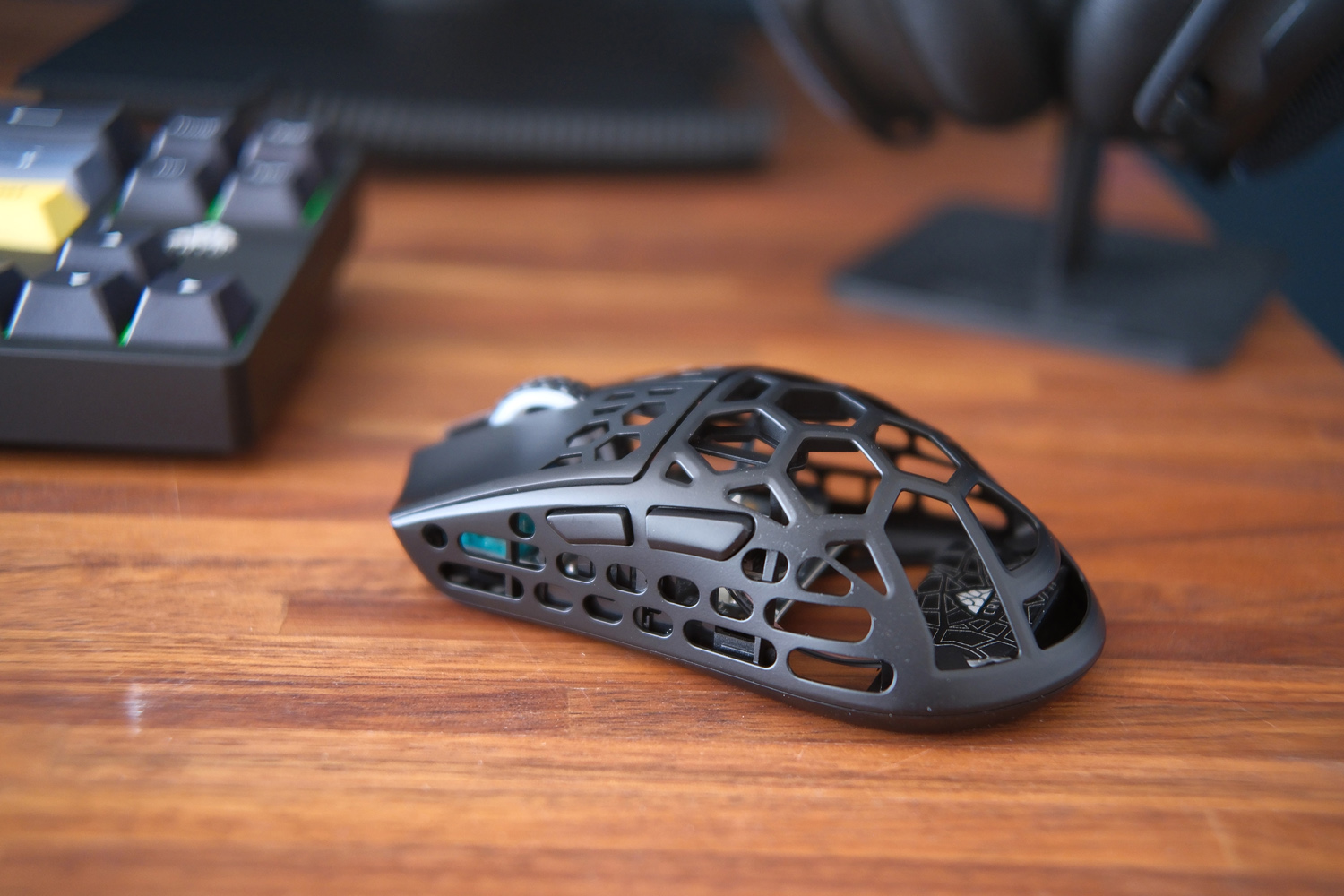
Given they add a considerable £380 to the total price, I was very happy to see Chillblast’s Cryo peripheral trio aren’t your typical pack-ins. The wireless mouse, wireless headset and wired keyboard are all Chillblast-branded, for a start, and from what I can see aren’t obvious reskins of another brand’s offerings.
The Cryo Click wireless mouse is a ridiculously light 39g, with a skeleton-style design that’s sure to trigger any trypophobes and could be something of a dust magnet over time. It’s a small, five-button affair with satisfyingly clicky switches, a scroll wheel that gives clear physical feedback as you rotate it, and the bare minimum of buttons on the underside for changing sensitivity and polling rate. Depending on your choices it’ll manage 85 hours between charges over USB-C; less if you turn on the subtle RGB lighting, using button shortcuts or the optional software.
While it felt a bit small in my hand, I can’t fault the sensor tracking or accuracy. It doesn’t skimp on features, with options to adjust the lift-off distance and correct for offset angles (handy if you hold your mouse at anything other than due north). A big-name rival like the Corsair Sabre V2 would set you back between £120-£160, so Chillblast’s standalone £150 asking price seems competitive; you’re effectively getting it for £120 here when bought alongside the Cryo.
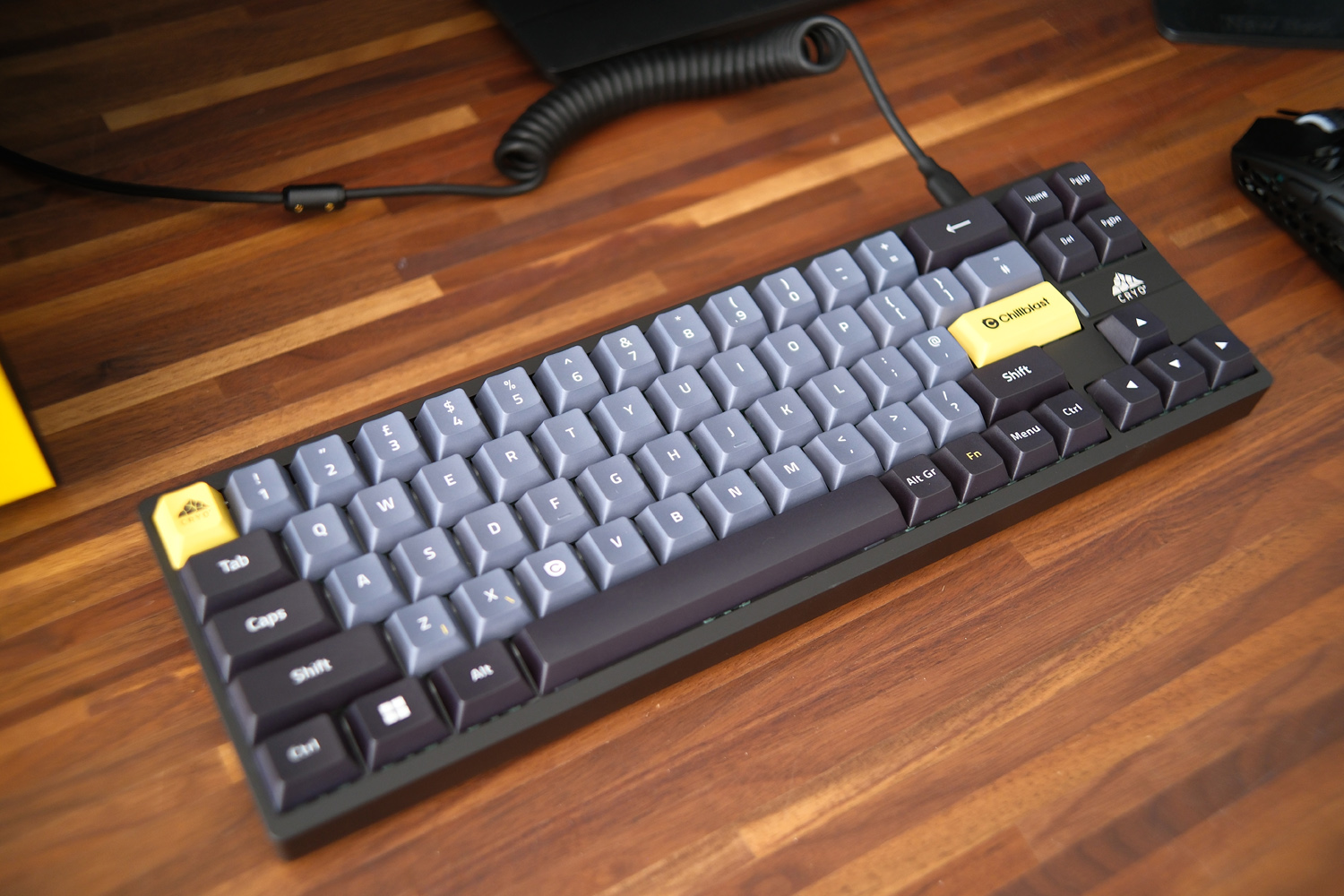
The Cryo Slate keyboard, meanwhile, is an absolute tank. It may only be a 65% ‘board, but an outer shell made from aluminium alloy means it weighs in at a considerable 1.4kg. None of that heft can be chalked up to batteries, as it uses a purely wired connection. The coiled USB-C cable is a nice touch, as are the custom Chillblast caps on the enter and escape keys. You miss out on a dedicated function row though, and there are no feet to adjust the amount of tilt.
I found the typing experience comfortable enough, with the Gateron Jade Pro HE switches creating a satisfying – if loud – clack with each keypress. The built-in RGB lighting has good coverage and is fully programmable, if you’ve got the patience; I’m still forever grateful when a keyboard maker lets you download community-made presets rather than forcing you to go it alone. No such luck here, unfortunately. The software also looks a bit low-rent compared to the likes of Razer or Logitech.
The Hall Effect magnetic switches largely make up for that, with near-infinite adjustment to the actuation point (how far you have to press before the system registers an input) and support for Rapid Trigger multiple inputs. Combined with a high 8000Hz USB polling rate, you’re getting a practically instant input response. There are plenty of rivals that offer similar for less money if you don’t mind a lighter shell, though.
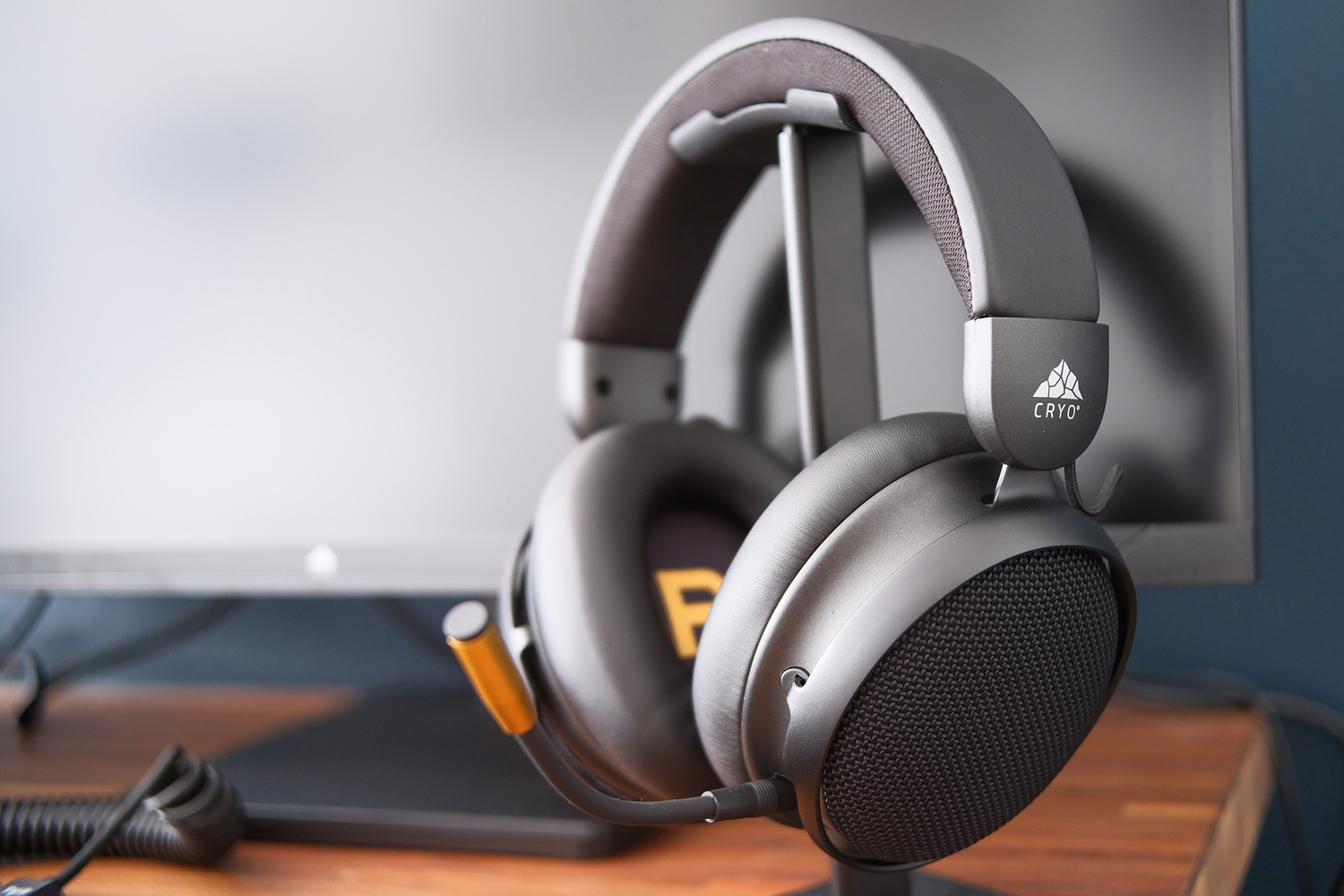

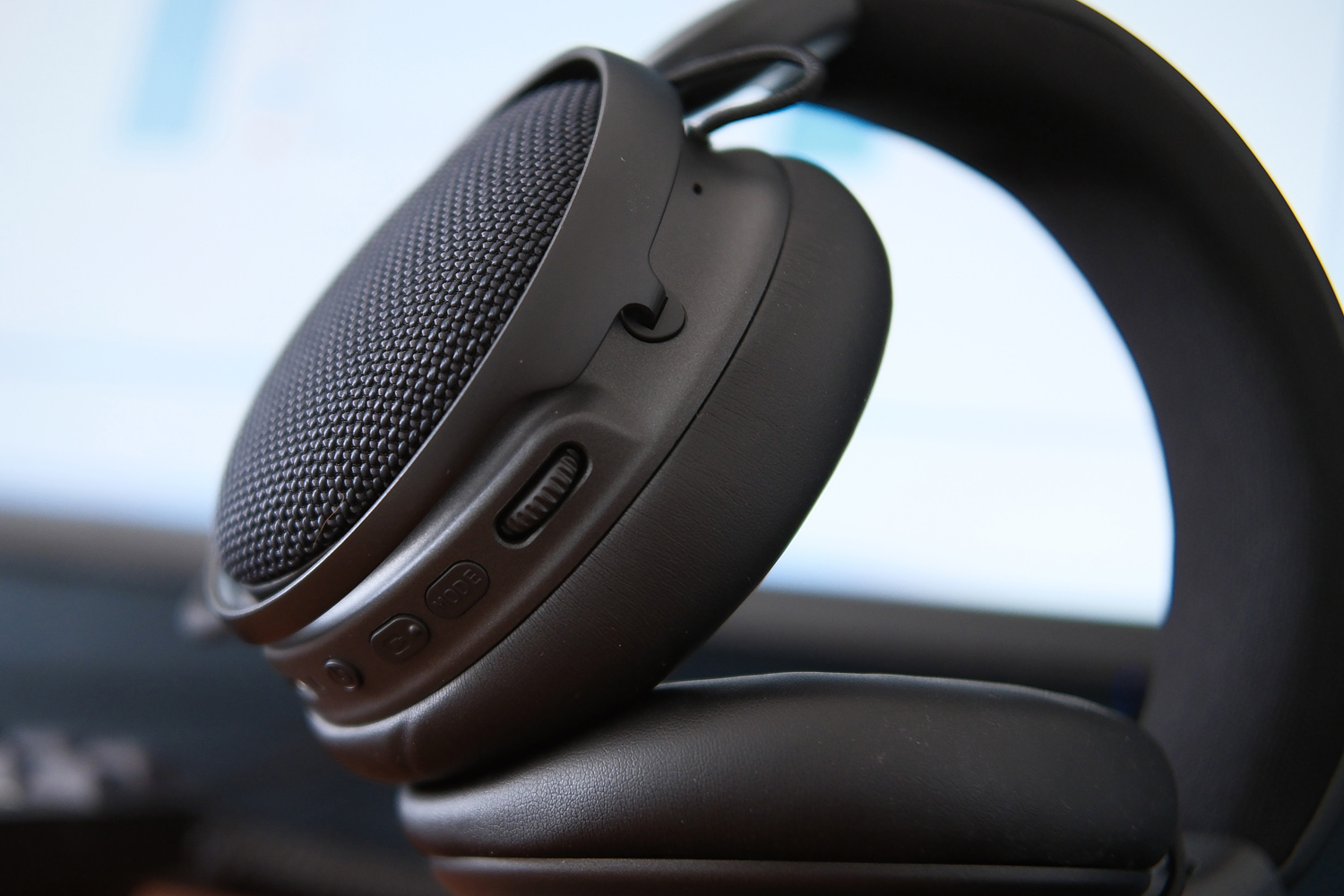
Finally, the Cryo Sync wireless headset was a pleasant surprise. While there’s no software to fine-tune the sound, I found it very comfortable to wear and couldn’t fault the construction. It’s mostly metal, with durable mesh fabric around the ear cups and faux leather for the headband and ear cushions. Each has plenty of padding, there’s plenty of adjustment for head size and shape, and the clamping force isn’t too vice-like.
Connectivity is by Bluetooth or 2.4GHz using the included dongle; I had no dropouts or signal issues at all throughout my testing. Battery life is respectable at close to 50 hours, depending on volume and whether you use the active noise cancellation – which did a great job of muting the Cryo Core’s cooling fans. My teammates had no complaints about the clarity of my voice through the detachable boom mic, though I didn’t get any positive comments either.
The 53mm dynamic drivers are larger than what you’ll usually find in a modern gaming headset. They can move a lot more air, delivering a punchy low-end but not at the expense of the higher frequencies. They have a typical gaming headset tune, prioritising sounds like footsteps and weapon reloads, but cope well enough with movies and music. If you’re starting your PC gaming journey from scratch it’s a capable all-rounder, but I wouldn’t trade a headset from one of the bigger brands for it.
Chillblast also sent through a Cryo Vision 27in monitor for testing, though it’s sold separately rather than part of the Cryo bundle. It’s an IPS panel with a 16:9 aspect ratio, 4K resolution and 165Hz refresh rate, but can drop down to Full HD for a much faster 330Hz mode that’s ideal for esports. Making the switch is a multi-step process through the basic OSD menu, though. G-Sync and FreeSync adaptive refresh support then essentially prevent any visible screen tearing at low frame rates.
The height-adjustable stand can also tilt, swivel, and rotate to use in portrait orientation. There’s a useful trio of USB ports at the rear (two USB-A and one Type-C) along with HDMI 2.1 and DisplayPort 1.4 inputs. While it’s not the brightest display I’ve used recently, topping out at 300 nits, viewing angles are as good as I’d expect from IPS tech and colour accuracy is on point. If you wanted to get an entire gaming PC setup from one place, it’s a worthwhile inclusion – but you don’t have to find much extra budget to get an OLED panel, which will have far better contrast, if not quite as high a pixel count.
Performance: Full HD Hero
The Cryo Core is first and foremost a gaming PC, but the AMD 9600X is no slouch when it comes to desktop performance. Its 6-core/12-thread arrangement is based on Zen 5 architecture and usually ticks along at 3.9GHz, but can boost as high as 5.4GHz when thermal limits allow. That’s enough to ensure it’ll never be a bottleneck for the RTX 5060 GPU.
It produced some strong scores in my go-to synthetic benchmarks, outscoring a £2900 Medion Beast 18 gaming laptop and its Intel Core Ultra 9 275HX silicon. Depending on the test, Intel’s newer 3rd-gen Core Ultra X9 chips put in a slightly stronger showing, while the Ryzen AI 9 HX 375 in HP Omen Max 16 was also slightly quicker at times – but that machine costs £2400.
If you were building your own rig it would cost another £70 to step up to the Ryzen 7 9700X, while the current gamer darling 9800X3D is over twice the price. For most people there’s ample oomph here. The Cryo Core’s cooling setup is also able to cope with sustained loads, ensuring the processor never got bogged down while crunching numbers, rendering videos or compiling massive compressed files.
| Chillblast Cryo Core productivity benchmarks | |
| Geekbench 6 single-core | 3197 |
| Geekbench 6 multi-core | 13,243 |
| Geekbench AI | 11,545 |
| Speedometer 3.1 | 39.5 |
The RTX 5060 is the main event, of course. It sits towards the lower end of Nvidia’s current graphics lineup, but uses the same Blackwell architecture. You’re getting 4608 CUDA cores here, as well as a 128-bit memory interface and 8GB of dedicated GDDR7 video memory. While that’s a fair bit less than its bigger brothers, the price difference is colossal: right now DIY builders must spend an extra £1000 to get an RTX 5080.
For the most part this is a very capable 1080p graphics card, producing frame rates north of what I’ve seen from more expensive gaming notebooks with RTX 5070ti Laptop GPUs. An Acer Predator Helios Neo 16S AI, for example, will set you back £2800; the Cryo Core either matches or beats it in titles that don’t demand an awful amount of memory.
Newer releases that want 12GB or more VRAM can be more of a struggle, while older titles also ask a lot of the silicon when you step up to 4K. A 62.7fps score in Gears Tactics is still perfectly playable, and if your monitor supports G-Sync adaptive refresh Shadow of the Tomb Raider‘s 46fps should also be smooth enough. Cyberpunk 2077 is a different story, sinking to just 26.1fps with native rendering at 4K resolution, down from a silky 104.5fps at Full HD.
| Chillblast Cryo Core gaming benchmarks | Native rendering (1920×1080/330Hz) | Native rendering (3840×2160/165Hz) | 4K DLSS Upscaling |
| 3DMark Steel Nomad | N/A | 3168 | N/A |
| Gears Tactics | 178.2fps | 62.7fps | N/A |
| Shadow of the Tomb Raider (RT off) | 181fps | 46fps | 59fps |
| Shadow of the Tomb Raider (RT on) | 110fps | 27fps | 40fps |
| Cyberpunk 2077 (Ultra, RT off) | 104.5fps | 26.11fps | 35.36fps |
| Cyberpunk 2077 (RT Overdrive) | 11fps | Crashed | 9.4fps |
Nvidia’s DLSS upscaling tech can make up a lot of the difference, but even it has limits on this card. Using the balanced preset and AI-assisted frame generation only saw Cyberpunk reach 35fps, and that was with ray tracing switched off. The demanding lighting effects saw even upscaled frame rates sink to single figures, so are best avoided when given the option. It refused to run at all at native resolution, crashing every time I tried to run the benchmark.
Temper your expectations – or stick to Full HD – and you’ll be very happy, however. New release Resident Evil Requiem ran fine at mostly high detail settingss an ideal card for esports games, delivering consistently smooth gameplay in Counter Strike 2, Rocket League and League of Legends.
The Cryo Core also stayed impressively quiet throughout my testing. The GPU fan was fastest to spin up to noticeable levels, but the 120mm CPU cooler, twin 90mm case fans and power supply were very relaxed.
Chillblast Cryo Core verdict
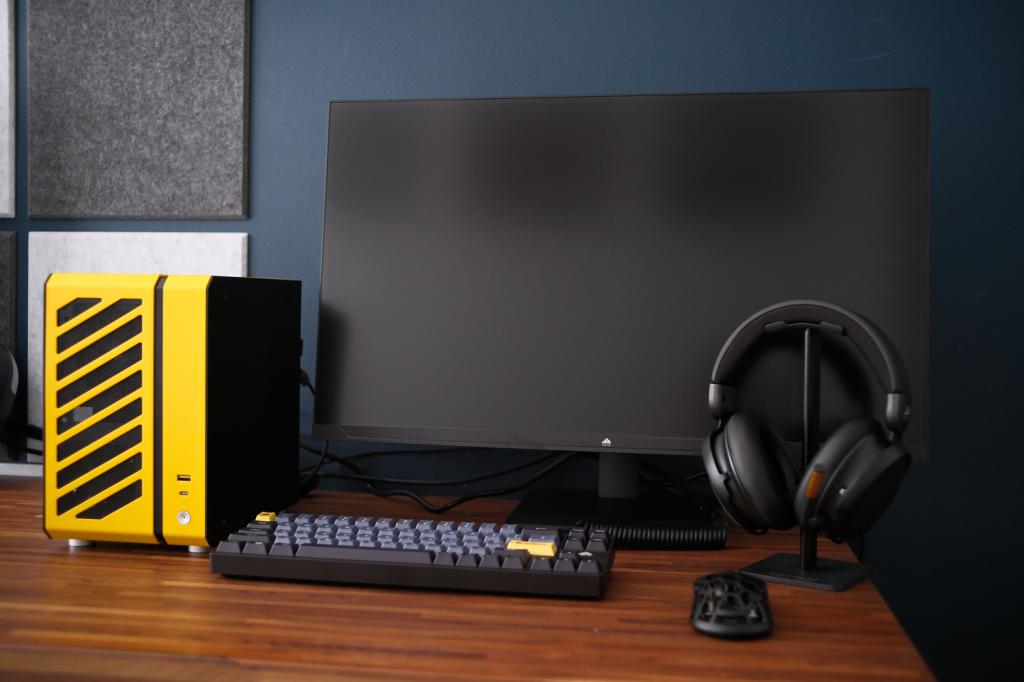
As a long-time small form factor fan, I wasn’t surprised that the Cryo Core quickly won me over. Chillblast has built a well-rounded gaming PC at a price that won’t make you weep – no mean feat in the current tech climate – and with hardware that 1080p gamers won’t need to think about touching for at least another GPU generation.
The compact case won’t be to all tastes but doesn’t dominate a desk, has effective cooling, and is very quiet in operation. Upgradability is limited by the mini-ITX motherboard, but the included RAM and SSD will keep you in good stead for a few years yet. The optional peripheral package is well worth a look if you’re starting from scratch, too – though anyone with a gaming mouse, keyboard or headset they already love should give it a miss.
As tested, the RTX 5060 system won’t appeal to anyone wanting a 4K-ready SFF gaming rig; they should instead stay tuned for the more potent versions due later.
Stuff Says…
A space-saving SFF gaming PC that hits the 1080p performance sweet spot for sensible cash. The Chillblast Cryo Core has limited upgrade potential but its distinctive case earns style points
Pros
Strong performance for the size and money
Wonderfully small and quiet in operation
Peripheral bundle offers great value for gaming PC newcomers
Cons
RTX 5060 relies on DLSS for high resolution gaming
Small form factor limits upgrade potential
Small price premium over doing it yourself, as with any prebuilt PC
Chillblast Cryo Core technical specifications
| Specifications | Medion Beast 18 |
|---|---|
| Processor | AMD Ryzen 9600X |
| Memory | 32GB RAM (2x 16GB DDR5 5200MT/s) |
| Graphics | Nvidia GeForce RTX 5060 8GB |
| Storage | 2TB SSD (PCIe 4.0 x4 NVMe) |
| Operating system | WIndows 11 |
| Connectivity | 5x USB-A, 1x USB-C, 3x 3.5mm, Ethernet, DisplayPort, HDMI (motherboard) 1x USB-A, 1x USB-C (case, front) HDMI, 3x DisplayPort (graphics card) |
| Dimensions | 249x249x160mm, |
- Review updated 22 March 2026: clarification from Chillblast on upcoming variants with more powerful GPUs


 Tom Morgan-Freelander
Deputy Editor
Tom Morgan-Freelander
Deputy Editor