Apple MacBook Neo review: a true budget Mac laptop or a compromise too far?
Apple's budget laptop is pitching to be a real all-rounder and I've spent several days finding out if the promise is fulfilled

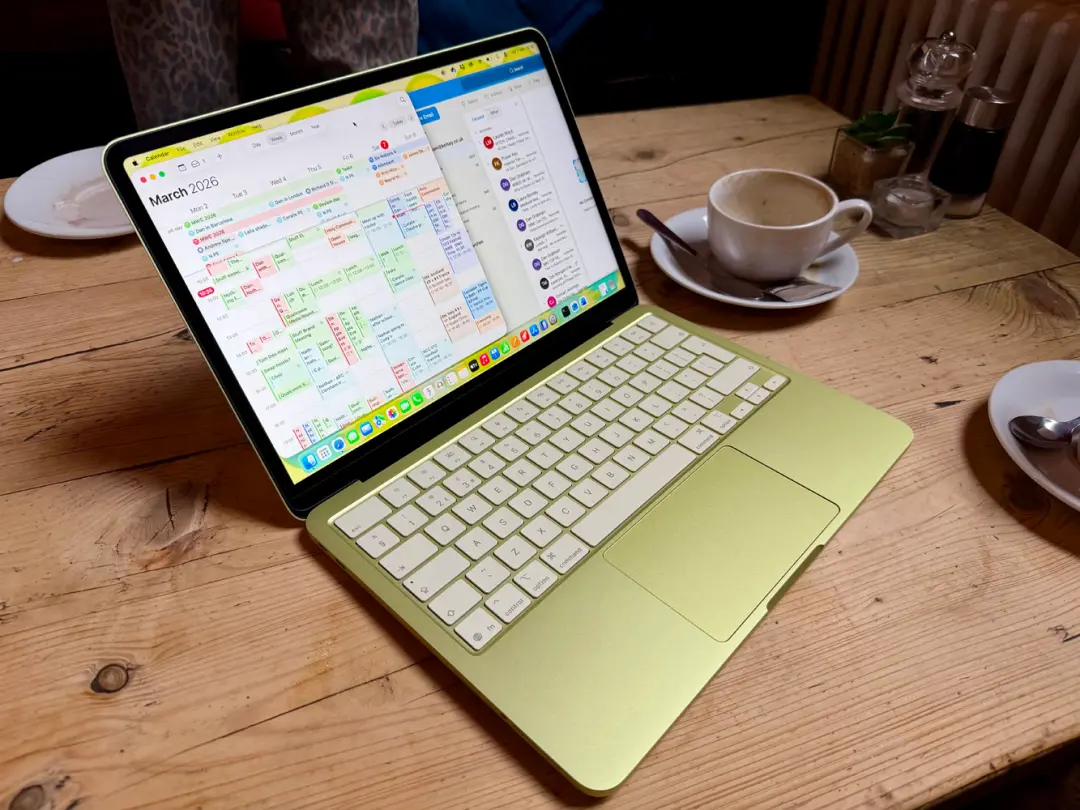

Stuff Verdict
The MacBook Neo’s compromises just aren’t issues for the vast majority of users and as such what is on offer here is an absolutely bargainous no-brainer. The Neo’s best feature is its design.
Pros
- Stunning design for a budget laptop
- Different storage options welcome
- Quality hardware throughout, especially the keybord and trackpad
- Excellent price point
Cons
- Different USB ports
- 8GB is a limitation that needs to be removed
- Screen brightness needs to be high
- Battery life not as good as touted
Introduction
Cards on the table, I was a bit concerned about how I was going to approach this review. For the last few months I’ve been using an M4 Pro MacBook Pro from last year and, well, I’ve been spoiled. How was I going to review a budget laptop at completely the other end of the scale? For which I am in no way the target audience – Apple is targeting new categories of users with the MacBook Neo; students producing projects, small business owners working spreadsheets and mobile PAs.
The answer was to use the MacBook Neo as my main machine for the days since I received it to see if it would cope. To test it beyond what it should be capable of. And it’s been revelatory in more ways than one.
There are two models – the 256GB version doesn’t have Touch ID which is a shame. But $100/£100 more will get you Touch ID and 512GB of memory instead. And $699/£699 is still a good price considering that’s what many were expecting the Neo to cost anyway. Both models have 8GB of unified memory (RAM) and I’ll talk about that in more detail later.
How we test laptops
Every laptop reviewed on Stuff is tested using industry standard benchmarks and apps to assess performance and battery life. We use our years of experience to judge display, sound and general usability. Manufacturers have no visibility on reviews before they appear online, and we never accept payment to feature products.
Find out more about how we test and rate products.
Design & build: by far the best bit
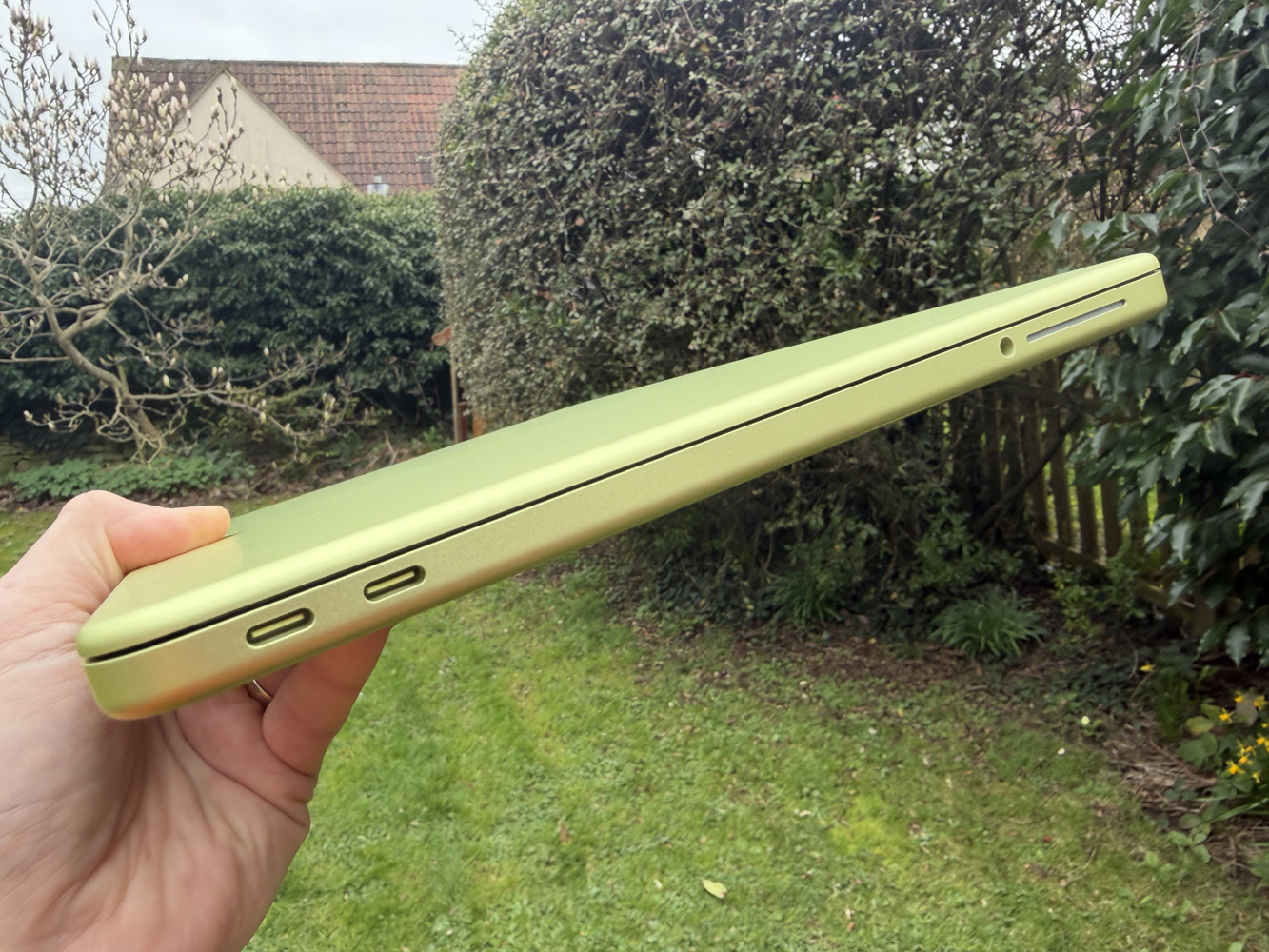

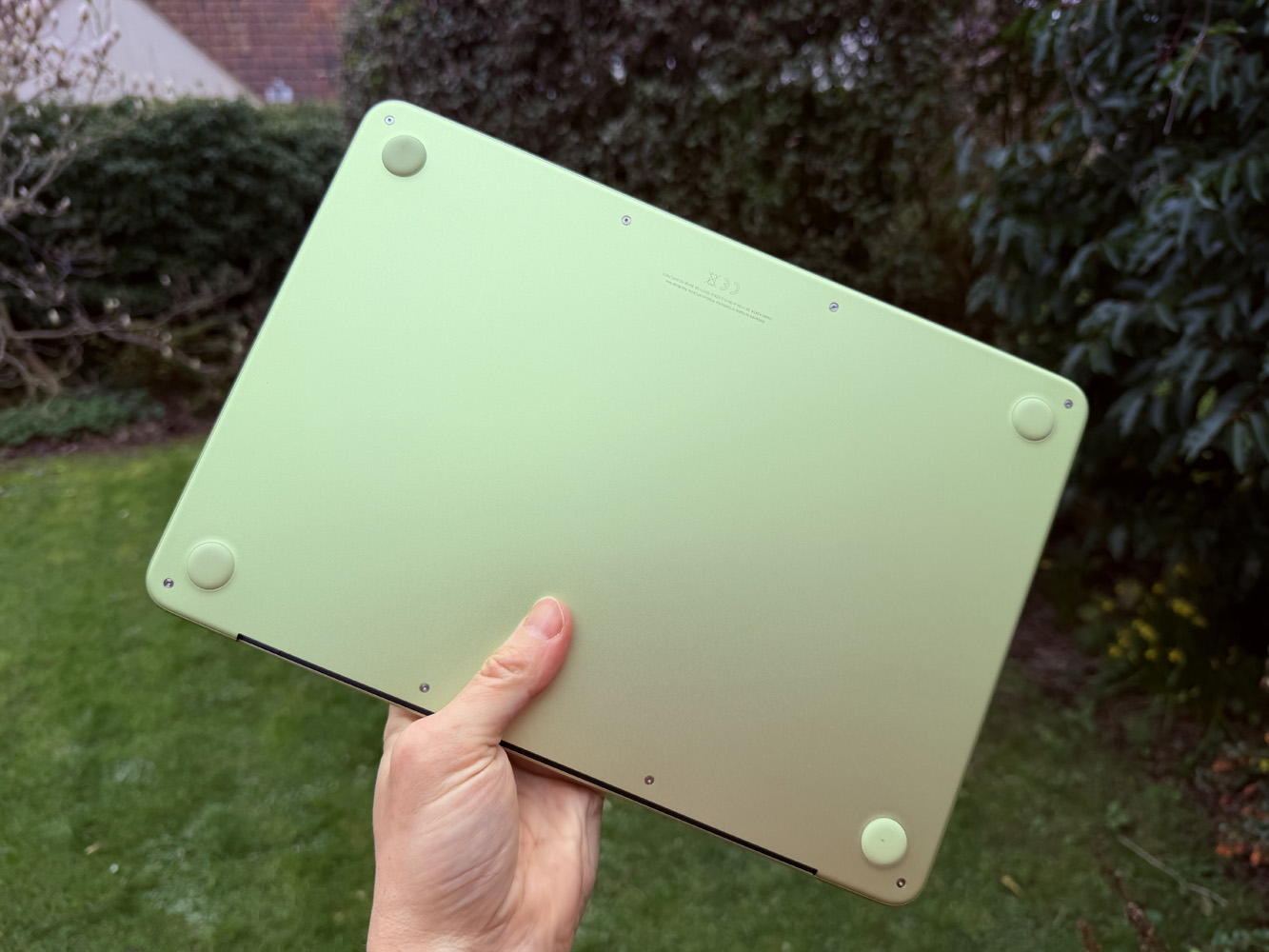
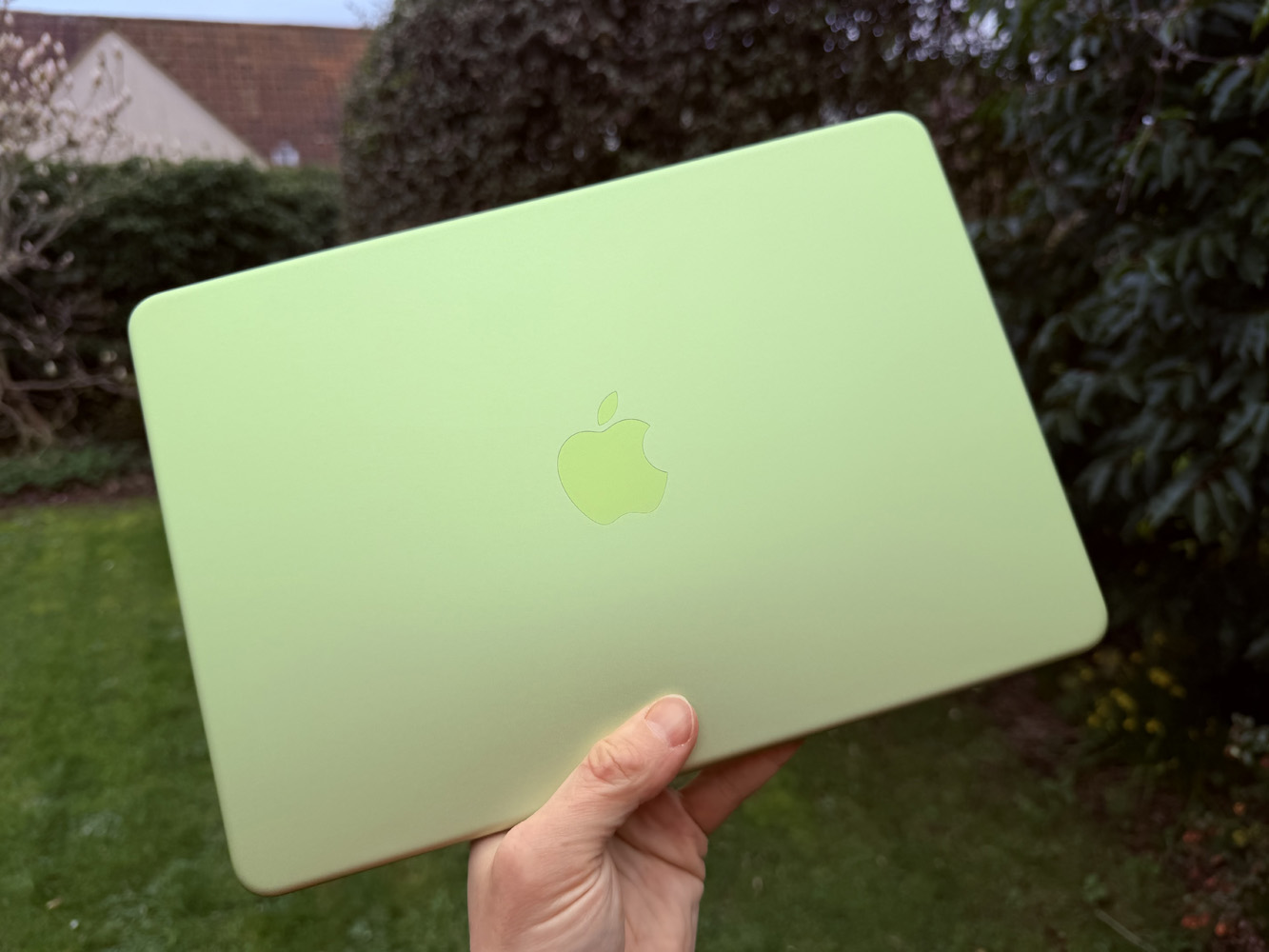
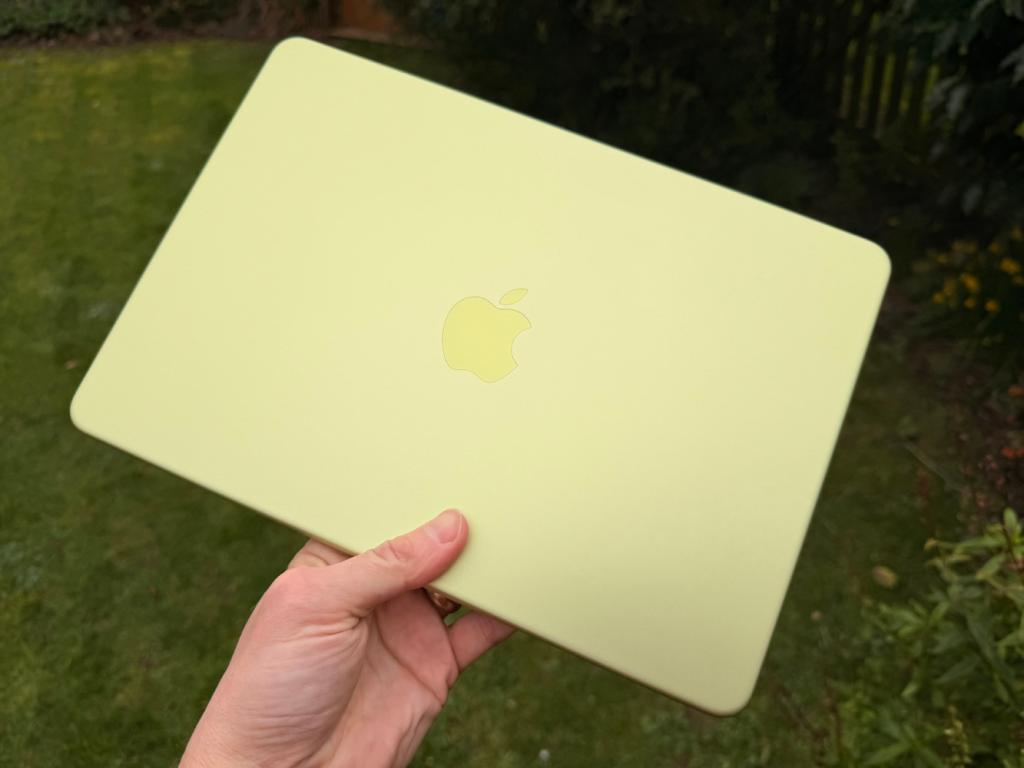
It was a pleasant surprise that the new Mac comes in a variety of colours – indigo, silver and citrus. The fact silver is retained shows that Apple thinks it is probably going to be the most popular colour. Our review model is the citrus as you can see, which is certainly interesting and pretty fresh but I think the indigo looks most distinctive.
The look and feel is probably the biggest triumph – it has the same aluminium finish that you’d expect from a MacBook Air and many would be hard-pressed to tell the difference between a silver Neo and the silver Air. There’s certainly no PC out there that is as good-looking.
Apple clearly expects this laptop to be picked up and used collaboratively as it has colour-coded the feet.
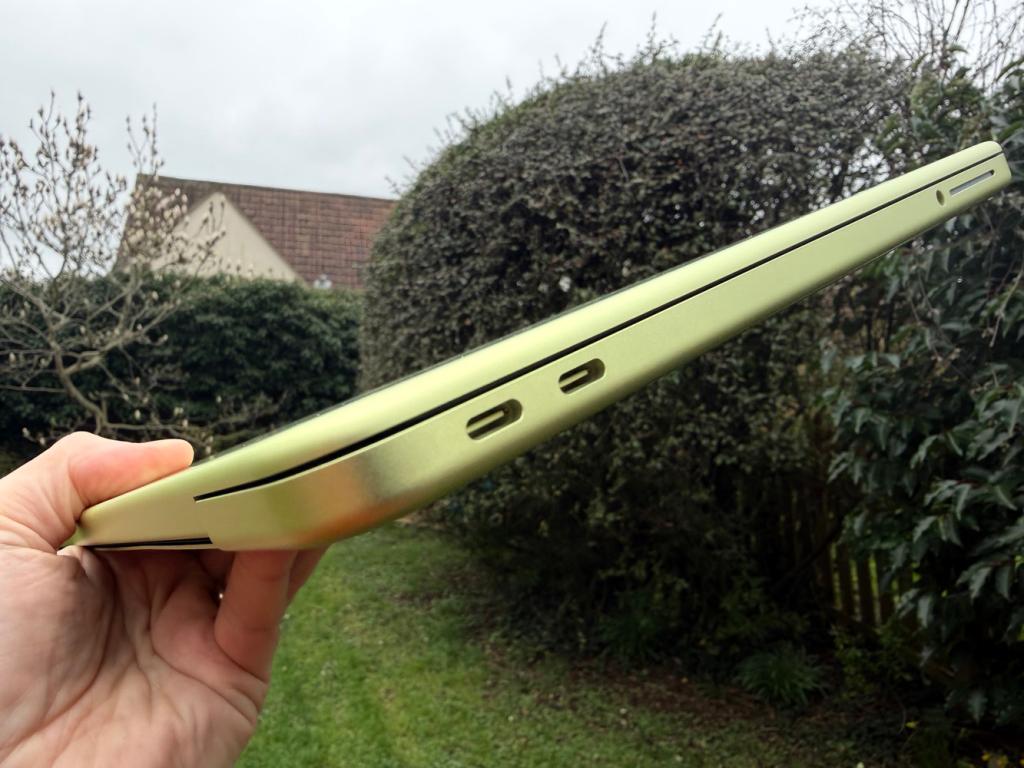
Weight is around the same as a MacBook Air at 1.23kg. It’s nicely lightweight compared to a MacBook Pro. The main design change from an Air is that the bezels are thicker, a bit like an older Apple laptop, and there are two slots at the side for the speakers which is a new design element we haven’t seen previously.
Specs: some compromises


There are two USB-C ports which is a good thing – the original MacBook Air and MacBook had a single USB port and, well, it just wasn’t enough when you needed to charge using it as well. Thankfully Apple has realised that challenge here. As evidenced by the M1 Pro and later MacBook Pro range, Apple is no longer as adverse to ports as it once was.
Much has been made of the fact the left-hand USB-C port supports USB 3 speeds of up to 10Gb/s, while the right-hand port is limited to USB 2 speeds of just 480Mb/s – roughly twenty times slower. This would appear to be a hardware restriction of the A18 Pro. A warning pops up if you try and plug a display into the slower port, but it will happily drive a 4K display at 60Hz.
The fact there’s no Touch ID on the entry-level model is a shame, but it’s not actually the issue I thought it might be. I use a desktop Mac at home, so it’s similar and it can also unlock with Apple Watch, so if you wear one then most of the time it will unlock automatically anyway.
The 256GB storage on that model could be a restriction if you have a lot of video and images that aren’t in the cloud, but for most people this will be enough. If you often have a lot of content locally, pushing to the $699/£699 model will stand you in good stead.
The trackpad is very different from Apple’s other Macs. That’s because it’s mechanical rather than haptic. If you’ve used any recent Mac laptop you’ll be able to tell the difference.
That’s because the trackpad on the MacBook Air and Pro don’t actually click – they use haptic feedback to give you the impression that a click has been made. Yes – a simulation of a click. Not so with the Neo – it actually moves. Unlike on early Mac laptops with dedicated buttons, you can click anywhere on the pad, just as you can with the haptic pads.
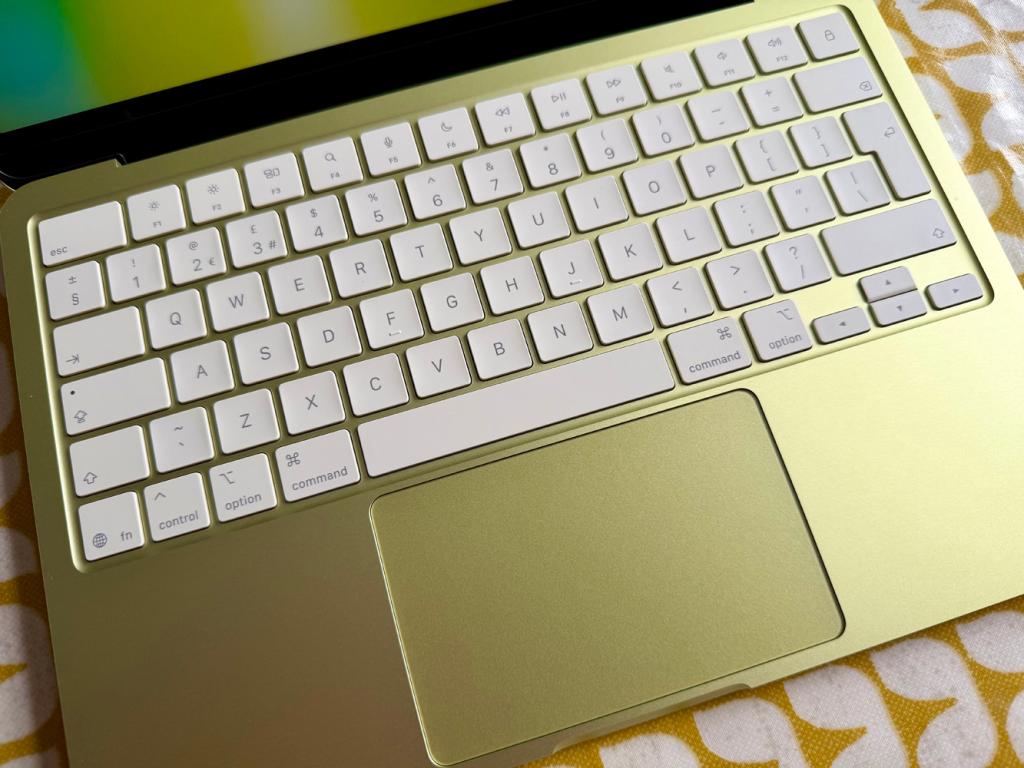
The keyboard is excellent – it’s a little softer than some, but is very pleasant to type on and feels great. It’s not white – there’s a hue to the keys designed to match the laptop design.
Wi-Fi 6E is on board (as opposed to Wi-Fi 7) but it is cutting edge in terms of Bluetooth 6 while there’s also a trusty headphone jack as on all Macs.
Performance: just enough to do the majority

This laptop runs on the A18 Pro originally found in the iPhone 16 Pro and, like with iPads and iPhones and the MacBook Air, there are no fans. By comparison, Windows laptops at around this price point often have multiple fans. Apple’s decision to move its laptop line over to Apple Silicon has been a decision returned in spades.
It’s only in recent times that more Windows PCs have been moving towards ARM-based designs with Qualcomm’s Snapdragon and that market is still tiny – even if it’s probably the future for Windows PCs as well. Whereas for Apple, it’s everything.
While the choice of an A-Series iPhone chip rather than a M-Series ‘laptop’ chip doesn’t matter really, there’s no getting away from the fact that the Apple Silicon strategy feels a bit illogical. We now have iPads running on Mac chips and a Mac that runs on an iPhone chip. Initially, I couldn’t help but feel like an early Apple Silicon Mac chip could have been a better choice. But, unlike the A18 Pro, the M1 is no longer made. Also, on single core performance, the A18 Pro is better than the M1 and M2 anyway.
It scored 3,555 for the Geekbench 6 single-core test, compared with 3,445 scored by an iPhone 16 Pro and 2,346 on a MacBook Air with M1 and 2587 for a MacBook Air M2. So it soars above M1 and M2 on single core performance.
The multi-core score advantage is more meagre, though still present. For the MacBook Neo it’s 8,865, compared to the M1 MacBook Air – 8,342 – and 8,624 fpr the iPhone 16 Pro. For M2, it’s almost 1,000 more points.
The graphics scores are slightly worse (Metal) than the M1 and significantly worse than M2. Not too surprising, but a good comparison nonetheless.
For most people who buy this laptop, the step to M4 (for example) just isn’t that significant. For browsing, word processing, photos, basic video editing, media playback it will be more than enough. And I found it was fine running two browsers, Microsoft 365 apps and more simultaneously.
What I did find restricting was the meagre 8GB of memory on board. It’s enough for most uses, but The 8GB of memory is definitely a restriction when it comes to running more complex apps. And, indeed, Apple previously defended its use of 8GB inside the MacBook Air M2 and M3 before finally relenting and supplying 16GB as a minimum in late 2024.
I’d fully expect that a second-gen Neo would start at 16GB and that would solve any issues. But for now, my advice is that if you are going to be editing 4K video regularly (so not short social video) or flipping between apps consistently, you need to be looking at 16GB as a minimum, and therefore at a MacBook Air.
Screen & sound: full brightness needed

The 13in 2408×1506 LED display (219ppi with up to 500 nits brightness) is very bright for a budget laptop. It’s of a good quality, though it doesn’t have TrueTone and so doesn’t adjust well for light in the room. I found I consistently had it on the two highest brightness settings.
The size of the display is fine. I’m used to a 13in display, but there are many PCs out there around this price point with 14 and 15in displays that will be more compelling options for some. Apple would probably argue that it has the 15in MacBook Air if size is that much of an issue.
I found the audio quality so-so from the side-firing dual speakers, but you woudn’t expect more for the price. For most people listening to streaming audio or watching video, they are adequate and they certainly are fine in terms of volume.
Battery life: all day play

In light use, I found the Neo’s battery decreased by around 10 per cent per hour. So 10 hours of very light use with the screen under maximum brightness is just about doable. Under a heavier load, you’re looking at just shy of eight hours – my test with rolling, streaming 1080p video playback and max screen brightness munched through the battery in 7hrs 52 minutes.
I’m not sure how you could get to Apple’s stated 16 hours – perhaps with the screen very dimmed. Even so though, I don’t think it’s a helpful number.
The Neo comes with a 20W Apple charger in the US and globally aside from Europe and the UK where it is not in the box. You get the 1.5m USB-C to USB-C cable in all territories.
Of course, you can charge it with basically any USB-C charger. Apple suggests its own 20W charger, but the maximum power delivery you can juice the unit with is 35W.
So if you can stretch to it, Apple’s $59/£59 dual USB-C charger will do 35W and would be the best buy in my opinion. Or Anker do a 440/£40 30W charger. The Apple 20W charger is OK and it’s nicely compact, but I think it’s worth getting something more highly rated if you have to buy one anyway.
There’s no fast charging, so it does take a while to charge. At 20W you can get to 80% in just under two hours.
Apple MacBook Neo verdict
Let’s say this first: Apple’s budget laptop is absolutely cracking value for money. You get a truly capable PC for the money that brings Apple’s usual quality to the fore. A lot of Windows vendors will be perplexed at how this has been achieved. And that’s a good thing, because we’ll see better Windows laptops as a result.
There are doubtless compromises. Battery life is still very good at around 8–10 hours but I didn’t get anywhere near Apple’s claim of 16 hours. The display is great but you need to have the brightness whacked up. The USB ports aren’t the same and aren’t even labelled that they are different. The 8GB of memory isn’t future proof in any way. This is not a laptop for serious multitaskers – although nor does it promise to be.
But the positives outweigh the negatives significantly. Just as the entry-level iPad is the iPad most people need, so this is the Mac most people need. Most of us just want to answer emails, write scripts or work out a budget. And if that’s you, you’re just about to bag a bargain.
Stuff Says…
The MacBook Neo’s compromises just aren’t issues for the vast majority of users and as such what is on offer here is an absolutely bargainous no-brainer. The Neo’s best feature is its design and its legacy will be that it will make Windows laptops better and more efficient.
Pros
Stunning design for a budget laptop
Different storage options welcome
Quality hardware throughout, especially the keybord and trackpad
Excellent price point
Cons
Different USB ports
8GB is a limitation that needs to be removed
Screen brightness needs to be high
Battery life not as good as touted
Apple MacBook Neo technical specifications
| Screen | 2408 × 1506 LED backlit IPS, 219ppi, 500nits |
| Processor | Apple A18 Pro |
| Memory | 8GB |
| Graphics | 5-core Apple GPU |
| Storage | 256/512GB |
| Operating system | macOS 26 |
| Connectivity | Wi-Fi 6E, Bluetooth 6.0, 3.5mm headphone jack, 2 x USB-C (1x USB 2, 1x USB 3) |
| Battery | 36.5Wh |
| Dimensions | 29.75 x 20.64 x 1.27cm, 1.23 kg |


 Dan Grabham
Editor-in-Chief
Dan Grabham
Editor-in-Chief