Best laptops in 2026 that we’ve reviewed – our top picks for work, play and everyday use
We've tested and scored the best laptops for every need

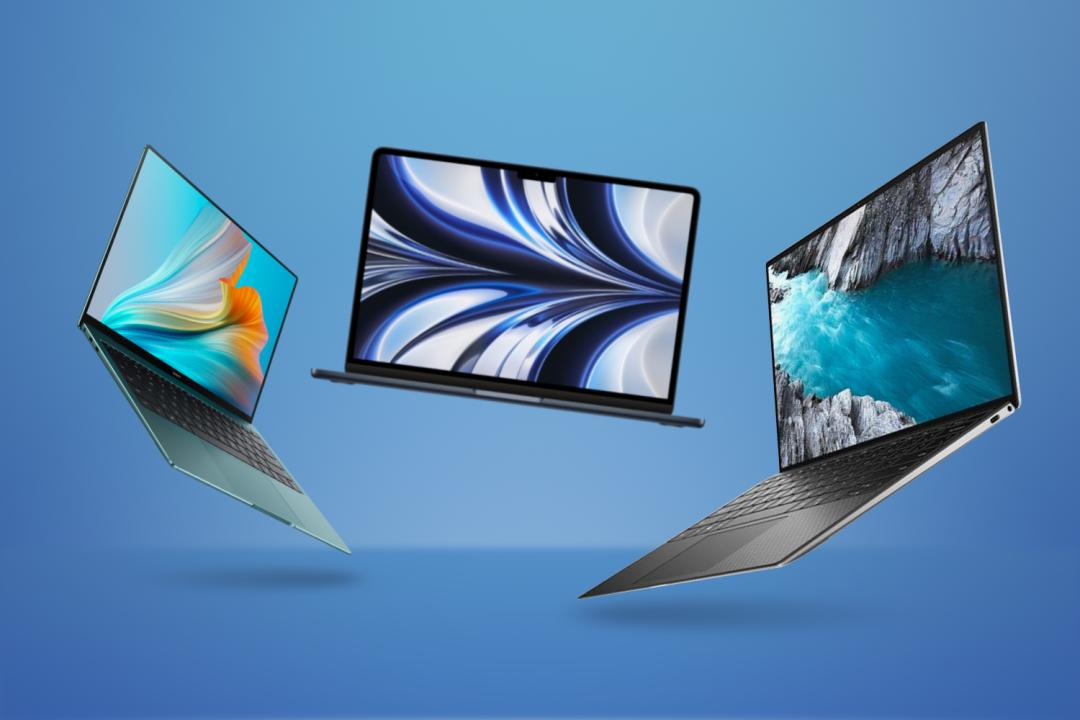
Are you after a laptop for work or gaming? Maybe you want to get creative or just need a notebook that can handle the basics? With next-gen silicon bringing incredible performance, major leaps in AI integration and longer battery life than before, this year’s laptops cover all the bases. If you’re after the best laptop to buy in 2026, look no further.
We’ve carefully tested and reviewed the leading notebooks from Apple, Dell, Asus, Lenovo and more, so know exactly which to recommend for every task and budget. From sleek MacBooks designed for creative professionals to budget-friendly Chromebooks for everyday use, and from versatile 2-in-1 hybrids to high-performance gaming laptops, our list covers a wide variety of options. Each model has been rigorously tested and scored to help you find the ideal laptop that meets your specific needs.
Read on to learn the differences between Apple, Intel, AMD and Qualcomm silicon; why Windows on ARM still has software limitations to keep in mind; and whether Chromebooks are now useable outside of the classroom. We also explain when it’s worth considering an upgrade, and what effect the ongoing component price crisis is having on new releases.
Whether you’re looking for portability, power, or something in between, we’ve got you covered. Plus, we’ve included detailed specifications for each entry so you can easily compare and find the best fit for you.
Why you can trust Stuff: Our team of experts rigorously test each product and provide honest, unbiased reviews to help you make informed decisions. For more details, read how we test and rate products.
Quick list: what’s the best laptop?
We think the Apple MacBook Air M5 (buy now) is the best laptop for most people. This streamlined machine comes with a clean design and top-spec Apple silicon – setting a new bar for performance and delivering more than enough power for most users. Yes, it’s on the expensive side, but the build quality, power, and long battery life make it worth the high price, in our eyes.
The Dell XPS 14 (buy now) offers superb performance, a stunning display and a streamlined design make this one of the best premium ultraportables for computing on the go.
The Apple MacBook Neo (buy now) sent shockwaves through the Windows world when Apple first revealed it. Even after a price rise, this go-anywhere macOS machine proved smartphone CPUs can also cut it for simple laptop duties
We think the Razer Blade 16 (buy now) is the laptop of choice for most gamers. It has a potent processor, can be outfitted with up to RTX 5090 graphics and its screen is gorgeous. Plus it’s skinny enough to travel, unlike many desktop replacement gaming machines.
The Lenovo Chromebook Plus 14 (buy now) is a welcome hardware step up for Chrome OS. If Chromebooks were a familiar sight at school, the Acer Chromebook Plus 515 will make the ideal everyday upgrade.
The Microsoft Surface Pro 9 (buy now) provides excellent performance throughout. You’ll be beguiled by the gorgeous screen and lightweight design. Though you should avoid the ARM-based model.
The best laptops you can buy today:
Best laptop overall

1. Apple MacBook Air (M5)
Stuff Verdict
If you liked MacBook Airs back to the M2, you’ll love this one. Otherwise, in effectively being more of the same, it won’t convert you. (Fortunately for Apple, the Air was great in the first place.)
Pros
- Silent yet zippy performance
- Great build quality
- More future-proof than the Neo
Cons
- More expensive than the M4
- Dull colours
- Panel remains 60Hz
| Specifications | Apple MacBook Air (M5) |
|---|---|
| Screen | 13.6in 2560×1664 LCD |
| Processor | Apple M5 |
| Memory | 16GB/24GB/32GB |
| Graphics | 8- or 10-core Apple GPU |
| Storage | 512GB/1TB/2TB/4TB |
| Operating system | macOS Tahoe (26) |
| Connectivity | Wi-Fi 7, Bluetooth 6, Thread, MagSafe 3 charging, 2x Thunderbolt 4, 3.5mm headphone |
| Battery | 53.8Wh |
| Dimensions | 30.41×21.5×1.13cm (11.97×8.46×0.44in), 1.23kg (2.7lb) |
Still the best laptop for most people, despite a recent unexpected price hike. MacOS is undeniably slick and the M5 chipset offers significant speed and graphics improvements, capable of handling anything you throw at it – while also delivering impressive battery ilfe.
Why we chose it
The MacBook Air has long been the standard other ultraportable laptops are held to. Apple’s unibody aluminium chassis has plastic rivals beaten in the styling stakes, while home-grown M-series silicon provides all the oomph most people could want. This latest model continues the trend of year-on-year updates to CPU and GPU performance, while maintaining a battery life lead over the Windows-powered competition.
The high-resolution display has excellent colour accuracy and enhanced speakers make it great for watching films and listening to music. Add macOS Sonoma, the outstanding Magic Keyboard and responsive trackpad, and you’ve got yourself the complete package.
While the MacBook Neo has shaken things up a bit for anyone that works across multiple machines, this is the laptop to buy if you want one device to rule them all.
- Read more: Apple MacBook Air (M5) review
Best Windows laptop
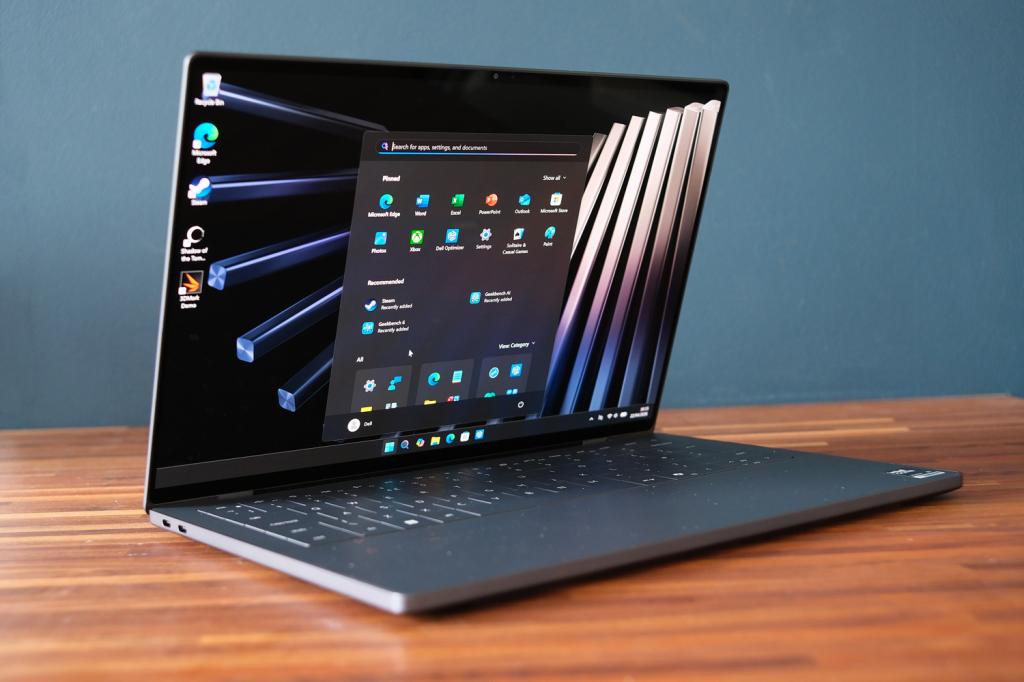
2. Dell XPS 14 (2026)
Stuff Verdict
A strong (if not quite perfect) return to form for one of the leading names in Windows ultraportables. The XPS 14 fixes what the outgoing model got wrong, brings plenty of power, and majors on battery
Pros
- Latest Intel chips bring a significant power boost
- Ditches form-over-function features like the touch sensitive function keys
- More efficient OLED screen has even skinnier bezels and gorgeous colours
Cons
- Typing experience still can’t match the best ultraportables
- Connectivity reduced from the previous generation
- Pricey base configuration that quickly climbs even higher with options
| Specifications | Dell XPS 14 (2026) |
|---|---|
| Screen | 14in, 1920×1200 LCD/14in, 2880×1800 OLED |
| Processor | Intel Series 3 Core Ultra 5 325/Core Ultra X7 358H |
| Memory | 16/32/64GB |
| Graphics | Intel Graphics/Intel Arc Graphics |
| Storage | 512GB/1TB/2TB/4TB SSD |
| Operating system | Windows 11 |
| Connectivity | Thunderbolt 4 USB-C x3, 3.5mm headphone port |
| Battery | 70Whr |
| Dimensions | 310x210x14.6mm, 1.36kg |
A long-awaited return to form for the MacBook Air’s closest competitor. This latest XPS 14 tackles the old model’s issues head-on and isn’t short on performance.
Why we chose it
Once Dell had kiboshed the outgoing model’s questionable touch-sensitive function keys and even more unexpected rebranding, the doors were open for the reborn XPS 14 to slot back in to the top of the Windows-powered ultraportable pile. It has a gorgeous 14in OLED display that delivers vibrant colours, deep blacks, and a smooth 120Hz refresh rate, or you can opt for a lower resolution LCD that’ll maximise battery life.
Intel’s Series 3 Core Ultra processor is more than capable of handling demanding tasks, with uprated built-in graphics that can also tackle 3D modelling, video editing, or gaming. The build quality is also top-notch, with a premium aluminium and glass finish.
The keyboard does take some getting used to and the connectivity on offer isn’t especially generous but the XPS 14 excels in delivering style, performance, and a fantastic display. It’s perfect for those who want a premium, versatile Windows machine.
- Read more: Dell XPS 14 review
Best cheap laptop
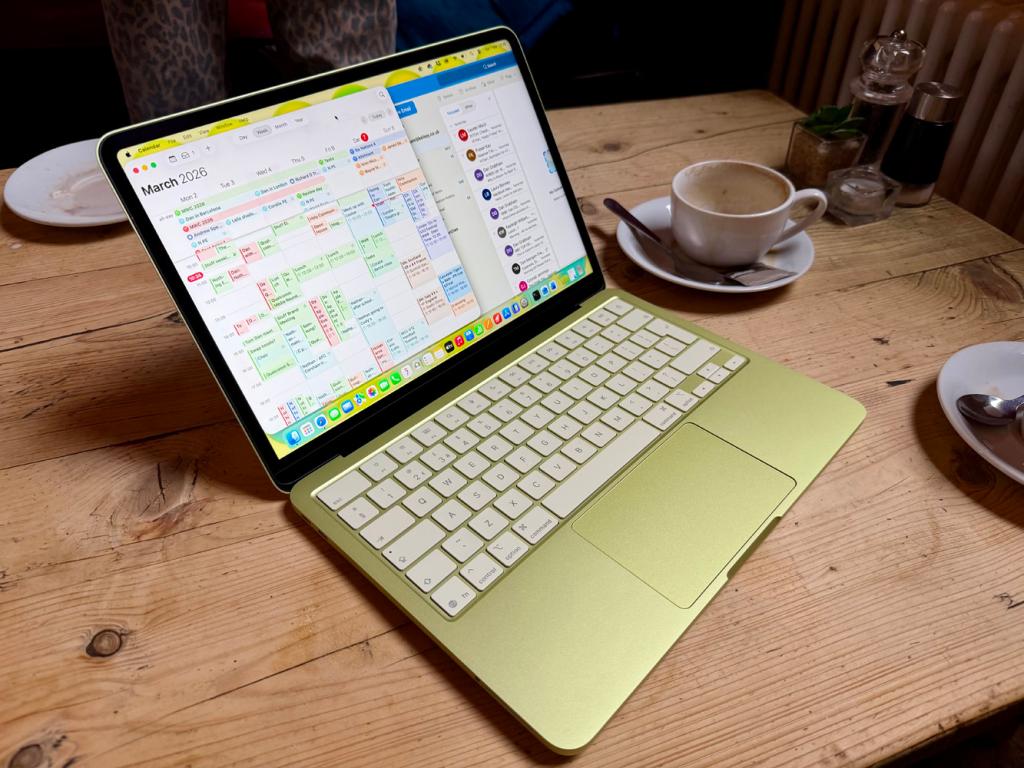
3. Apple MacBook Neo
Stuff Verdict
The MacBook Neo’s compromises just aren’t issues for the vast majority of users and as such what is on offer here is an absolutely bargainous no-brainer. The Neo’s best feature is its design.
Pros
- Stunning design for a budget laptop
- Different storage options welcome
- Quality hardware throughout, especially the keybord and trackpad
- Excellent price point
Cons
- Different USB ports
- 8GB is a limitation that needs to be removed
- Screen brightness needs to be high
- Battery life not as good as touted
| Specifications | Apple MacBook Neo |
|---|---|
| Screen | 13in, 2408×1506 LCD |
| Processor | Apple A18 Pro |
| Memory | 8GB |
| Graphics | 5-core Apple GPU |
| Storage | 256/512GB |
| Operating system | macOS 26 |
| Connectivity | Wi-Fi 6E, Bluetooth 6.0, 3.5mm headphone jack, 2 x USB-C (1x USB 2, 1x USB 3) |
| Battery | 36.5Whr |
| Dimensions | 298x201x12.7mm, 1.23 kg |
Good looks that have budget Windows rivals licked, very respectable battery life and performance that’ll get the job done for many people. The MacBook Neo really is the new starting point laptop for most people
Why we chose it
With the Neo, Apple has managed to deliver a low-cost laptop unlike any MacBook before it. Re-using a chipset last seen in one of its smartphones and keeping the other hardware sensible allowed the firm to launch at an unprecedented $599/£599. Even after a price increase (which affected almost every one of Apple’s product lines) this laptop is still fantastic value.
Its 13in screen is perfectly sharp, its keyboard and touchpad are perfect for all-day working, and macOS 26 is wonderfully user-friendly. The modest 8GB of memory isn’t a deal-breaker, nor are the unlabelled USB ports – only one is good for USB3 speeds – or maximum 512GB of storage. As a companion to a more powerful Mac at home it makes perfect sense; as your only machine you might notice the limitations a bit more. But either way it’s unbelievable value. Now we just need the Windows alternatives to catch up.
- Read more: Apple MacBook Neo review
Best gaming laptop
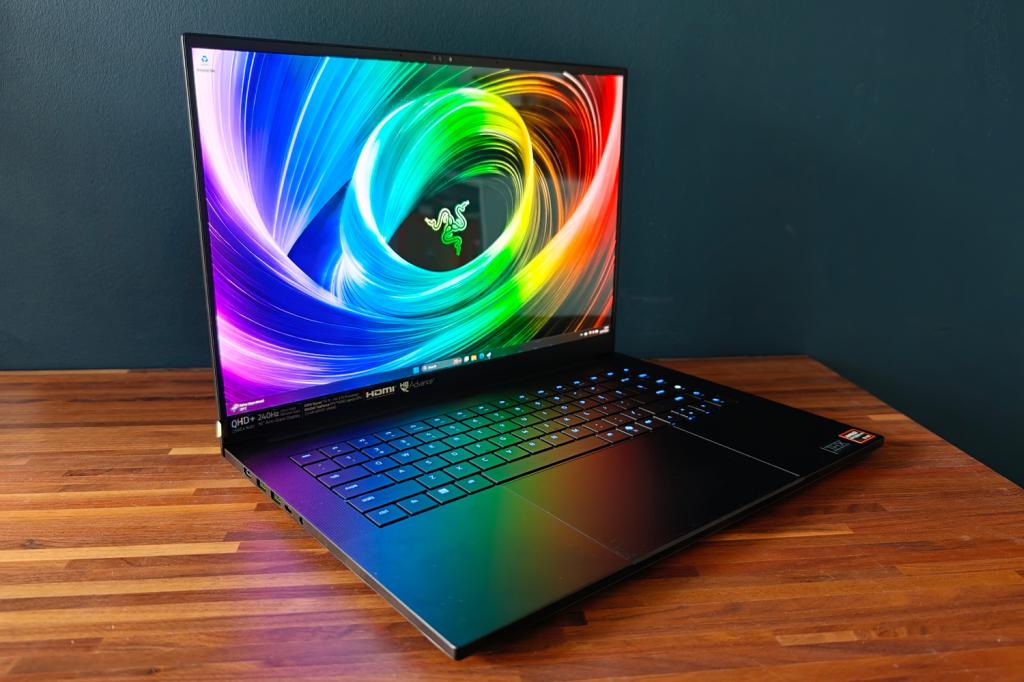
4. Razer Blade 16
| Specifications | Razer Blade 16 (2025) |
|---|---|
| Screen | 16in, 2560×1600, 240Hz OLED |
| Processor | AMD Ryzen AI 9 HX 370 |
| Memory | 32GB |
| Graphics | Nvidia GeForce RTX 5090 Laptop w/ 24GB VRAM |
| Storage | 2TB |
| Operating system | Windows 11 |
| Connectivity | HDMI, 1x USB4 Type-C, 1x USB 3.2 Type-C, 3x USB, 3.5mm headphone port, SD card reader |
| Battery | 90Whr |
| Dimensions | 355x251x17.4mm, 2.14kg |
Immense gaming power courtesy of Nvidia’s top-tier GPU, in a menacing chassis that’s great to live with and surprisingly effortless to bring on the move. The benchmark for all other gaming laptops to aim for.
Why we chose it
The days of huge, bulky desktop replacement laptops are happily now behind us. Razer has proved you can have oodles of performance without weighing a ton, squeezing a high-end AMD processor, RTX 5090 graphics, and generous lashings of RAM and storage into a 16in machine that’s less than 2 centimetres thick. The Blade 16 is amazingly slim for something so powerful.
It’s almost the anti-MacBook from the outside, finished in matte black with slick colour-matched USB ports and an illuminated ouroboros logo on the lid. Inside the island-style keyboard is a joy to type on and the 240Hz OLED display is simply jaw-dropping. Razer’s laptops do tend to carry a price premium over rivals, but in this case we feel it’s worth the price of entry.
Note: this entry specifically refers to the 2025 Blade 16, which uses an AMD Ryzen processor and has USB4 connectivity. The 2026 version, with Intel Series 3 Core Ultra CPUs and Thunderbolt 5 ports, is currently undergoing testing.
- Read more: Razer Blade 16 (2025) review
Best Chromebook
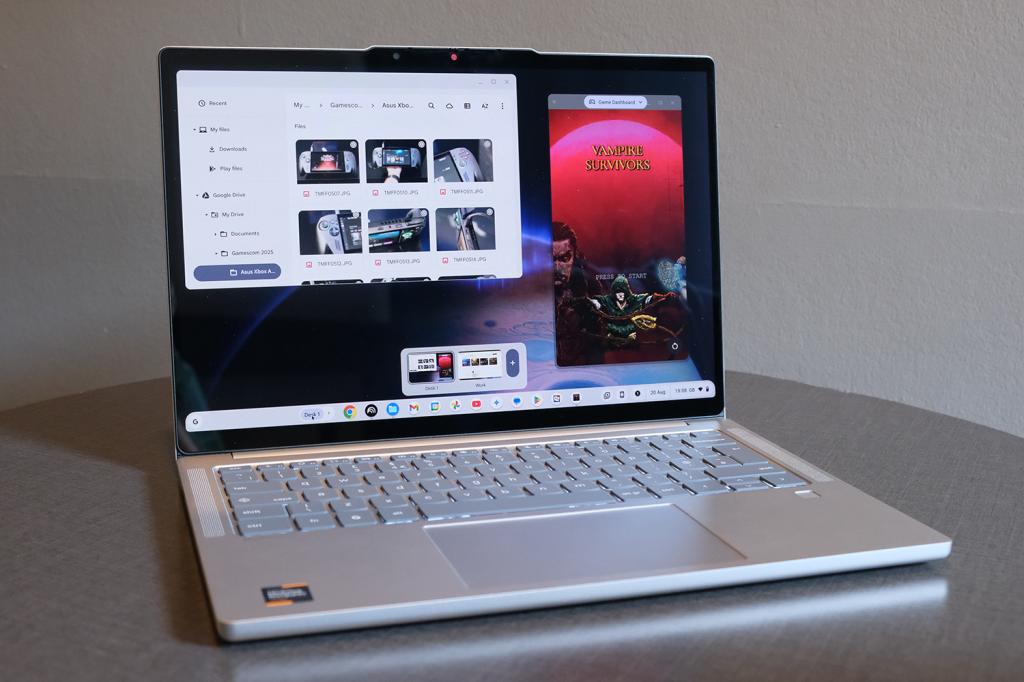
5. Lenovo Chromebook Plus 14
Stuff Verdict
This is the nicest Chrome OS laptop there’s been in years. The Lenovo Chromebook Plus 14 does everything you could ask from a daily driver, and looks stunning too.
Pros
- Premium build and materials you rarely see in Chromebooks
- Gorgeous OLED display
- Ample everyday performance and decent battery life
Cons
- An extra port or two might’ve been nice?
| Specifications | Lenovo Chromebook Plus 14 |
|---|---|
| Screen | 14in, 1920×1080 OLED |
| Processor | MediaTek Kompanio Ultra 910 |
| Memory | 12GB |
| Graphics | Onboard |
| Storage | 128GB |
| Operating system | Google Chrome OS |
| Connectivity | 2x USB-C, 1x USB-A, 3.5mm headphone port |
| Battery | 60Whr |
| Dimensions | 314x219x15.8mm, 1.17kg |
Whoever said Chromebooks belonged in the classroom? Lenovo’s luxurious ultraportable is more suited to the boardroom, with a sleek all-metal build, OLED display and punchy performance
Why we chose it
This laptop has everything a Chrome OS die-hard could ask for, including a price that comfortably undercuts other high-ticket laptops running Google’s user-friendly operating system. The compact unibody chassis looks and feels like a more expensive product, with speakers that are in a league of their own and a Full HD OLED screen that does streaming shows justice.
Inside a MediaTek chipset provides all the power ChromeOS needs to run a bunch of browser tabs smoothly. It has a dedicated NPU to put Google’s Gemini smarts (which are more tightly integrated than ever) to good use. There’s also proper all-day battery life on offer too.
As with every Chromebook, whether it can be your only computer depends on what apps you use. If you don’t need specific software, this is a way to live a life of laptop luxury without breaking the bank.
- Read more: Lenovo Chromebook Plus 14 review
Best 2-in-1 laptop
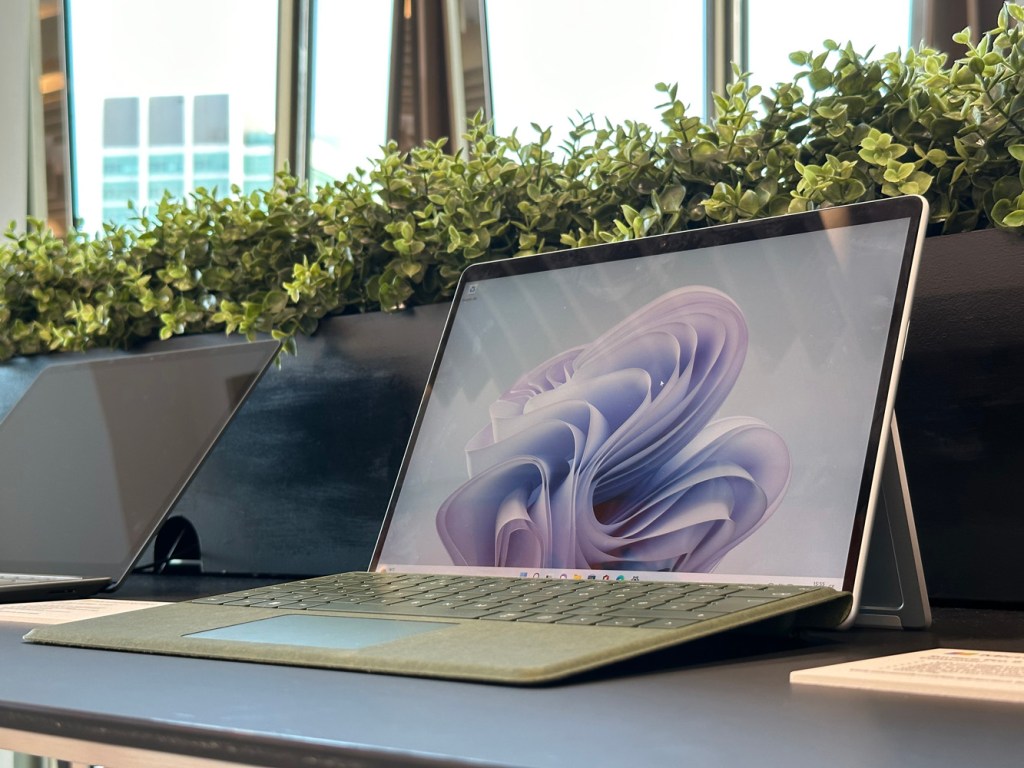
6. Microsoft Surface Pro 9
Stuff Verdict
Excellent performance throughout. You’ll be beguiled by the gorgeous screen and lightweight design. Though you should avoid the ARM-based model. And things can get quite expensive quite quickly.
Pros
- Excellent on-the-go-performance
- Brilliant display
Cons
- Can get expensiveStylus and keyboard add to cost
- ARM model needs better app support
| Microsoft Surface Pro 9 specs | |
|---|---|
| Screen | 13in PixelSense Flow Display, 2880 X 1920, 3:2, 120Hz |
| Processor | 12th generation Intel Core i5 or i7 |
| RAM | Up to 32GB |
| Storage | 128, 256, 512GB or 1TB |
| Graphics | Intel Iris Xe Graphics or Adreno 8CX Gen 3 |
| OS | Windows 11 |
| Connectivity | 2 x USB-C, Surface Connect port |
| Dimensions | 287 mm x 209 mm x 9.3 mm, 879kg (tablet only) |
The Microsoft Surface Pro 9 is a top-notch 2-in-1 device, offering impressive performance in a sleek, portable package. For those of us who prioritize versatility and mobility, it’s an excellent choice, whether we’re working, gaming, or streaming. The lightweight build and sharp 13-inch PixelSense touchscreen make it easy to carry around and perfect for on-the-go use.
However, to get the best experience, we need to pick the right model. We should avoid the ARM-based version due to limited app support and opt for the Intel Core i5 or i7 models, which deliver enough power for multitasking, creative work, and even gaming. The display is fantastic, with vibrant colors and a 120Hz refresh rate, making it ideal for streaming or cloud gaming.
That said, the device can get pricey. Adding essentials like the keyboard cover and stylus, which aren’t included, can increase the cost significantly. While Microsoft claims 15 hours of battery life, in real-world use, especially for gaming or streaming, we’re more likely to get about five hours.
Overall, the Surface Pro 9 stands out for its excellent performance, brilliant display, and portability, but costs can quickly add up if we want the full experience.
- Read more: Microsoft Surface Pro 9 review
Frequently Asked Questions
x86 and ARM are two different processor architectures. Intel and AMD have produced x86-compatible CPUs for decades, while Windows has supported it since Windows 1.0. Until recently ARM architecture was largely focused on mobile devices like smartphones and laptops, but Qualcomm has used it for its Snapdragon X chips. For the most part you won’t notice any difference in daily use, with emulation tools working in the background to allow most mainstream software to run without issue. But if you need to use specific apps, it’s worth checking they are supported on ARM before buying an ARM-powered machine.
Intel and AMD are the longest-running Windows PC chipmakers; they’ve battled back and forth for years on the desktop side, but until recently Intel has led the way on laptops. That has changed in the past few years, with AMD catching up on efficiency and CPU performance – and overtaking on integrated graphics. When comparing equivalent chips, the main reason to pick one over the other is price. They are based on the x86 architecture.
Apple and Qualcomm make processors based on ARM architecture; Apple’s M-series silicon is only found on modern MacBooks, while Qualcomm supplies its Snapdragon X chips to Windows-powered laptop manufacturers. These chips are more power efficient than the Intel and AMD alternatives, letting them last a lot longer per charge, and are basically just as powerful.
Not at all. Google has refined its budget-friendly laptop operating system a lot over the last few years, adding features and encouraging laptop makers to take them more upmarket. If most of your laptop tasks are performed in a web browser, a Chromebook can absolutely be your daily driver.
Assuming your existing laptop is still functional, the main reason to think about trading it out for a new one is if it’s struggling to do the tasks you give it. That could mean not lasting long enough on battery power, not running games at enough frames per second for smooth play, or not being powerful enough to run certain apps.
A budget laptop will handle light tasks but you should expect plastic builds, low-res displays and slower, smaller storage. Mid-range laptops deliver snappier performance, better displays, more storage and longer-lasting batteries. Premium machines offer top performance, ultra-slim designs and materials like aluminium. This is also where you’ll find the brightest, highest resolution displays and dedicated graphics cards.
It’s tempting to zero in on the price, but a $400/£400 laptop might struggle to open more than a few browser tabs and have a battery that can’t survive a lecture. Instead, think about value. An expensive laptop that serves you for five years is better value than a cheaper one that needs replacing after two.
Apple MacBooks are incredibly well-optimised and great for creatives, with top-notch build quality and battery life. They play nicely with other Apple devices, and the M-series chips continue to impress in performance and efficiency.
Windows 11 laptops come in every flavour imaginable – from bargain-basement machines to cutting-edge gaming beasts. Perfect for office work, PC gaming, and custom setups.
Chromebooks are best for lightweight computing and students. If you live in Google Docs and don’t need demanding apps, they’re a fuss-free option.
What to look for when buying the best laptop
Buying the best laptop can be a daunting task, but fear not – Stuff’s laptop experts are here to help you make the right decision. Rather than spending hours comparing specs and features, the best way to choose a new machine is to ask yourself two key questions: what do I want to do with it, and what might I want to do with it a year from now?
A bit of future-proofing goes a long way, especially since most modern laptops aren’t built for internal upgrades. Choosing wisely now can save you from scrambling for extra accessories later. Let’s break it down by usage scenario:
- For general everyday use – like browsing the web, online shopping, managing your inbox and watching the odd Netflix show – a basic laptop with an Intel Core i3 or AMD Ryzen 3 processor, 8GB of RAM and 256GB of storage will do just fine. Chromebooks are a great shout here: fast, secure, and often excellent value.
- For professionals and creatives – think photo editing, video production, 3D design, or heavy multitasking – you’ll want something with real muscle. Look for at least an Intel Core i7 or Apple M3 chip, 16GB or more of RAM, and a dedicated GPU (like an Nvidia RTX 4060) if your workflow includes rendering or complex visuals. High-resolution displays with accurate colour reproduction are a must for content creators.
- For gamers – a powerful GPU is non-negotiable. Gaming laptops in 2026 mainly come with Nvidia’s RTX 50-series chips, capable of smooth gameplay at high settings. You’ll want at least a 144Hz refresh rate display, ideally Full HD or QHD, backed by a fast CPU (Intel Core i7+, AMD Ryzen 7+) and a minimum of 16GB RAM. SSD storage also helps reduce game load times significantly.
- For students or commuters – portability matters. If you’re lugging your laptop around all day, something thin and light with all-day battery life is key. Look for 13in to 14in screen sizes, fanless designs, and ARM-based chips like Apple’s M-series or Qualcomm’s Snapdragon X Elite. Weight under 3lb (1.4kg) is the sweet spot for portability without sacrificing usability.
- For remote workers or frequent travellers – connectivity and battery life are crucial. Think 5G options, multiple USB-C/Thunderbolt ports, a solid webcam and microphone, and battery life of 12+ hours. Business-class ultrabooks like the Dell XPS 13 or Lenovo ThinkPad X1 Carbon still reign supreme in this category.
- For hobbyists and future dabblers – maybe you’re just dipping your toe into video editing or coding now, but think you might get more serious later. In that case, it’s worth going one tier up. A laptop with a mid-range CPU (Intel Core i5 or Apple M2), 16GB RAM, and decent integrated graphics can keep up as your needs evolve.
Also, keep in mind that storage space can fill up faster than you think. Many budget laptops come with just 128GB or 256GB SSDs which may not cut it if you’re storing large files, media libraries or chunky games. If in doubt, go bigger, or ensure you’ve got a plan for cloud storage or external drives.
It’s always worth remembering: if the perfect laptop is just a little too expensive, you can often pick up last year’s model for much less. Refurbished laptops – especially directly from the manufacturer or trusted resellers – can offer top-tier performance for budget-tier pricing.
Of course, it’s also worth considering a tablet. Many of the best tablets, such as Apple’s iPads and Samsung’s Galaxy Tabs, can become very laptop-like with the addition of the right keyboard. For more help making this decision you can read Stuff’s Laptop or tablet: which is best for you?
- Read more: How to choose a laptop to suit you
The future of laptops: what’s coming next?
Modern laptops already feel like a big leap forward – but there’s much more change on the horizon. One of the most significant shifts is the rise of AI-enhanced features, powered by dedicated neural processing units (NPUs). These chips are designed to handle on-device intelligence, enabling everything from real-time transcription and background blur in video calls to smarter photo editing and even predictive typing. With Microsoft’s Copilot+ and Apple’s AI-powered macOS features, your laptop will soon feel more like an active assistant than a passive tool.
We’re also seeing a dramatic transition to Arm-based processors, led by Apple’s M-series and followed by Qualcomm’s Snapdragon X Elite chips for Windows. These chips offer impressive power efficiency, silent operation and all-day battery life – a massive step up from the hot, power-hungry Intel machines of the past.
Displays are getting a big glow-up, too. OLED and mini-LED tech, once reserved for top-tier models, are trickling down into mid-range machines. Expect richer colours, deeper blacks, and high refresh rates to become more common, even on non-gaming laptops.
Another welcome trend is repairability and sustainability. More brands are using recycled materials, offering longer support, and making it easier to replace batteries and parts – something both eco-conscious buyers and right-to-repair advocates are cheering for.
Recent updates
- July 2 2026: FAQs section added, multiple products added/removed
How we test the best laptops
We’ve reviewed countless laptops over the years, so you can trust our recommendations. We have a thorough review process, which includes running benchmark tests, as well as using the laptop just like a regular consumer would.
We’ll start a review by assessing the laptop’s physical design, taking into account build quality, weight, screen size, and quality of the keyboard and trackpad. This is important as laptops need to be robust and lightweight, especially if they’re being carried around in a backpack every day.
We’ll then run some benchmark tests to see how the laptop performs.
Perhaps more importantly, we’ll see what it’s like to live with the laptop, using it every day just like a consumer would. This test could include using it for work, running multiple apps, watching films and listening to music.
Of course, it also allows us to test every little detail of the laptop that could get missed, such as how long it takes to charge, how clear the webcam is, whether the display is bright enough in direct sunlight, and if there are enough ports. Basically, we leave no stone unturned when it comes to reviewing laptops.
For more information on Stuff’s rating and review process, read our page on how we test products.


 Esat Dedezade
Contributor
Esat Dedezade
Contributor