Best iPhone and Android mobile controllers for playing AAA and retro games
Turn your smartphone into a handheld games console and never have to deal with virtual touchscreen controls again

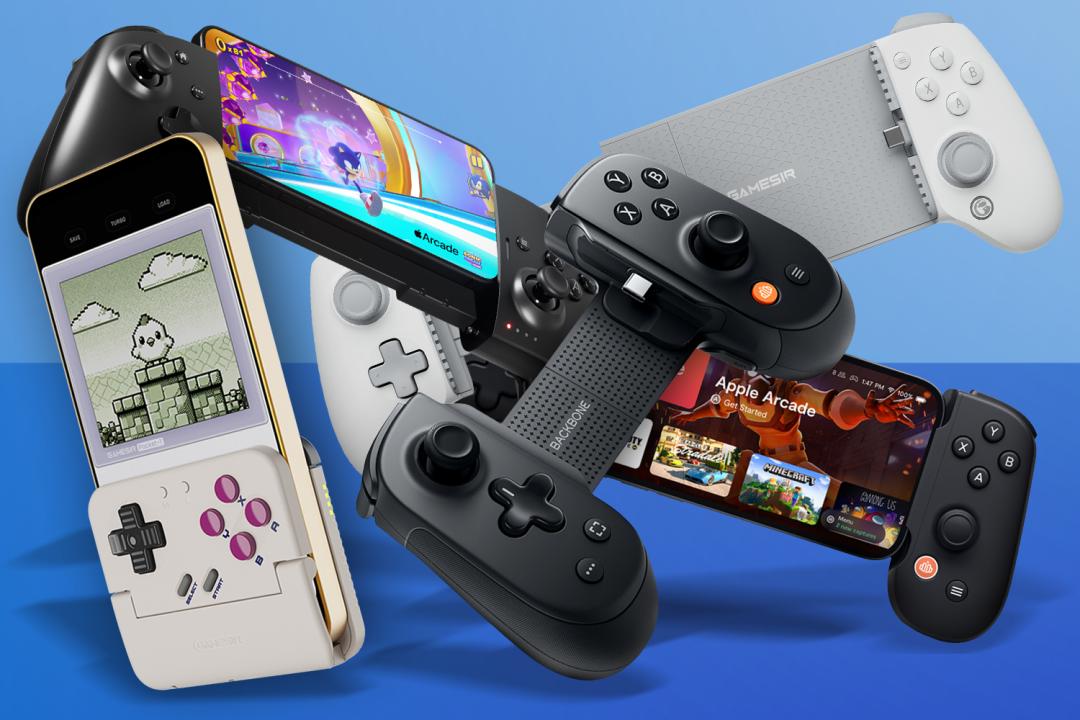
You can play loads of great games on your smartphone. Whether buying cracking titles from the App Store or Google Play, or binging your way through subscriptions like Apple Arcade, Xbox Cloud Gaming and Antstream Arcade, there’s no shortage of top-tier fun awaiting your thumbs. The question is whether you want to play games on a slippy touchscreen – especially those that expect traditional controls. Probably not.
But wait, because there’s a better way. By using a telescopic or clamp controller, you can turn your smartphone into a handheld console with physical buttons, thumbsticks and triggers. Loads are available, though, so which one should you buy? Below, you’ll find my current pick of the best iPhone and Android mobile controllers for playing AAA and retro games, each aimed at a specific type of gamer.
Why you can trust Stuff: Our team of experts rigorously test each product and provide honest, unbiased reviews to help you make informed decisions. For more details, read how we test and rate products.
Quick list: what’s the best iPhone and Android mobile controller for you?
The GameSir G8 Plus MFi (buy now) is a comfortable and flexible controller that adapts to almost any device, sold for a price that won’t require you to hand over all your hard-won coins.
The Backbone One (buy now) is a reliable and portable handheld with quality controls and that you’ll not think twice about throwing into your bag for gaming on the go.
The Backbone Pro (buy now) elevates everything about the Backbone One, with improved controls, superior comfort and Bluetooth connectivity for gaming beyond your smartphone.
The GameSir Project Taco (buy now) is like clamping the bottom half of a Game Boy on to your smartphone. You won’t play modern AAA games on it, but it’s ideal for quick retro-gaming blasts.
The Nimbus Cloud (buy now) is a unique telescopic controller that collapses right down to the size and shape of a traditional gamepad, and has superb ergonomics in either form.
The best iPhone and Android game controllers
Best value mobile controller
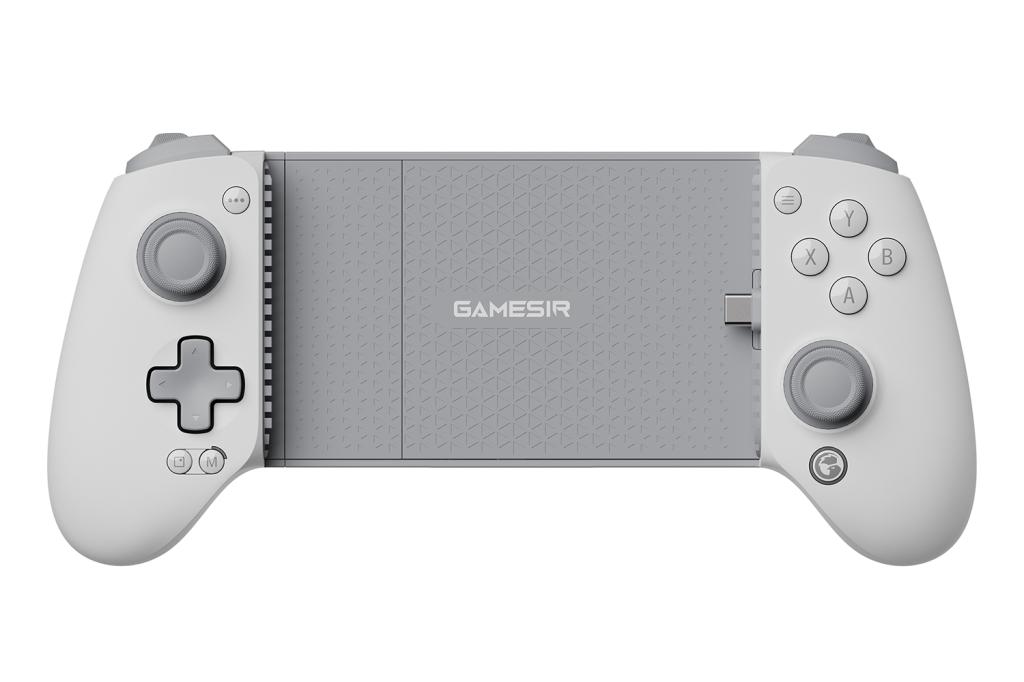
GameSir G8 Plus MFi
Stuff Verdict
Affordable and absurdly flexible (in every sense). GameSir has sweated every detail on this one – but you won’t need to hand over all your hard-won coins to buy it.
Pros
- Sturdy and comfortable
- Excellent value for money
Cons
- No Bluetooth
- A bit heavy
| GameSir G8 Plus MFi specs and info | |
|---|---|
| Price | $79.99/£79.99 |
| Compatibility | Android, iPhone, iPad (125–215mm) |
| Connectivity | USB-C, 3.5mm headphone |
| Battery | n/a |
| Dimensions | 229×106.8×54.2mm, 304g |
Let’s get the gripes out of the way first. This telescopic controller is heavier than anything else here. It’s USB-C only, which means no Bluetooth. And… that’s it. Everything else is top-notch.
It feels like a proper console gamepad. The controls are spaced just right, so long sessions don’t turn into a battle with your own hands, and your thumbs never have to awkwardly dodge a stick when darting for the face buttons. The Hall Effect thumbsticks are superb – smooth, precise, and reassuringly drift-resistant – while the triggers feel sharp and measured. Buttons are snappy without being obnoxiously clicky. The D-pad… isn’t quite on the same level. Still, it was accurate enough to stop me dying repeatedly in pixel-perfect platformers.
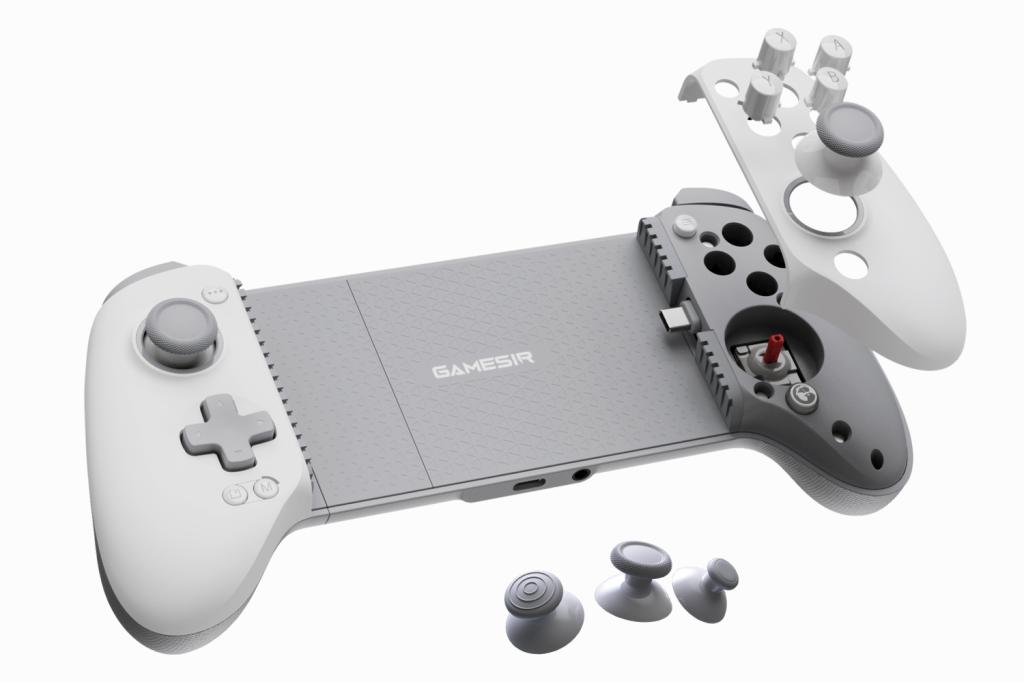
However, it’s the details where this one shines. The pivoting USB-C connector makes attaching and releasing your phone painless. You can remove the faceplates and rearrange the face buttons if you take it as a personal affront when B sits above A. And various magnetic components can be removed to accommodate phones with ginormous camera humps (or that are merely ginormous in general). Just don’t lose them.
This controller’s final trick is its most audacious. As with GameSir’s X2s, some deft wiggling frees the G8’s internal rails. You can then stretch it to fit a 13in tablet. You can, but you probably shouldn’t. The resulting concoction is a terrifying handheld that should not exist, even in an age of increasingly monstrous ‘portable’ PC consoles. And anyway, stressing the springs like that can’t be good for them.
Still, it’s fun, as is pretty much everything else with this controller. Almost perfect, then, especially if you enjoy mobile gaming with a hint of danger.
Control your budget
If even 80 bucks is a stretch, check out the GameSir X5 Lite ($34.99/£34.99). Despite costing less than half the price of the G8 Plus MFi, it still feels great, includes magnetic Hall Sensor thumbsticks, retains the pivoting USB-C connector, and has rubber bumpers that can be removed. The main downsides are the lack of a headphone port and the triggers being digital rather than analogue, which isn’t ideal for driving games. Still, for the outlay – and considering how light the thing is (about 135g) – it’s worth considering, even just as a spare.
Best portable mobile controller
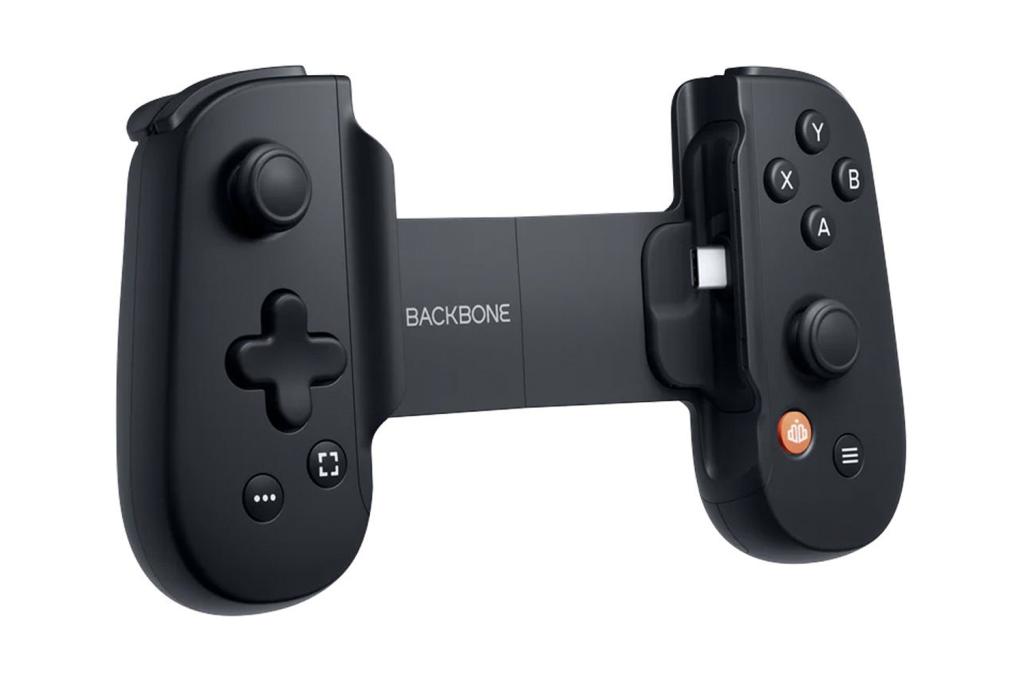
Backbone One
Stuff Verdict
Smaller telescopic controllers inevitably require compromises, but the Backbone One remains a reliable bag-friendly option.
Pros
- Light and portable
- Quality D-pad and buttons
Cons
- Bit of a squeeze for larger phones
- Thumbsticks are a tad small
| Backbone One specs and info | |
|---|---|
| Price | $99.99/£99.99 |
| Compatibility | Android, iPhone (90–177.5mm) |
| Connectivity | USB-C, 3.5mm headphone |
| Battery | n/a |
| Dimensions | 176.3×93.9×34.1mm, 138g |
If there’s such a thing as an ‘old faithful’ in telescopic controllers, it’s the Backbone One. I’ve tried several over the years, and the second-gen (from 2024) still earns a spot in my bag.
Collapsed, it even makes a DualShock 4 look hefty, and it’s utterly dwarfed by the GameSir G8 Plus MFi and Nimbus Cloud. Yet it doesn’t feel toy-like. Although this controller’s not the most ergonomic option going, its rounded grips remain hand-friendly during longish gaming sessions, ensuring you don’t cramp up when seconds from victory.
Importantly, it plays well too. The D-pad is excellent and inputs are snappy. And while I’m not so keen on the minuscule thumbsticks and the lack of resistance from the triggers, those complaints fade when I’m deep in a game.
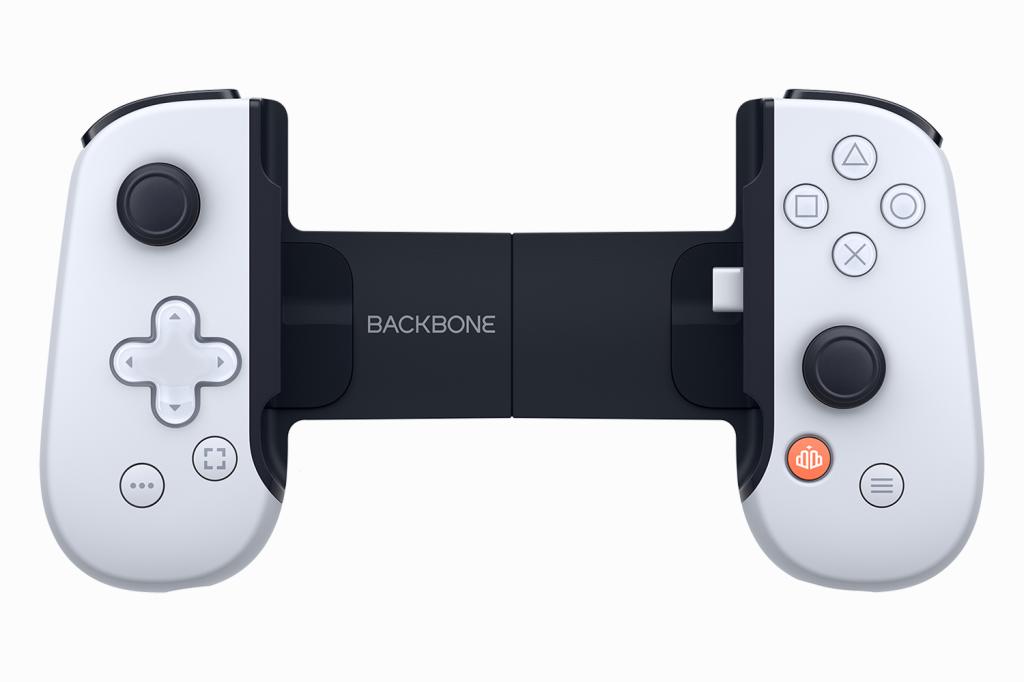
Elsewhere, the headphone port is welcome, as is pass-through charging. But the rigid USB-C connector makes fitting bulkier phones – hello, iPhone 17 Pro! – a faff. There’s a reasonable chance you’ll need to fiddle around with the bundled magnetic adapters and your phone’s case to squeeze a giant blower in.
Grumbles aside, I reckon the Backbone One is still a great choice if you prize portability, especially if you can catch one on offer.
Most versatile mobile controller
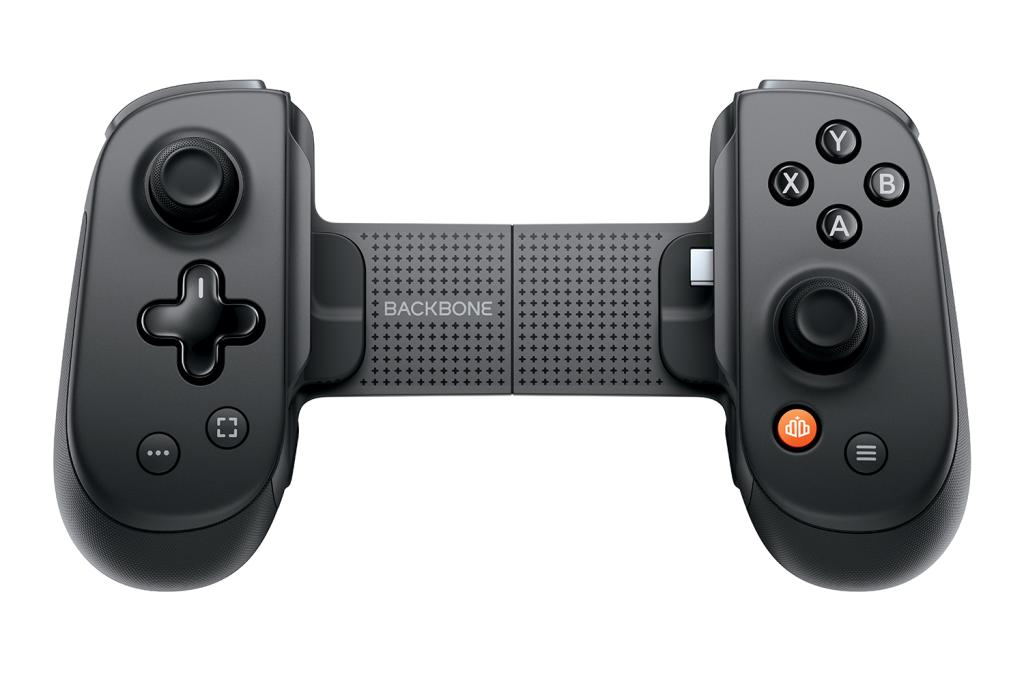
Backbone Pro
Stuff Verdict
An impressive crack at an all-in-one controller that might get full marks if it wasn’t so colossally expensive.
Pros
- Great in the hand
- Useful Bluetooth mode
Cons
- Almost insultingly pricey
- Sticks aren’t Hall Effect
| Backbone Pro specs and info | |
|---|---|
| Price | $169.99/£159.99 |
| Compatibility | Android and iPhone (95–179.5mm) and Bluetooth devices |
| Connectivity | USB-C, Bluetooth, 3.5mm headphone |
| Battery | 40 hours |
| Dimensions | 180.7×101.1×49.8mm, 203g |
What makes a Backbone ‘Pro’? Apparently, taking the Backbone One, beefing it up, bolting on new features, and making a play for the living room alongside powering up your mobile gaming.
It’s still firmly in telescopic controller territory, but bigger grips, longer triggers and larger thumbsticks improve comfort and precision. The Backbone Pro is not quite a console gamepad in your mitts, but it is a solid middle ground. And USB-C passthrough gets an upgrade over the Backbone One as well, so you can charge your phone and the controller simultaneously. Nice.
Fit remains down to your phone. Chunky camera lenses can be a squeeze, but included adapters help. However, the Pro won’t stretch wide enough for a tablet – not even an iPad Mini. Fortunately, Bluetooth fills that gap.
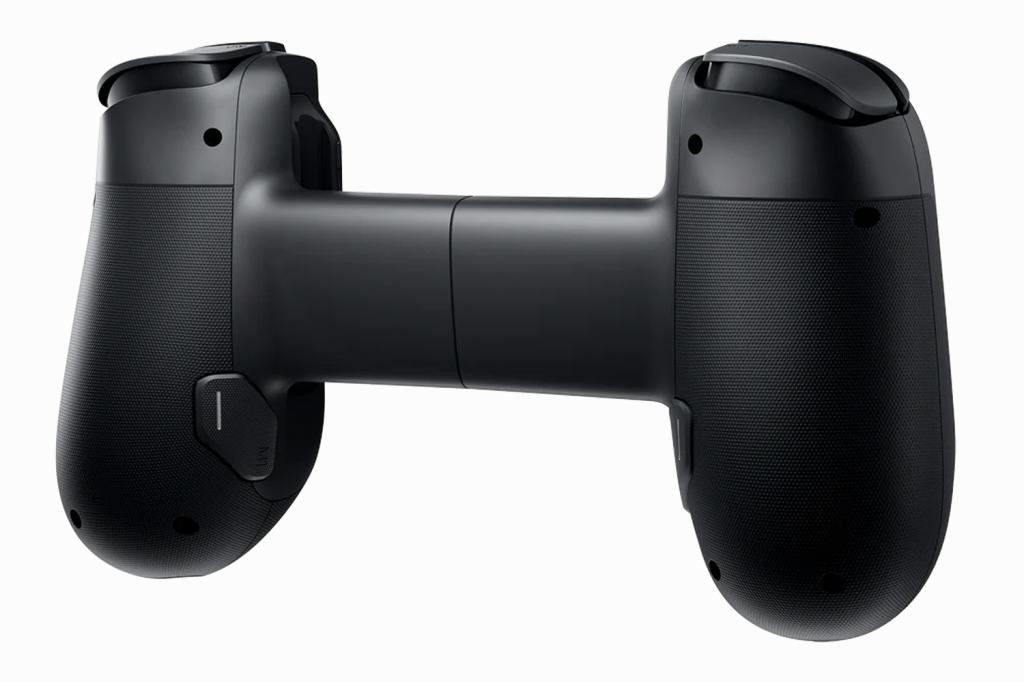
The Pro connects to pretty much anything – handy if you play games on multiple devices yet also want something to clamp around your phone for mobile gaming. And the slick companion app makes it easy to create profiles and manage pairing across a range of gear. Alas, one aspect of ‘Pro’ appears to be locking certain features behind a subscription. Sigh.
So… is this controller ‘Pro’? I dunno. What about great? Absolutely. Then again, at this price, it should be. And it’s worth bearing in mind that for a little extra you could buy yourself a standalone Android handheld, so choose wisely.
Best retro mobile controller
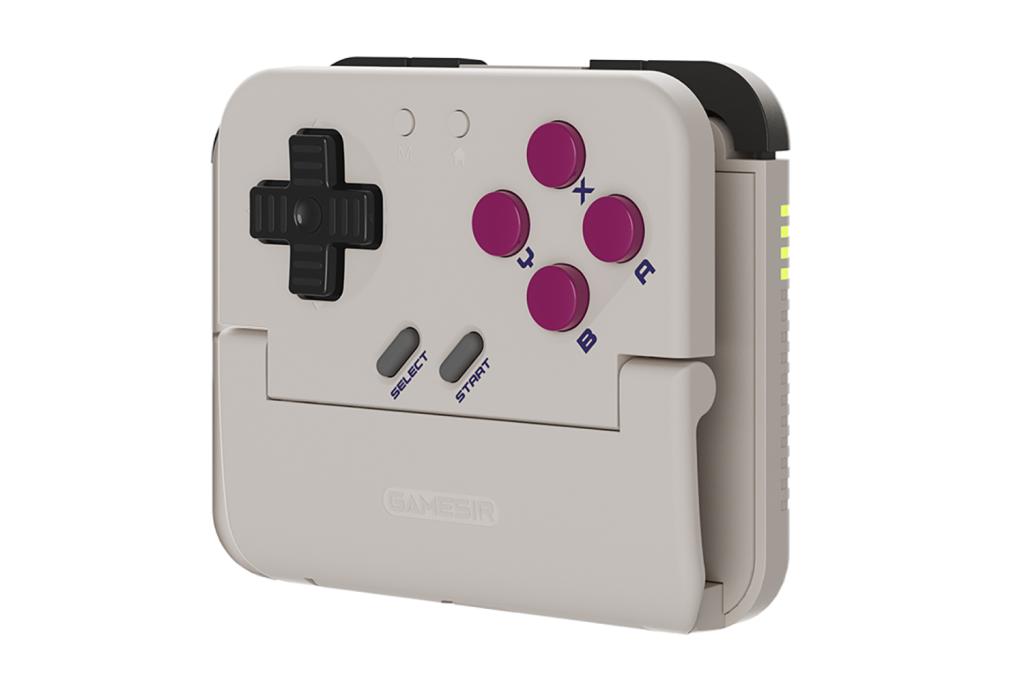
GameSir Pocket Taco
Stuff Verdict
A bonkers little delight that won’t replace a full-fat controller, but it’s perfect for quick blasts of retro-gaming on the go.
Pros
- Great for retro games
- Fun and pocketable
Cons
- Can obscure interface elements
- D-pad could be better
| GameSir Pocket Taco specs and info | |
|---|---|
| Price | $34.99/£34.99 |
| Compatibility | Android, iPhone and Bluetooth devices |
| Connectivity | Bluetooth, USB-C for charging |
| Battery | 30 hours |
| Dimensions | 78×70.9×20.7mm, 62g |
Other controllers in this roundup aim to free you from ‘finger Twister’ while playing modern titles that spray virtual controls all over your screen. Project Taco has other ideas. This dinky number clamps on to the bottom of your phone and dares you to pretend the last 25 years of gaming never happened.
For retro fare, it works. The Taco looks like someone chopped the bottom off a Game Boy. Suitably, then, it excels with classic squarish and 4:3 games in emulators like RetroArch and Delta – or modern throwbacks in Pico-8. It’s not perfect – UI can be obscured. But the Taco pops off easily when you need to poke around in menus.
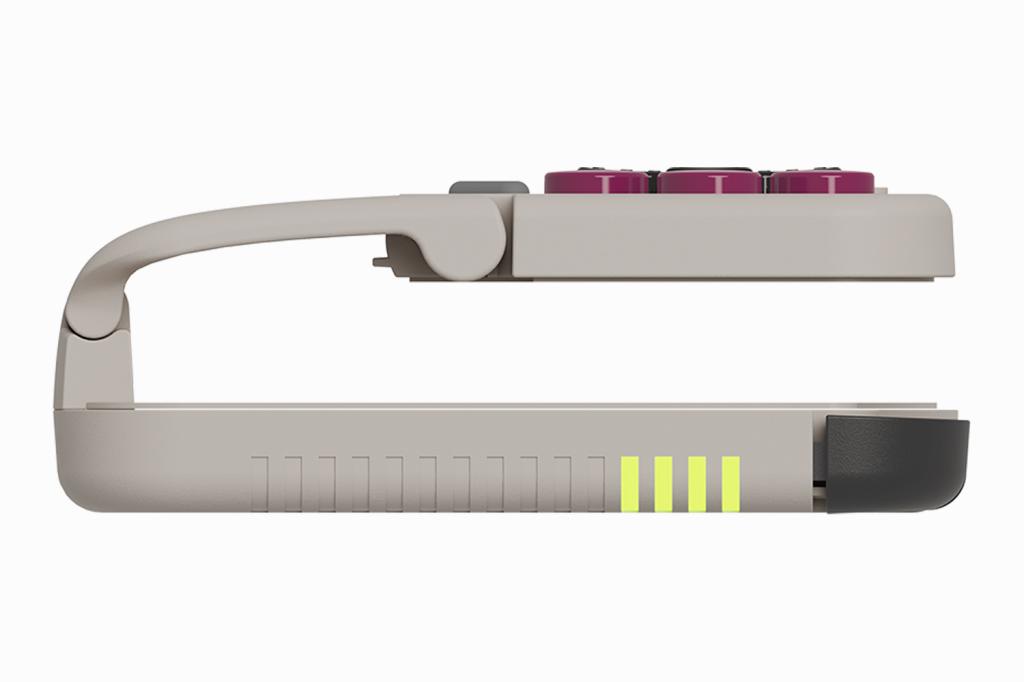
The controls are solid and responsive, though the D-pad can slip into diagonals and needs some getting used to. Still, build quality in general feels better than the price would suggest, and the Taco snugly holds your phone during play. Just don’t tempt fate by dangling everything upside down over concrete while only gripping the Taco.
At a pinch, I found the Taco can take on tablet and desktop duties too, by masquerading as a Switch controller. You wouldn’t tackle Call of Duty with it, but for bouts of big-screen retro it does the job. So if you fancy something cheap, pocketable and unapologetically last-century, Project Taco is ideal.
Most innovative mobile controller
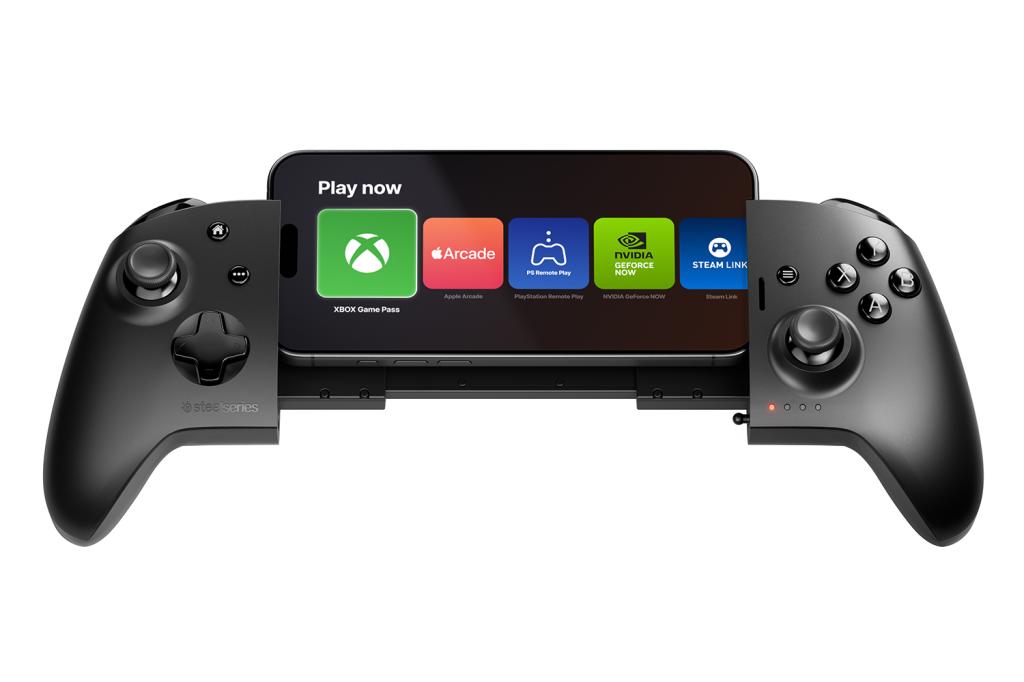
SteelSeries Nimbus Cloud
Stuff Verdict
So close to being amazing, but the Nimbus Cloud has a few too many niggles to recommend outright.
Pros
- Fantastic ergonomics
- Dual-mode design
Cons
- Expensive
- PC/Mac connectivity issues
| SteelSeries Nimbus Cloud specs and info | |
|---|---|
| Price | $149.99/£129.99 |
| Compatibility | iPhone and Android (up to 171.5mm) and Bluetooth devices |
| Connectivity | Bluetooth, USB-C |
| Battery | 20 hours |
| Dimensions | 182×154×90mm, 230g |
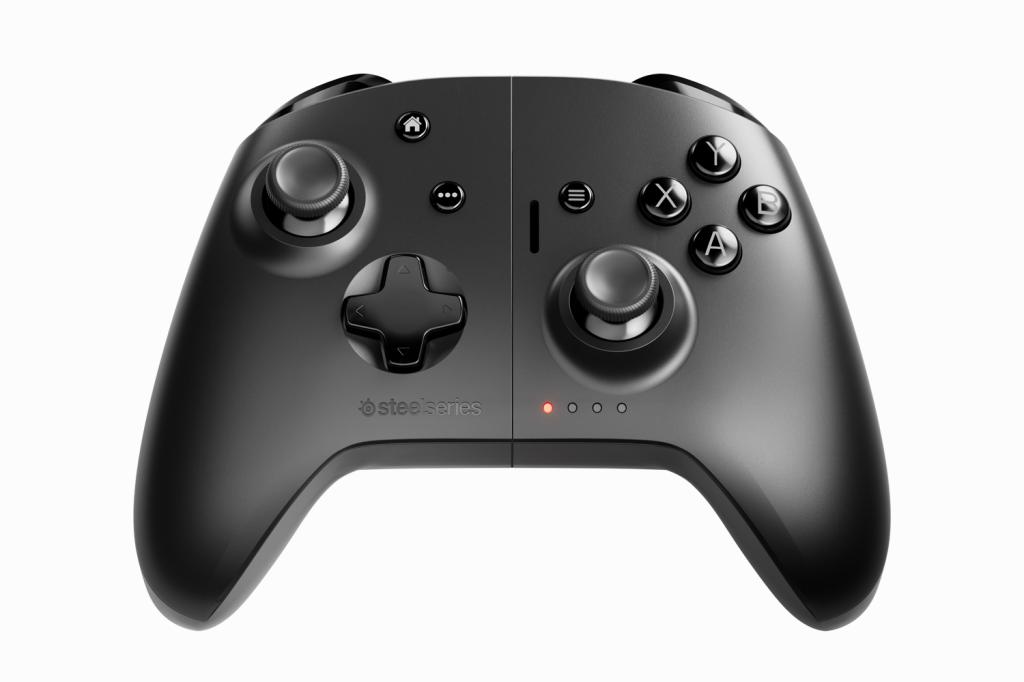
The Nimbus Cloud is the oddball of the telescopic controller bunch. Stretched out, it’s not wildly different from the GameSir G8. Yet the offset USB-C connector holds your device higher than you’d expect. Collapsed, the grips lock together and the result is the spit of a traditional gamepad. It’s quite something.
That combo makes this controller the most ergonomic number on test. And that’s bolstered further by well-positioned, high-quality controls. The layout is much kinder on your thumbs than most, the triggers have just the right amount of give, and the D-pad is superb.
But it stumbles. While the Nimbus Cloud works nicely with iPads and Apple TV, I couldn’t get it to fully cooperate with PCs and Macs. That offset USB-C connector is good for your neck, but results in some off-putting ‘wobble’. (This is especially noticeable with larger devices, which can also be a squeeze.) And the rigid USB-C connector makes removing larger phones a chore.
Finally, there’s the price, which isn’t much less than you’d pay for a GameSir G8 Plus MFi and a DualShock 4 – each of which would be more optimal for its intended use case. That’s not to say the Nimbus Cloud should be dismissed. It’s solid, quirky and ergonomically first-rate. But at this price, there are too many niggles to give it more than the most guarded of recommendations.
What to consider when buying an iPhone or Anderoid mobile game controller

Compatibility: Make sure the controller you buy will work with the devices you’d like to use it with. If you’re sporting a pre-USB-C iPhone, for example, your options will be limited to Bluetooth or something like a Lightning Backbone One.
Size: The size of your mitts will in part govern the physical dimensions of the controller you’ll prefer. But take into account your device as well, because camera bumps are getting chunky – and they can be a squeeze with a controller.
Controls: Not all controls are created equal. D-pads and buttons vary in responsiveness. Triggers might be digital or analogue. Thumbsticks may be Hall Effect. If none of that makes sense, don’t worry too much. If you’ve been nodding vigorously, check specs accordingly.
Charging: USB-C controllers will charge from your phone, making it run out of juice earlier – although they don’t tend to gulp down too much power. Bluetooth devices may need charging separately.
Apps: Many controllers come with app recommendations. I don’t tend to use them myself, but they’re worth checking out. Some are useful launchers. Others are good for discovering new games.
Game support: Because mobile titles are created with the assumption you’ll be using the touchscreen, they won’t all support a controller. So don’t be surprised now and again if you plug your one in and it does nothing.


 Craig Grannell
Contributor
Craig Grannell
Contributor