I turned an iPod Shuffle into my perfect music player – here’s how (and why)
How CDs, an iPod shuffle and the five-album rule really got me listening to music again

“1000 songs in your pocket” was a great leap forward and the start of the problem. The promise of the iPod was having your entire music collection on hand at any time, in any location. This was freeing, but things didn’t stop there.
iTunes ushered in cherry-picking individual tracks for purchase. Then streaming services atomised any lingering sense of ownership or value. Today, the likes of Spotify, Apple Music and Deezer give you 100 million songs in your pocket – and algorithms that won’t be satisfied until you’ve heard every one of them.
So instead of a personal music collection, you often end up with a ginormous jukebox on shuffle and precious little connection to anything. And I’m increasingly tiring of all-you-can-eat streaming that is as much distraction as convenience, vanishes the second you stop paying, and rarely rewards artists in any meaningful way.
Moreover, I’ve always loved the album as a coherent unit – an object, a statement, a body of work rather than a collection of tracks to be scattered among everyone else’s. That’s why, some time ago, I asked myself an uncomfortable question: how often do I listen to albums like I used to? I mean really listen?
Shelf life
It says everything that Apple Music on mobile has one ‘Library’ tab and four tabs dedicated to discovery. Which is why I’ve gravitated back towards apps that prioritise my collection over algorithms. Cs Music Pro feels like Apple’s app of old, when it was geared to your music. Longplay worships the sanctity of the album, to the point you can even disable track skipping.
But these are still apps running on a distraction machine. It’s too easy to wander off. By contrast, I remember when I used to buy a CD and listen to it over and over. Each album felt like an investment. Some didn’t click immediately, but that was part of the deal. I stuck with them and, in many cases, grew to love them. Streaming is the antithesis of that kind of patience. And even the most focused apps are merely different lenses on the same bottomless pit. I needed something else for times when I wanted to focus.
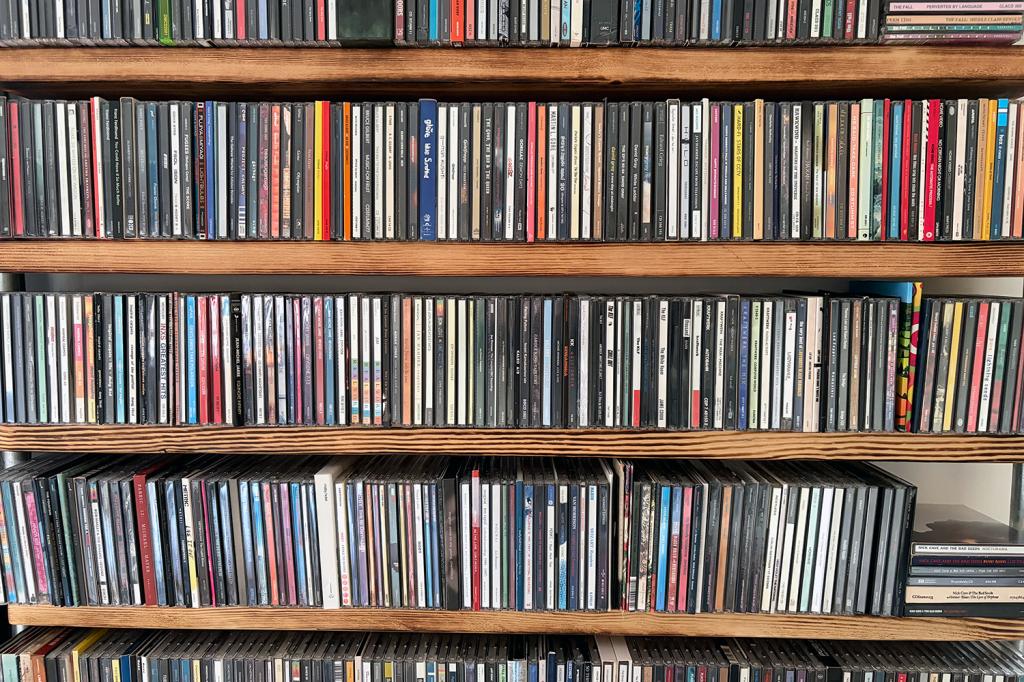
Long-time readers might recall I started buying CDs again. Now neatly lined up on snazzy shelves, they’re part of the home rather than languishing in storage. But that only solved half the problem. I wanted something portable that wasn’t my phone – or a Discman-sized cry for help.
Take five
Inspiration came from Russ Crandall of Retro Game Corps, who owns approximately five billion retro-gaming handhelds. He explained how limiting one to just five games creates a more focused experience – one where you actually play games rather than endlessly doomscroll box art.
Could that be applied to music? After writing Stuff’s 50 years of Apple features, I remembered I had a stash of iPods in a drawer. And then I careened down a nostalgia-fuelled rabbit hole.
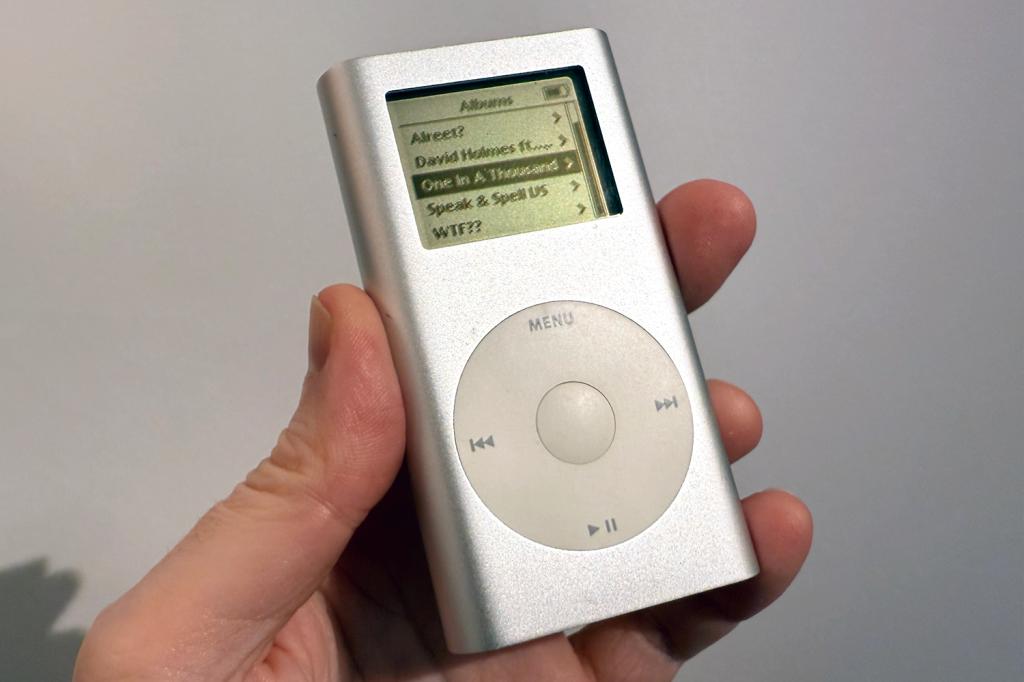
I’ve explored single-use devices before, but this was the first time in years I’d committed to one for music. And I immediately ran into problems. My iPod mini is lovely, but Apple Music wants nothing to do with it. Ironically, it works with Windows 11 and iTunes, but I didn’t fancy spinning up a virtual machine every time I wanted to update a playlist.
The first breakthrough came with Retroactive, which let me install iTunes on my Mac. A few Terminal commands later (thanks, Reddit!) and I was sorted. I pointed iTunes at my DRM-free Apple Music folder, restored the iPod and loaded it up with five albums I’d bought on Bandcamp.
A good start. Five albums fit neatly on the mini’s screen. But I wondered: could I simplify things further?
Less is more
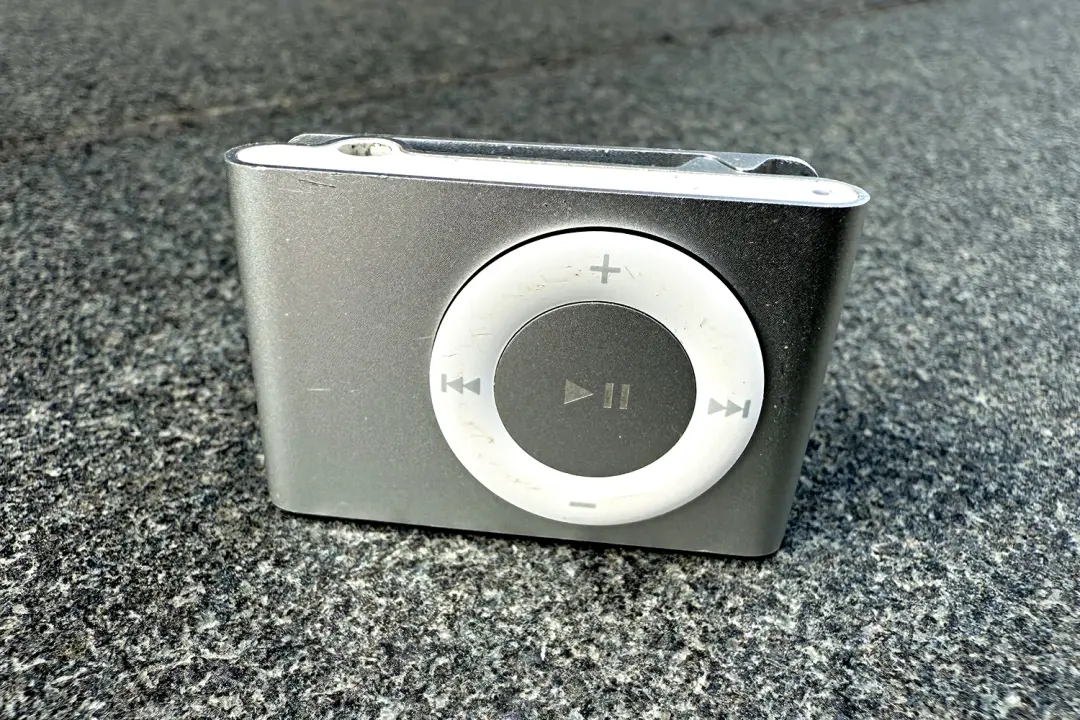
I dug out two iPod shuffles, devices so minimal they make even a Sony Walkman look overengineered. And they still work with Apple Music. The snag? My 1st- and 2nd-gen models completely ignored playlist order, which left me with more jukeboxes – albeit ones with fewer songs.
Then I remembered how Longplay treats albums as indivisible, and merged each album of songs into a single audio file – trivial with QuickTime, Terminal or any half-decent music editor. I then converted those to MP3 (old shuffles are picky about formats), synced, and started playing.
My gen-2 clip iPod shuffle ‘disappears’, because it has no screen, no algorithm and no infinite scroll. With only five things to choose from, enforced shuffle suddenly doesn’t matter. I can’t skip individual album tracks, but that’s the point. And this iPod remembers wherever I left off. Perfect.
Well. Mostly. The process is a faff, but the friction might even be helpful, because I’ll not want to update the iPod too often and will therefore spend more time with new albums or ones I want to know better.
So my perfect music player wasn’t hiding in a slick app update. It was in a drawer, showing that old tech like those iPods you have kicking around isn’t necessarily dead – it’s just waiting for its comeback tour.


 Craig Grannell
Contributor
Craig Grannell
Contributor