Medion Beast 18 review: desktop-level gaming muscle for (almost) sensible money
This 18in powerhouse undercuts the RTX 5090 competition

Stuff Verdict
An extraordinary amount of gaming muscle for the money. The Medion Beast 18 could happily replace a desktop PC, but makes a few compromises to keep the costs in check.
Pros
- Desktop-grade 2D and gaming performance
- Plenty of ports
- Design has really levelled up from older Medion systems
Cons
- 4K or OLED screen would’ve been nice for this price
- Nowhere near as portable as 16in rivals
- Very loud, even when not gaming
Introduction
By calling it the Beast, Medion clearly means business with its latest desktop replacement gaming laptop. The 18in colossus is naturally stuffed with top tier hardware, but some unlike rival brands, here you’re not being asked to pay through the nose for it. Parent company Lenovo’s colossal buying power has helped make this one of the most affordable routes into RTX 5090 ownership.
Affordable doesn’t mean cheap, of course: at £2900 (Medion has no US presence so Americans will want to check out the equivalent Lenovo Legion) it’s still a serious investment. A few headline specs are also not quite as high-end as the competition, most notably the display and CPU. Intel’s Core Ultra 9 275HX may be a powerhouse, but it’s now a generation old.
Have a few too many corners been cut to scoop the competition on cost, or is this the new supersized laptop sweet spot?
How we test laptops
Every laptop reviewed on Stuff is tested using industry standard benchmarks and apps to assess performance and battery life. We use our years of experience to judge display, sound and general usability. Manufacturers have no visibility on reviews before they appear online, and we never accept payment to feature products.
Find out more about how we test and rate products.
Design & build: supersize me
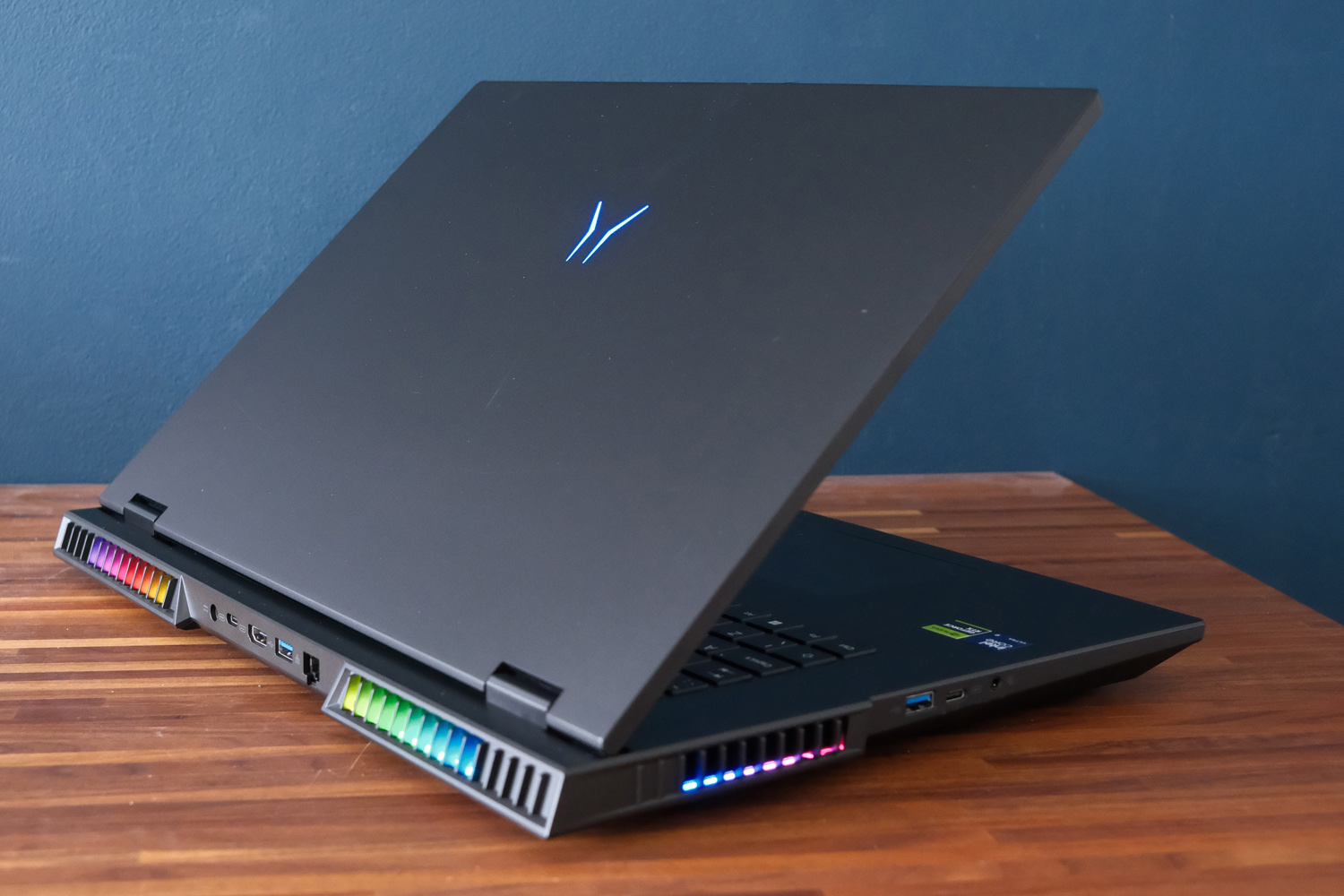
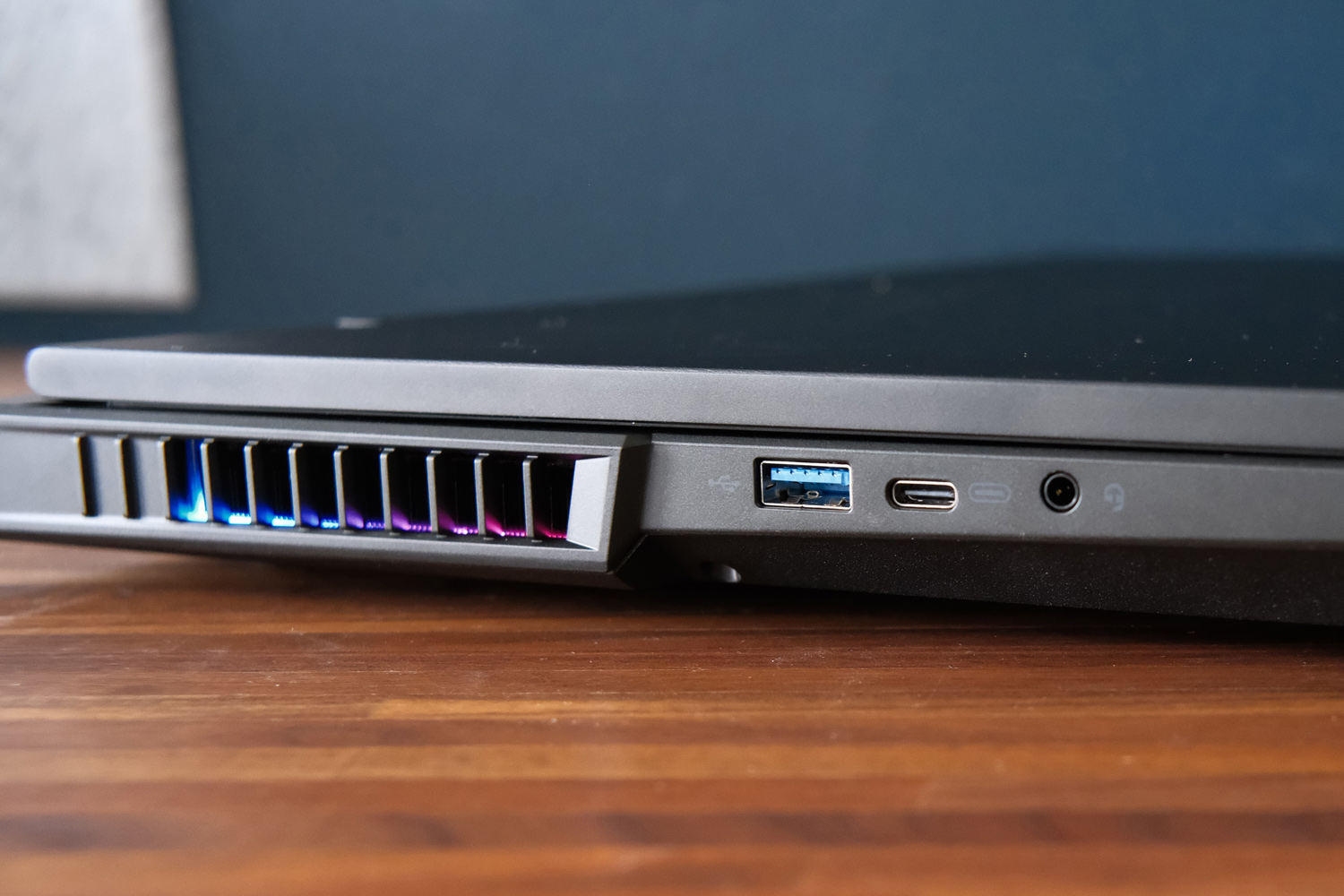
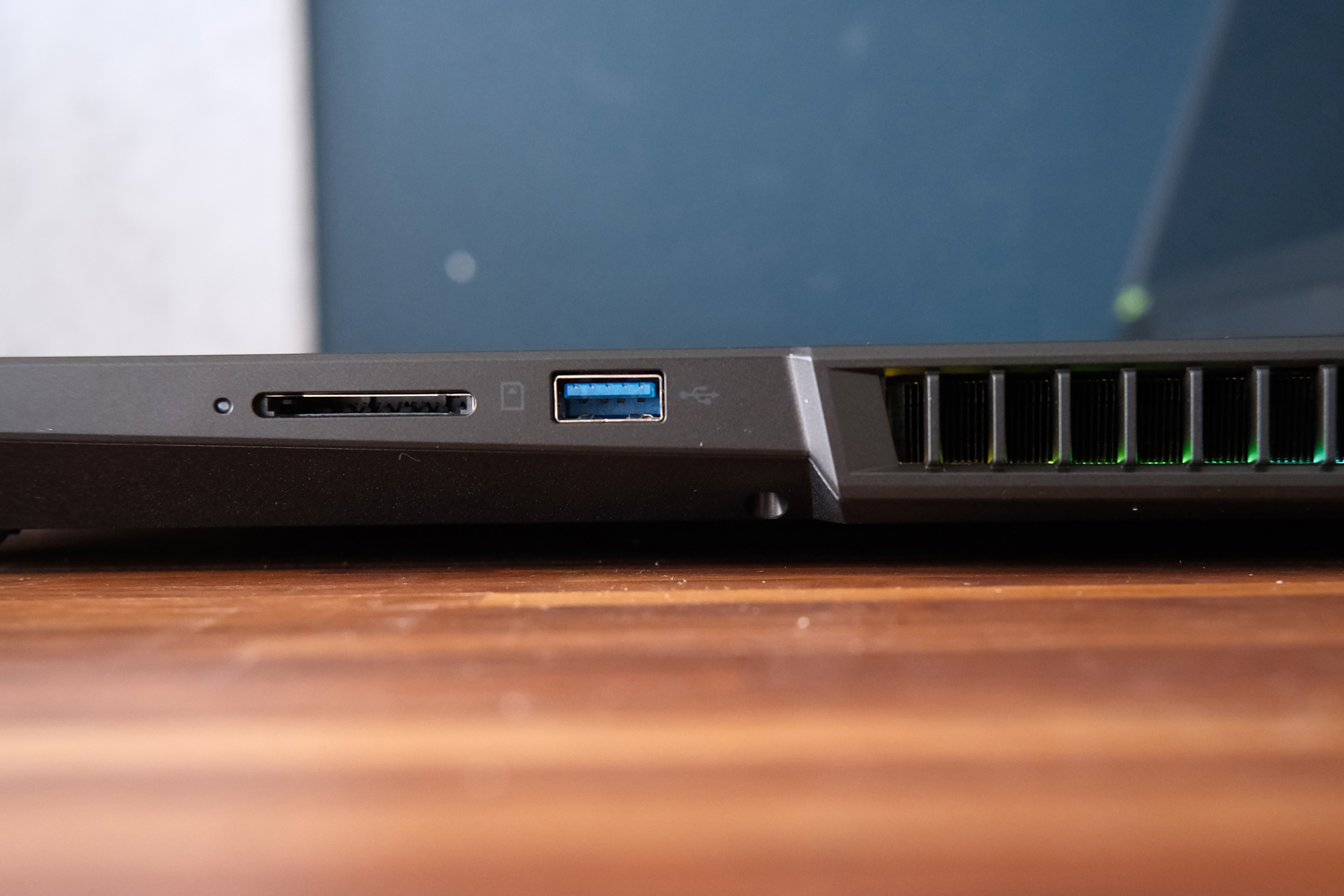
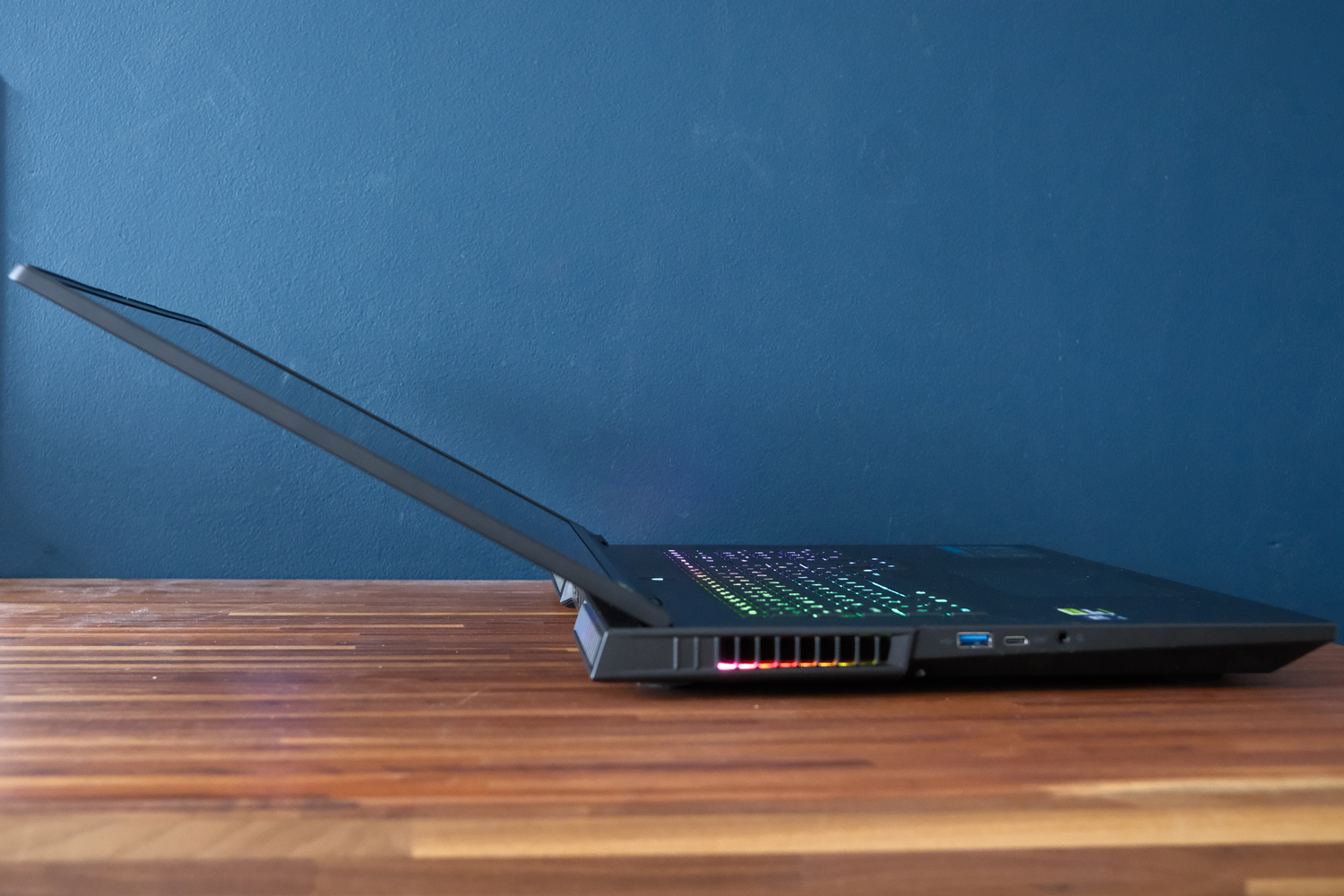

If (like me) you’re old enough to remember when the majority of gaming laptops were huge desktop replacements, the Beast 18 will be a blast from the past. It’s an absolute unit of a machine that stands out in a growing crowd of thin-and-light 16in rivals – but Medion has done well to keep the other dimensions in check.
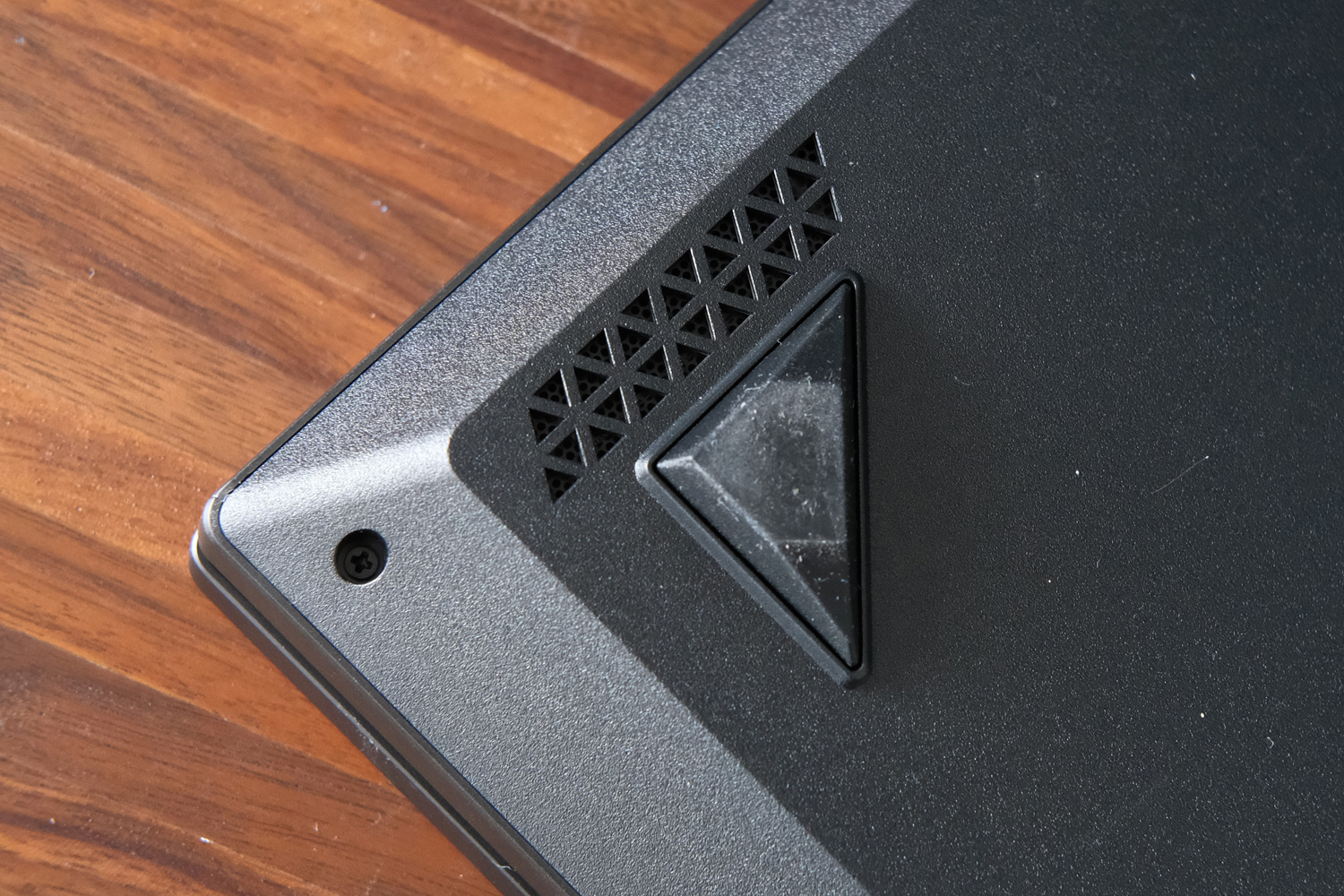
Measuring 30mm at its thickest point and with a tapered design that shoves most of the cooling system towards the rear of the chassis, most of the bulk is kept from view. The 18in screen size means you’ll need to double check if your backpack is big enough to swallow it, though, and at 3.6kg without the equally beefy power brick this isn’t a laptop I’d want to lug around on the regular.
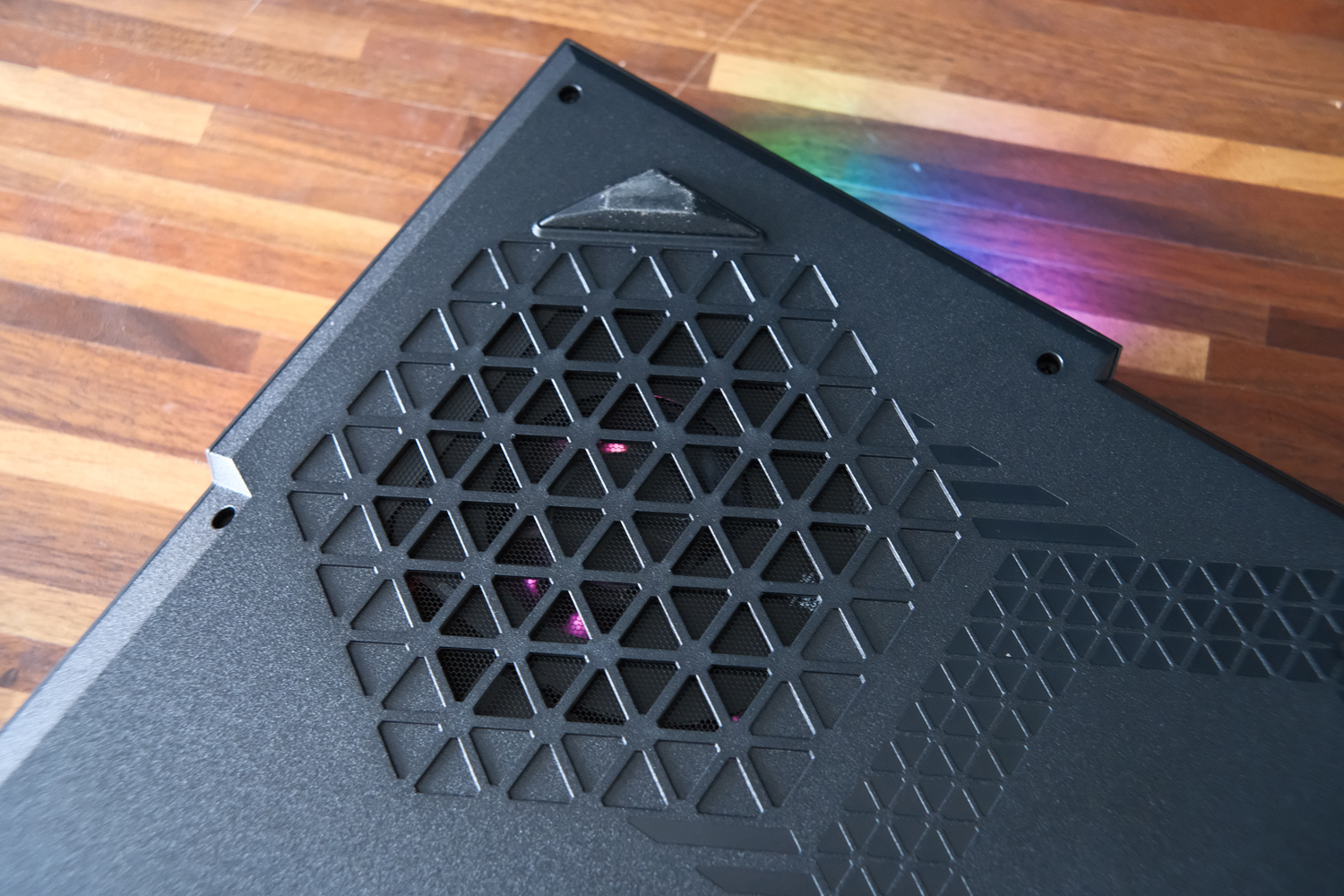
Styling sits somewhere between the businesslike HP Omen Max 16 and ostentatious Alienware 16 Area-51, with an aluminium lid that gives way to a plastic base. It feels sturdy enough, with just a small amount of flex under pressure. The illuminated Erazer logo is the only hint of exterior branding, and a world away from older Medion laptops. I’m a fan, though the RGB illuminated cooling fans and keyboard do make it obvious this is first and foremost a gaming laptop.
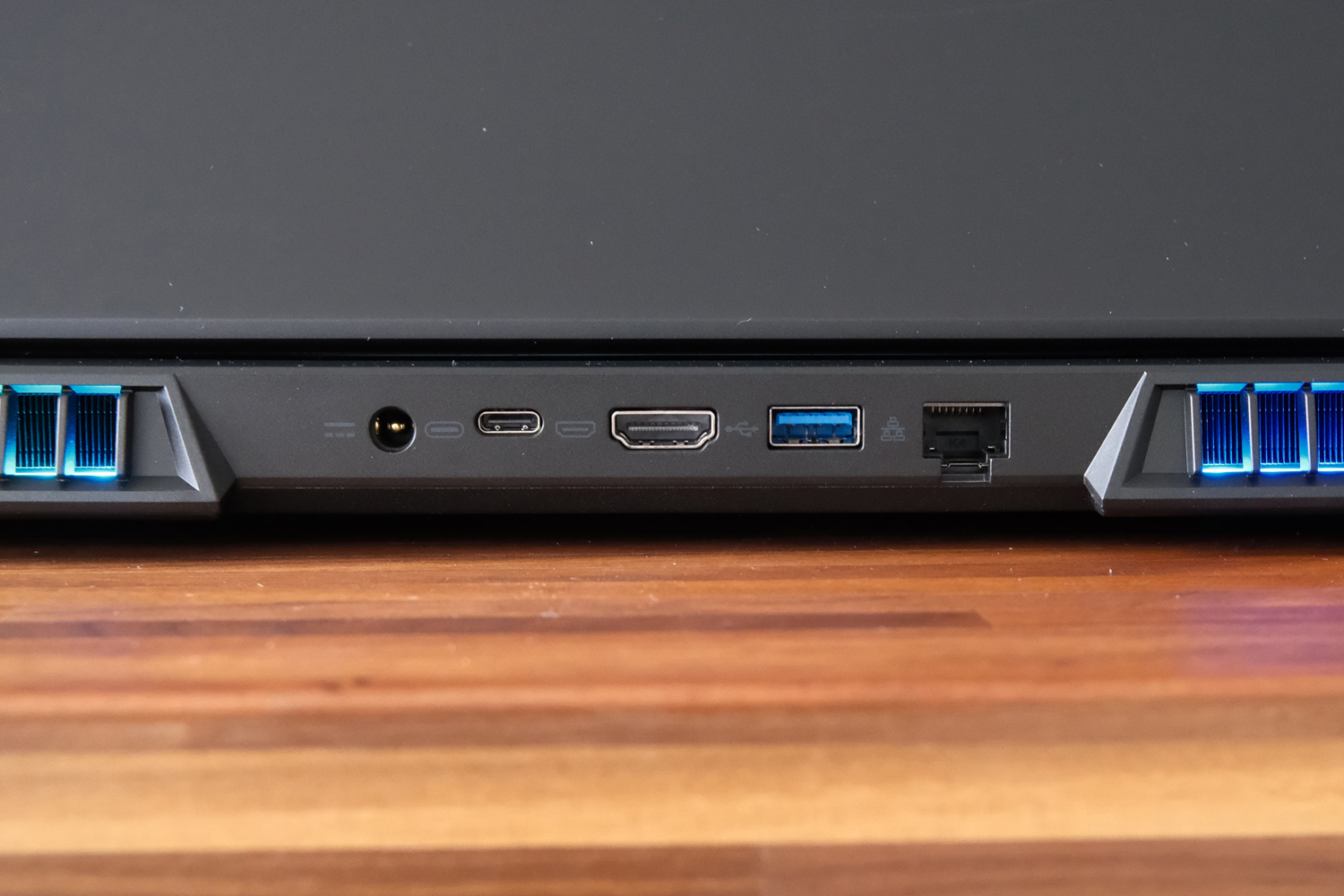
Given it’ll likely take up a permanent position on most owners’ desks, Medion has sensibly stuck most of the ports at the rear of the chassis, keeping cable mess out of sight. You get an HDMI output, USB Type-C, USB3 Type-A and wired Ethernet alongside the proprietary barrel jack power port. A further two USB3 Type-As, one Thunderbolt Type-C, 3.5mm headset port and SD card reader then sit at the sides. All-in there’s a decent selection, although I’d have preferred to keep the right side clear so as not to get in the way of a gaming mouse.
Keyboard & touchpad: all the trimmings
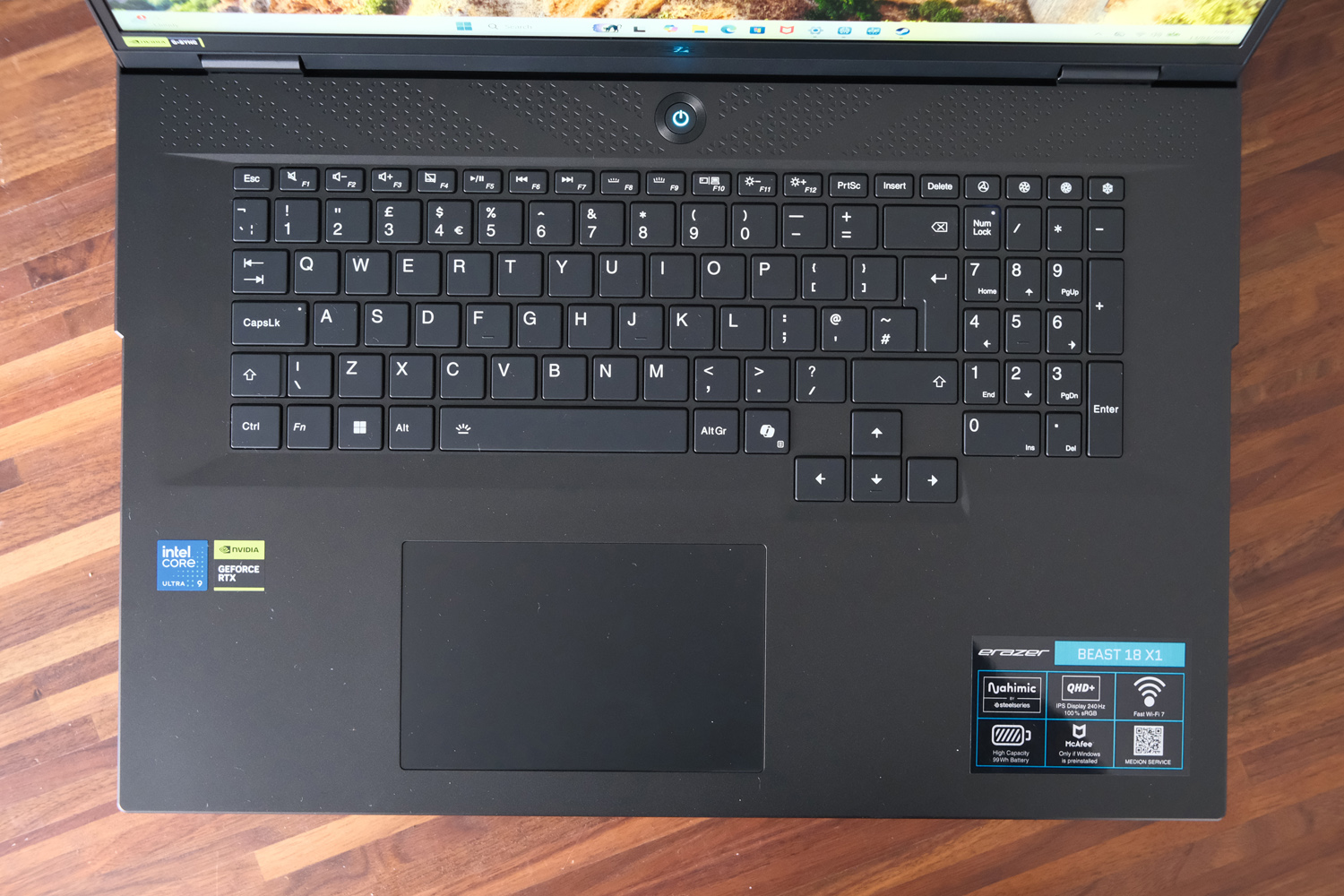
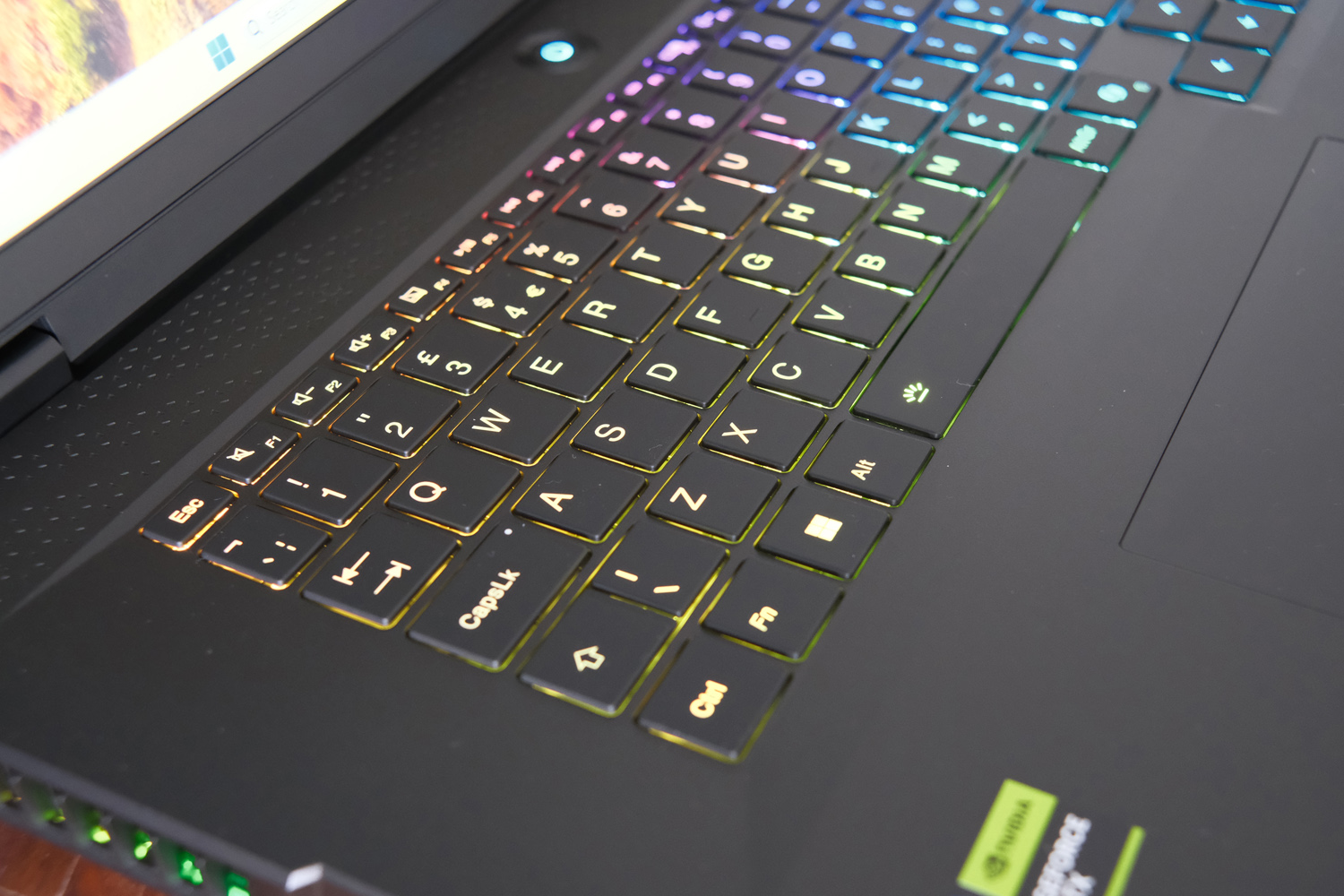
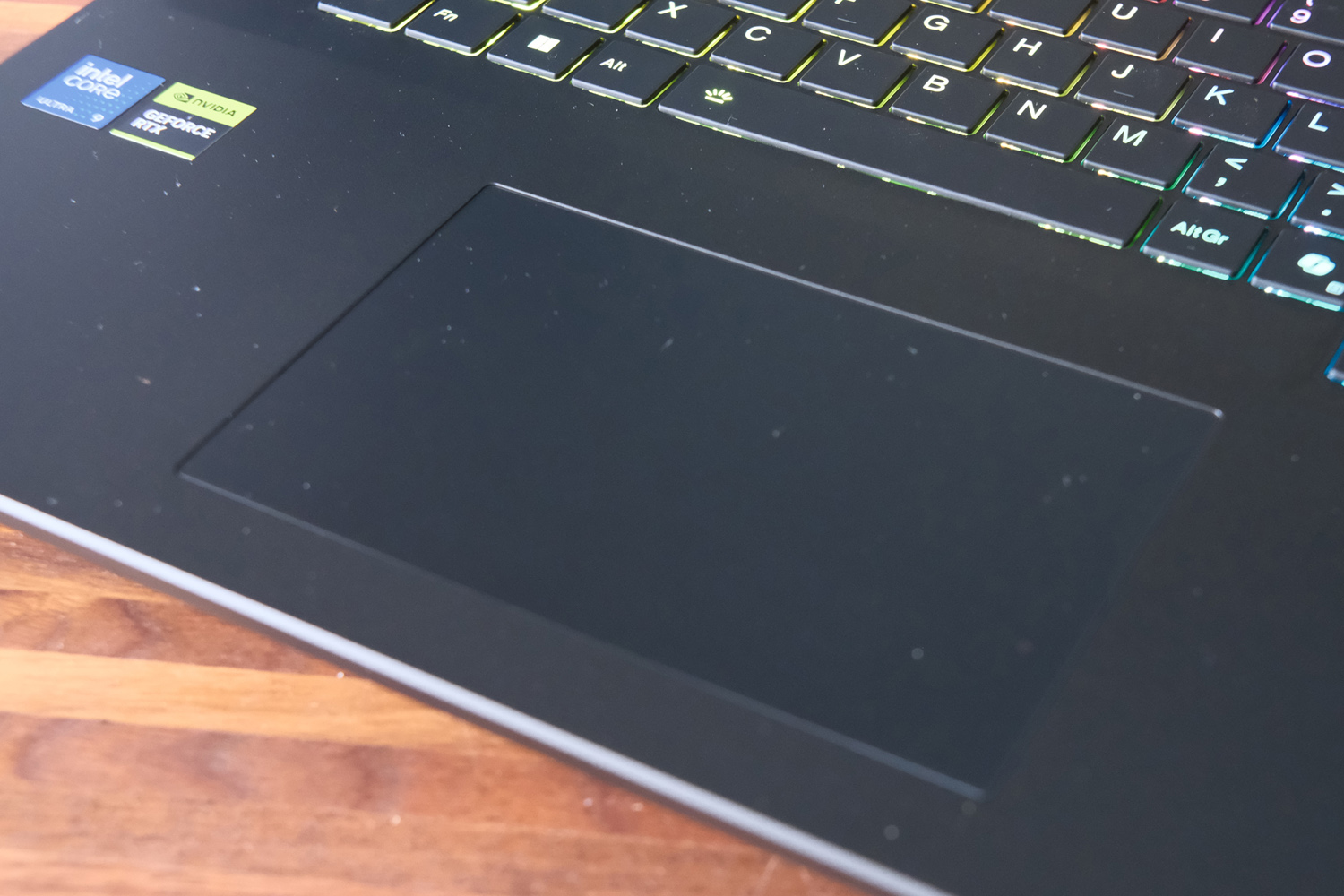
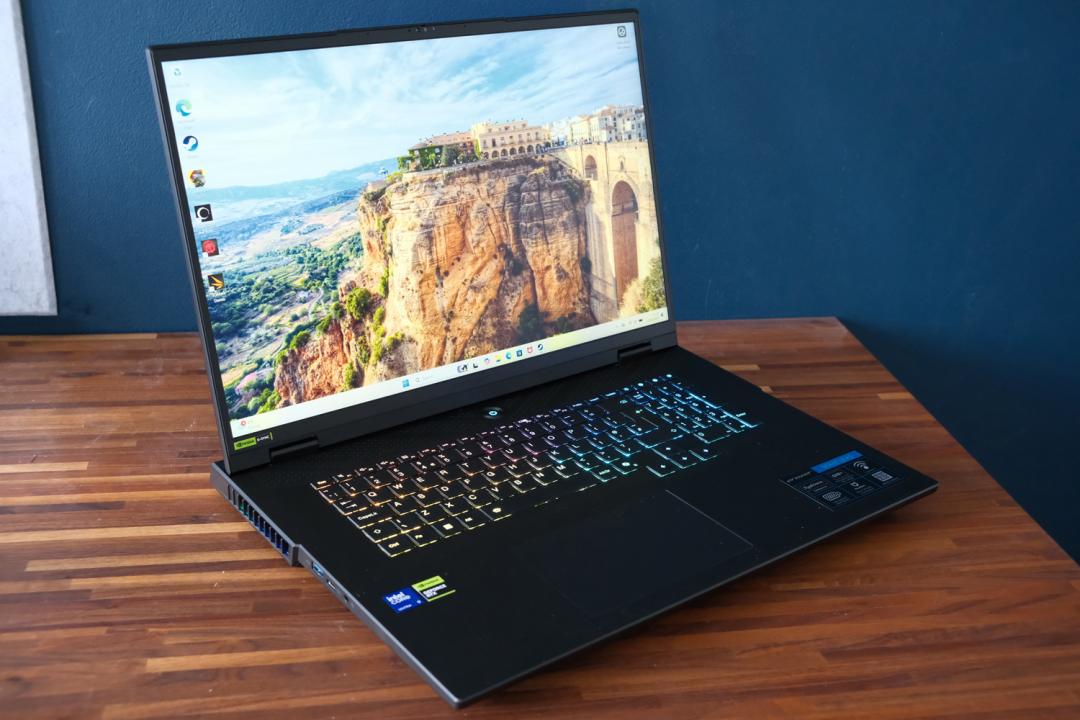
Opening the Beast 18’s lid reveals a full-size QWERTY keyboard, alongside a slightly shrunken numerical keypad. Each island-style key has great RGB backlight coverage, and gamers of a certain vintage will appreciate that the arrow keys haven’t been reduced in size or moved to make things a bit more symmetrical.
Unsurprisingly it uses membrane-style board rather than mechanical switches – those would surely have blown the budget. Each key has a reasonable amount of travel and bounces back quickly after pressing. As long as you’re not hitting the keys like you’re hammering nails, typing will feel just fine.
The number pad was trickier on account of its smaller keys; with no speaker grilles on either side I wish Medion had gone the whole hog and used full-sized keys everywhere. It’s less of an issue for the half-height function row, and I did like that there were a few dedicated shortcuts for controlling the fan speeds and performance profiles.
While it’s not massive, the touchpad is still a sensible size for such a large laptop. It has physical clicks rather than haptic ones, which again likely contributes to keeping the costs down. Tracking is accurate enough, but most gamers will instantly reach for a mouse anyway.
Screen & sound: size matters
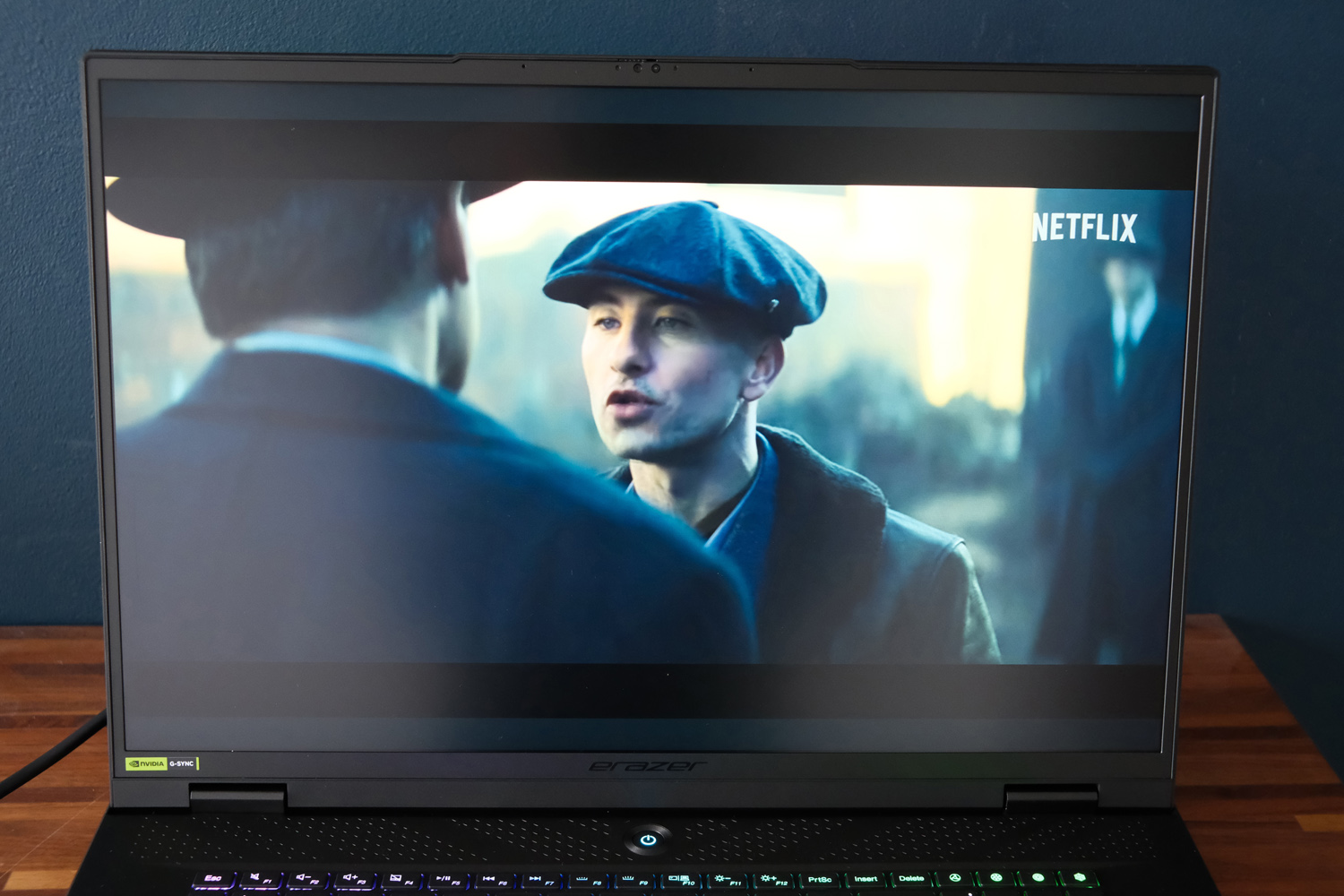
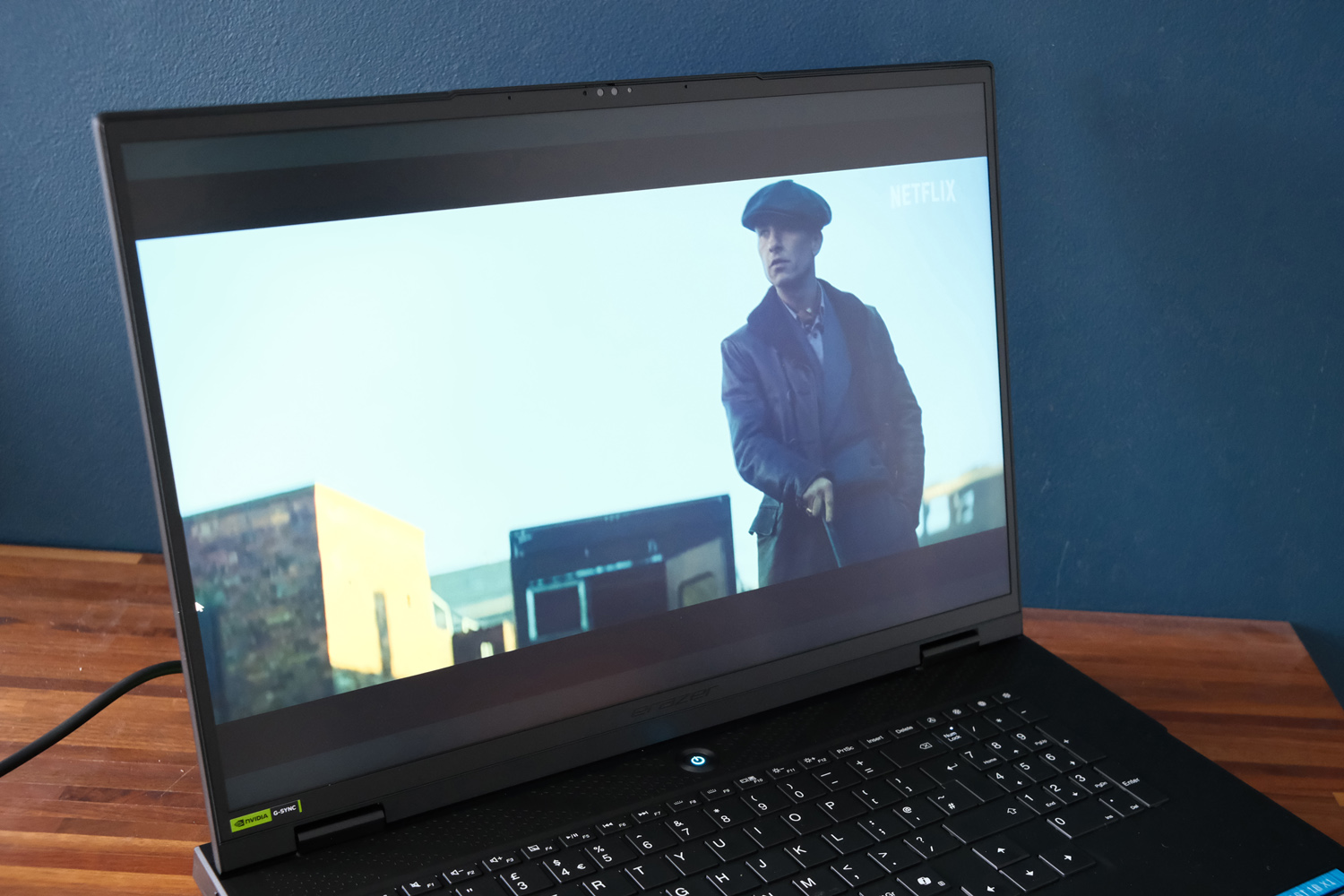
More than anything else, it’s the 18in display that marks the Beast out as an ‘affordable’ gaming laptop. Medion has stuck with a tried-and-tested IPS LCD panel here, rather than bumping up the budget to accommodate a whizz-bang OLED or mini-LED.
This tech has a few shortcomings, namely contrast and viewing angles: unless you’re sat square-on to the panel everything appears slightly grey and washed out. The matte screen finish does at least help diffuse light reflections, but I still had to play Resident Evil Requiem with all the lights off and the curtains drawn to make out the finest shadow details.
I don’t think a 4K resolution IPS screen would’ve added a silly amount more to the price, either. The 2560×1600 you get here is sharp enough for desktop use though, and means the graphics card has a little more headroom before it runs out of puff. Colour coverage and vibrancy are both really rather good, so more vivid games make a real impact, and means creative sorts will be able to get work done without having to calibrate first.
There’s a generous amount of screen tilt (which helps out nailing a usable viewing angle) and brightness is very respectable, being on par with far pricier rivals. The 240Hz refresh rate is the gaming highlight, being rapid enough to keep pace with twitch shooters.
While the Beast 18’s speaker array fires downwards rather than up towards you, it does a decent enough job. Speech sounds clear and there’s more than enough volume, so I only reached for my headphones when it was time to play games.
Performance: ditch your desktop
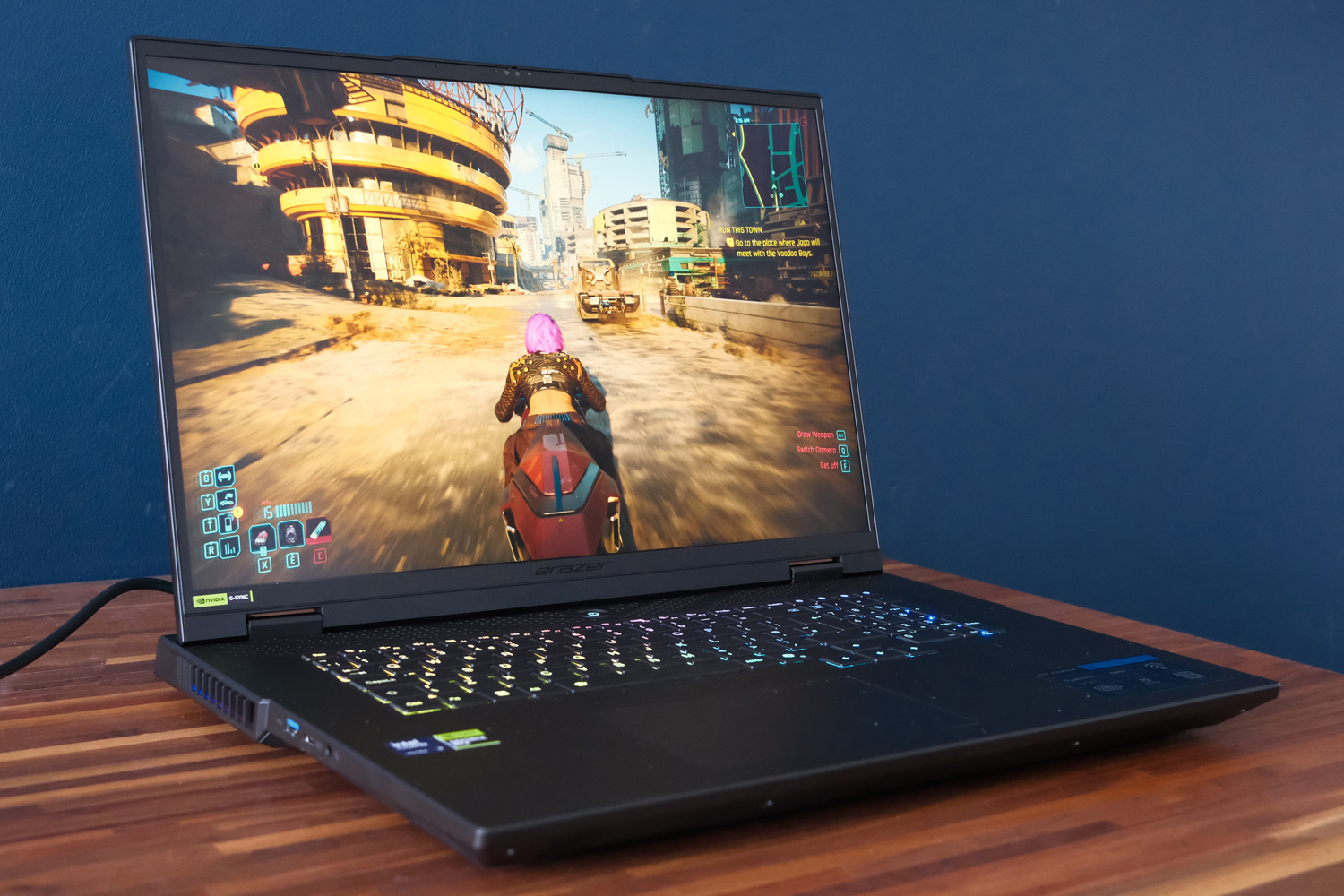
While Intel is now all-in on its new Panther Lake silicon, the Core Ultra 9 275HX used inside the Beast 18 was the cream of last year’s mobile crop, and still every bit the top performer today. My review unit saw the 8 performance core, 16 efficiency core chip paired with 32GB of RAM and 2TB of SSD storage, making it every bit the portable powerhouse.
Desktop performance is largely on par with other laptops I’ve tried with this hardware setup, chalking up some impressive scores in synthetic benchmarks and translating to impeccable desktop work. Sustained heavy loads don’t drag things down to a significant degree, and depending on the task it trades blows with rivals using AMD’s Ryzen AI 9 HX 370 silicon. Video encoding work is really no struggle here.
The newer Core Ultra X9 Series 3 has a 10% advantage on average, but there’s still enough grunt here to tackle any productivity task.
| Medion Beast 18 productivity benchmarks | |
| Geekbench 6 single-core | 2882 |
| Geekbench 6 multi-core | 16415 |
| Geekbench AI | 5254 |
| Speedometer 3.1 | 38.0 |
Nvidia’s GeForce RTX 5090 is the real hero here, anyway. The GPU has a whopping 24GB of dedicated video memory to go with its thousands of CUDA cores, giving it a raw horsepower advantage over laptops that max out with an RTX 5080. At the Beast 18’s native resolution, every game I played was able to post frame rates well in excess of 60fps as long as I kept ray traced lighting switched off. Esports titles like Counter Strike 2 were routinely into the hundreds of FPS, no upscaling required.
Cyberpunk 2077‘s RT Overdrive graphics preset was the only point where Nvidia’s DLSS upscaling tech became a necessity, at which point the multi-frame generation produced impressive on-paper numbers. More importantly, the game still felt smooth to play and looked stunning, even if only one in every four frames was being rendered without the help of an on-GPU neural network.
The Beast 18 narrowly outperformed a 16in Razer Blade, which also has an RTX 5090 but uses an AMD CPU instead of an Intel one. This could be down to the bulkier Medion having more effective – but louder – cooling. They spin up to extreme levels in almost every power profile. Even while on the desktop in Balanced mode, this is one of the loudest laptops I’ve used for a while. The fan pitch isn’t an especially grating frequency, at least.
My one hangup with this laptop also applies to every other RTX 5090 machine: the real-world performance gap of between 5 and 15% to the RTX 5080 alternative doesn’t directly correlate to the price. The gap admittedly widens with ray tracing, and there’s a lot to be said for buying the best laptop you can afford to future-proof yourself for as long as possible, but I bet most gamers will be perfectly happy with an RTX 5080 machine – especially at this display resolution.
| Medion Beast 18 gaming benchmarks | Native rendering (2560×1600) | DLSS Upscaling |
| 3DMark Steel Nomad | 6250 | N/A |
| Shadow of the Tomb Raider (RT off) | 176fps | 191fps (balanced) |
| Shadow of the Tomb Raider (RT on) | 125fps | 159fps (balanced) |
| Cyberpunk 2077 (Ultra, RT off) | 101.5fps | 342.2fps (balanced, 4x frame gen) |
| Cyberpunk 2077 (RT Overdrive) | 25.5fps | 192.7fps (balanced, 4x frame gen) |
Nvidia’s Optimus graphics switching, which only calls the dedicated GPU into action when it’s required, could also sometimes make the system hang for a few seconds – not something you want from a high-end laptop, however expensive. Hopefully it’s something Nvidia can remedy with a driver update.
Battery life: longer than you think
With a 99.9Whr cell – the biggest a laptop can get away with and still be taken on a passenger plane – you can’t accuse the Beast 18 of skimping on battery. I was rather impressed with its staying power away from the mains, lasting around six hours in video rundown tests at sensible brightness setttings.
Although I saw less with more realistic use – and dramatically so when attempting to play games on battery power – you’ll be able to get a decent amount of work done here without being tethered to a mains socket.
Medion Beast 18 verdict
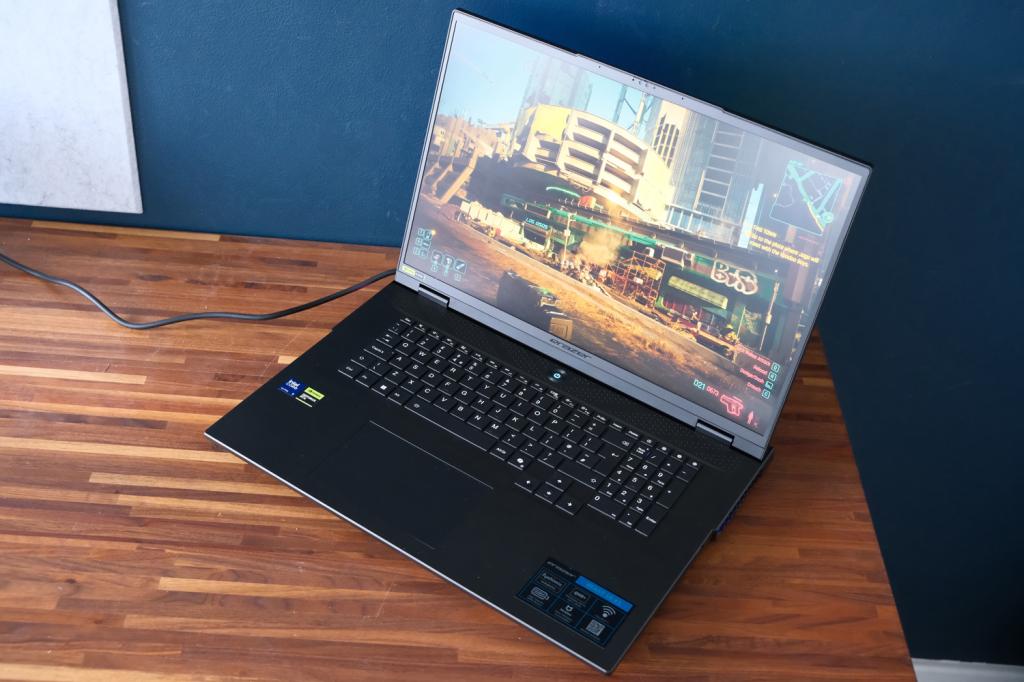
Gamers wanting the most powerful graphics going in a laptop form factor will be very happy with the Beast 18. Medion’s desktop replacement costs about the same as rival machines with lesser RTX 5080 GPUs (though the gap isn’t as big as you might think) and takes up a lot less space than a tower PC and monitor.
Performance goes toe-to-toe with prebuilt RTX 5070Ti desktop rigs costing similar cash. Whether you could build something with more oomph for less is unlikely, given the current RAM price crisis – and even then, it wouldn’t be nearly as compact as this laptop.
Concessions have been made on the screen, and the fans really do kick up a racket while gaming in order to keep the graphics chip cool. The sheer size and weight mean you’re not going to want to take this outside very often either – for even infrequent travel, you’ll be better served by a 16in machine, which won’t be all that far off the pace once DLSS comes into play.
But if bang per buck is your key concern – and you only ever play at a desk, with headphones on – it’s still worthy of a spot on your shortlist.
Stuff Says…
An extraordinary amount of gaming muscle for the money. The Medion Beast 18 could happily replace a desktop PC, but makes a few compromises to keep the costs in check.
Pros
Desktop-grade 2D and gaming performance
Plenty of ports
Design has really levelled up from older Medion systems
Cons
4K or OLED screen would’ve been nice for this price
Nowhere near as portable as 16in rivals
Very loud, even when not gaming
Medion Beast 18 technical specifications
| Specifications | Medion Beast 18 |
|---|---|
| Screen | 18in, 2560×1600 IPS LCD w/ 240Hz |
| Processor | Intel Core Ultra 9 275HX |
| Memory | 32GB |
| Graphics | Nvidia GeForce RTX 5090 |
| Storage | 2TB SSD |
| Operating system | Windows 11 |
| Connectivity | USB 3.2 Gen1 Type-A, USB 3.2 Gen 2 Type-A, USB 3.2 Gen 2 Type-C, SD card reader, HDMI, 3.5mm combo port, Ethernet |
| Battery | 99.9Whr |
| Dimensions | 408x297x30mm, 3.66kg |


 Tom Morgan-Freelander
Deputy Editor
Tom Morgan-Freelander
Deputy Editor