Apple Watch Double Tap: how it makes it easier to use your smartwatch if your other hand is busy
Double Tap has been part of the Apple Watch software for a while now - here's what it can do

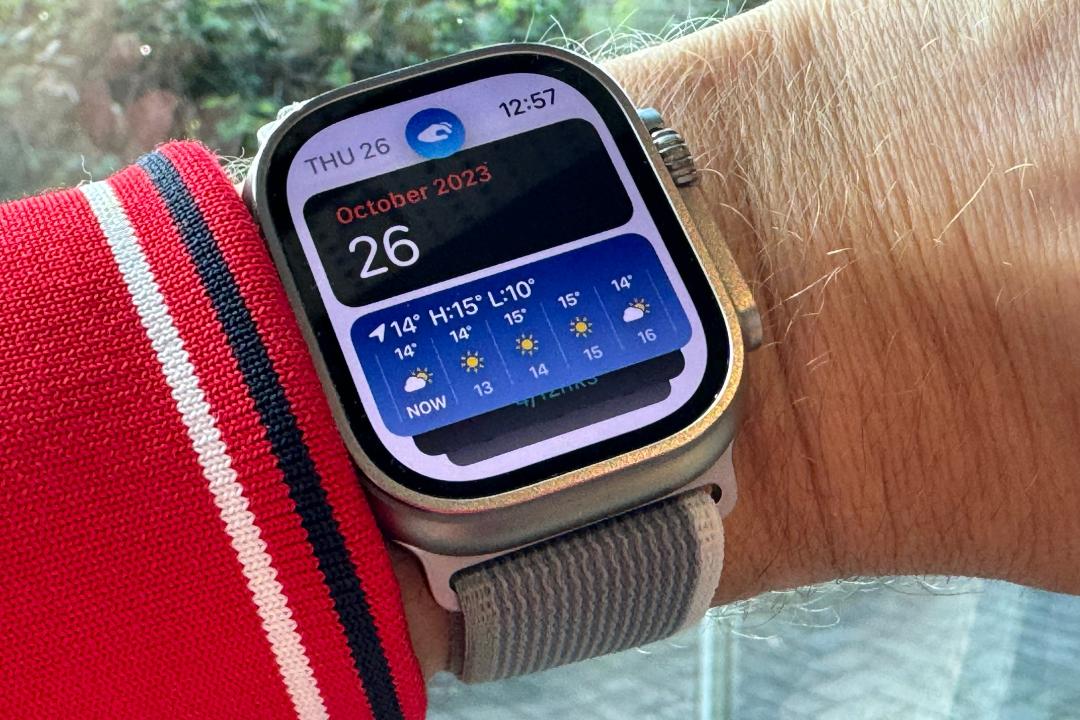
When it launched the Apple Watch Series 9 and Ultra 2 smartwatches, Apple trailed a new feature exclusive to those devices: Double Tap. It means that you can use your watch with a single hand should your other hand be busy carrying something or be unable to be used to control your watch for any reason. And of course it works on the newer Series 10, 11 and Ultra 3 watches, too.
If you have an older model of Apple Watch, you can still use double tap, just in a slightly different way since Double Tap was previously available as an accessibility feature. See here: How to get the Apple Watch Series 9 Double Tap feature on older models.
What Apple Watch Double Tap does
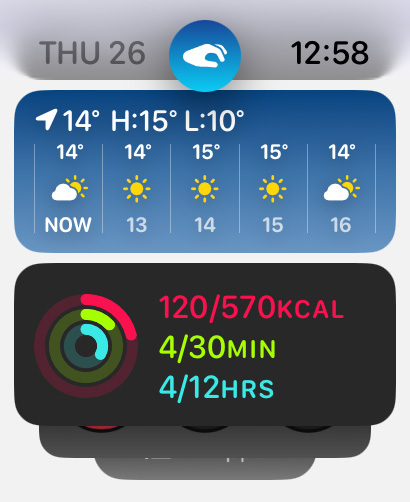
Double Tap is a the key new gesture available in watchOS 10.1. The gesture means you can interact with certain screens on your Apple Watch without needing to use your other hand (in other words, without needing to touch the screen).
It’s only native on newer devices as it relies on the S9 or later hardware and, specifically, the Neural Engine. This processes data from the accelerometer, gyroscope and optical heart sensor alongside machine learning algorithm. These inputs work together to detect “the unique signature of tiny wrist movements and changes in blood flow when the index finger and thumb perform a double tap” says Apple.
Douple Tap works any time the display is awake, and Apple adds there is “minimal impact” on battery life. It’s enabled by default but you can disable it in Settings.
The feature will automatically select the primary action in most apps and notifications. You can choose from two actions in two different situations. Either you can use Double Tap to scroll through widgets in the Smart Stack or you can choose to select the first available widget. Equally, you can choose from playing or pausing media or skipping to the next track instead.
How to use Double Tap on your Apple Watch

To use it, you raise your hand with the watch angled towards you (as if you’re looking at it) and then pinch your thumb and finger together twice in quick succession.
A logo appears at the top of the Apple Watch display to show that the gesture has been registered. It doesn’t affect any of the other gestures that Apple Watch can do like tap, swipe, raise to wake, and cover.
Where you can use Apple Watch Double Tap
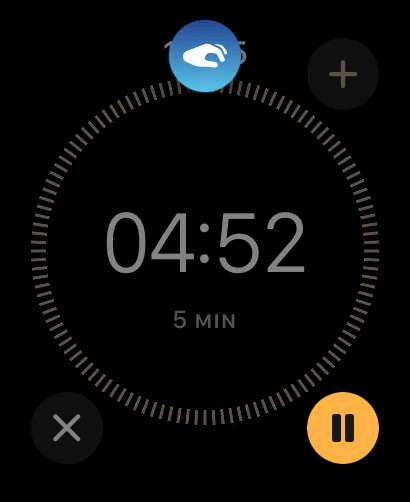
The Double Tap feature is available in the following situations:
- Opening the Smart Stack (new in watchOS 10) from any watch face and scrolling through widgets in the stack.
- Answering and ending phone calls.
- Viewing a message from a notification, scrolling through longer notifications with an additional double tap, replying using dictation, and sending a message.
- Pausing, resuming, and ending a timer.
- Stopping and resuming a stopwatch.
- Snoozing an alarm.
- Playing and pausing music, podcasts, and audiobooks.
- Switching to the new Elevation view in the Compass app.
- Taking an iPhone photo with the Camera Remote in the Camera app.
- Starting or stopping automatic Workout reminders.
- Performing the primary action from notifications, such as replying to an incoming message from a messaging app and snoozing reminders. This includes support for third party apps, not just Apple’s.
- Also check out The best Apple Watch apps that we’re actually using
Where you can’t use Double Tap
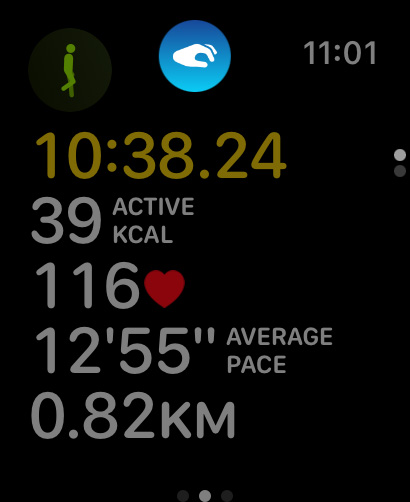
Despite the above long list, there are a bunch of situations and/or apps where you can’t use Double Tap. These are ECG, Heart Rate, Blood Oxygen, Sleep Focus, Walkie-Talkie, Maps (during navigation), Mindfulness (during an active session), SOS features (Emergency SOS, Fall Detection, Crash Detection) and Workout (during an active session).
If it can’t be used but you do the gesture, the symbol on the display moves from side to side to indicate nothing has been done.


 Dan Grabham
Editor-in-Chief
Dan Grabham
Editor-in-Chief