Pixel 10 gets a huge battery boost with Google Maps
The new Google Maps Power Saving mode strips down the colours and UI and delivers some remarkable battery life savings for Pixel 10 owners


Google Pixel 10 series owners can now benefit up to four hours of extra battery life when using Google Maps for smartphone navigation.
Thats thanks to the new Power Saving mode, which was spied in testing in October, announced as part of the November Pixel Drop, and is now rolling out on the company’s latest phones (via 9to5Google).
The Power Saving mode, which ditches the colours by switching to a monochrome map and simplifies some of the UI elements, is simply enabled by pressing the power button once while in turn-by-turn driving mode. While users will still see the next turn, the remaining distance and time to their destination and the ETA, less-essential elements like the current speed limit don’t make the cut.
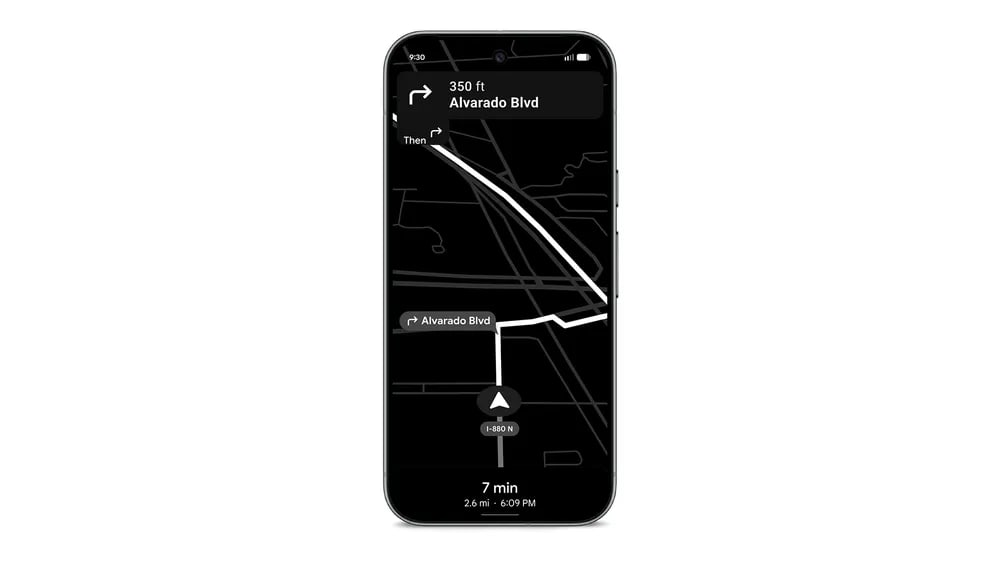
The feature, which is only available for the Pixel 10, Pixel 10 Pro, Pixel 10 Pro XL and Pixel 10 Pro Fold initially, is only operational in portrait orientation making it perfect for a car cradle.
In the announcement earlier this month Google explained: “Get more out of your battery with Power Saving mode in Google Maps while driving. Just press the power button and you’ll see a simplified layout, showing only key information like next turns. You’ll still have directions for your long trip while extending your battery life up to four hours.”
Google says it came up with that maximum four-hour figure by driving around California with a Pixel 10 with brightness set at P90 and Adaptive Brightness disabled. However, it says you may experience different results depending on traffic conditions, display settings and other factors.
Bottom line, if you’re driving home for Christmas minus your in-car charger, and need a little more juice to get you to the end of the line, Google Maps has you covered.


 Chris Smith