The latest iPhone free update is here – and you shouldn’t delay getting it
The latest iOS 26.1 update is now available. So don't delay - here are all the new features your iPhone will get

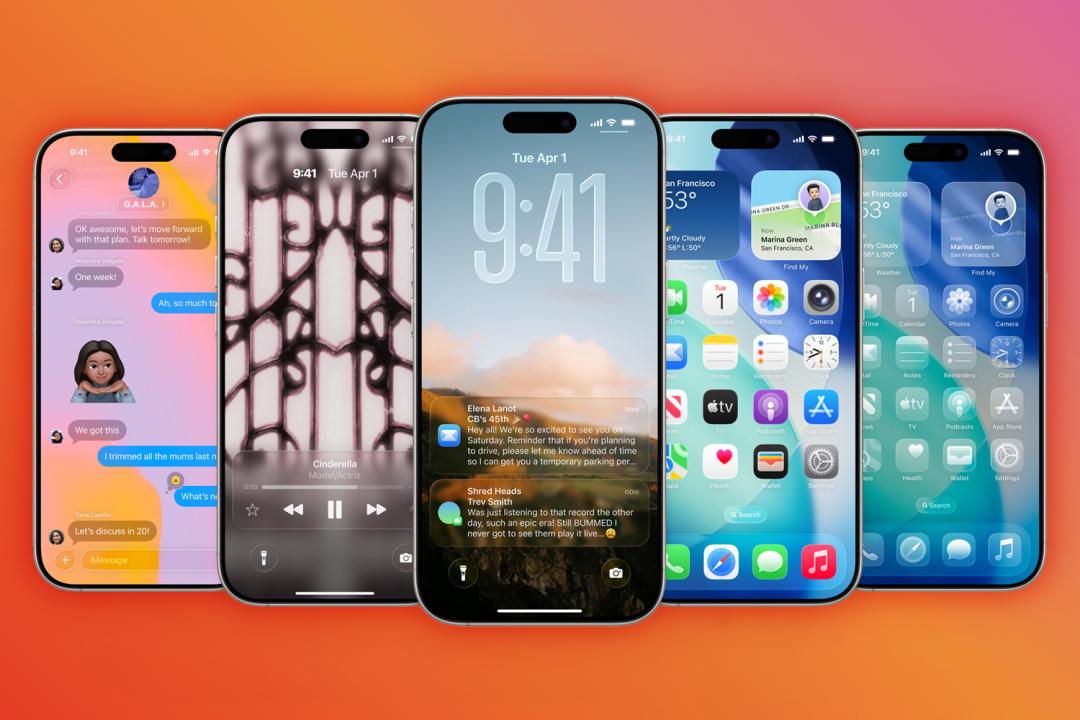
This year’s major iPhone update is iOS 26, with the new Liquid Glass design the biggest change of them all. As with all updates, Apple releases subsequent versions to squash bugs and improve things.
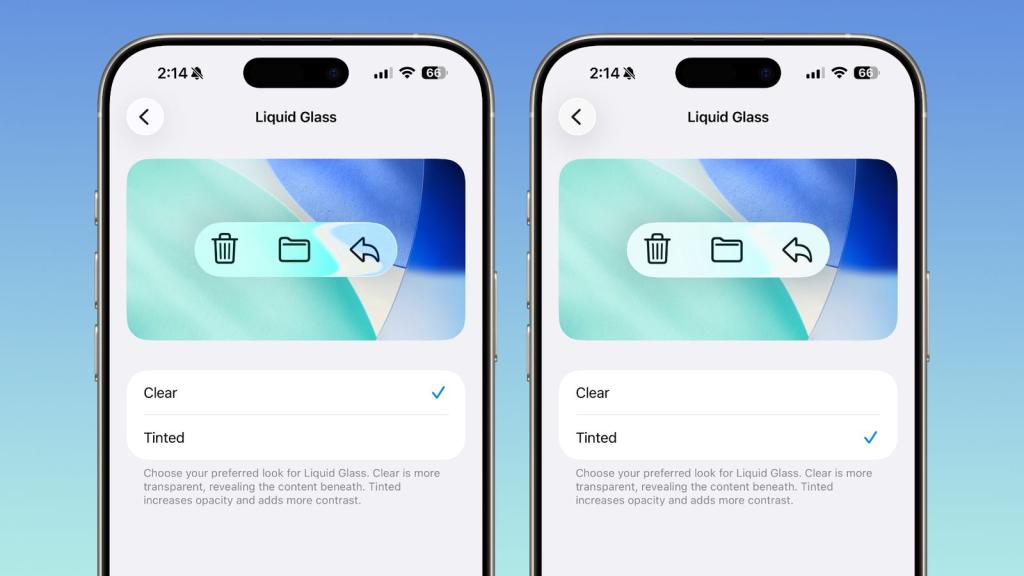
iOS 26.1 is now out and if you have an iPhone or iPad you shouldn’t delay getting it. The biggest new addition is the option to adjust just how glassy Liquid Glass gets. Apple has also fixed the alarm screen and brought back the popular Slide Over multitasking feature for tablet users in the equivalent iPad release – iPadOS 26.1.
iOS 26.1 doesn’t yet introduce the AI Siri overhaul – it sounds like we’ll have to wait until next year for that. But it does add a smattering of genuinely useful tweaks.
There’s now a toggle to change Liquid Glass between Clear and Tinted, giving you more control over how blurry your interface looks. Lock Screen camera access can finally be disabled, so no more accidental selfies when checking the time. Phone haptics can also be turned off, if you’re not into subtle vibrations confirming calls.
Alarms now require a slide to stop (because apparently tapping was causing accidental triggers), and Apple Music lets you swipe over the song title to skip tracks. Apple Intelligence has picked up new languages, and AirPods Live Translation now supports Japanese, Korean, Italian, and both types of Mandarin.
The Settings app has been cleaned up with left-aligned headers, and Home Screen folders follow suit. Safari’s Tab Bar is chunkier, the Phone keypad now has a Liquid Glass effect, and Photos gets a few minor interface tweaks. On iPad, Slide Over is back for multitasking purists, external mic gain is adjustable, and Apple Intelligence settings no longer scream “beta.”
You can now create proper custom workouts in the Fitness app, tweak display borders for accessibility, and set local save locations for call recordings. There’s also a new toggle for auto-downloading security updates, and yes, the wallpapers finally match iOS 26’s aesthetic.


 Connor Jewiss