We’ve reviewed the best tablets in 2026 – including iPad and Android picks for every budget
We've tested the best tablets from Apple, Samsung and more, with top picks for value, performance, and portability


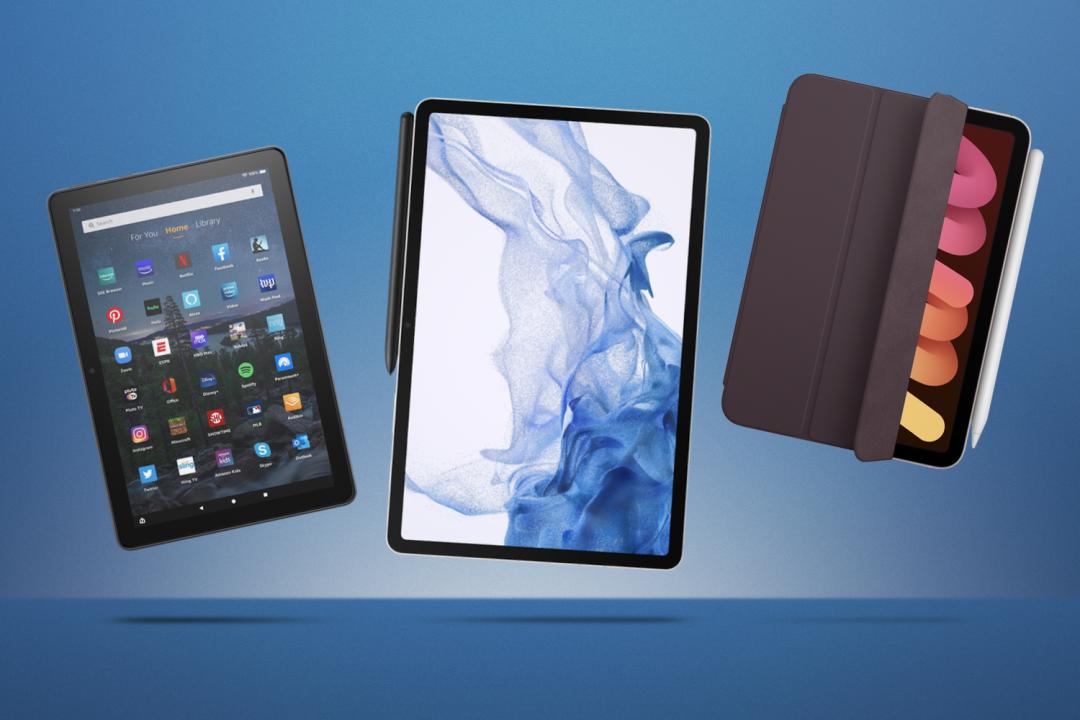
It’s rare that technology circles back to old-school tools, but here we are using styluses to jot down notes on tablets. Of course, today’s versions swap ink and paper for pixels. If you’re shopping for a new tablet for work or leisure, this buying guide has you covered.
Tablets aren’t just oversized phones anymore. They’ve grown into versatile tools that can slot into almost any part of your life. You might use one to sketch out a design, check your bank account, catch up on a book, or even replace your laptop for occasional work.
The market now covers just about every need. There are slim, travel-friendly models you can slip into a bag without thinking, as well as heavyweight performers that handle demanding apps and multitasking with ease.
In our roundup, we’ve included both ends of the spectrum, from premium options built for serious productivity to budget-friendly picks that are great for streaming, browsing, and casual use.
Why you can trust Stuff: Our team of experts rigorously test each product and provide honest, unbiased reviews to help you make informed decisions. For more details, read how we test and rate products.
Quick list: what’s the best tablet?
We think the Apple iPad Air M4 (buy now) is the best tablet for most people. It’s smart, sleek, and effortlessly smooth to use, thanks to the powerful M4 chip. Its lightweight design makes it a breeze to carry wherever you go.
The Apple iPad Pro M5 (buy now) comes complete with absolutely remarkable enhancements that take the power of the iPad lineup to the next level. It’s so powerful, fast, and ideal for pros.
The Samsung Galaxy Tab S11 Ultra (buy now) is the best Android tablet. It raises the bar for Android tablets yet again – just not by a huge degree from last year’s model. AI additions are welcome, yet creative software still trails the iPad Pro.
The OnePlus Pad Lite (buy now) might have modest performance, but it is otherwise a well-rounded tablet at a very appealing price.
The iPad Mini (buy now) is a compact yet still premium tablet. It features a strong aluminium case, an excellent screen, and an unrivalled ecosystem of apps.
The Amazon Fire HD 10 (buy now) offers plenty for your money, this is an almost-perfect cheap tablet that can be made even better with a simple tweak.
The best tablets you can buy today:
Best tablet for most people
1. Apple iPad Air (M4)
Stuff Verdict
Smart, sleek and slick to use, Apple’s latest tablet is the best for most people thanks to powerful M4 silicon inside and a lightweight design.
Pros
- A future-proof performance iPad
- Choice of sizes
- Very thin and light
Cons
- Quite a price hike over the standard iPad
- No Face ID
| Specifications | Apple iPad Air (M4) |
|---|---|
| Display | 11in (2360 x 1640) or 13in (2732 x 2048) Liquid Retina display |
| Processor | Apple M4 |
| RAM | 12GB |
| Storage | 128GB, 256GB, 512GB, 1TB |
| Cameras | Rear: 12MP wide camera, ƒ/1.8 aperture Front: 12MP landscape Center Stage camera (ultrawide), ƒ/2.0 aperture |
| Battery | Up to 10 hours |
| Connectivity | USB-C, Wi-Fi 7, Bluetooth 6.0 (5G on cellular models) |
| Software | iPadOS 26 |
| Dimensions | 11in: 247.6 x 178.5 x 6.1 mm (9.74 x 7.02 x 0.24 in) 13in: 280.6 x 214.9 x 6.1 mm (11.04 x 8.46 x 0.24 in) |
| Weight | 11in: 464g (1.02 lbs) / 13in: 616g (1.36 lbs) |
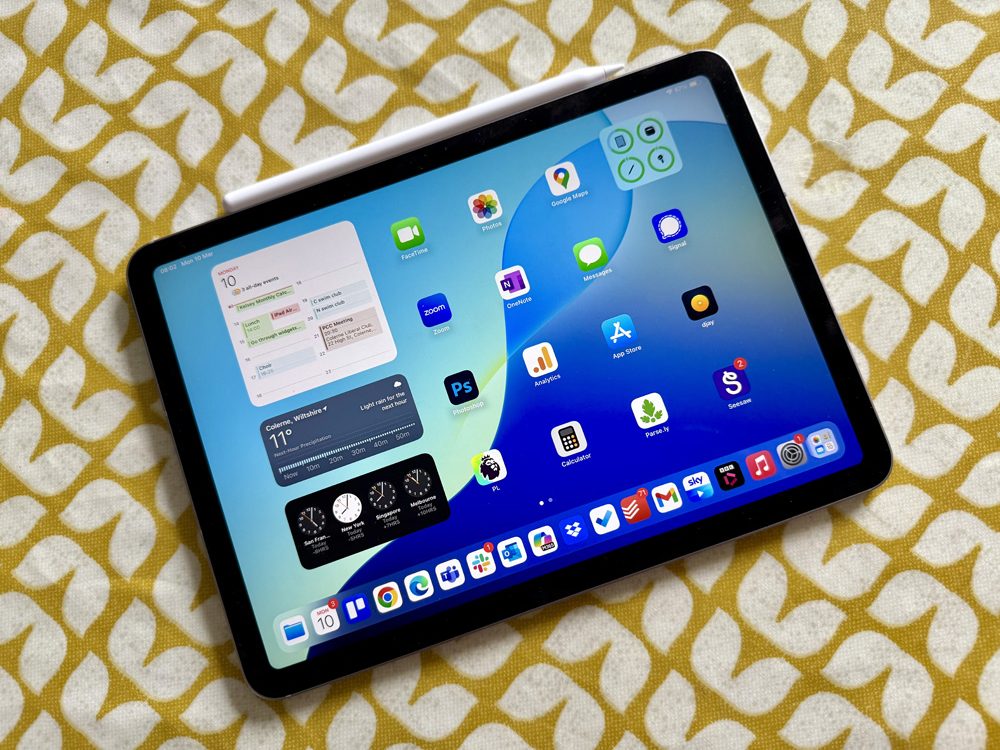
The iPad Air (M4) sits in the middle of Apple’s tablet lineup, powered by the cutting-edge M4 chip and available in both 11in and 13in sizes. The 13in model measures just 6.1mm thick and weighs just 35g more than the 11in Pro, striking a perfect balance between roominess and portability.
The Liquid Retina display is capped at 60Hz rather than ProMotion, but includes Apple’s True Tone for comfortable extended use. It supports both the Pencil Pro (with tilt, pressure, and haptic feedback) and the cheaper USB-C Pencil, plus the Magic Keyboard with a function row, priced at $269/£269.
Cameras consist of a 12MP ultrawide front camera with Centre Stage and a 12MP rear camera capable of 4K video.
Notably absent are Face ID and a 120Hz display, features reserved for the Pro.
Why we chose it
For anyone wanting an iPad that feels every bit as capable as the Pro without the overkill or the price tag, real-world testing backs it up as the smart middle-ground choice.
Read more: Apple iPad Air (M4)
Best premium tablet
2. Apple iPad Pro (M5)
Stuff Verdict
An incredibly powerful tablet, now with an operating system that goes most of the way to enabling full multitasking. However, the cheaper iPads will get you most of the same experience.
Pros
- M5 is incredibly powerful
- Pencil Pro is a super addition
- Excellent tandem OLED display
Cons
- So expensive – the M3 Air is a worthy alternative
- Magic Keyboard is very costly
- Battery life could be longer
| Specifications | Apple iPad Pro (M5) |
|---|---|
| Display | 11in: 2420 x 1668 or 13in: 2752 x 2064 Ultra Retina XDR display (Tandem OLED) |
| Processor | Apple M5 |
| RAM | 12GB or 16GB |
| Storage | 256GB, 512GB, 1TB, 2TB |
| Cameras | Rear: 12MP wide camera, ƒ/1.8 aperture with LiDAR scanner Front: 12MP landscape Center Stage camera (ultrawide), ƒ/2.0 aperture |
| Battery | Up to 10 hours |
| Connectivity | Thunderbolt / USB 4, Wi-Fi 7, Bluetooth 6.0 (5G on cellular models) |
| Software | iPadOS 26 |
| Dimensions | 11in: 249.7 x 177.5 x 5.3 mm (9.83 x 6.99 x 0.21 in) 13in: 281.6 x 215.5 x 5.1 mm (11.09 x 8.48 x 0.20 in) |
| Weight | 11in model: 444g (0.98 lbs) / 13in: 579g (1.28 lbs) |
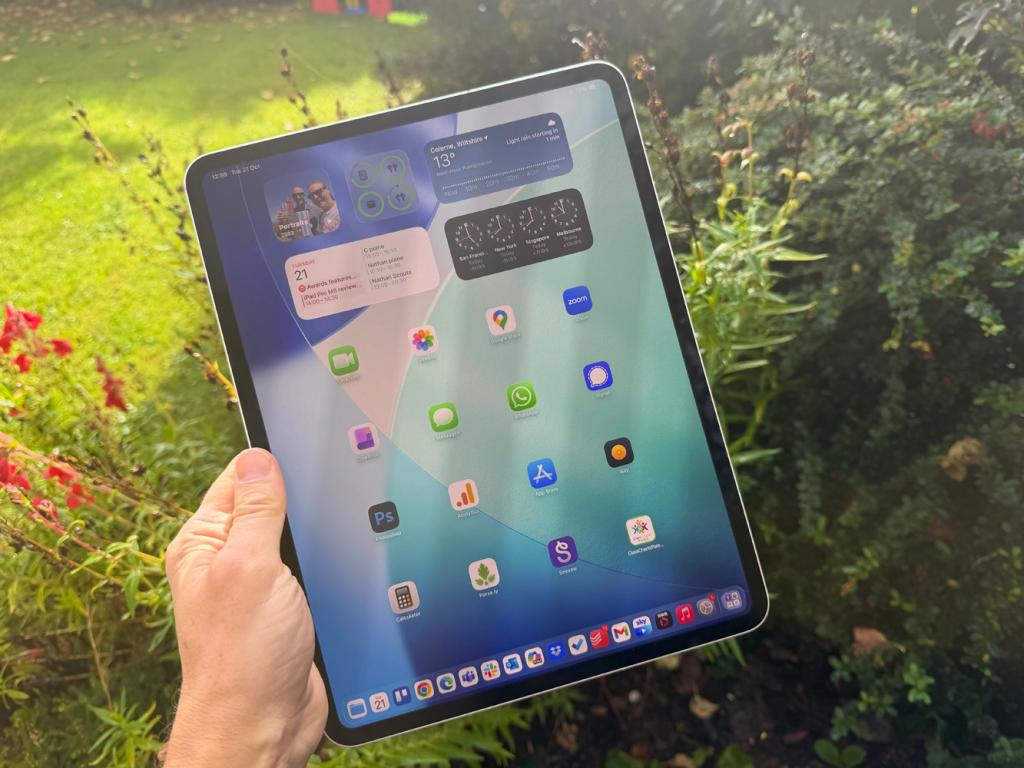
The iPad Pro M5 is Apple’s flagship tablet, built around the new M5 chip – the same silicon family found in the latest MacBook Pro. It comes in 11in and 13in sizes, both sharing an identical spec sheet, with capacities running from 256GB up to 2TB and optional 5G cellular via Apple’s own C1X modem.
The design carries over from last year’s M4 model: astonishingly thin at 5.1mm (13in) or 5.3mm (11in), and lighter than ever.
The tandem OLED Ultra Retina XDR display remains the standout feature, hitting 1600 nits peak brightness, with a nano-texture glass option available for $100 / £100 extra.
It supports Wi-Fi 7, Bluetooth 6, and works with either Apple Pencil Pro or Apple Pencil (USB-C). iPadOS 26 brings a genuine windowing system for multitasking, plus Apple’s divisive Liquid Glass interface.
Why we chose it
Simply put, nothing else comes close to matching it for raw power in tablet form. Geekbench benchmarks showed its single-core score beating even the M4 Max, a genuinely surprising result for a tablet chip, and iPadOS 26 finally delivers proper windowed multitasking after years of half-measures with Stage Manager.
The display is still the best in the business, and the nano-texture option noticeably cuts down on fingerprints and glare. It’s also ridiculously thin and light without feeling fragile.
The catch is price: fully specced models run past $3000 / £3000, and the Magic Keyboard alone costs upwards of $300 / £300. Cheaper iPads, the M4 Air especially, deliver much of the same everyday experience for far less. But for anyone who genuinely needs the best available tablet, and can stomach the cost, the iPad Pro M5 earns its five-star rating and a spot among the top picks.
- Read more: Apple iPad Pro review (M5) review
Best Android tablet
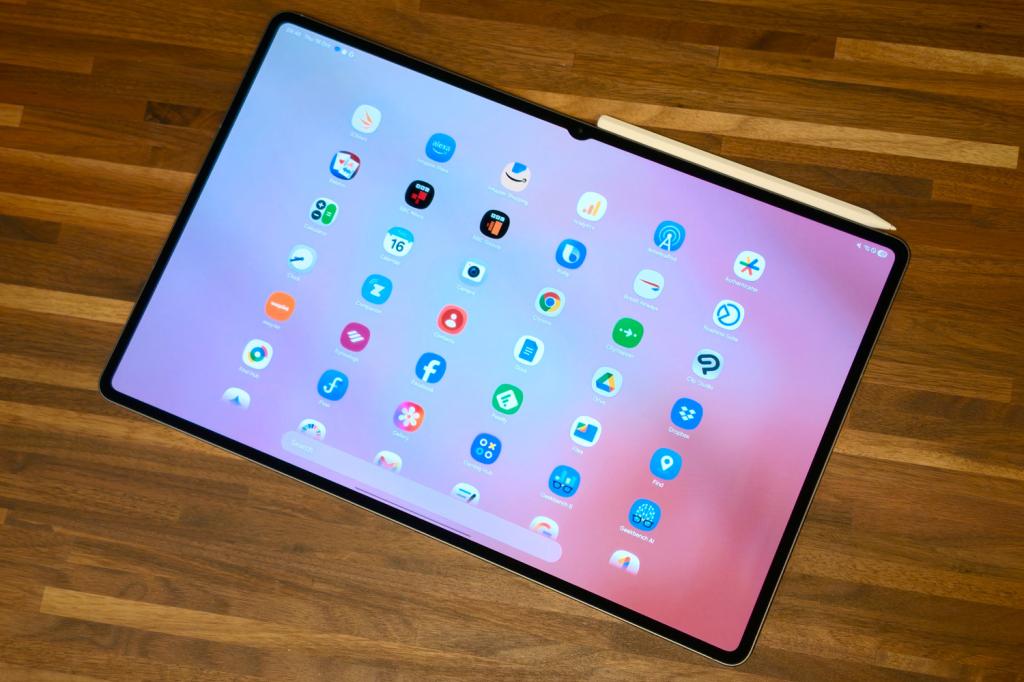
3. Samsung Galaxy Tab S11 Ultra
Stuff Verdict
Still huge, still powerful, still quite niche: the Galaxy Tab S11 Ultra is the new Android tablet high point, but good as it is there’s nothing here that screams widespread appeal.
Pros
- Massive, gorgeous display
- Ample performance for productivity and creative tasks
- Improvements to UI really benefit working
Cons
- We just don’t need a camera notch on a tablet, however subtle
- Android still limited for creativity software vs iPad
- Modest power and battery gains between generations
| Specifications | Samsung Galaxy Tab S11 Ultra |
|---|---|
| Display | 14.2in, 2960×1848 AMOLED w/ 120Hz |
| Processor | MediaTek Dimensity 9400+ |
| RAM | 12GB or 16GB |
| Storage | 256GB, 512GB, 1TB |
| Cameras | 13MP + 8MP rear, 12MP front |
| Battery | 11,600mAh w/ 45W wired charging |
| Connectivity | USB-C, Wi-Fi, Bluetooth. 5G |
| Software | Android 16 w/ OneUI 8 |
| Dimensions | 326x209x5.1mm (12.83 x 8.23 x 0.20 in) |
| Weight | 692g (1.53 lbs) |
The Galaxy Tab S11 Ultra is Samsung’s flagship Android tablet, built around a 14.6in AMOLED display capable of around 1600 nits peak brightness. Under the hood sits a Dimensity 9400+ chip paired with 12GB of RAM, supporting Samsung’s DeX mode for desktop-style multitasking.
The design remains largely unchanged from previous generations – a slab of metal and glass just 5.1mm thick, though it’s lighter in hand than its size suggests. It ships with a redesigned S Pen, now featuring an octagonal shape and magnetic attachment to the top edge.
Battery life is rated for extended everyday use, and it supports fast charging via a 45W adapter. A front camera notch sits within the display.
Software runs on Android, with Samsung layering in productivity features aimed at closing the gap with iPad-style creative workflows, though some professional-grade apps remain absent from the platform.
Why we chose it
We tested the Tab S11 Ultra for over a week, and it lived up to expectations. The display measured true to spec at around 1600 nits, proving genuinely readable outdoors and outstanding for HDR content – Netflix looked cinematic largely thanks to sheer screen size.
Performance testing included 4K video editing and running three apps simultaneously in DeX mode, both handled without issue, while Genshin Impact ran at max settings with near-flawless results.
Battery life covered two full workdays of mixed use, and a 45W charger topped it up in just over 90 minutes.
The redesigned S Pen’s magnetic attachment proved more secure during our daily commute testing.
The trade-offs are real, though: Android still lacks some pro-grade creative apps, and the front camera notch feels unnecessary. It’s the most capable Android tablet available, but a niche choice for most buyers.
- Read more: Samsung Galaxy Tab S11 Ultra review
Best cheap tablet
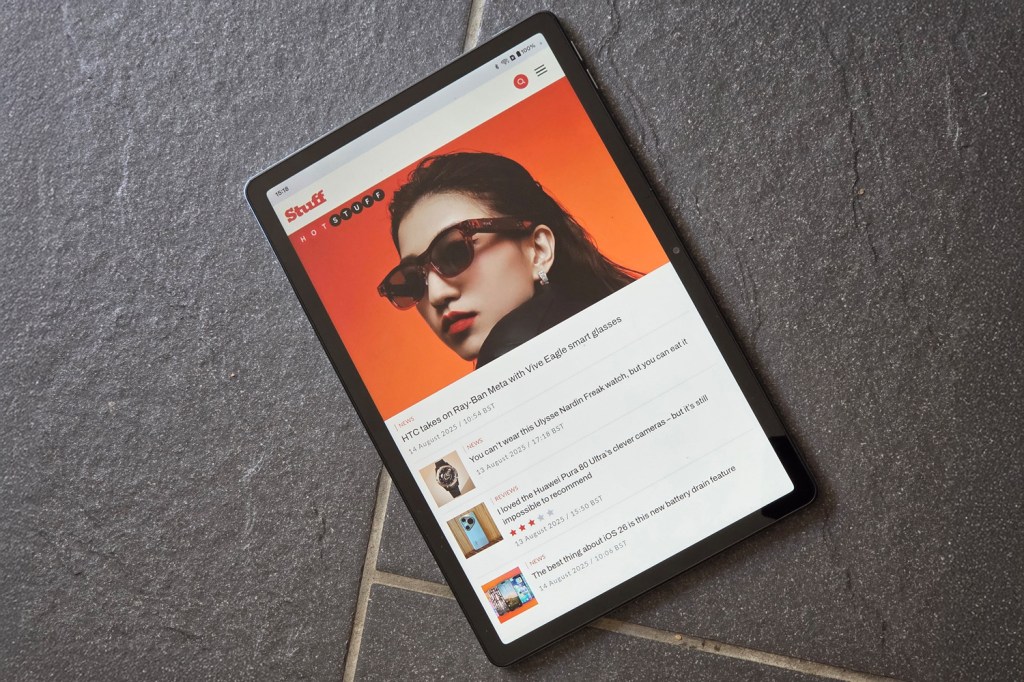
4. OnePlus Pad Lite
Stuff Verdict
Performance might be modest, but the OnePlus Pad Lite is otherwise a well-rounded tablet at a very appealing price.
Pros
- Big screen with smooth scrolling
- Long-lasting battery, particularly on standby
- Clean take on Android with useful multitasking
Cons
- Lacks the oomph of pricier tabs
- Not the sharpest or brightest budget tablet display
- A little on the heavy side, funnily enough
| Specifications | OnePlus Pad Lite |
|---|---|
| Display | 11in, 1920×1200 LCD w/ 90Hz |
| Processor | MediaTek Helio G100 |
| RAM | 6GB or 8GB |
| Storage | 128GB |
| Cameras | 5MP rear, 5MP front |
| Battery | 9340mAh w/ 33W wired charging |
| Connectivity | Wi-Fi, Bluetooth, USB-C |
| Software | Android 15 |
| Dimensions | 255x167x7.4mm (10.04 x 6.57 x 0.29 in) |
| Weight | 530g (1.17 lbs) |
The OnePlus Pad Lite is a budget Android tablet built around an 11in 90Hz display and an all-metal body. It’s powered by the MediaTek Helio G100 chip, a modest processor suited to everyday tasks rather than demanding workloads.
A huge 9340mAh battery sits at its centre, and it ships running OxygenOS, OnePlus’s software skin, which includes split-screen multitasking and a dedicated Kids Mode.
Cameras are basic – 5MP front and rear – aimed at functionality over quality.
Sure, at 530g it’s on the chunkier side, and the LCD panel isn’t the brightest for outdoor use. Samsung backs it with four years of Android OS updates and six years of security patches, a notable commitment at this price point.
Why we chose it
In testing, we streamed two hours of Stranger Things on Netflix, played several rounds of Asphalt 9, and browsed the web without a single stutter – impressive smoothness for the price. The 9340mAh battery proved a genuine highlight: after a full weekend of YouTube, Spotify, light gaming, and emails, it still had charge to spare, and standby time comfortably stretched to a week.
Video calls came through clear, though indoor photos looked soft and noisy, as expected at this tier.
Heavier multitasking and 3D gaming did cause noticeable slowdown, but that’s within expectations for the Helio G100.
OxygenOS impressed us with clean, uncluttered multitasking, and Kids Mode worked well for safely handing the tablet to younger users. Combined with six years of promised security updates, it nails the fundamentals for anyone wanting a reliable family or everyday tablet.
- Read more: OnePlus Pad Lite review
Best small tablet
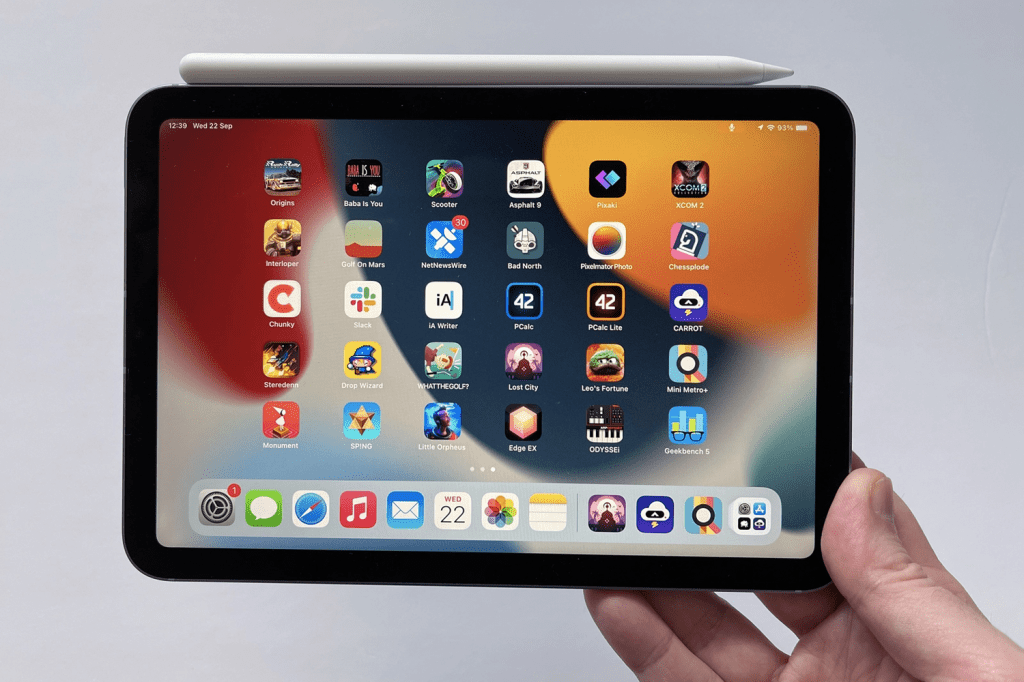
5. Apple iPad Mini (7th generation)
Stuff Verdict
Apple’s refreshed Mini remains a perfectly portable slate. If you have the eyes for its small but sharp display, it’s the compact tablet to beat.
Pros
- Perfectly portable
- iPad OS is great on the small screen
Cons
- No Apple hardware keyboard
- Easy-to-muffle speakers
| Specifications | Apple iPad Mini (7th generation) |
|---|---|
| Display | 8.3in (2266 x 1488) Liquid Retina display |
| Processor | Apple A17 Pro |
| RAM | 8GB |
| Storage | 128GB, 256GB, 512GB |
| Cameras | Rear: 12MP wide camera, ƒ/1.8 aperture Front: 12MP ultrawide (Center Stage), ƒ/2.4 aperture |
| Battery | Up to 10 hours |
| Connectivity | USB-C, Wi-Fi 6E, Bluetooth 5.3 (5G on cellular models) |
| Software | iPadOS 18 |
| Dimensions | 195.4 x 134.8 x 6.3 mm (7.69 x 5.3 x 0.25 in) |
| Weight | 293g (0.65 lbs) |
The revamped iPad Mini is styled like a shrunk-down iPad Air, weighing around 300g with a footprint smaller than A5 – easily pocketable in a jacket or satchel.
It features an 8.3in Liquid Retina display at 326ppi, the sharpest of any iPad, though it skips 120Hz ProMotion in favour of a standard refresh rate. Despite its compact size, it matches the iPad Air on key features: True Tone, Touch ID built into the power button, USB-C connectivity, and a 12MP front camera with Centre Stage for FaceTime framing.
It supports the second-gen Apple Pencil, making it capable for note-taking and PDF markup. The 14:9 aspect ratio means some apps display with slim black bars, but iPadOS is otherwise well-optimised for the smaller screen size.
Why we chose it
We carried the iPad Mini around for a week – on trains, planes, and café tables – and it never once felt awkward to hold or type on. In hand, it feels like a proper premium gadget rather than a cut-down compromise.
Watching The Bear on Disney+ showcased punchy colours and deep contrast, while reading comics and sketching felt natural with no lag or ghosting despite the lack of ProMotion.
The Centre Stage camera kept us neatly framed throughout testing on FaceTime calls. Battery testing returned almost 10 hours of mixed use – streaming, sketching, and everything in between – before needing a charge. F
or anyone wanting a capable, travel-friendly tablet without compromise, real-world use confirmed it’s a genuine pocket-sized alternative to the Air.
- Read more: Apple iPad Mini review
Best Amazon Fire tablet

6. Fire HD 10
Stuff Verdict
The Amazon Fire HD 10 offers plenty for your money, this is an almost-perfect cheap tablet that can be made even better with a simple tweak.
Pros
- Great price
- Sharp screen and punchy speakers
- Alexa smarts
Cons
- No Google Play Store out of the box
- Button placement
| Specifications | Fire HD 10 |
|---|---|
| Screen | 10.1in touchscreen 1080p full HD, 1920 x 1200 |
| CPU | Octa-core 2.0 GHz |
| Memory | 3GB |
| Storage | 32 or 64 GB (expandable up to 1 TB) |
| Cameras | 5 MP with 1080p HD video recording (front and back) |
| Battery | Up to 13 hours |
| Dimensions | 246 x 164.8 x 8.6 mm (9.69 x 6.49 x 0.34 in) |
| Weight | 433.6g (0.96 lbs) |
The Amazon Fire HD 10 is the best Amazon Fire tablet around, featuring a 10.1-inch Full HD screen, paired with decent performance and long battery life.
It comes with built-in Alexa integration, allowing voice commands even when the screen is off, effectively functioning as a mini Echo Show with a display.
Speakers are punchy enough for media playback, though screen brightness is limited for outdoor use. Button placement is a minor design quirk, occasionally leading to accidental screen shut-offs during handling.
Why we chose it
While it won’t outshine premium models from Apple or Samsung, the Fire HD 10 holds its own for casual use, with a sharp display and solid speakers making it well-suited to media consumption. The Alexa integration proved genuinely useful, letting us issue voice commands without waking the screen.
It’s not perfect straight out of the box, especially missing the Google Play Store, but for the price, it delivers unbeatable value. For anyone after an affordable, casual-use tablet, it’s a strong contender in the budget space.
- Read more: Amazon Fire HD 10 review
What to look for when buying the best tablet
When choosing a tablet, it helps to start by thinking about what you’ll actually use it for. If it’s mainly for casual stuff – browsing the web, streaming films, or a bit of gaming – you don’t need to go overboard. A solid mid-range model with a reliable processor, at least 4GB of RAM, and a Full HD screen should do the job nicely.
But if you’re planning to use it for work that’s more demanding, stuff like creating digital artwork, video editing, or juggling several heavy apps at once, you’ll want something more powerful. In that case, look for a tablet with a top-tier chip (such as Apple’s M2 or Snapdragon 8 Gen 2), at least 8GB of memory. Plenty of storage is important as well – 256GB or higher is a good baseline, and expandable storage is worth looking for.
The operating system is also a crucial factor, with iOS and Android being the primary options. The Apple iPad with iOS offers a smooth, integrated experience with a vast app ecosystem optimised for tablets. It’s perfect if you already have other Apple devices.
Android tablets, on the other hand, provide more flexibility and customisation, with a wide range of models to suit various budgets.
We’ve touched on it before, but the display quality really is a key feature for tablets. Consider the display size, resolution, brightness, and colour accuracy, especially if the tablet will be used for media consumption or creative work.
If you plan on using your tablet mainly for reading e-books, consider getting one of the best e-readers instead. These have matt, paper-like e-ink displays which are much easier on the eyes.
While a tablet’s battery life is important, it’s not quite as vital as a smartphone’s battery life. This is because a good tablet should last at least 8-10 hours on a single charge, but tablets are generally used at home or near a charging outlet (not out and about like phones).
If you’re looking for something a little more affordable, check out the best cheap tablets, and, if you’re only interested in Apple tech, then check out our guide to the best iPad.
Finally, you’ll also want to consider additional features such as stylus support, keyboard compatibility, and connectivity options (like USB-C, HDMI, or 5G capability), depending on how you plan to use your tablet.
Best tablets spec comparison table
| Specifications | Apple iPad Air (M4) | Apple iPad Pro (M5) | Samsung Galaxy Tab S11 Ultra | OnePlus Pad Lite | Apple iPad Mini (7th generation) | Fire HD 10 |
|---|---|---|---|---|---|---|
| Display | 11in (2360 x 1640) or 13in (2732 x 2048) Liquid Retina display | 11in: 2420 x 1668 or 13in: 2752 x 2064 Ultra Retina XDR display (Tandem OLED) | 14.2in, 2960×1848 AMOLED w/ 120Hz | 11in, 1920×1200 LCD w/ 90Hz | 8.3in (2266 x 1488) Liquid Retina display | 10.1in touchscreen 1080p full HD, 1920 x 1200 |
| Processor | Apple M4 | Apple M5 | MediaTek Dimensity 9400+ | MediaTek Helio G100 | Apple A17 Pro | Octa-core 2.0 GHz |
| RAM | 12GB | 12GB or 16GB | 12GB or 16GB | 6GB or 8GB | 8GB | 3GB |
| Storage | 128GB, 256GB, 512GB, 1TB | 256GB, 512GB, 1TB, 2TB | 256GB, 512GB, 1TB | 128GB | 128GB, 256GB, 512GB | 32 or 64 GB (expandable up to 1 TB) |
| Cameras | Rear: 12MP wide camera, ƒ/1.8 aperture Front: 12MP landscape Center Stage camera (ultrawide), ƒ/2.0 aperture | Rear: 12MP wide camera, ƒ/1.8 aperture with LiDAR scanner Front: 12MP landscape Center Stage camera (ultrawide), ƒ/2.0 aperture | 13MP + 8MP rear, 12MP front | 5MP rear, 5MP front | Rear: 12MP wide camera, ƒ/1.8 aperture Front: 12MP ultrawide (Center Stage), ƒ/2.4 aperture | 5 MP with 1080p HD video recording (front and back) |
| Battery | Up to 10 hours | Up to 10 hours | 11,600mAh w/ 45W wired charging | 9340mAh w/ 33W wired charging | Up to 10 hours | Up to 13 hours |
| Connectivity | USB-C, Wi-Fi 7, Bluetooth 6.0 (5G on cellular models) | Thunderbolt / USB 4, Wi-Fi 7, Bluetooth 6.0 (5G on cellular models) | USB-C, Wi-Fi, Bluetooth. 5G | Wi-Fi, Bluetooth, USB-C | USB-C, Wi-Fi 6E, Bluetooth 5.3 (5G on cellular models) | |
| Software | iPadOS 26 | iPadOS 26 | Android 16 w/ OneUI 8 | Android 15 | iPadOS 18 | |
| Dimensions | 11in: 247.6 x 178.5 x 6.1 mm (9.74 x 7.02 x 0.24 in) 13in: 280.6 x 214.9 x 6.1 mm (11.04 x 8.46 x 0.24 in) | 11in: 249.7 x 177.5 x 5.3 mm (9.83 x 6.99 x 0.21 in) 13in: 281.6 x 215.5 x 5.1 mm (11.09 x 8.48 x 0.20 in) | 326x209x5.1mm (12.83 x 8.23 x 0.20 in) | 255x167x7.4mm (10.04 x 6.57 x 0.29 in) | 195.4 x 134.8 x 6.3 mm (7.69 x 5.3 x 0.25 in) | 246 x 164.8 x 8.6 mm (9.69 x 6.49 x 0.34 in) |
| Weight | 11in: 464g (1.02 lbs) / 13in: 616g (1.36 lbs) | 11in model: 444g (0.98 lbs) / 13in: 579g (1.28 lbs) | 692g (1.53 lbs) | 530g (1.17 lbs) | 293g (0.65 lbs) | 433.6g (0.96 lbs) |
Frequently asked questions
Choosing between a Wi-Fi-only and a cellular tablet depends on how and where you’ll use it. A Wi-Fi-only tablet is more affordable and ideal if you’re mostly at home, work, or places with reliable Wi-Fi. A cellular tablet offers on-the-go connectivity via a SIM, making it perfect for frequent travellers or remote workers. It’s more expensive upfront and requires a data plan, but it provides more flexibility when you’re out and about.
For light use, a tablet can often stand in for a laptop. With a decent processor, support for multitasking, and cloud storage, it’s fine for browsing, streaming, emails, note-taking, and even some light editing. Add a keyboard, and it starts to feel like a slim, ultra-portable laptop. Tablets do have limits. If you’re coding, editing large video projects, or working with big spreadsheets, you’ll likely hit roadblocks with app support and clunky file management. That’s where laptops take the lead. They give you full desktop software, smoother multitasking, and extra ports for hooking up the accessories you need.
You don’t need to overthink tablet storage, but it does help to be realistic. If you’re mostly streaming, browsing, and reading, 64GB can get you by, though you’ll juggle apps a bit as time goes on. Stepping up to 128GB feels safer for most people because it gives you room for big apps, offline video, and the odd game without that “your storage is full” warning popping up. If you’re into gaming, shoot lots of photos or video, or load chunky work files, go for 256GB or more.
How we test tablets
Every tablet on this list has been properly tested by us – not just prodded for a few minutes at a launch event. We live with each one for at least a week, using it as our main tablet for everything from streaming Netflix in bed to catching up on emails and sketching with a stylus on the sofa. That way, we see how it actually performs day to day.
We test the things that matter. Battery life isn’t just a number – we stream HD video for hours, make video calls, browse the web, and see how it holds up after a few days of mixed use.
Display quality gets a proper once-over too; we’ll test how easy it is to read in direct sunlight, watch films like Elemental and Interstellar to check colour accuracy and contrast, and scroll through social feeds and games to see how smooth and responsive the screen feels.
Performance testing goes beyond synthetic benchmarks. We edit photos in Lightroom, open multiple Chrome tabs, and switch between games like Genshin Impact and Stardew Valley to find their limits. We even note how hot the back gets under load.
Our goal’s simple: to tell you what each tablet’s really like to live with – the good, the bad, and the little details you only notice once you’ve used it for a while.
Find out more about how we test and rate products.
Recent updates
- 6th June 2026: Updated buying guide structure and removed outdated products.
- 22nd March 2026: Updated FAQ structure.
- 21st January 2025: Updated with 2026.
- 20th November 2025: Added information about tablet storage,
- 19th September 2025: We added the OnePlus Pad Lite as our best cheap tablet model.
- 9th October 2025: We replaced the iPad Air M2 with the newer iPad Air M3 as the best tablet overall.


 Spencer Hart
Buying Guide Editor
Spencer Hart
Buying Guide Editor With contributions from