Blackberry Torch 9800 Review

£from freeSep 2010

Stuff says 4

Great messaging and media, but the retro screen and lack of apps mean it lags behind the smartphone big boys

Images

Stuff magazine Fri, Sep 17 2010, 6:00AM

While Blackberry has an unrivalled cabinet of QWERTY smartphones, it’s had a hard time shaking off its businessy rep. The Storm and Storm 2 were its first attempts at providing an alternative to the iPhone, but still felt like a CEO awkwardly wearing a party hat and schmoozing with the company freshers.

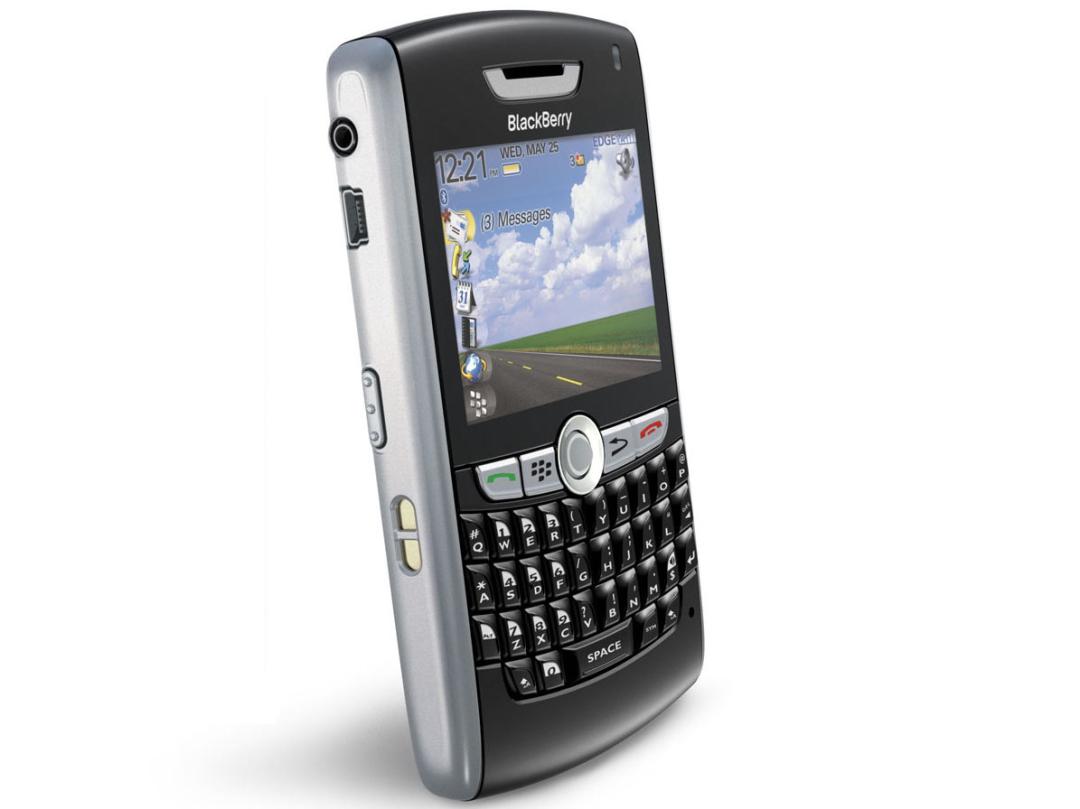
The Torch, though, is a different beast. It’s the Canadian company’s first slider phone, combines a full QWERTY keyboard with a 3.2in capacitive touchscreen and brings a fresh new Blackberry 6.0 operating system.

The incredible bulk
Stowing a QWERTY keyboard beneath the touchscreen deck means the Torch is quite a bulky unit. Girth aside, the slide action is smooth, satisfyingly heavy and, like the rest of the device, as solid as they come. That button panel, like the rest of the design, won’t surprise anyone who’s seen a BlackBerry before.

Front of house duties are taken care of by a responsive 3.2in capacitive touchscreen. This has a disappointingly low 480x360 resolution and an average onscreen keyboard, though there's the slide-out QWERTY for heavy duty typing. This is a tad more cramped than previous incarnations, but if you’re used to those BB keys your thumbs will quickly feel at home.

Competitive camera
On the back, there’s a tactile, rubberised battery cover above which sit a decent 5MP cam and LED flash. A dedicated shutter button turns the cam on, then the one-touch settings mean getting good results is a doddle. The pinch-to-zoom pic browser is also slick and simple.

In a world of 1GHz powerhouse smartphones, the Torch’s 624MHz processor is a bit weedy. It zips along happily enough most of the time, but there are moments when it struggles to keep up with itself and that shiny new BlackBerry 6 OS. That said, every other smartphone will envy the Torch’s battery life, which can see out two days in moderate use.

Improved OS
But what of that new OS? Well, while the layout of the new homepage won’t surprise anyone with recent Blackberrys, there are plenty of new features under the surface.

The Android-esque notifications and slide-out icon screens are new. The latter can be filtered by category with a sideways swipe, while changing from a full screen layover to a select few icons is totally intuitive. Everything is where you expect it to be, and if it’s not the universal search is among the best we’ve seen.

Browsing boost
BlackBerry hasn’t had a happy history with web browsing, but this time around there’s a freshly-minted Webkit browser that’s finally caught up with the mobile web. Tabbed browsing, simple homepage icon bookmarking and decent rendering are all present and correct, though it can be slow to load, probably owing to the last-gen processor rather than the software.

Review continues after the break...

BlackBerry 6’s media player won’t win any prizes for originality, but why fix what isn't broken? There's a Cover Flow-style music browser, tesselated picture library (you can also swipe through images on the touchscreen) and a stacked video library with screenshots. BlackBerry’s desktop software is on hand for syncing (limited to music if you use a Mac), but it’s almost as easy to drag-and-drop files.

Socially savvy
Blackberry also has its own version of Social Hub, Friend Stream and Timescape called Social Feeds. This helpfully pulls updates from social media services to a single message box.

Its ace card is the ability to integrate your BlackBerry Messenger account, but if you’re not into piling all your messages into one place, the Torch comes with dedicated Facebook and Twitter apps installed. Easy, effective and the end of your productive life if you can’t ignore the BB’s blinking red light.

This greatly improved OS and solid if bulky build make the Torch one of the best Blackberrys we’ve seen, and the best if you want its renowned messaging power served with a healthy side of multimedia smarts.

But ultimately the last-gen processor, low-res screen and comparative dearth of apps cost it that fifth star.

The First Hour

  1. 1

    Mmm, that slide has a nice action. A real nice action

  2. 5

    New OS brings Android to mind. If you can’t beat ’em…

  3. 11

    Keyboard is a bit tighter than the one on the Bold

  1. 14

    …but makes typing blog names into the ace browser a doodle

  2. 30

    App World is woefully thin on rich gaming apps. More of an app hamlet

  3. 44

    Where did I put the boss’s memo? Wow! Superfast universal search!

Comments

  1. MaryDeaville

    2 years ago

    I love love love it!!! My husband says it rules my life, but I say it organises it!!

    It is amazing how quickly you forget how to use your old phone ?

  2. Roman-soldier

    2 years ago

    Great phone, keyboard can be fiddly for example holding shift to capitalise the keys nearby. I find the onscreen keyboard too small as I have big hands. Swype would be great if it worked on bb. Otherwise works great.

Add your comment

You must be logged in to comment

Buzz-o-meter

Buzz-o-meter: blackberry torch

  1. Click to see all coverage from Apr 07, 2013
    0
    April 07, 2013
  2. Click to see all coverage from Apr 08, 2013
    0
    April 08, 2013
  3. Click to see all coverage from Apr 09, 2013
    0
    April 09, 2013
  4. Click to see all coverage from Apr 10, 2013
    0
    April 10, 2013
  5. Click to see all coverage from Apr 11, 2013
    0
    April 11, 2013
  6. Click to see all coverage from Apr 12, 2013
    0
    April 12, 2013
  7. Click to see all coverage from Apr 13, 2013
    0
    April 13, 2013
  8. Click to see all coverage from Apr 14, 2013
    0
    April 14, 2013
  9. Click to see all coverage from Apr 15, 2013
    0
    April 15, 2013
  10. Click to see all coverage from Apr 16, 2013
    0
    April 16, 2013
  11. Click to see all coverage from Apr 17, 2013
    0
    April 17, 2013
  12. Click to see all coverage from Apr 18, 2013
    0
    April 18, 2013
  13. Click to see all coverage from Apr 19, 2013
    0
    April 19, 2013
  14. Click to see all coverage from Apr 20, 2013
    0
    April 20, 2013
  15. Click to see all coverage from Apr 21, 2013
    0
    April 21, 2013
  16. Click to see all coverage from Apr 22, 2013
    0
    April 22, 2013
  17. Click to see all coverage from Apr 23, 2013
    0
    April 23, 2013
  18. Click to see all coverage from Apr 24, 2013
    1
    April 24, 2013
  19. Click to see all coverage from Apr 25, 2013
    0
    April 25, 2013
  20. Click to see all coverage from Apr 26, 2013
    0
    April 26, 2013
  21. Click to see all coverage from Apr 27, 2013
    0
    April 27, 2013
  22. Click to see all coverage from Apr 28, 2013
    0
    April 28, 2013
  23. Click to see all coverage from Apr 29, 2013
    0
    April 29, 2013
  24. Click to see all coverage from Apr 30, 2013
    0
    April 30, 2013
  25. Click to see all coverage from May 01, 2013
    0
    May 01, 2013
  26. Click to see all coverage from May 02, 2013
    0
    May 02, 2013
  27. Click to see all coverage from May 03, 2013
    0
    May 03, 2013
  28. Click to see all coverage from May 04, 2013
    0
    May 04, 2013
  29. Click to see all coverage from May 05, 2013
    0
    May 05, 2013
  30. Click to see all coverage from May 06, 2013
    0
    May 06, 2013
  31. Click to see all coverage from May 07, 2013
    0
    May 07, 2013
  32. Click to see all coverage from May 08, 2013
    0
    May 08, 2013
  33. Click to see all coverage from May 09, 2013
    0
    May 09, 2013
  34. Click to see all coverage from May 10, 2013
    0
    May 10, 2013
  35. Click to see all coverage from May 11, 2013
    0
    May 11, 2013
  36. Click to see all coverage from May 12, 2013
    0
    May 12, 2013
  37. Click to see all coverage from May 13, 2013
    0
    May 13, 2013
  38. Click to see all coverage from May 14, 2013
    0
    May 14, 2013
  39. Click to see all coverage from May 15, 2013
    0
    May 15, 2013
  40. Click to see all coverage from May 16, 2013
    0
    May 16, 2013
  41. Click to see all coverage from May 17, 2013
    0
    May 17, 2013
  42. Click to see all coverage from May 18, 2013
    0
    May 18, 2013
  43. Click to see all coverage from May 19, 2013
    0
    May 19, 2013
  44. Click to see all coverage from May 20, 2013
    0
    May 20, 2013
  45. Click to see all coverage from May 21, 2013
    0
    May 21, 2013
  46. Click to see all coverage from May 22, 2013
    0
    May 22, 2013
  47. Click to see all coverage from May 23, 2013
    0
    May 23, 2013
  48. Click to see all coverage from May 24, 2013
    0
    May 24, 2013

Tech Specs

Bluetooth
Yes
Dedicated MP3 player software
Yes
Digital zoom rating
2x
Dimensions
111x148x62mm
Main camera resolution
5MP
Memory card type
microSD up to 32GB
Operating system
BlackBerry 6
Screen resolution
480x360
Screen size
3.2in
Standby time
18 days
Storage
512MB
Talktime
5.5hrs
Video resolution
VGA (640x480)
Weight
161g
Wi-Fi
Yes