Pebble Time 2 is the always-on smartwatch you won’t have to charge every night – but there are compromises
A smartwatch with an always-on screen and a long battery life that does enough to be a useful everyday companion but is probably a few software updates away from greatness.

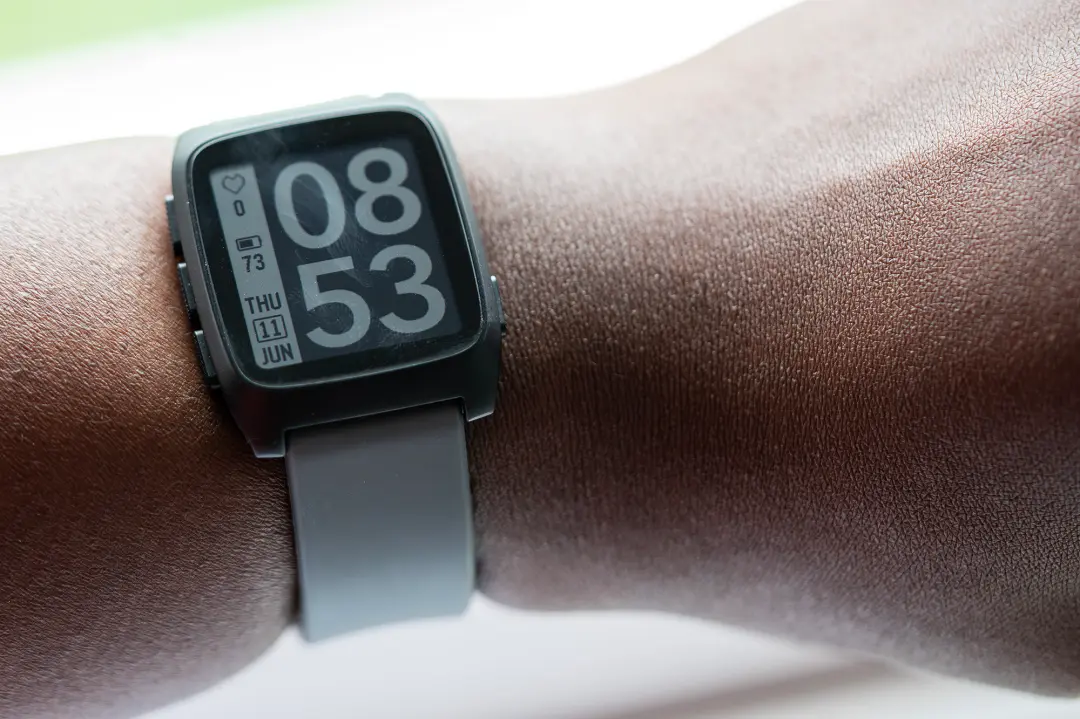
Pebble’s reemergence into the smartwatch market brings with it a wearable that takes a slightly different approach.
While many other watch makers cram their timepieces with features you might never use and make them so they need charging every night, the latest iteration of the Time – last reviewed by Stuff back in 2015 – covers the basics with a battery life measured in weeks.
As such, it’s much closer to the old-fashioned watch-wearing experience, especially as it has an always-on display (though the Pebble Round 2, which you can probably guess the shape of, is even more like an analogue watch). You don’t need to worry about taking it off at night to charge or invest in a charging stand so you can charge it at your desk.
If what you want is to have notifications on your wrist, along with a bit of activity and sleep tracking, then the Pebble Time 2 has everything you need, a homebrew-friendly app ecosystem being the icing on the cake.
How we test wearables
Every smartwatch and fitness tracker reviewed on Stuff is worn 24/7 throughout the testing process. We use our own years of experience to judge general performance, battery life, display, and health monitoring. Manufacturers have no visibility on reviews before they appear online, and we never accept payment to feature products.
Find out more about how we test and rate products.
Design & build: hip to be square
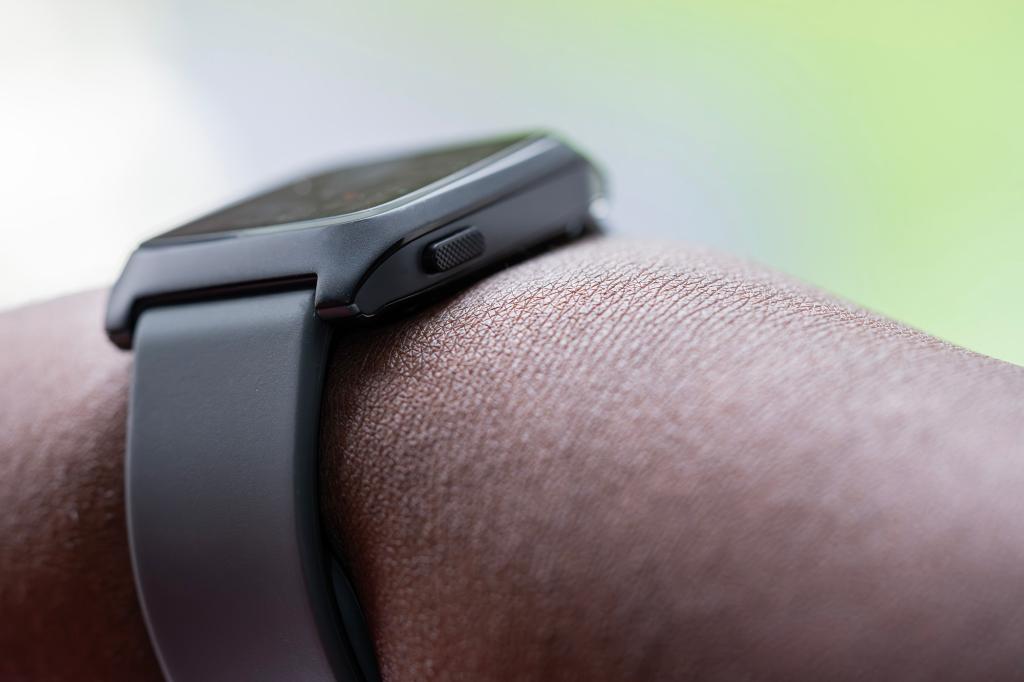
The Pebble Time 2 is a squared-off smartwatch with rounded corners – if you want a circular version, the Pebble Round 2 is for you, though its screen is slightly smaller – and four hardware buttons, three on one side and one opposite. The watch is designed to be worn on your non-dominant hand, and there’s a left-handed mode for the 10% of us who have to live in an awkward world designed for the other 90%.
The case is marine-grade stainless steel (which contains nickel, though a coating means it shouldn’t trigger any but the most sensitive allergies), with a polycarbonate layer so Bluetooth signals can pass through, and there’s hardened glass on top. This is flat, rather than the curved face of some earlier Pebble watches, the better to combat reflections. The watch doesn’t hold a formal IP rating, but in a blog post Pebble founder Eric Migicovsky wrote that they’re tested to 3ATM on the production line, which makes them good enough for showers and swimming, if not diving. It seems like a tough little watch, though it’s quite possible to scuff the finish if you let it scrape against hard surfaces. 3D-printed bumpers are already out there if you feel you need one.
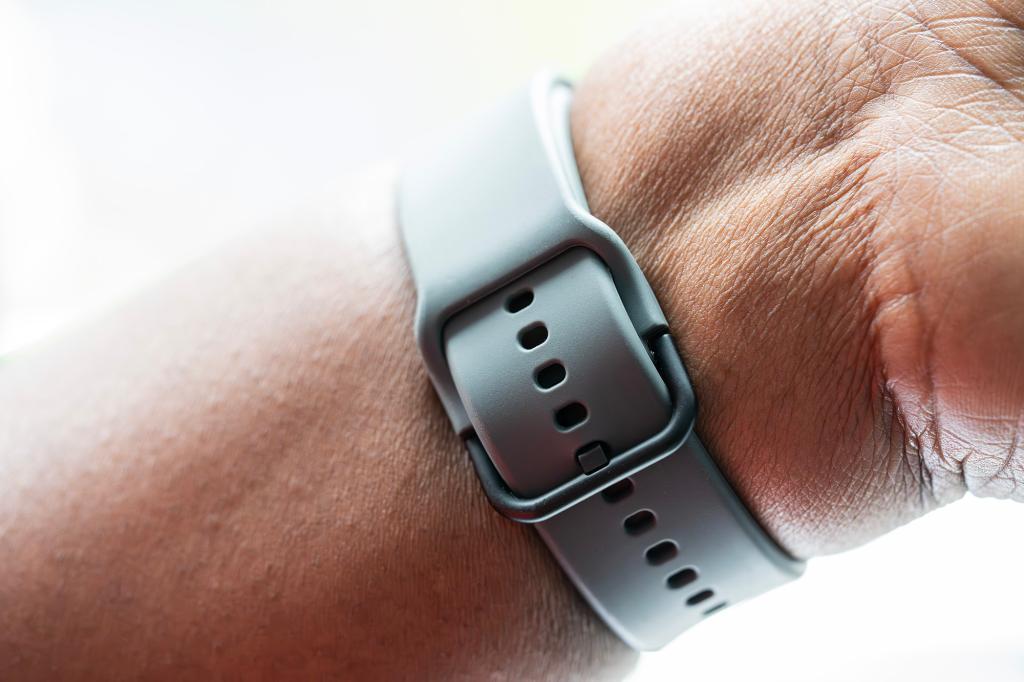
The strap uses 22mm lugs, and the silicon band you can buy with your Pebble uses an interesting design that slides the loose end through a slit and onto the inside of the loop, where it pushes up against your wrist. This arrangement looks as if it may create a weak spot on the strap, and only long-term use will bear this out, but in a few weeks of testing it proved robust enough. Long and short versions of the strap are included in the box, for wrists between 15 and 24cm in circumference. With the strap attached it weighs around 42g, about the same as the biggest Apple Watch.
Screen & interface: what the e-papers say
The big selling point of the Pebble Time 2 is its screen, as it’s this that unlocks the long battery life. It’s a 1.5in always-on e-paper display capable of showing 64 colours (a cheaper, plastic, mono version, the Pebble 2 Duo, was available, but was sold out at the time of writing), and it’s also touch-sensitive… though as the watch dropped onto Stuff’s doorstep this function had yet to be enabled in the software. This doesn’t matter too much, even if muscle memory means you’ll instinctively try to scroll through notifications with a fingertip, as the four textured buttons offer up, down, select and back functionality, which is all you need.
You can choose the backlight’s colour and while it’s not spectacularly bright, even with the brightness turned up to ‘blinding’ in the settings (turning off the adaptive backlight setting can help here), the beauty of e-paper is that with a decent level of ambient light and a high-contrast watch face, you can read it when the backlight is off. Choose something with large numbers and you’ll be able to tell the time without a flick of the wrist to activate the screen glow, though smaller text can be tricky to discern. It’s not like a Kindle screen, however, and can’t be read easily in darker rooms without the backlight on. The colours are also distinctly muted, but it’s nice to have them, and many watch faces allow you to customise their colour scheme to your taste.
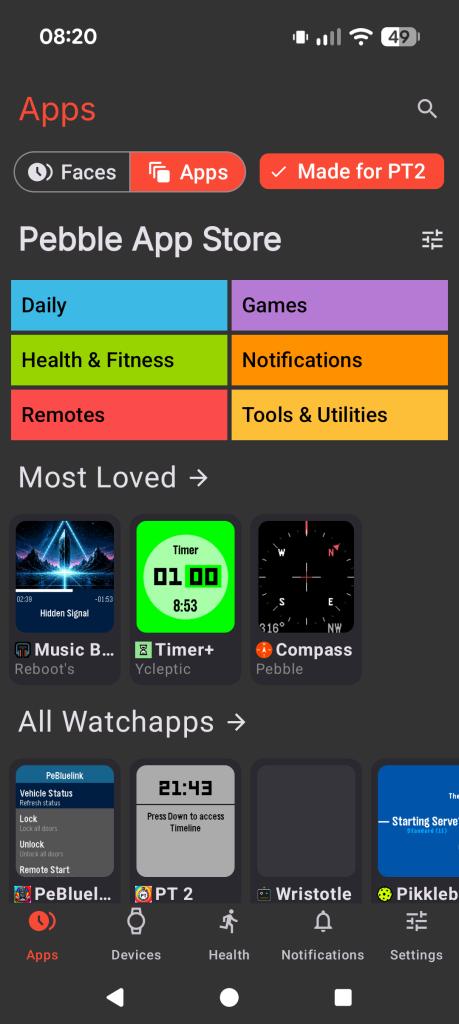
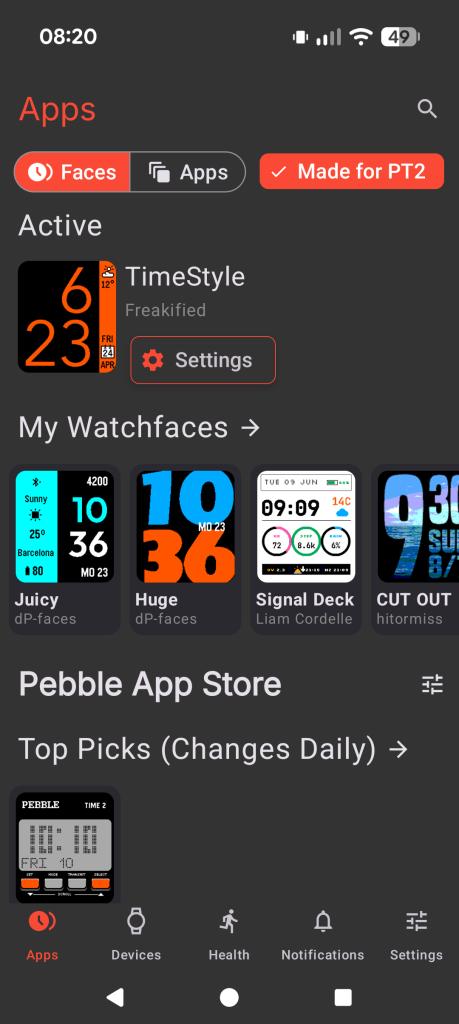
The OS can look primitive against something like the Apple Watch, but it doesn’t take long to figure out, and on-device settings are mirrored in the phone app so you don’t need to work through them if you find the text too small on the watch itself. And it can be very small, with some face designs assuming eagle-like visual acuity on the part of the wearer. The new Pebble watches are compatible with watch faces built for the previous generation, albeit scaled for the higher-res screen, and there is a raft of apps made for the new watch too, with a handy button in the app to show only those that will work. An Index Feed option brings your voice notes from the Index ring into your Pebble app, though there’s no direct interaction with the watch.
There are a lot of watch faces available, many of which make good use of the colour screen, and also a slew of watch apps that extend the Pebble Time 2’s existing functionality. So if you want a music remote or an app that controls your phone’s camera, including putting a live view feed on your wrist, you can have it. If you want something that’s not currently offered on the Pebble app stores (there are two, though only one is active by default), then you can always make it yourself: CloudPebble is a development environment that runs in your web browser, with a code editor (the primary language is C, but there’s a JavaScript framework called Alloy too), compiler, emulator for testing, and GitHub integration. There are tutorials for building watch faces, example apps for you to take apart and see how they work, and in-depth guides. If you’ve ever wanted to dabble in software development, you can do it here.
Or you could just ignore all that stuff completely. The Pebble Time 2 can at times feel like a Raspberry Pi that you strap to your wrist, but once you’ve got it set up to your liking (and almost everything can be done from the phone app) it becomes perfectly straightforward to use, even if you’ve come from another smartwatch.
Health & fitness: in it for the long run
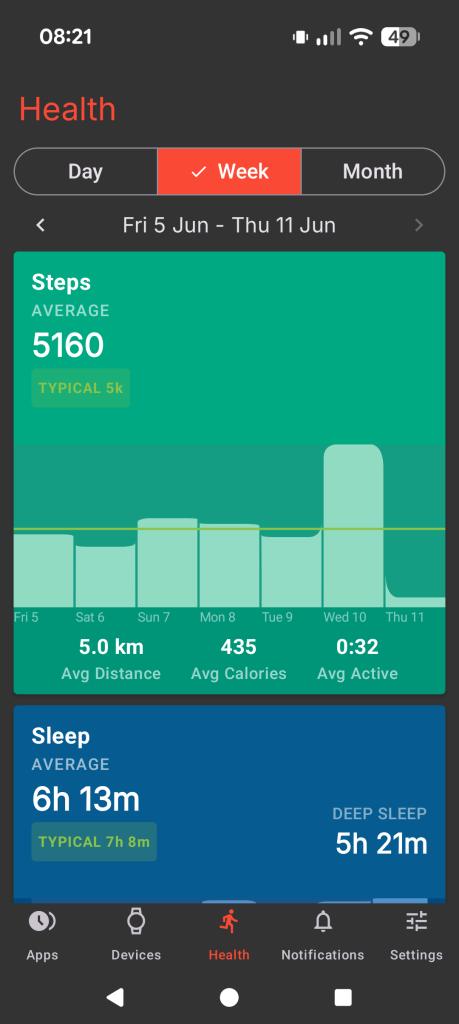
The Pebble Time 2 has some health-tracking features, but shouldn’t be seen as a fitness watch. While it can track your sleep, heart rate and steps, and sync its data with Google Health, that’s the extent of its native abilities. There is, according to one of Migicovsky’s blog posts, an SP02 sensor on board, but like the touchscreen it’s not currently in use.
The health section of the Pebble phone app shows you graphs and useful info based on the data it’s gathered, though it can be slow to sync through and there’s no manual refresh button. The same is true of the on-watch heart rate display, which will happily show you a reading from several minutes ago before it updates. Set the watch to detect when you’re exercising and it will begin taking readings more often when you’re moving around, at the expense of battery life.
Even if you’re not prepared to make this compromise, the Pebble Time 2 is quite capable of telling you when you went for a walk and displaying your average levels of activity on the same graph, so you can see patterns forming from your daily habits. Sleep tracking could do with a bit of the same thing, as right now it’s very basic. The app can tell you how long you’ve slept, and how much of your sleep was deep or light, but whereas Amazfit’s Zepp app will overlay your night-time heart rate and tell you whether you were in REM sleep, the Pebble does not. This all plays into a feeling that there are features waiting to be added, especially when compared with what other smartwatches can offer.
The app store is full of fitness apps, including run trackers, swim session monitors, and a surprising number of golf apps to record your strokes and putts. You can put live maps on the tiny screen, aided by the GPS in your phone to show your precise location, but this is again rendered unhelpful by the size of the text on the labels. Workout trackers are more useful, especially those that are standalone so you can leave your phone in the locker, and if you’re a Strava user there’s an app to start and stop activity logging from the watch.
Battery life: on and on and on
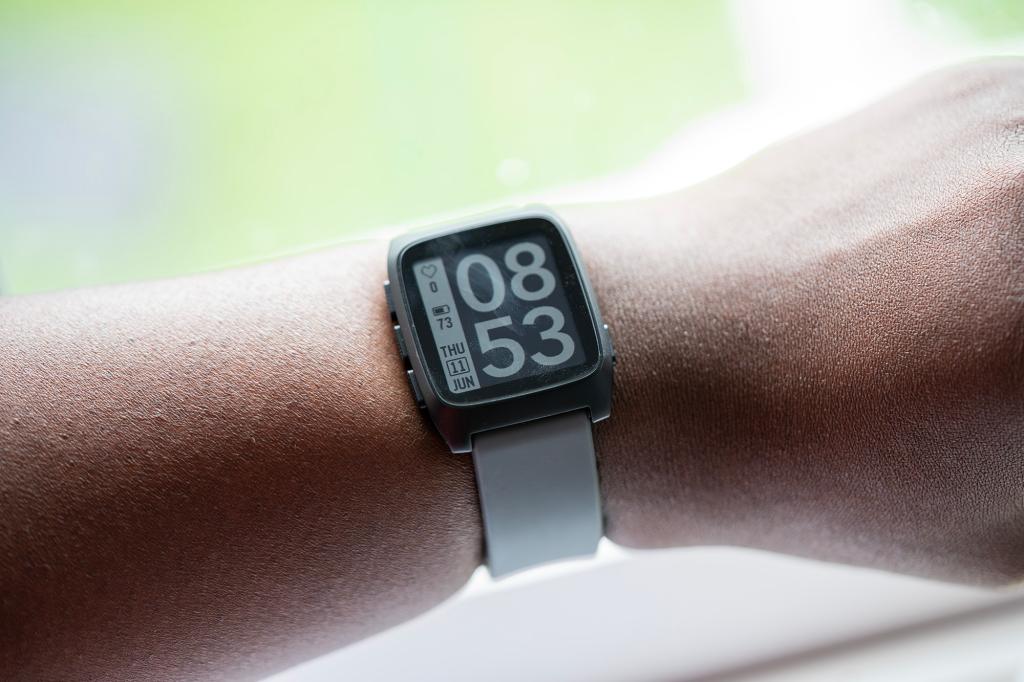
The Pebble Time 2 arrived at the Stuff testing facility on a Monday with a battery charge of 85%. Ten days later this had dropped to 30%, with the watch’s built-in power consumption meter predicting a further five days of life. This points to almost three weeks of endurance from a full charge, something almost unheard of from smartwatches outside certain Garmin models and those with solar charging, and you don’t need to put it into a better-saver mode to get it there. Pebble itself takes things further, claiming a theoretical battery life of four weeks, though this may require OS updates to achieve.
Charging is supplied via a magnetic USB-C adapter that’s included in the box. The magnet isn’t particularly strong – it’s enough to snap onto the back of the casing but can fall off if the watch is moved.
The main issue is that it’s quite small, and despite coming with a thread loop on it so you can hang it somewhere, is the sort of thing that’s easy to lose down the back of the sofa or inside a nearby dalmatian. As it’s the same two-pin configuration as the charger for older Pebble watches there are plenty of replacement options on shopping sites, should it go missing.
Pebble Time 2 verdict
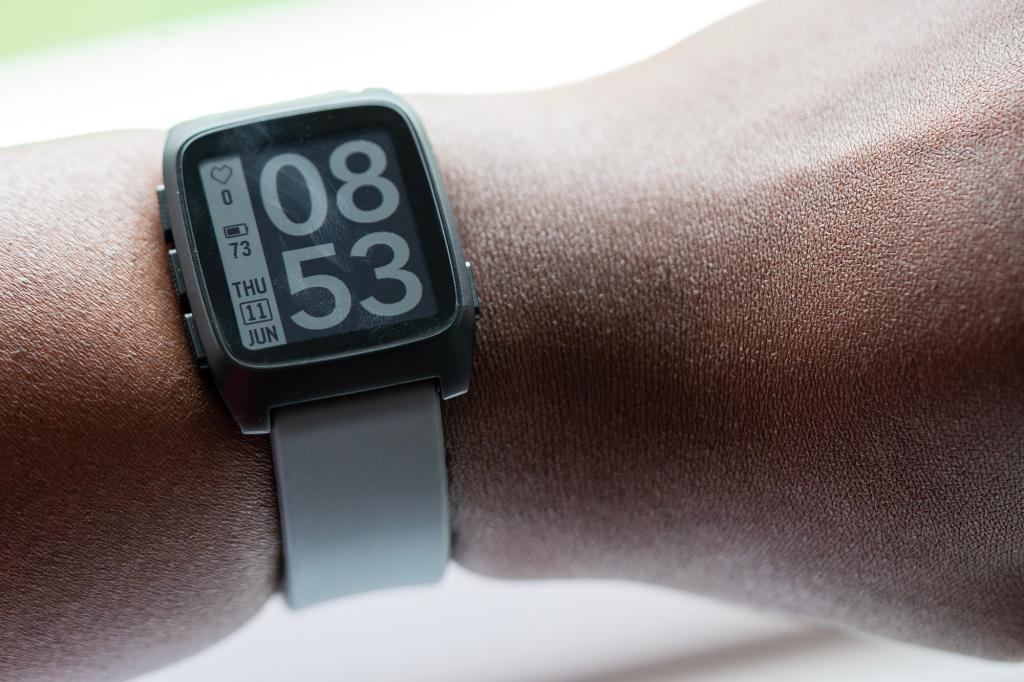
Despite Pebble’s long history of smartwatches, the Time 2 can feel like using a first-generation product. With unused sensors and the promise of improvements from software updates, there’s an element of trust involved in buying one. Luckily, it’s well made, the e-paper screen works well, and it has just enough functions to be interesting.
It also undercuts some of the best budget smartwatches on price, and with the kind of battery life we thought was gone forever from our portable devices, the Pebble Time 2 makes a great choice for those who want to investigate making their own watch apps, or someone who wants to keep their phone on silent at all times and have their watch discreetly vibrate when a message arrives, and that has some real value.
Stuff Says…
A smartwatch with an always-on screen and a long battery life that does enough to be a useful everyday companion but is probably a few software updates away from greatness
Pros
Enormous battery life
Always-on screen
Cons
Software doesn’t feel finished
Fewer health features than others
Tech spec:
Processor Star-MC1 Sensors Heart-rate, six-axis inertial measurement unit, compass, 2x microphone (one active), SP02 (not currently active) Connectivity Bluetooth LE Screen 1.5in 64-colour e-paper touchscreen Resolution 200 x 228px (202ppi) Operating system PebbleOS Battery size not given Dimensions 40.5 x 37.5 x 10.8 mm Strap width 22mm Weight 32.5g without strap


 Ian Evenden