Google’s new selfie video account logins are a real head turner and setting one up could save your bacon
Set up a video selfie in advance and rely on it when you need to get into your Google account in unfamiliar settings

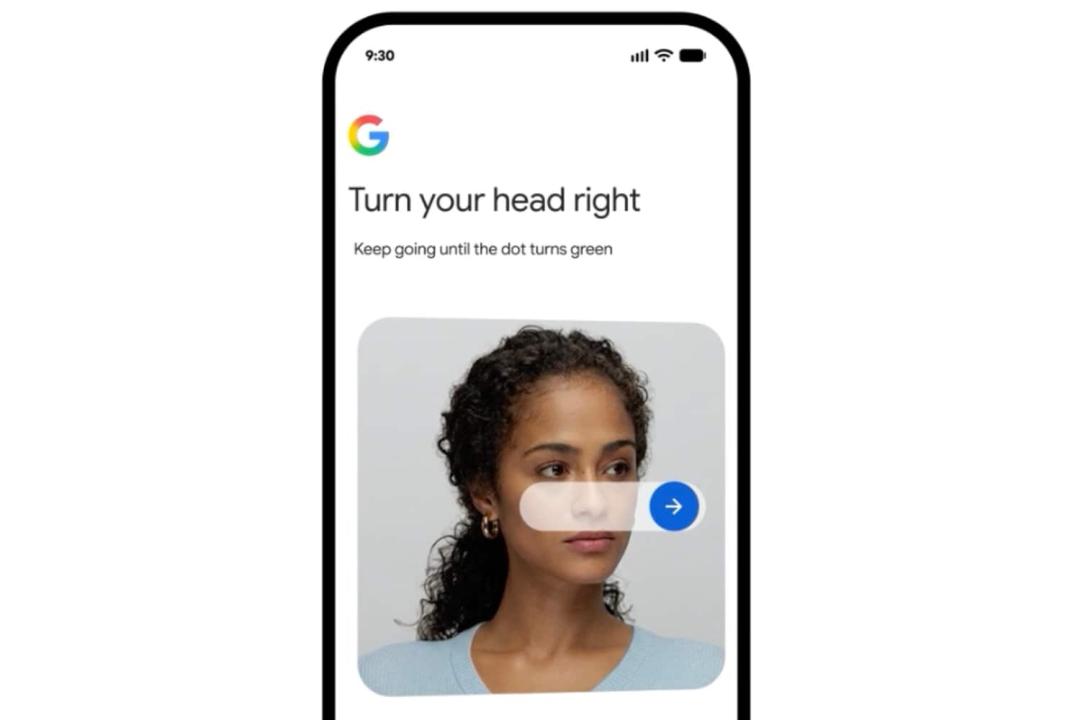
Google has announced a new way for users to log into their Google accounts for Maps, YouTube, Gmail, Drive, Search and its various other online services on phones or computers. In a blog post today, the company introduced a new selfie video tool to help people access their accounts if the usual methods aren’t accessible.
Google says the latest sign-in method will give “you more options if you’re ever locked out or don’t have access to your usual phone or computer.” Google also says the feature may be used to unlock certain features beyond your regular login method.
Google already offers facial recognition as a passkey to accessing a Google account, along with passwords, authenticators, physical passkeys and fingerprints. However, if you need to log in on a public library computer, for example, or need to get at something in your Google Drive on a friends’ phone, this will be helpful.
Google says doing so is pretty straightforward: “You just look at your device’s camera and complete a few short, guided head movements to capture multiple angles.”
You’ll need to set up the selfie video in a situation where you do have access to your Google Account before you can enact it in the real world. Google explains how below:
- Go to your Google Account.
- You might need to sign in.
- Tap Security & sign-in.
- Under “How you sign in to Google,” tap Selfie video.
- On the “Add selfie for sign-in” page, tap Continue.
- Follow the steps on the screen.
Google advises it’s better to ensure your eyes, nose and mouth are visible and that you’re not wearing sunglasses, masks or hats. It also advises taking the selfie video without anyone in the background.
Google assures users the feature is safe, adding: “Your selfie video is yours and you’re in control. It is recorded and securely stored with your consent, and you can delete it at any time in your Google Account. It’s used only for helping you sign in, unless you opt to share it for additional purposes. Your selfie video is encrypted at rest, meaning it’s securely stored even when it’s not being used.
“When you use a selfie to sign in, we use multiple layers of security to help prevent impersonation attempts like fake photos and videos (i.e., deep fakes). For example, we match your video against your saved selfie and require you to perform simple movements to prove it’s a live video. We also use our standard security practices to detect and help prevent suspicious sign-in attempts.”


 Chris Smith