Samsung Galaxy Tab S3 review
Android fans finally have a real alternative to Apple’s iPad Pro

Want a tablet? Buy an iPad. It’s been the common consensus for the past few years, as the Android alternatives simply haven’t been up to snuff.
The Galaxy Tab S3 might be about to change that, though.
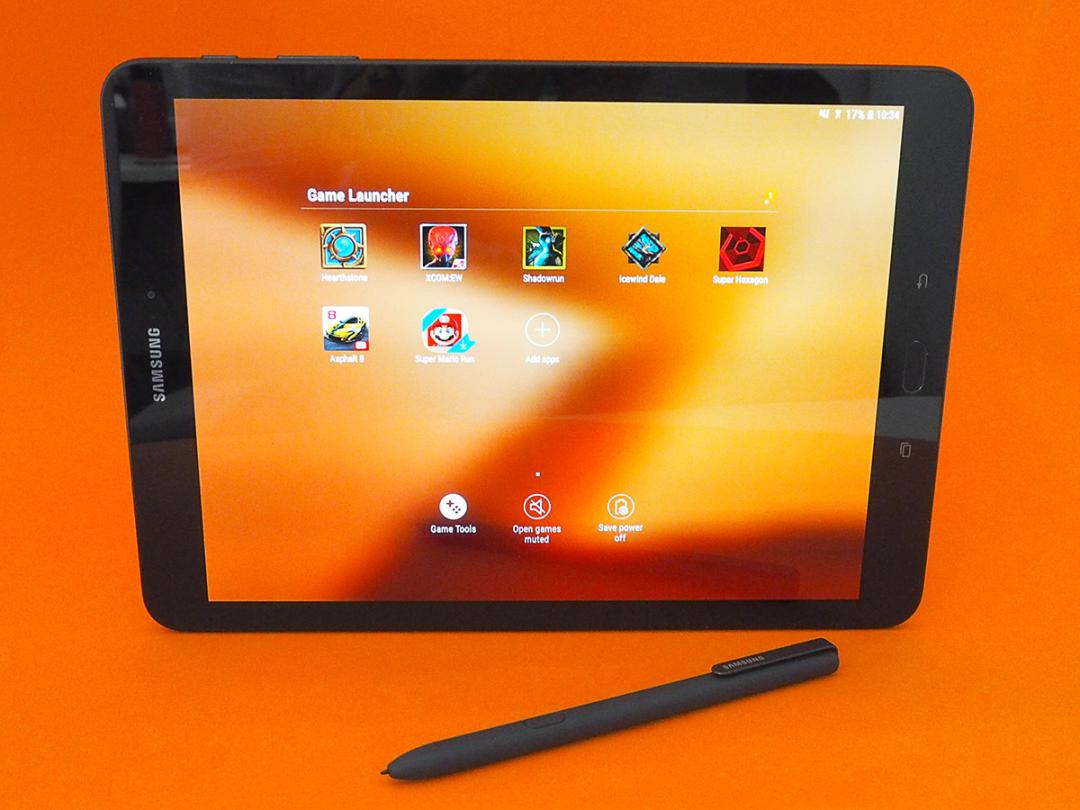
Samsung has taken all the gadgety goodness we love about its phones, and transplanted it into a big-screen slab – without forgetting that people don’t just use tablets as media machines for Netflix binges.
A bundled S Pen stylus puts productivity in the picture, and an optional keyboard cover will let you get actual work done, without leaving your digits aching from tapping on a touchscreen all day.
With streamlined looks, the latest version of Android and a future-proof screen that’ll play HDR (when it arrives), and is all the tablet you need.
Or rather, it should be.
SAMSUNG GALAXY TAB S3 DESIGN: HEART OF GLASS
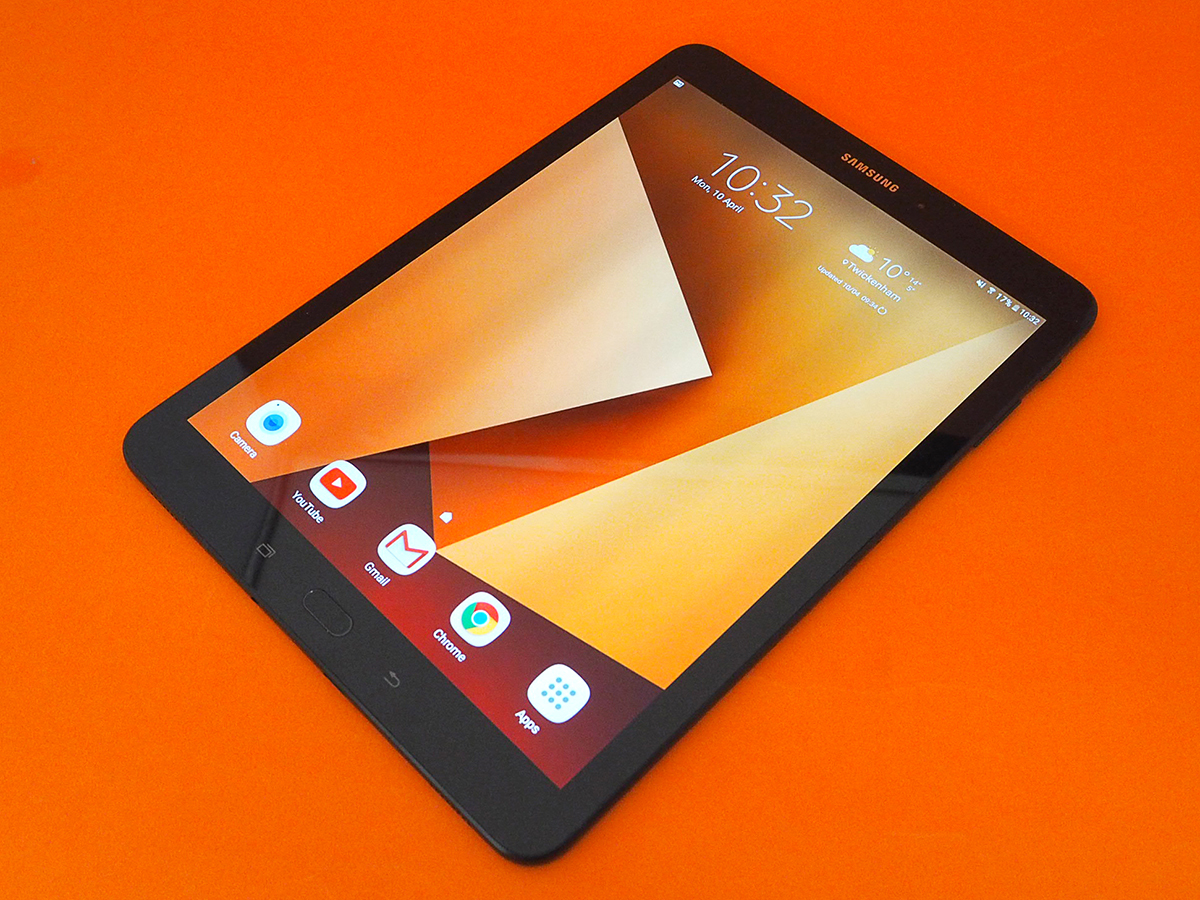
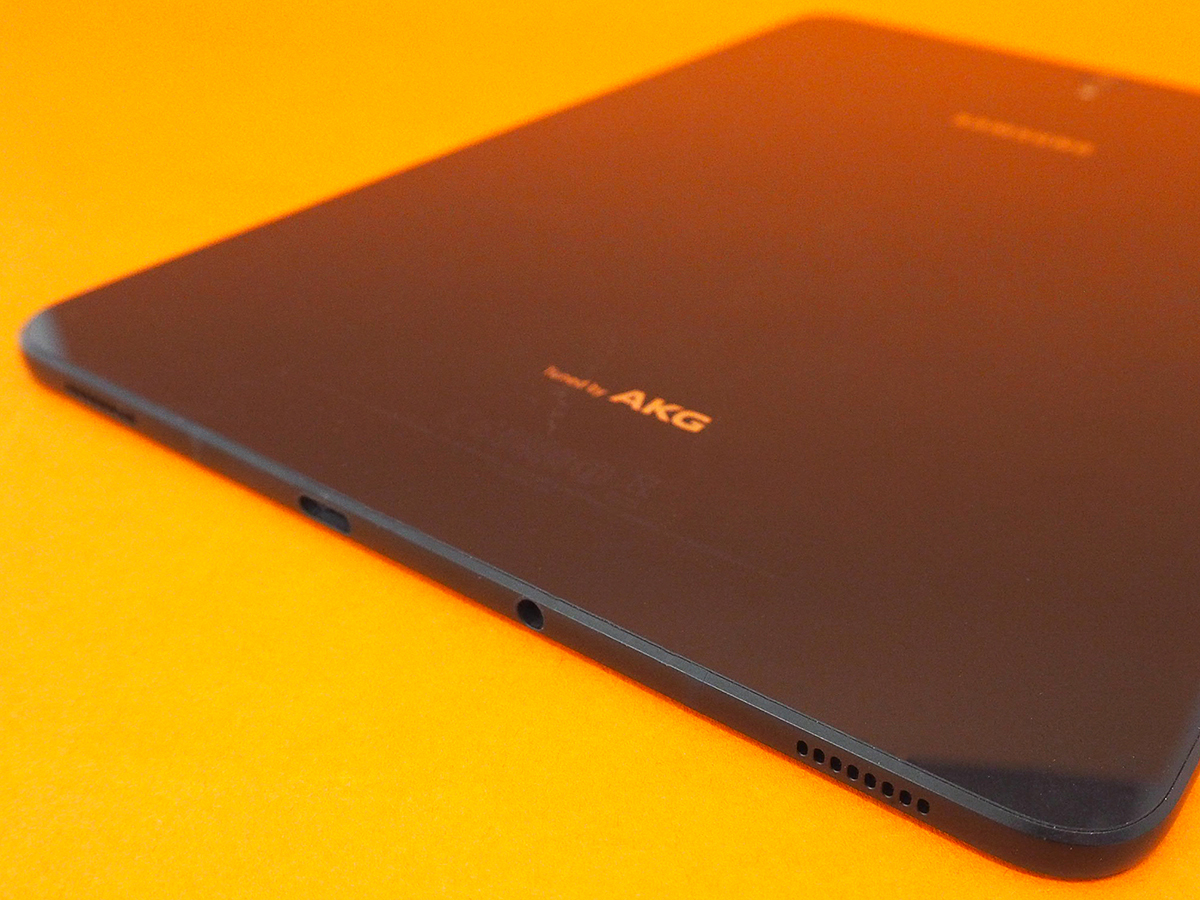
It’s taken a while, but Samsung has finally banished the plastic for a combination of metal and glass – exactly what you’d expect from a premium device.
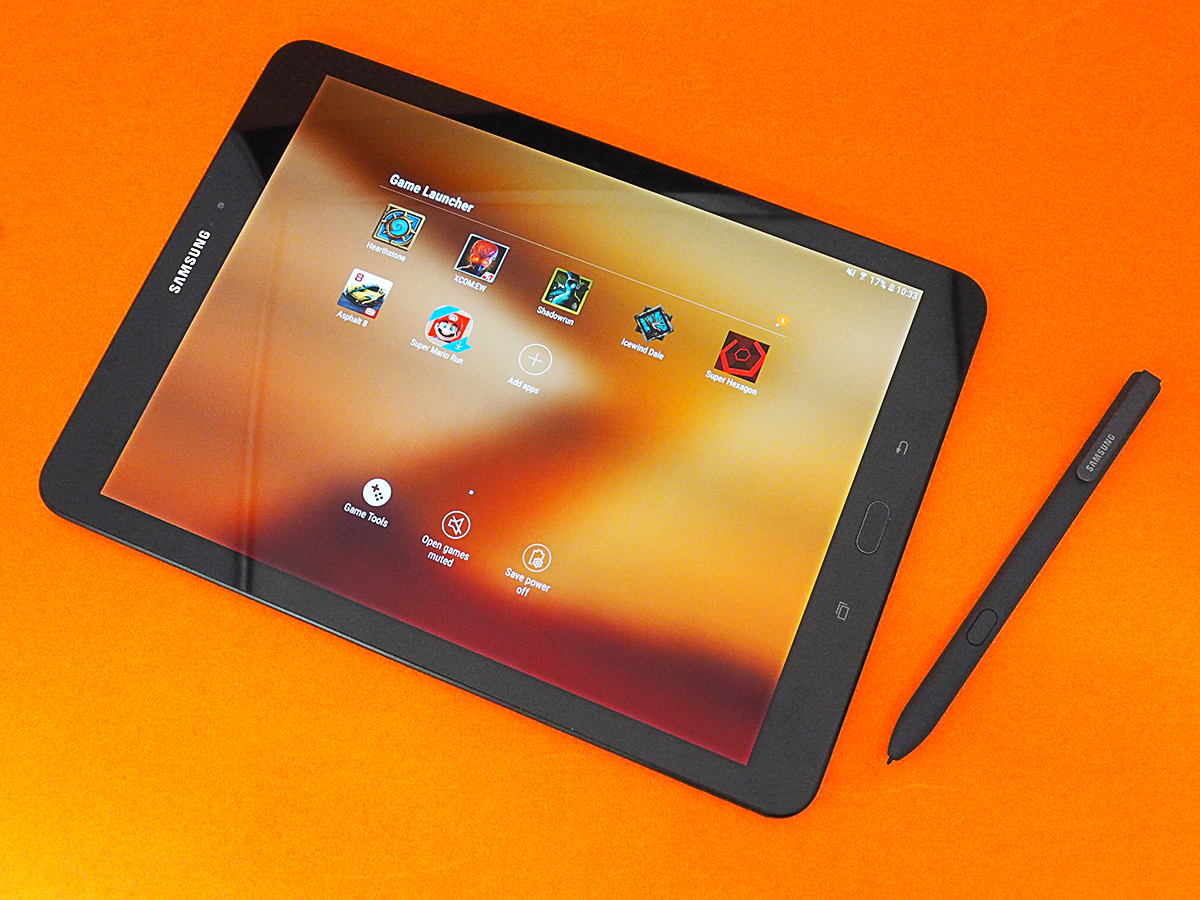
The Tab S3 is a sleek slate, with a completely flat rear and reasonably skinny screen bezels up front. The black finish makes that glass back an absolute fingerprint magnet, but it still cuts a mean, almost futuristic look.
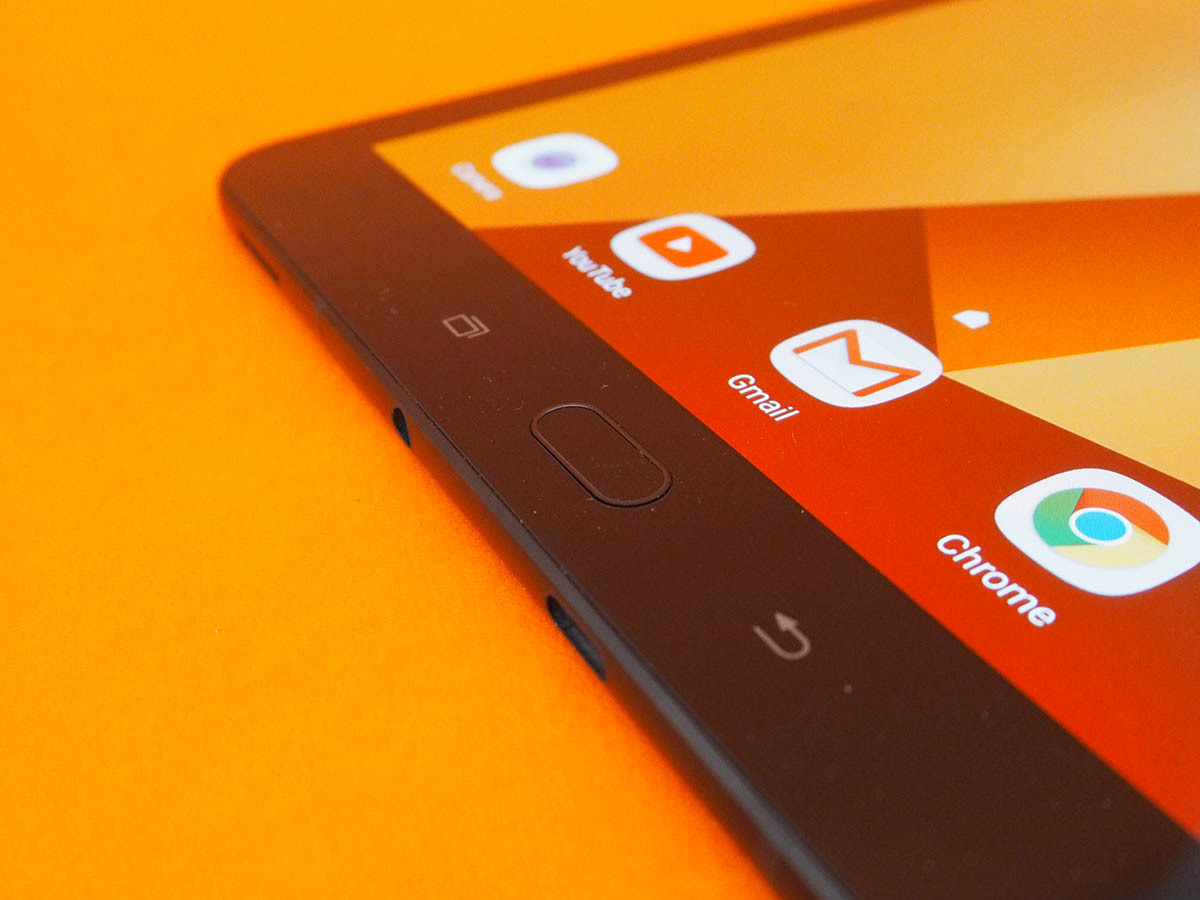
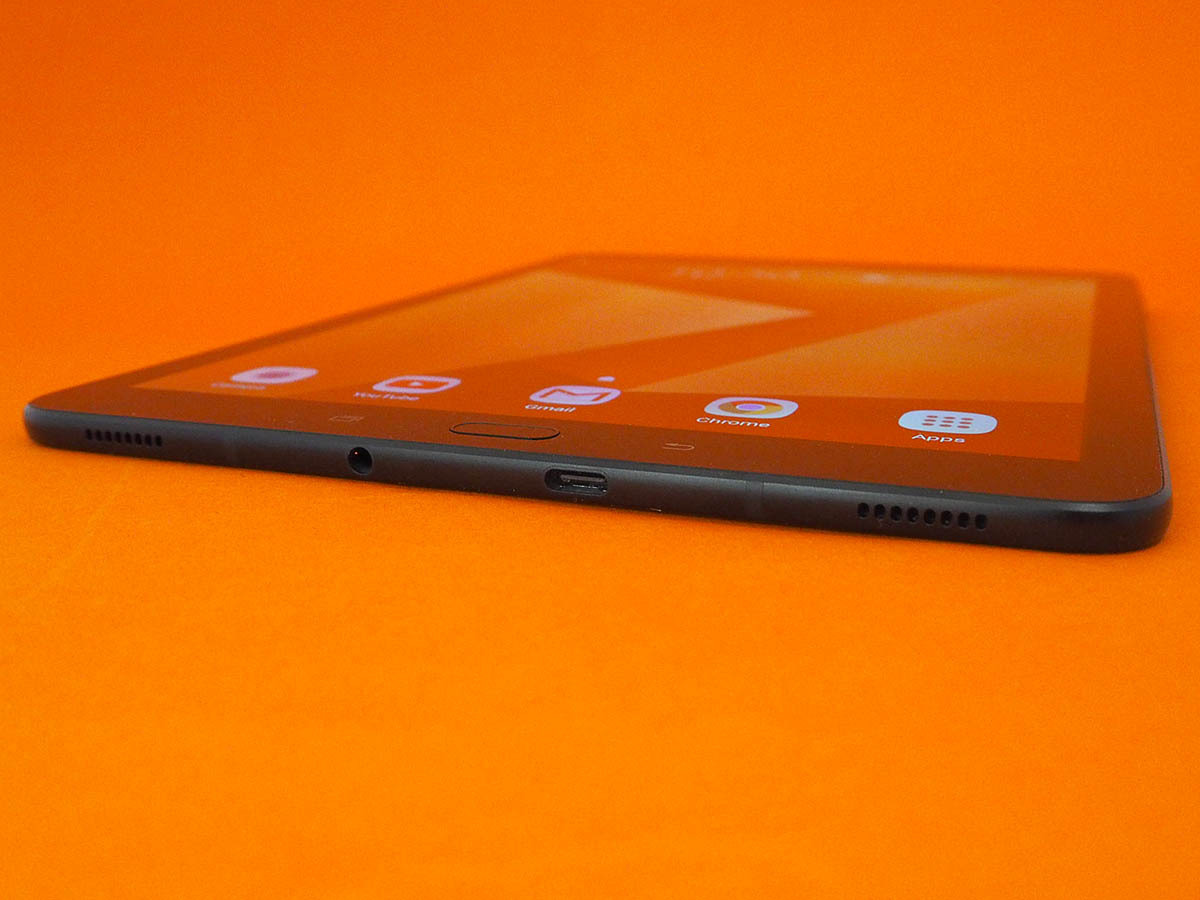
There’s no mistaking the Tab S3 for anything other than a Galaxy device, thanks to Samsung’s trademark physical home button sitting underneath the screen. It doubles as a fingerprint sensor, so you don’t have to mess about with onscreen passwords.
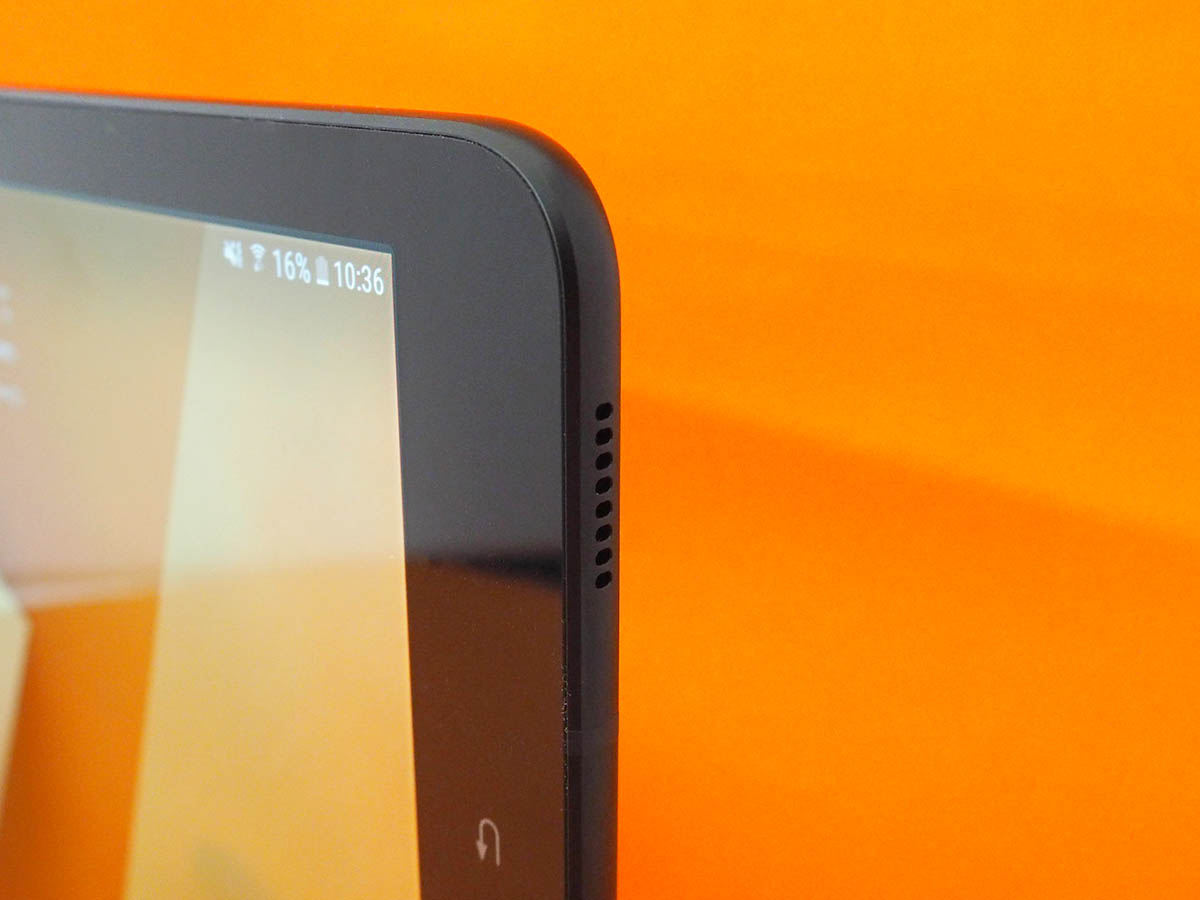
Rounded corners help keep it comfortable when you’re holding it in one hand, even if it doesn’t feel quite as natural to grip as an iPad Pro. Both are roughly the same size, but the gentler, curved edges on the Apple Tab are slightly easier on your mitts.
It is just an impressive 6mm thick, though, and light. At 429g, you’ll have no trouble using it one-handed. The home button is easy enough to reach without stretching your thumb to breaking point. With two sets of speaker grilles at both the top and bottom of the tab, you’ll struggle to block ‘em all at once, even if you’re holding it in landscape.
Samsung Galaxy Tab S3 Display: Hello HDR
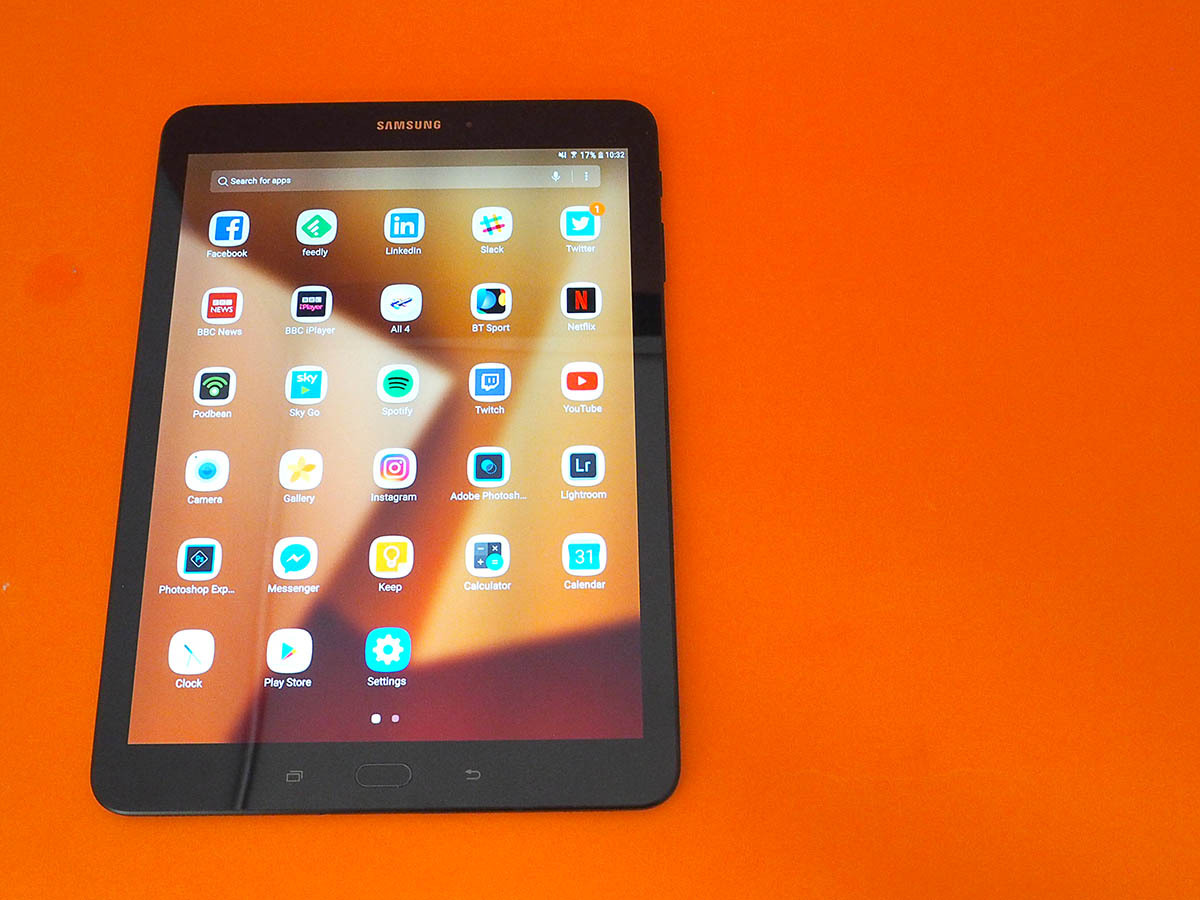
With a 2048×1536 resolution stretched over a 9.7in panel, the Tab S3 goes head-to-head with the iPad on paper.
Here, though, you get gorgeous OLED tech instead of LCD – meaning the deepest blacks and impeccable contrast to really make your photos and videos jump off the screen. It makes all the difference when playing games, too, giving a boost in clarity that LCD still struggles to match.
Viewing angles are fantastic, and screen brightness is beyond impressive: you can boost it up to eye-searingly high levels, which mean you can still see everything clearly when you’re outside in bright sunlight.
There might be higher resolution tablets, but this certainly doesn’t feel lacking for pixels – images and videos look delightfully crisp.
Samsung has also managed to add support for high dynamic range video, so you’ll be able to stream Netflix and Amazon Prime video with even more lifelike colours and brightness. Once the apps support HDR streaming anyway.
The speakers have been tuned by audio experts AKG, and automatically adapt the four separate drivers to match how you’re holding the Tab. This is supposed to make stereo tracks sound as they should, whether you’re holding the tablet in portrait or landscape, but the separation can be a bit aggressive: some music tracks and catch-up TV sounded a little too wide.
It’s plenty loud enough, though. Crank up the volume to max and you’ll still be able to hear that YouTube video while you’re cooking in the kitchen, or boiling the kettle for a quick cuppa.
If multimedia is all you’re after, the Tab S3 might be overkill, but at least it delivers on sound and screen – the two areas that’ll matter the most to you.
Samsung Galaxy Tab S3 performance: POWER BY THE HOUR
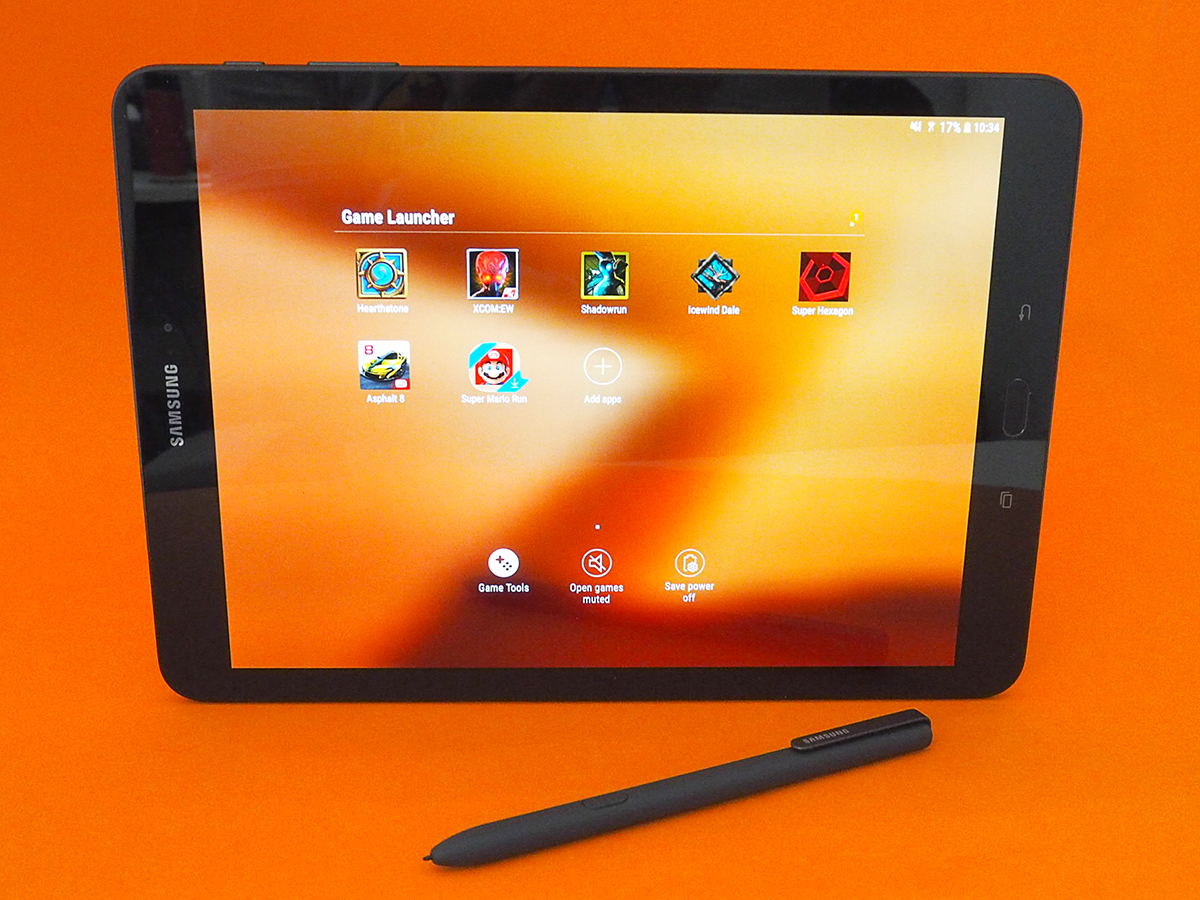
There’s plenty of power on tap if you want to get your game on, too, with a quad-core Snapdragon 820 CPU and 4GB of RAM running Android 7.0 Nougat.
OK, so it’s not the slightly-more-energy-efficient 821 you’ll find in the Google Pixel or LG’s recently announced G6 smartphone, and it won’t match the raw speed of the upcoming Snapdragon 835, but it’s still more than enough for anything in the Google Play Store right now.
Even once I’d filled the 32GB of on-board storage with apps, videos, music and photos, it felt snappy and responsive flipping through Android home screens and loading apps.
Intensive 3D games like Asphalt 8 ran smoothly, and the fancy animations of Blizzard’s card battler Hearthstone were free from judder, too. The GPU also supports the Vulkan graphics API, which will help squeeze out those extra frames per second in games that support it.
Samsung has also added a few game-specific tweaks and tools – a first for a Galaxy Tablet. These let you silence all notifications while you’re busy playing, take screenshots, lock the hardware buttons (so you don’t accidentally head back to the home screen) and even record your screen while you play.
With a huge 6000mAh battery on-board, the Tab S3 should have enough go-juice to last you through a long-haul flight. It managed twelve hours of video playback, as long as brightness was kept at 50%, and it managed to feed my Hearthstone addiction for almost as long before needing a top-up.
With fast-charging through the USB-C port, you won’t be waiting around long for it to refuel, either. It’ll go from empty to full in under three hours.
SAMSUNG GALAXY TAB S3 CAMERA: BLURRED VISION
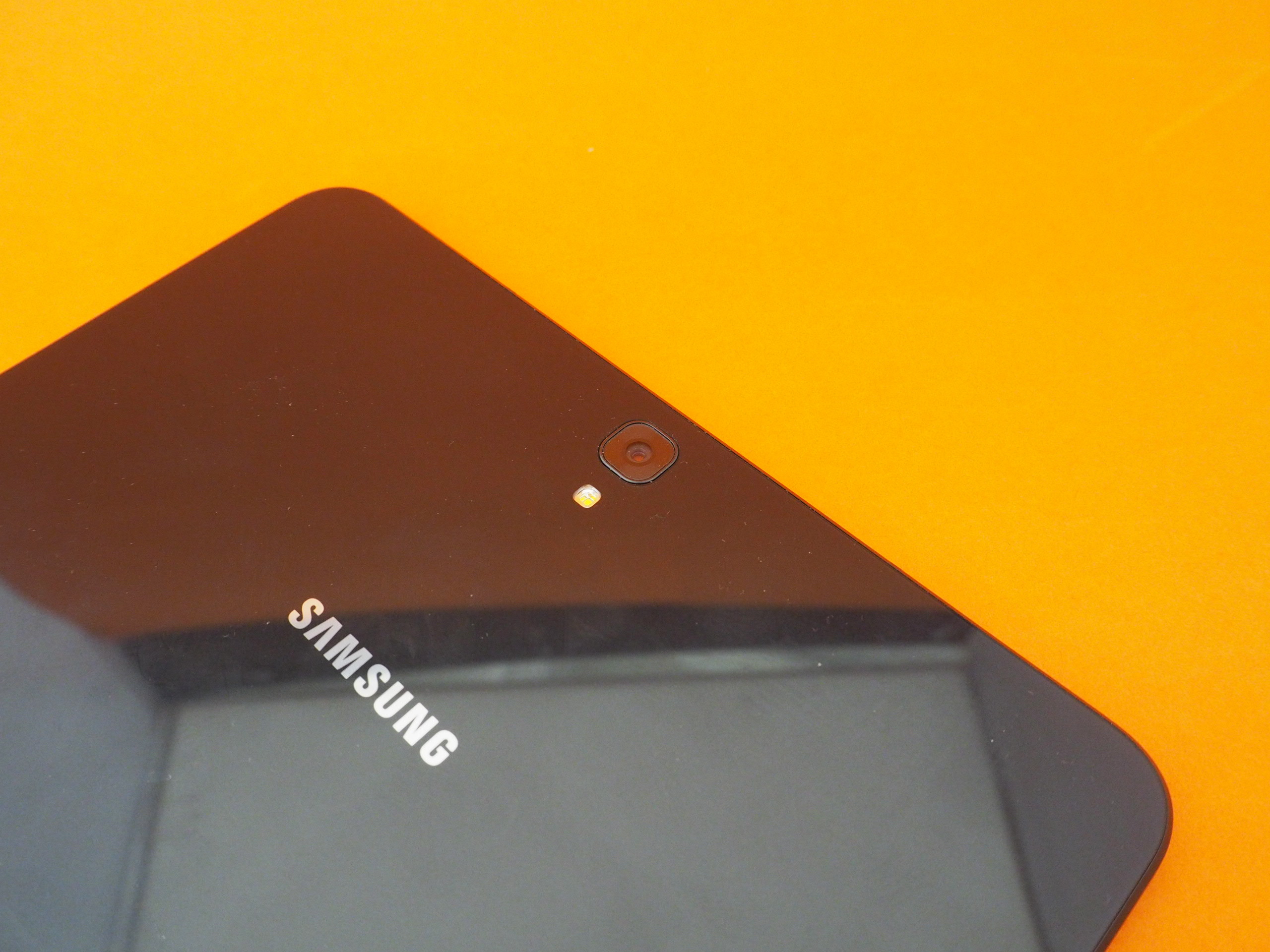
It might have some of the best smartphone snappers around, but Samsung just can’t seem to crack it when it comes to tablets. The 13MP, f/1.9 sensor on the back of the Tab S3 might have autofocus and an LED flash, but the photos it takes are merely OK.
It’s fast enough to lock onto your subjects, and exposure is decent enough if you manually turn on HDR to avoid blowing out bright lights, but there’s just nowhere near enough detail. Faces look smudged and there’s too much softness all round.
Let’s be honest, you’re going to look daft taking photos with any tablet, but when you’re spending big bucks on one, it should really give better results than this.
You’ll be fine for video chats using the 5MP front-facing camera, too, but not much more.
SAMSUNG GALAXY TAB S3 SOFTWARE: WRITE WHERE I WANT YOU
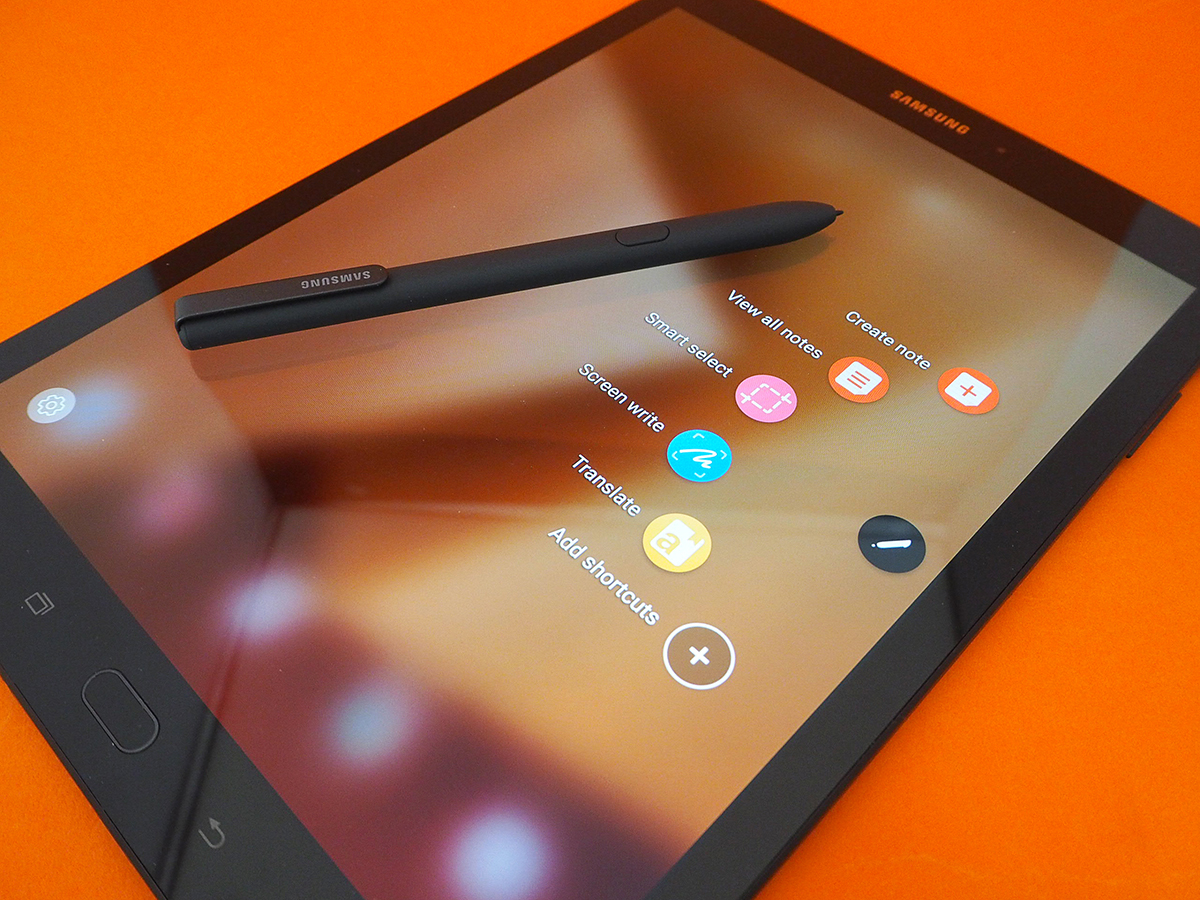
Android 7 might be running the show, but it’s Samsung’s Touchwiz skin that you’ll spend all your time looking at. This latest version is a lot less imposing than previous ones, though.
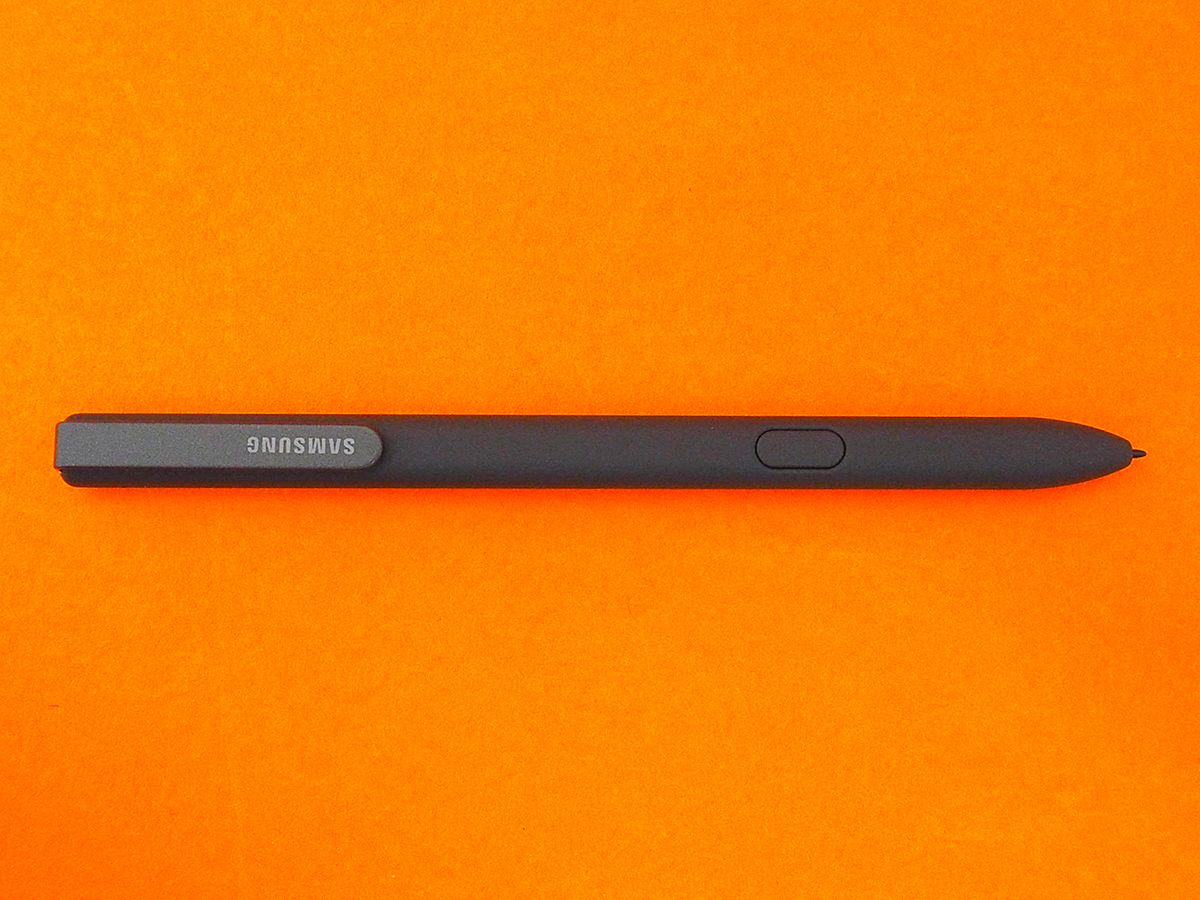
Beyond the re-skinned icons and colour-changed notification tray, the biggest addition is the Air Command menu, a pop-out set of icons that work specifically with Samsung’s S Pen Stylus. Good job you get one included in the box, then.
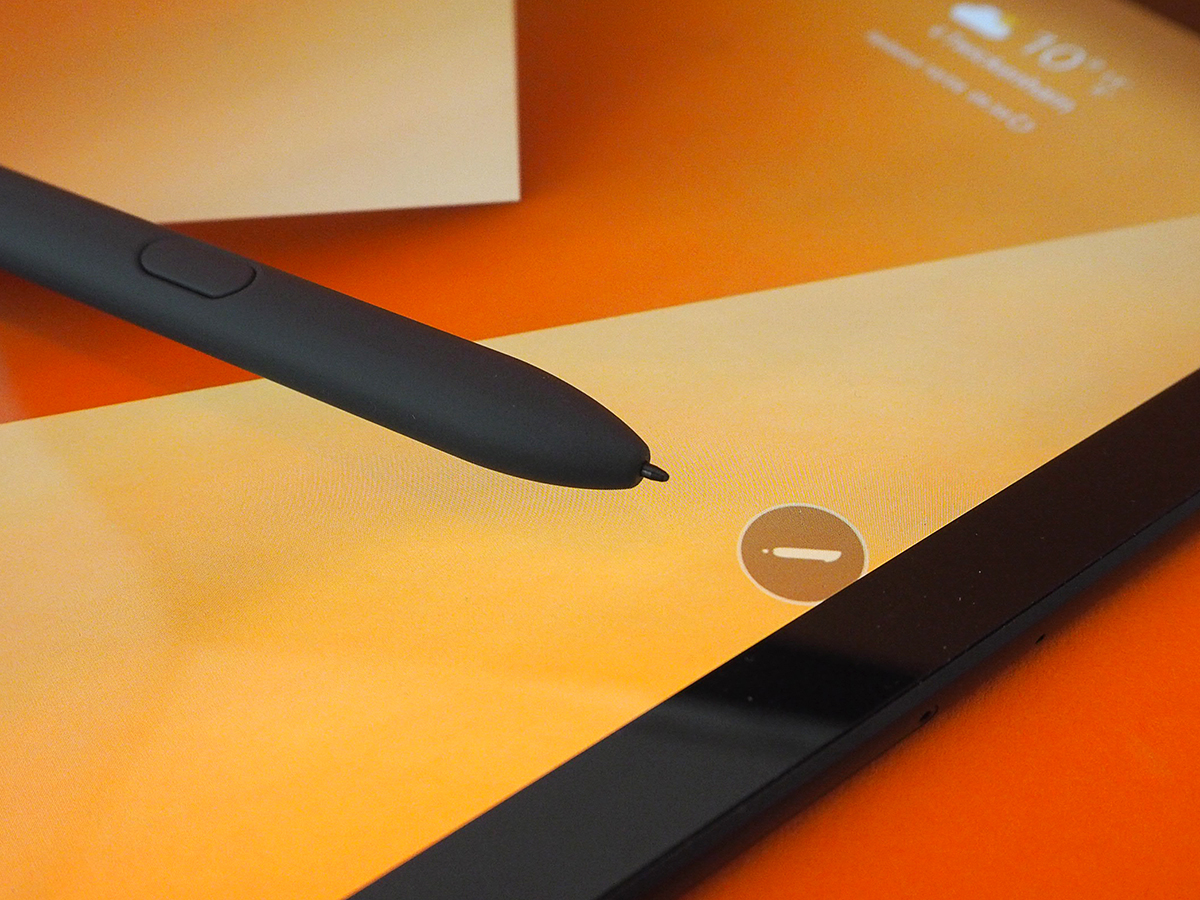
It’s chunkier, grippier, and generally more pen-like than previous versions, which is great for scribble fiends, note-takers and digital artists alike. It sits more naturally in your hand, so you can concentrate on drawing or writing, not whether you’re holding it properly.
You’ll need to find somewhere to store it, though: Unlike the Galaxy Note phones, there’s no handy slot for keeping the stylus safe when you aren’t using it.
Pen and tablet can register 4096 pressure levels now, which should give graphics pros even greater control. It still doesn’t need a battery, so you don’t have to worry about recharging, but it’s the new rubber nib that makes all the difference. You might be writing on glass, but it feels deceptively like paper once you’re in full flow.
SAMSUNG GALAXY TAB S3 KEYBOARD COVER: JUST MY TYPE
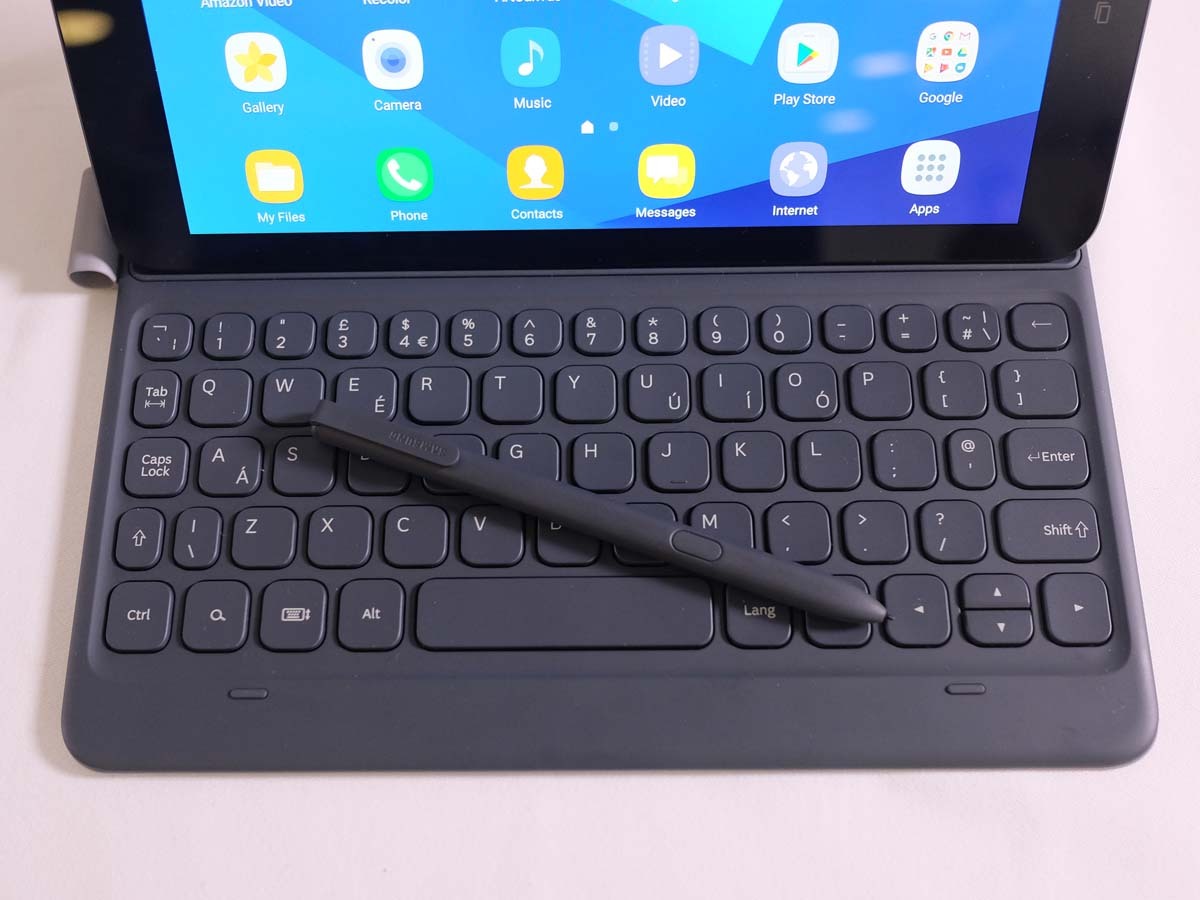
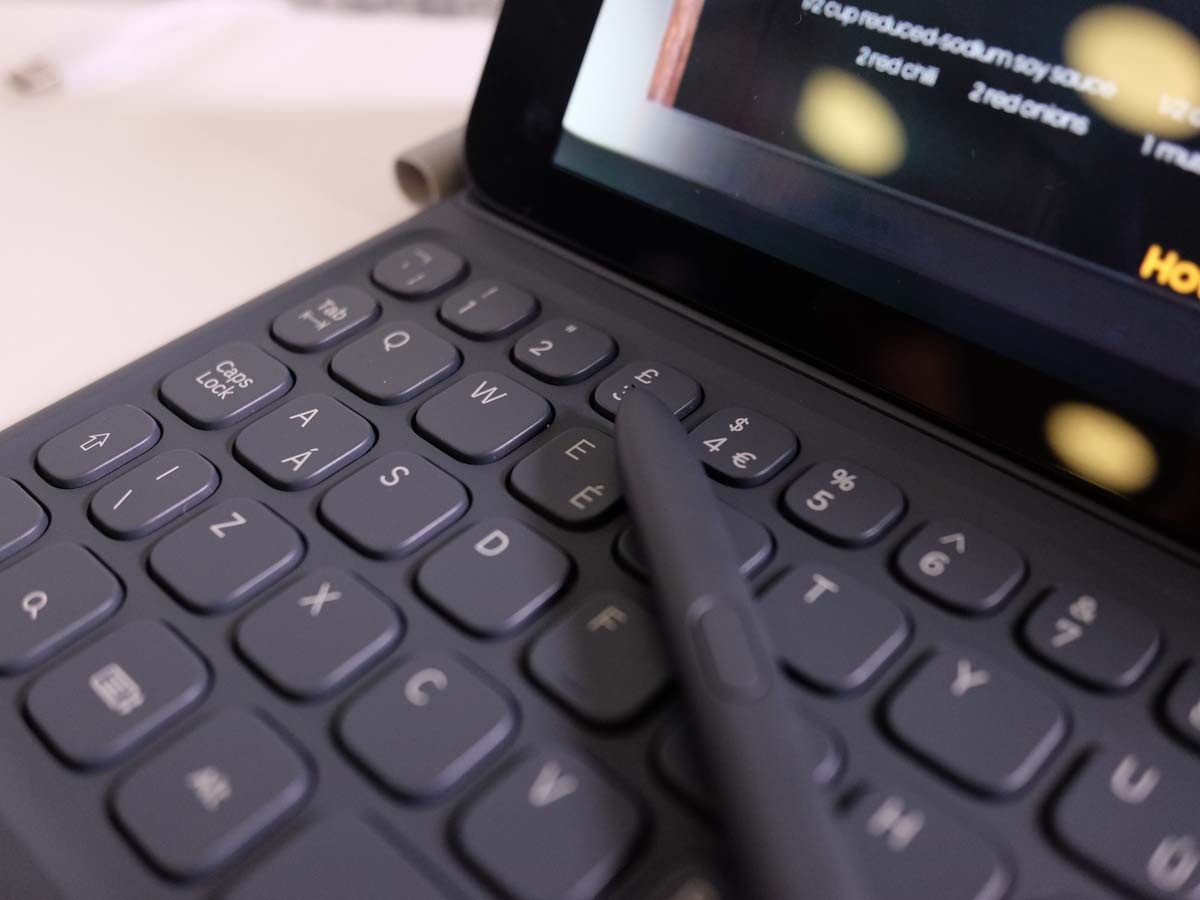
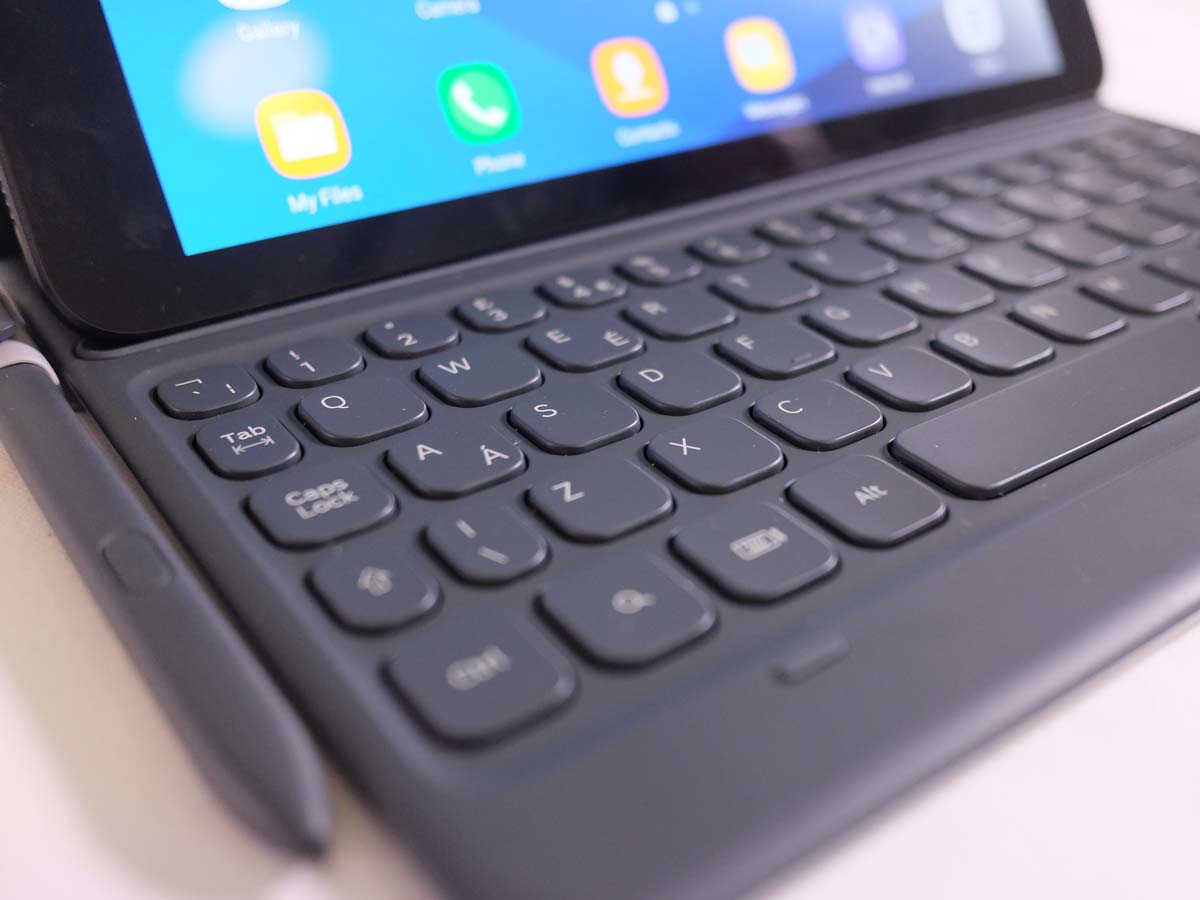
The Tab S3 isn’t just a doodler’s friend, either. There’s also an optional keyboard cover that keeps your slate safe when you’re on the move, then unfolds when it’s time to get some serious work done.
It has a holster for the S Pen, acts as a stand for hands-free watching or working, and protects the screen – the Tab S3 just doesn’t feel complete without it.
Magnetic pins dock keyboard to tablet, instead of using Bluetooth, so there are no batteries to worry about, and the layout has been simplified from Samsung’s previous mobile efforts so you’re not constantly hunting for keys.
Unfortunately we weren’t able to get hold of one in time for this review, but having used an early sample at Samsung’s Mobile World Congress reveal event back in February, I can tell you won’t want to use one to write anything too lengthy: the keys are just that little bit too small.
The springy keys click audibly, and are perfectly comfortable to type on if you’ve got tiny hands, but for anyone with regular or oversized mitts, it’s a sure-fire way to get cramp.
Android’s multi-tasking modes still need a lot of work, too, so if you’re trying to get some serious work done, you might find you’re toggling between apps a lot more than you’d like. In this respect, the Tab S3 just isn’t cut out to be a work device.
SAMSUNG GALAXY TAB S3 VERDICT
Do you want the best Android tablet around? Well, this is it.
The Tab S3 is plenty powerful, has a gorgeous screen, and the bundled stylus is a welcome little extra that you don’t have to be an artist to an appreciate. It doesn’t do half-measures – something that’s still surprisingly rare in an Android tablet.
We’re used to seeing corners cut, or build quality not quite living up to expectations, but Samsung has managed to get pretty much everything right. The gorgeous screen really could make it become your go-to device for video, and the S-Pen/keyboard combination make it a viable work machine too – if only for basic tasks, and only if you splash the extra cash on the (sadly optional) keyboard.
It’s not quite the best tablet, though – that’s still the iPad Pro, thanks to superior multitasking on iOS and a slightly more comfortably keyboard. It can’t fully replace your laptop, either, especially while it costs twice the price of a Chromebook.
If switching to iOS is out of the question, but a big-screen device is a must, then you’ll have to swallow that £599 price – as it doesn’t get much better than this.
Buy the Samsung Galaxy Tab S3 here from Currys PC World
READ MORE › The 10 best tablets in the world right now
Tech specs
| SCREEN | 9.7in, 2048×1536 AMOLED w/ HDR video |
| CPU | Qualcomm Snapdragon 820 quad-core |
| MEMORY | 4GB RAM |
| CAMERA | 13MP, f/1.9 rear w/ autofocus, LED flash. 5MP front |
| STORAGE | 32GB on-board, microSD expansion |
| BATTERY | 6000mAh non-removable |
| OPERATING SYSTEM | Android 7.0 Nougat w/ Touchwiz |
| DIMENSIONS | 237x169x6mm, 429g |
Stuff Says…
The first genuine rival to Apple’s iPad Pro is expensive, and not as useful as a laptop, but this is still as good as Android gets in tablet form
Good Stuff
Stunning screen with HDR support
Plenty of power for apps and games
Keyboard and stylus are great for productivity
Bad Stuff
Android still isn’t ideally suited to tablets
Expensive
Won’t replace your laptop


 Tom Morgan-Freelander
Deputy Editor
Tom Morgan-Freelander
Deputy Editor