Google Nexus 5 review
Google’s Nexus 5 is here with the scarily clever Android 4.4 KitKat and specs to match. But will it be a Nexus Chainsaw Massacre of the £500 flagships? [UPDATE: now with 4.4.1 camera update and video]

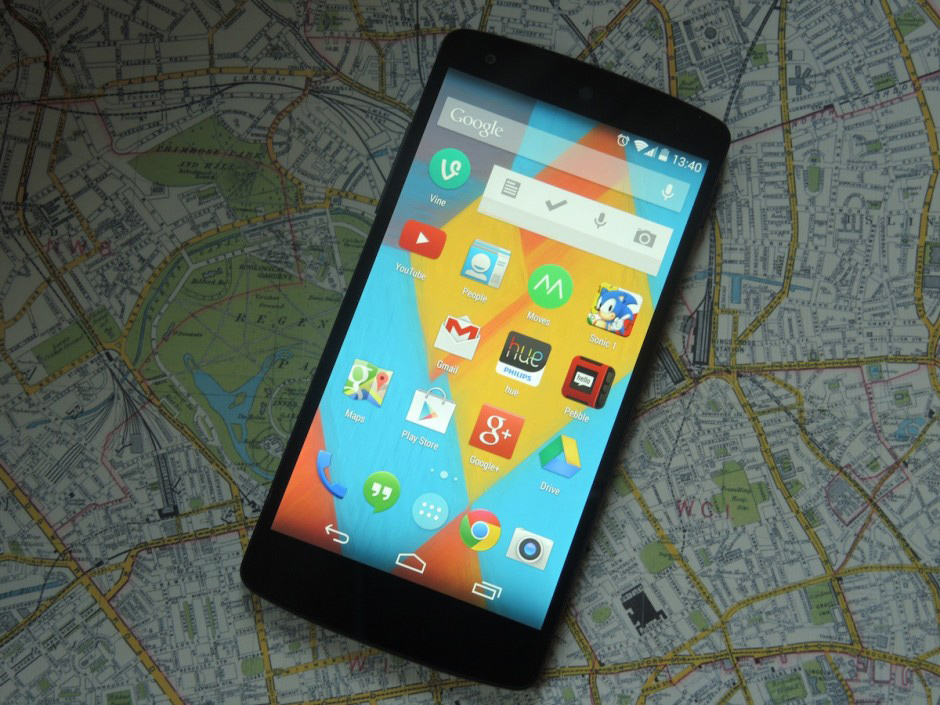
Google isn’t really trying to build the best Android phone. What it’s trying to do is get the internet, Google-style, in as many hands as possible, and it realises the way to do that is to produce its own affordable, desirable handset.
And yet it’s getting very close to the perfect Android phone with the Nexus series, almost accidentally. Last year’s Nexus 4 came incredibly close to nailing the winning formula – only a disappointing camera, comparatively small battery and low storage options kept it from total brilliance.
With the Nexus 5 we’ve got a 5in 1080p handset (built by LG) with Snapdragon 800 brains, an 8MP camera and 4G. Essentially it’s what every other manufacturer is doing, but for less than £300 (most competitors are £200-odd more). What’s more, it runs the cleverest mobile OS we’ve ever seen in KitKat, complete with Nexus 5-only tricks.
While Apple plays catch up with Maps, Siri and iCloud (features and services that take years to perfect), with the Nexus 5 and KitKat Google is leaping forward with enhanced voice controls, in-app search and Google Now.
Within a few iterations of well-specced handsets and tablets (with the help of LG and Asus) Google’s Nexus line has gone from respected dev fodder to supremely designed, hugely desirable pieces of mobile kit. Nothing makes this clearer than the gorgeous, all-powerful, squished-full-of-genius Nexus 5.
Sound too good to be true? Read on to find out how the Nexus compares to the finest (and most expensive) flagship smartphones in the world.
Design and build: if the Nexus 7 and G2 copulated…
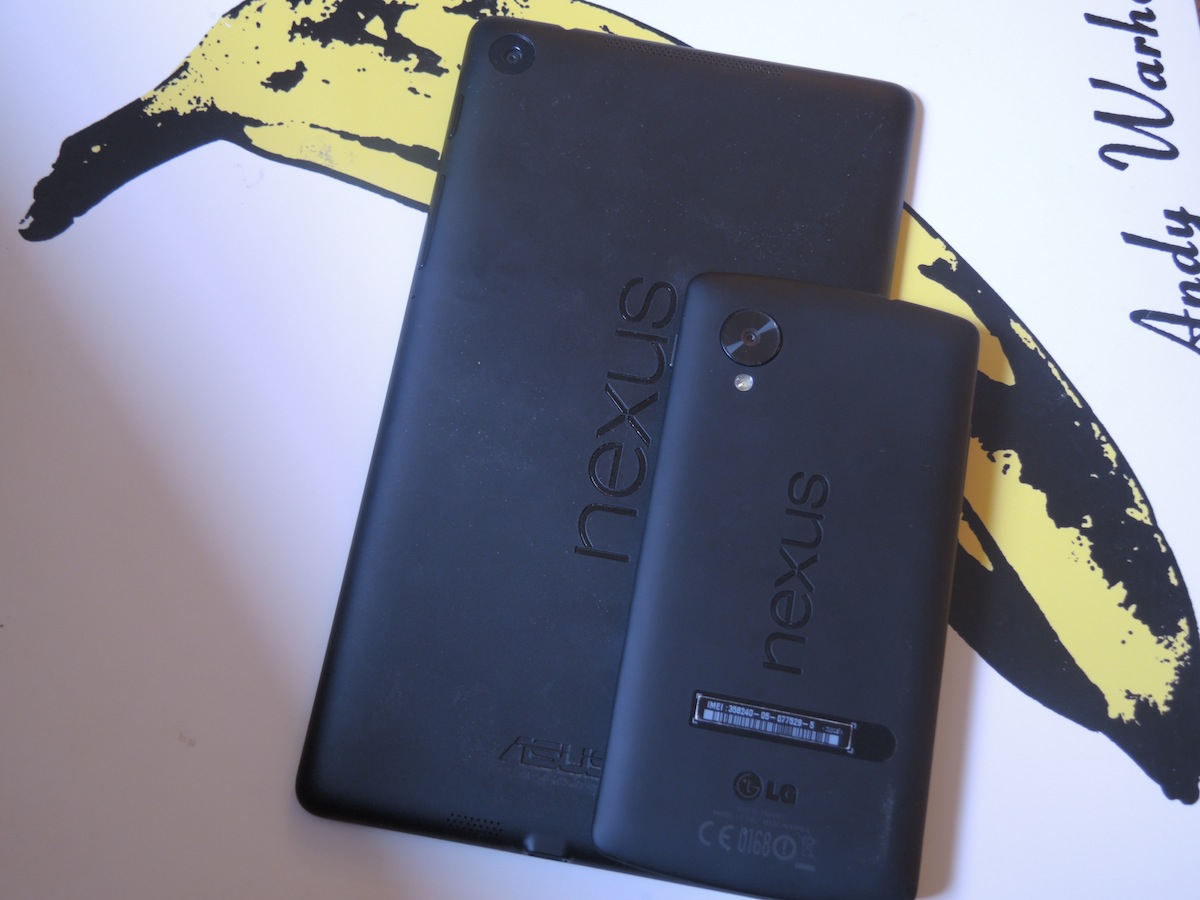
…then the Nexus 5 would be the result. This is a lovely phone – not eyes-out-on-stalks, run-away-to-Mexico-together lovely like the HTC One – but still lovely.
From the front it’s almost all screen, with super skinny bezels making it just a touch taller and wider than the outgoing Nexus 4 despite the larger display. Impressive – and it manages to make the One’s facade look downright cluttered by comparison.
CHECK OUT OUR FULL NEXUS 5 GALLERY HERE
It’s light compared to heftier rivals such as the LG G2, too, at just 130g, which is just a smidge heavier than last year’s Nexus 4. With absolutely no flex to it, it’s one sturdy LG build, and the black model is good at warding off wear and tear.
(Cases might not be necessary, but the 5 will work with LG’s QuickView range. Also look out for wireless charging accessories since the tech is built-in.)
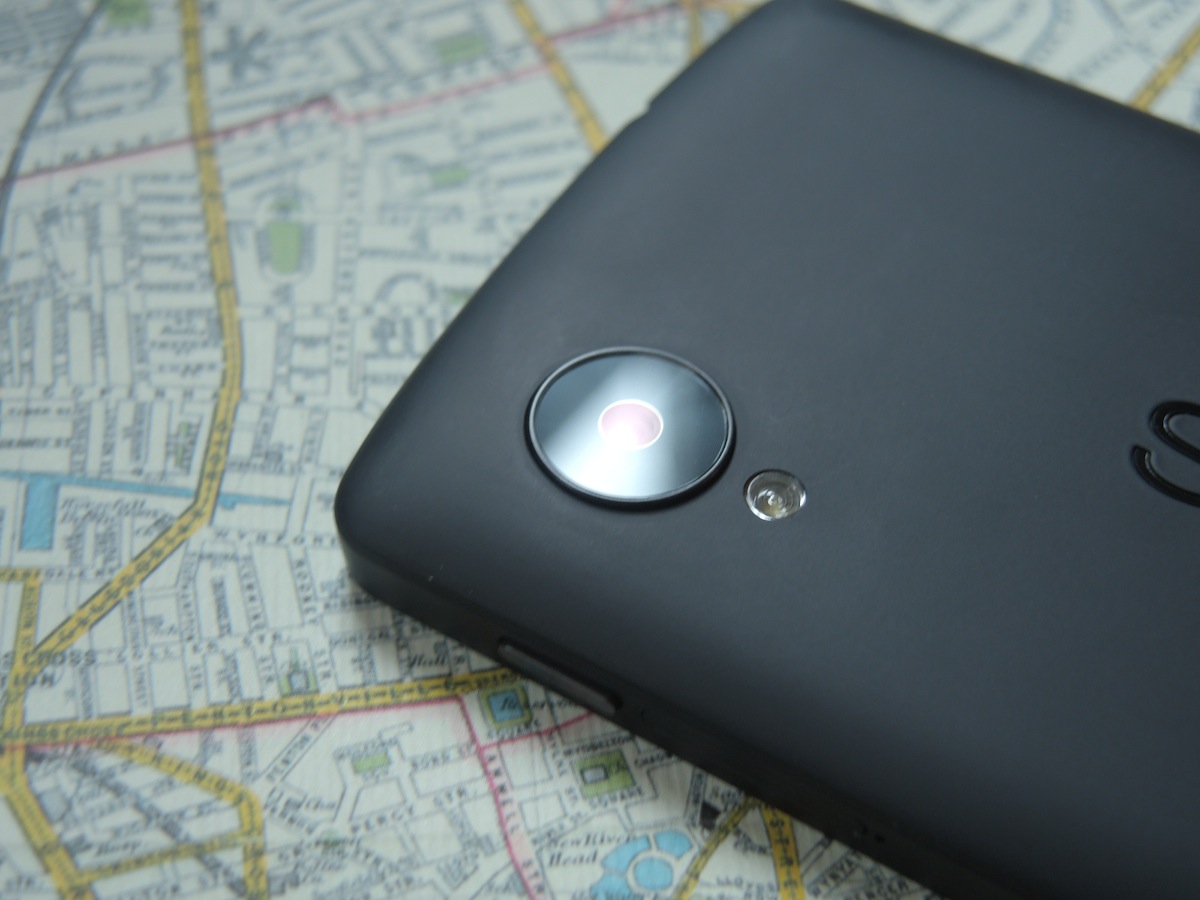
If you’ve got a Nexus 7 you’ll feel right at home with the matte black or white polycarbonate back, down to the embossed Nexus logo. The only main differences between the designs are the curved top and bottom edges on the Nexus 5, and the handset’s protruding camera lens, with LED flash below, providing either a shot of character or disappointing protrusion depending on your personal preference.
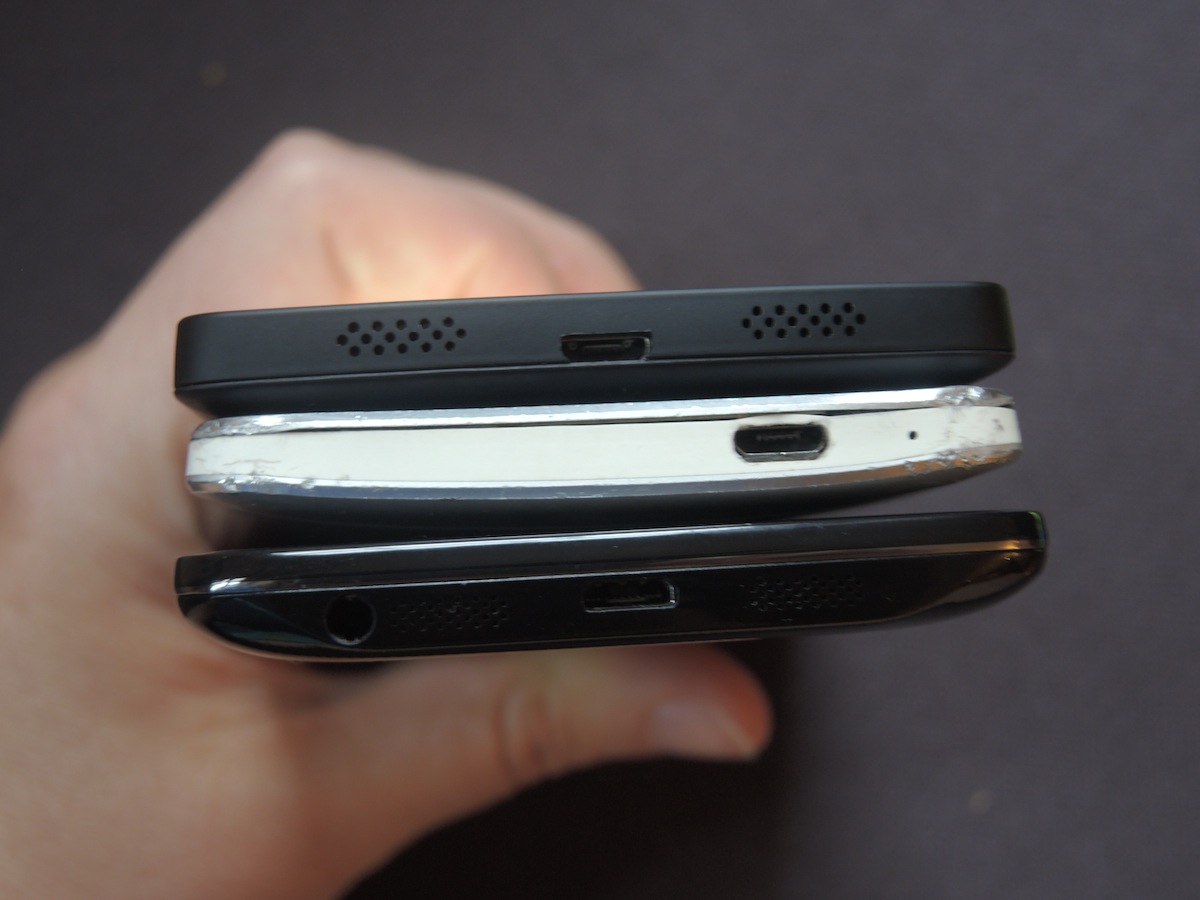
Overall it’s an understated design with neat and tidy speaker grilles either side of the microUSB port on the bottom, subtle (but strangely sharp) power and volume buttons flanking the screen and a microSIM tray that you’ll need the tool in the box to open. When we’re not accidentally covering up the single speaker (the other’s the mic), sound is nice and punchy.
It’s slightly slimmer, more pocketable and easier to grab for the small-handed than the G2 – which might sway legions towards the Nexus – although where the polycarbonate meets the front glass on each side could be smoother (see the HTC One). And when the Nexus is tapped or shaken, the camera lens makes a quiet rattle. A small point but it could get annoying.
Still, we can say that with the Nexus 5 Google has finally discovered cool.
READ MORE: Group test – the best cheap smartphones you can buy
Screen: Nexus, the Detail Hunter

Put simply, stock Android looks stunning on a display this sharp, and KitKat’s minimalist icons and menus look very classy indeed on the Nexus 5. Bigger and higher-res than the Nexus 4’s 720p effort, the Nexus 5’s 4.95in, 1080p, 445ppi screen is up there with the best we’ve seen all year.
Everything from text in Play Books to Android games looks wonderfully crisp and clean. Colours in HD movies such as Pacific Rim are natural, with a slightly cooler colour palette than both the LG G2 and HTC One. If we’re being picky the Nexus can look a tad washed out, but in both downloads and streamed movies, there’s smooth motion and sumptuous detail.
Web pages are less well served, and can look creamy next to the best out there. Unless you’re comparing side by side you’re unlikely to complain, but it does mean everything looks that bit more dynamic on the likes of the HTC and LG.
Similarly, viewing angles are good, but not the best – contrast and colours fade when you tilt the Nexus horizontally from side to side. We know the majority of the time you’ll be using the Nexus straight on but it’s a shame when quickly showing YouTube vids to friends.
On the other hand, we think 4.95in is a great size, making the iPhone’s screen look positively puny. The Nexus does stick with onscreen Android control buttons, and we’d prefer some stylish capacitive buttons (there’s certainly room below the screen), but the dock at the bottom of the screen is now translucent so you can at least see what’s going on underneath.
Performance – Nexus Hold’em
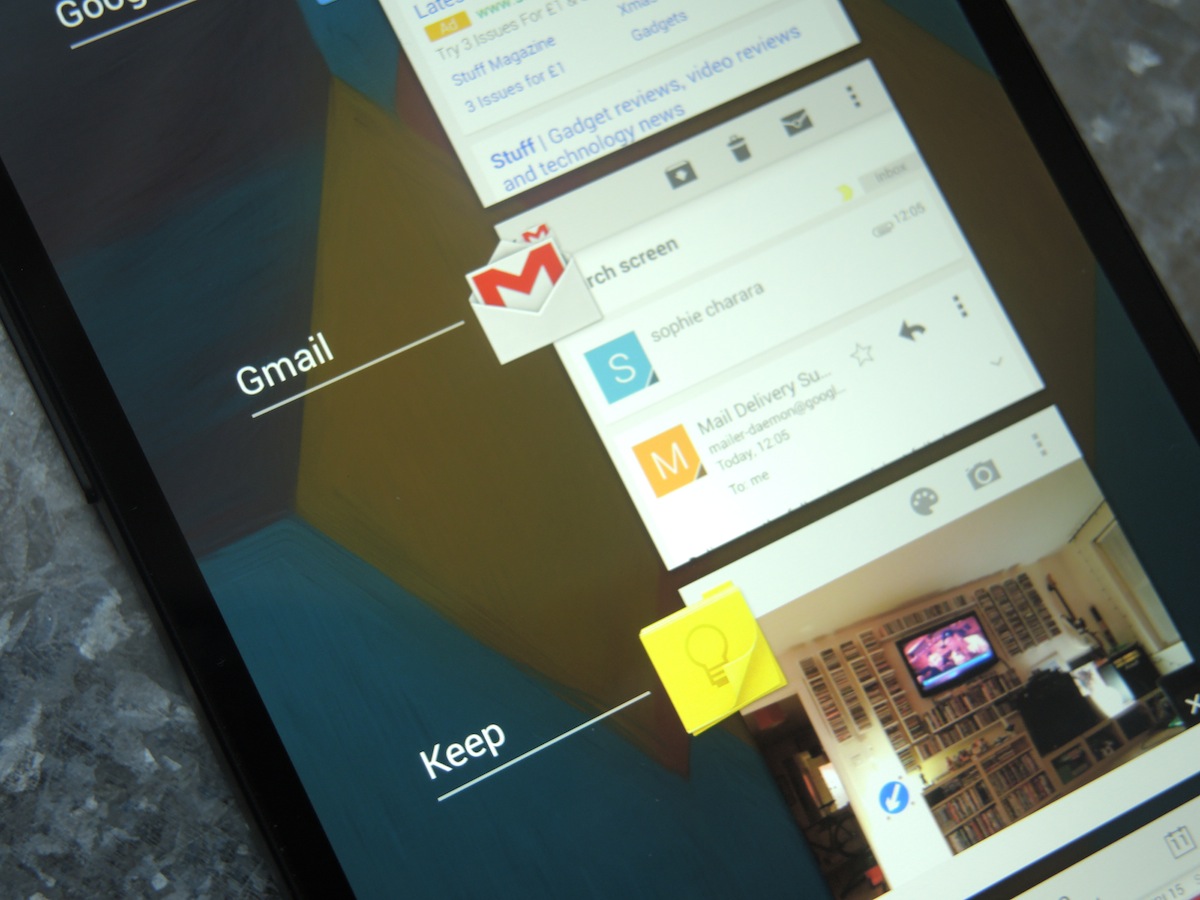
The combination of the processor du jour, Qualcomm’s beastly Snapdragon 800 clocked at 2.26GHz, together with 2GB of RAM, Adreno 330 graphics and improvements to the touchscreen responsiveness of the Nexus makes this hands-down the smoothest Android experience we’ve ever encountered.
That’s right, ever.
Gaming is a blast on the Nexus 5, and with KitKat re-engineered for speed, everything from multi-tasking to web browsing is noticeably faster. Take search, for instance: it opens instantly so that Google results are always one second away – reassuring.
We haven’t experienced a single crash or even so much as a hiccup when testing the Nexus 5, although it can heat up after a session with the 8MP camera or during a big game download. Until KitKat arrives on other handsets, it’s hard to say what’s down to hardware and what’s down to software, but all of the lag when scrolling around menus and the like on the Nexus 4 is gone.
With the Snapdragon 800 making star turns in the LG G2 and Samsung Galaxy Note 3, we thought we’d roll up our sleeves and do some benchmarking on the Nexus 5. On AnTuTu, the Nexus 5 scored a well-deserved 26010 – short of the G2’s champion score of 34191 but still mighty respectable. Over on Geekbench 3 it racked up a score of 2767, which bests both LG’s flagship and the HTC One.
Connectivity now includes 4G (notably absent from last year’s Nexus 4) plus NFC, Bluetooth 4.0 and seriously fast dual-band Wi-Fi (downloads fly, streaming is impeccable). The microUSB port is also Slimport-enabled, which just means you don’t need to buy a separate HDMI cable to hook the Nexus up to your telly.
In fact the only letdown is the lack of expandable storage. It’s better than the meagre 8GB and 16GB options of the Nexus 4, but the new Nexus is still only available in 16GB and 32GB flavours, and you’re very likely to hit 32GB in the first six months if you’re using this media-muncher as you should. It’s a shame, and while we applaud Google for only charging a £40 for the 32GB version, a microSD slot would have been a better bet.
Google Nexus 5 Tech Specs
Operating system: Android 4.4 (KitKat)
Processor: 2.2.6GHz quad-core Qualcomm Snapdragon 800
RAM: 2GB
Screen: 4.95in IPS 1920×1080 display (445ppi)
Camera: 8MP rear, 1.3MP front
Storage: 16GB/32GB (non expandable)
Battery: 2300 mAh
Dimensions: 69.17 x 137.84 x 8.59mm
Weight: 130g
Wireless connectivity: Dual-band WiFi (2.4G/5G), 802.11 a/b/g/n/ac; NFC (Android Beam); Bluetooth 4.0; wireless charging
Sensors: GPS; gyroscope; accelerometer; compass; proximity/ambient light
Camera: could do (and might become) better
So KitKat ushers in a new dawn of voice search and Now cards – but what about the things we already do with our smartphones, such as snapping that police horse that looks weirdly like our flatmate… for example?
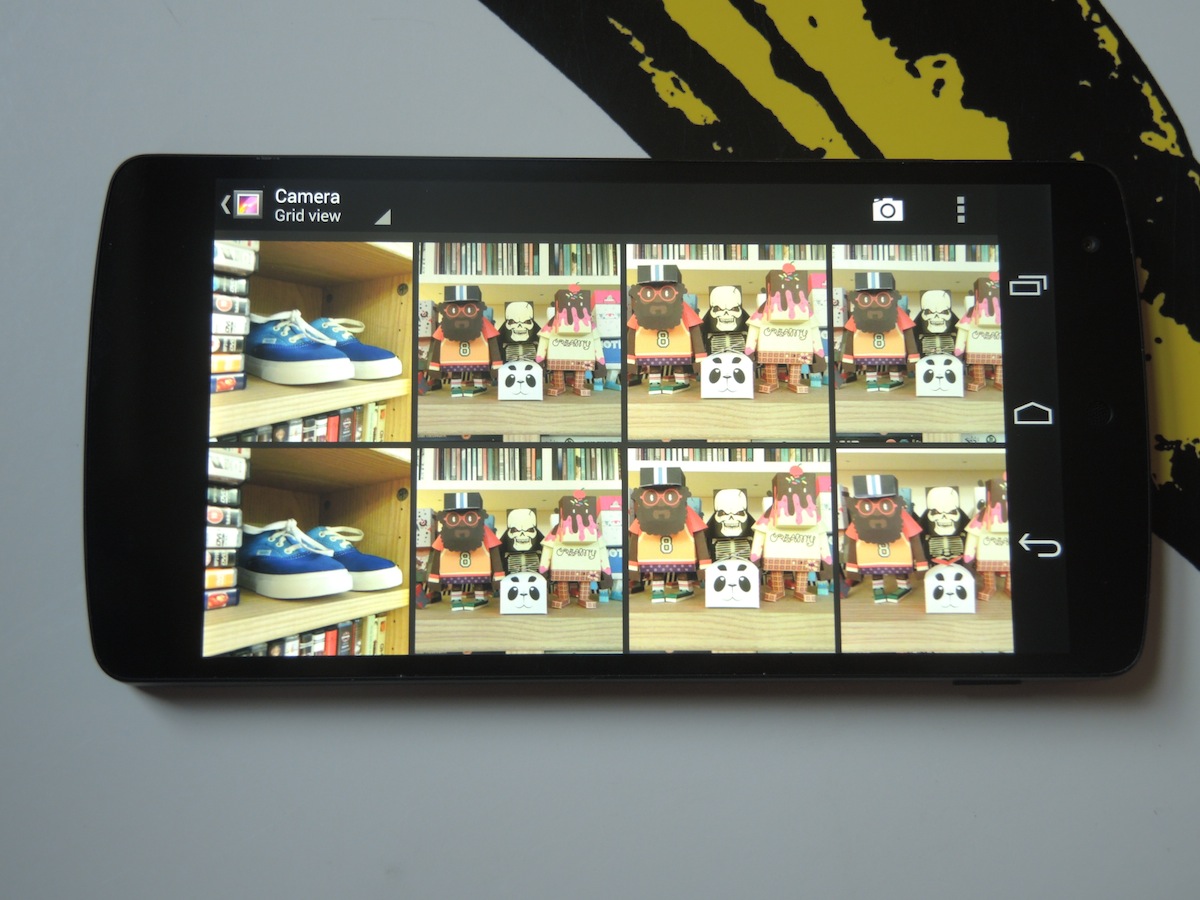
Google knew it had work to do after the Nexus 4’s cam got a lukewarm reaction, and the Nexus 5 boasts a big boost in both software and hardware, so you now get an 8MP rear snapper with Optical Image Stabilisation, a new HDR+ mode and a 1.3MP snapper on the front, plus Auto Backup to Google Plus and Auto Awesome for animations, panoramas and photo booth shots.
We really wanted a blinding camera on this Nexus, but results fall just short, with some muted colours and trouble exposing correctly. Indoors, outdoors – we continually got slightly disappointing shots even when tweaking exposure in the fan-shaped pop-up settings menu.
That’s not to say images are bad, but next to the best shooters the lack of contrast and problems dealing with tricky light become more apparent. Still, detail is impressive (even next to the 13MP G2) when zooming in on subjects in the distance, and if you have time to set up a shot, HDR+ is useful outdoors. Auto-focus is fast enough and night shots are better than those of any other smartphone at this price.
Full HD video is detailed and has smooth motion but again, rivals do a better job of exposing and colours aren’t always 100% accurate. If you were crossing fingers for a top smartphone cam on the Nexus you’ll be disappointed, but keep an eye out for updates: Google says software tweaks in the coming weeks will improve picture quality.
UPDATE: Android 4.4.1 Camera Update means faster focus, pumped up colours



Nexus 5 launches, reviewers grumble about the camera, five weeks later Google rolls out a new version of KitKat (4.4.1) to ‘fix’ its camera. That is how you update a smartphone, kids. Yes, yes, we know 4.4.2 has also now landed but that’s a bug fix update. So we’ll be concentrating on whether Google has done enough to elevate the Nexus’ camera to LG G2 and iPhone 5s levels of brilliance. So … has it?
Quick answer? Not really. The big advantage is focussing which is now one whole second faster for both AF and tap to focus – that makes a big ol’ difference when you’re trying to capture your boss doing his best jazz hands. It’s also more accurate, we consistently get slightly out-of-focus shots with the pre-update Nexus while the unit running 4.4.1 nails it everytime.
Contrast levels have been ratcheted up and for the most part this is a big plus, making everything look crisper and helping to negate that ‘washed-out’ quality that’s irked some Nexus snappers. Some detail can be lost as a result, as on the Pretzel packets image above, it’s not much though if you’ll be working with the images blown up it’s obvious side by side.
Colours too, particularly reds, are more vibrant and this is why most Nexus 5 users will be happy when the update comes through – on the smartphone’s screen images definitely pop more. So what’s the trouble? They’re not always as accurate as the likes of the LG G2 and iPhone.
Instagrammers and the like won’t worry too much about photos correctly representing reality but we’d pick a little more muted and accurate everytime i.e. somewhere in between the old Nexus 5 images and the new ones. We know, we’re hard to please. For colours and contrast, the LG G2 gets it spot on everytime as demonstrated below by our motor porn.
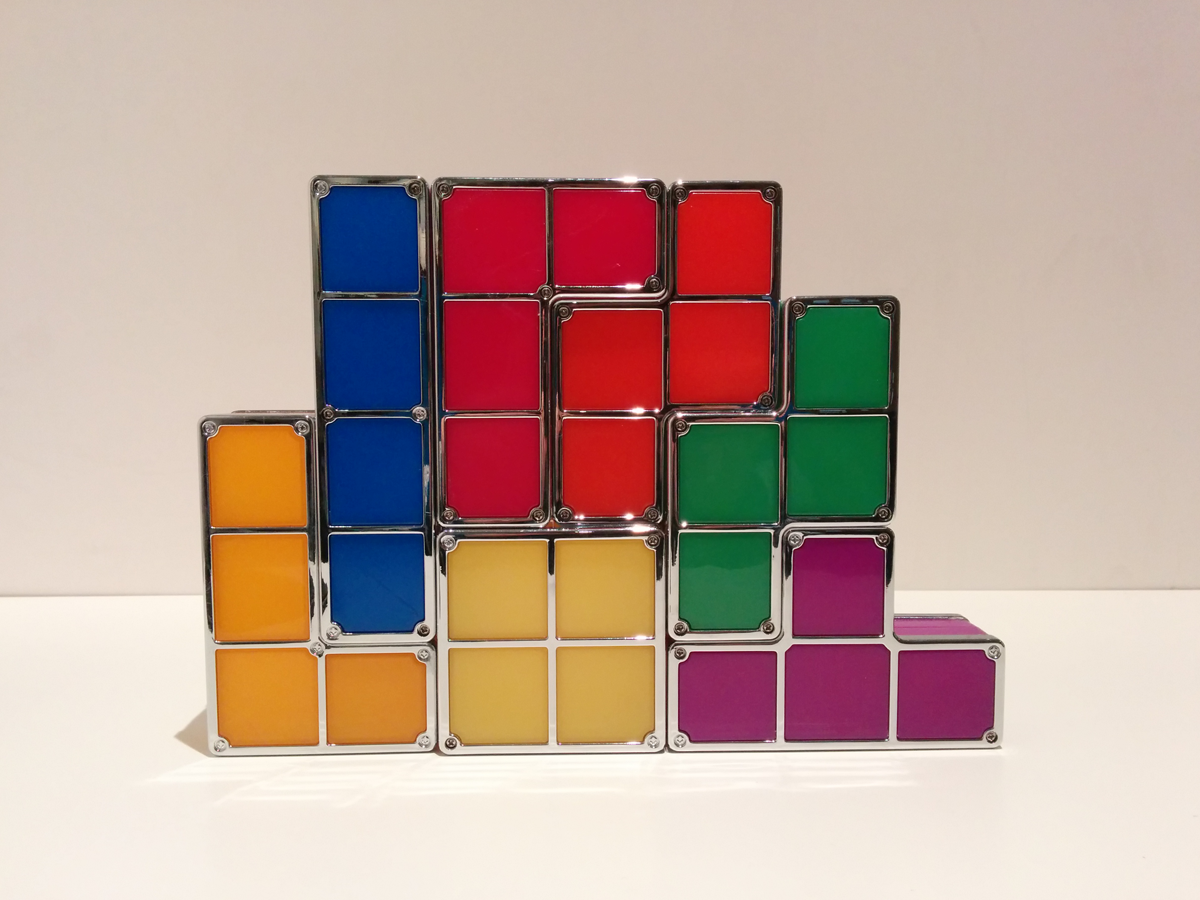
Elsewhere, the Auto White Balance now does a fine job indoors and out and the Nexus 5 does a much better job at correctly exposing for the light, for instance when shooting 1080p video. Low light performance is very close between the pre-update and post but the Nexus does do a decent job of brightening up gloomy rooms indoors, as on the Tetris lamp image. One niggle here is that the Night scene mode forces Auto Flash and blurs the option to turn it off but we got some good results with the flash on. Overall it’s without doubt an improvement but it doesn’t go far enough to catch up to the best smartphone cameras – to be honest we didn’t expect it to without some sort of imaging voodoo.
But let’s face it, if you own a Nexus 5, you’re not going to shun a KitKat update. This is the phone with the best Google software on earth, voice controlled and constantly updating and those .1 updates will keep coming, as will refreshes to Google apps like the Chrome browser and Drive. Just don’t be surprised when everything looks slightly rosier on your Nexus than it does out the window.
Android 4.4 KitKat – This is it
With Google Now and search front and centre, Android 4.4 means a whole new kind of business. More than just a lick of polish and a sprinkling of new features, KitKat really will change the way you use your phone.
Read about our first week with KitKat here in our in-depth review of the mobile OS here.
This latest Android version has, Six Million Dollar Man-style, been taken apart and put together again to be faster and sleeker. It’s not the obvious visual overhaul Apple went for with iOS 7, and the changes are subtle – menus are white where they used to be dark, for example – but they do make a difference.
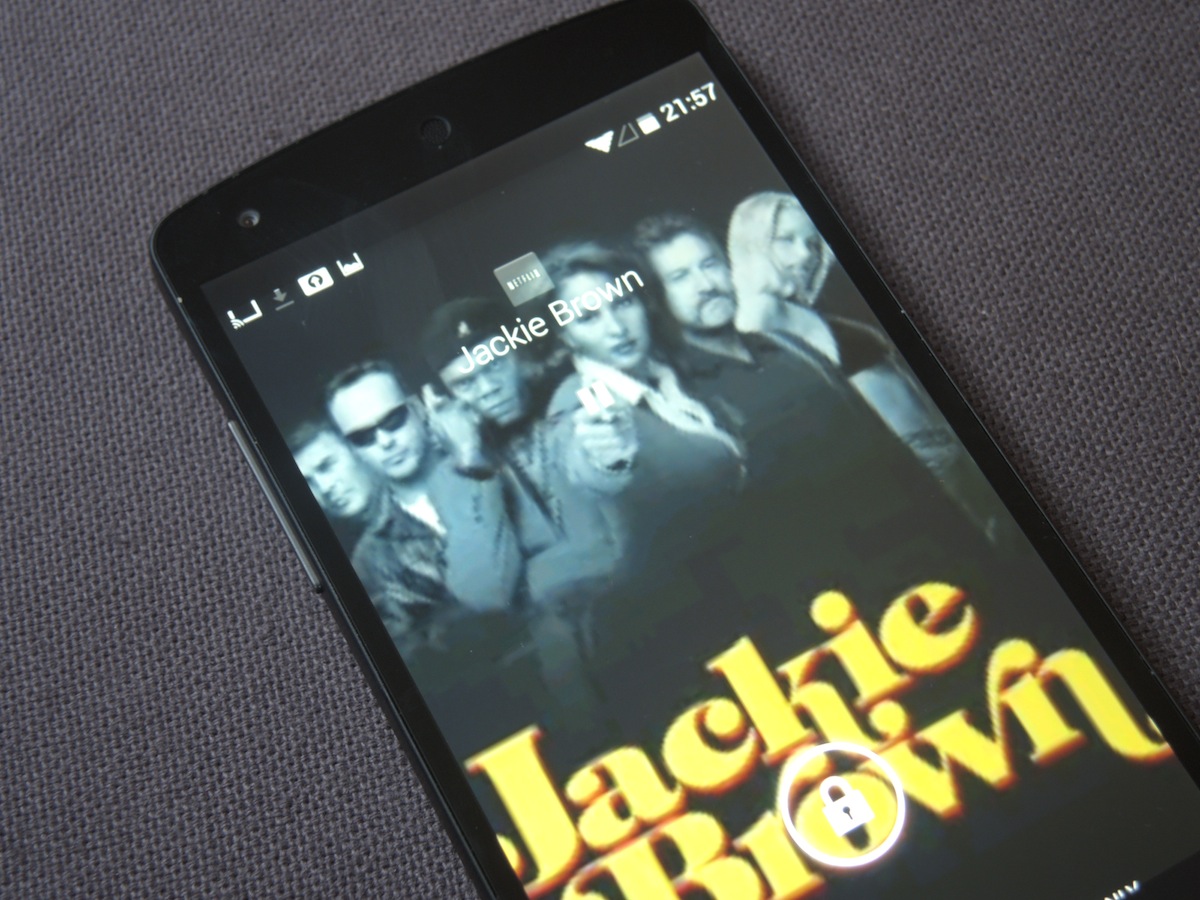
Icons are bigger in the app drawer and some, such as the camera app, have been redesigned beautifully. The navigation buttons now have a translucent bar and in some apps, such as Play Books, the buttons and status bar disappear when you begin reading in Google’s ‘immersive mode’. Gallery now supports other cloud services, not just Drive, so all your photos are in one place, and when watching movies on a Chromecast the Nexus displays fullscreen artwork on the lockscreen with play, pause and seek controls. Images can be a bit low-res if they’re just pulled in from Netflix, but it’s a very handy touch.
The oft-forgotten People app has nifty tricks – contacts are auto-sorted by who you frequently talk to and the dialler now includes search so that you can type in ‘taxi’ and it will pull up local results. It works like a charm and using Google Maps’ business info also operates backwards, so if you get a call from an unknown number that’s listed on Google it will pull in the info so you know who is calling. Simple genius.
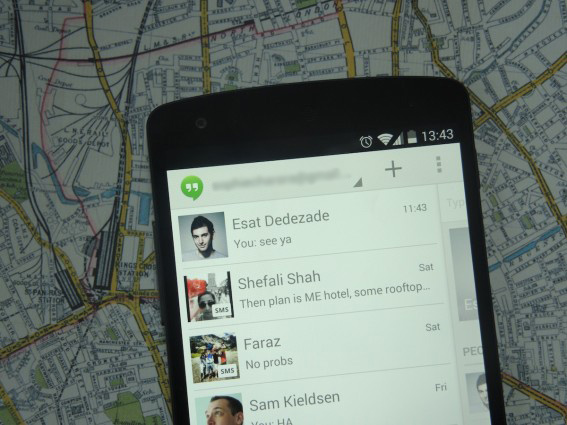
On the Nexus 5, Hangouts becomes your default messaging app with SMS support. But unlike iMessage, text convos and Hangouts chats stay separate and Google contacts are prioritised. And if, like us, you’re running three Google accounts you can get contacts in a tangle. It’s best to choose one Google account then start importing contacts from your SIM or elsewhere then you only have to move between accounts in Hangouts for Google-based chat.
Google Now and Search – Outsource Brain
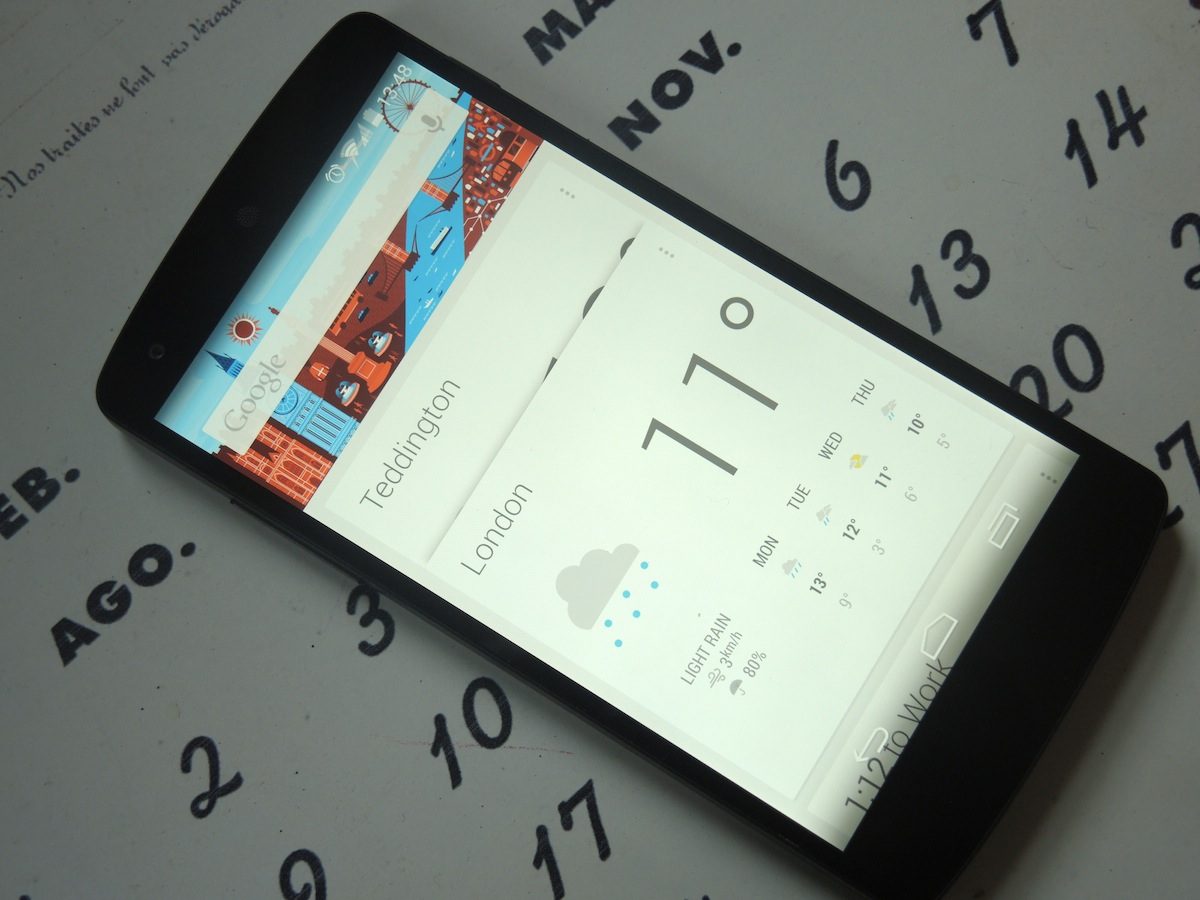
It really is all about Google Now and search, though. With a new home to the left of your main homescreen, you’ll spend more time checking Google’s mind-reading selection of location, search and weather based cards than ever (not just the Google Doodles). It can now suggest web pages, too – and you can still access it by swiping up from the bottom of the screen when in apps, as before.
Search is everywhere in KitKat, including the dialler, with a search bar at the top of every homescreen – yes, even on the Google Now screen. With the big G’s search engine advantage, and Maps’ business and travel info on its way, Siri really is a goner.
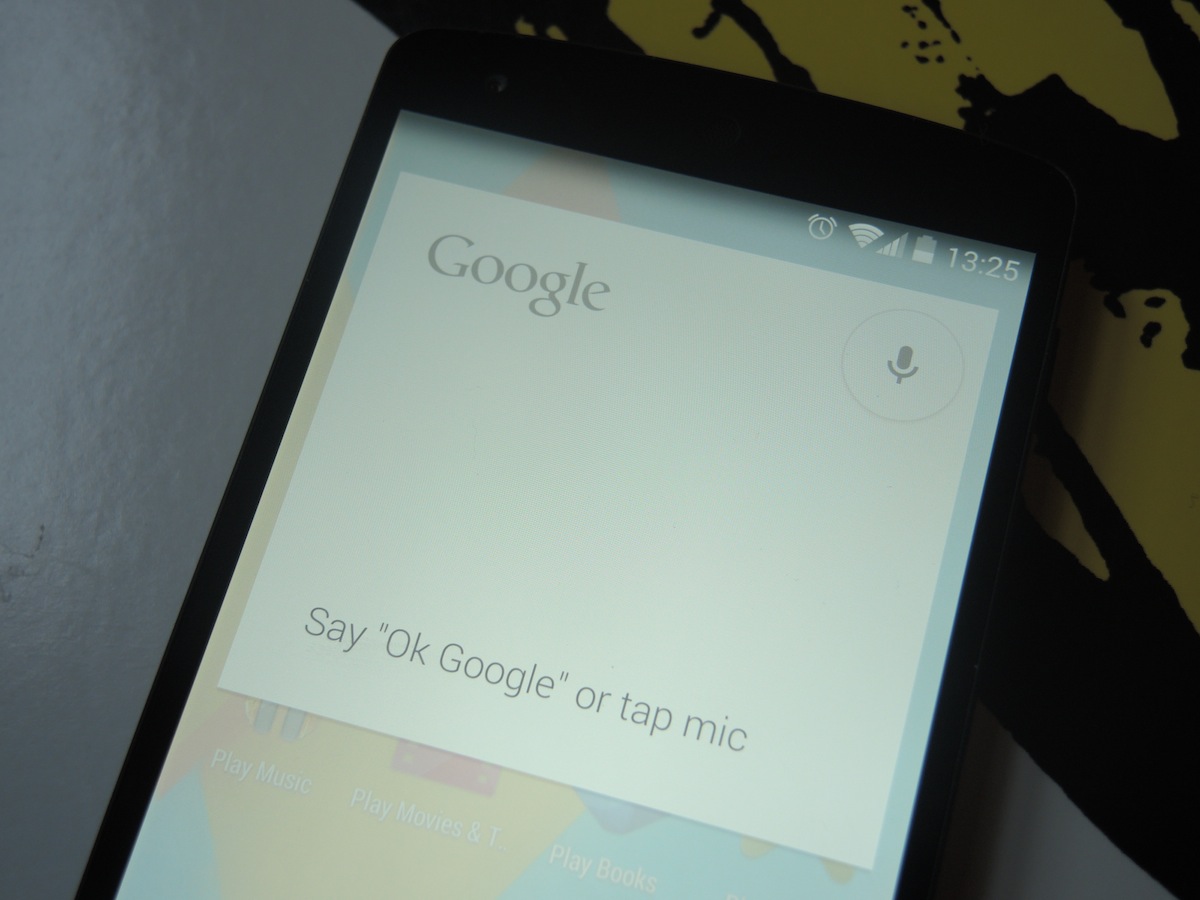
That’s because Google’s Voice controls have also really come on in capability. Switch to US English in Google Now’s settings and then you’re good to go with the OK Google command. When you’re on homescreens (this is Nexus 5 only) or Google Now say “OK Google”, a la Glass, to voice search, open apps or find contacts. Most of it is faster than ever, although opening apps takes longer than it should, and we reckon it could make chatting to our phones a reality – finally. You might not do it on the street just yet but we’re sure you’ll come around to it.
And there’s more: it’s not live yet but Google has app partners on board, including IMDB and OpenTable, to start integrating the information in apps into KitKat’s Google Search. This means that not only will we use Google to access info from the web but also navigate to what we need from apps.
Everything will be one voice command or typed search away – from directions to a gig venue to the recipe for the dinner we forgot we were supposed to be making. See what we mean about changing the way you use your phone? You may never click on an app icon again.
Battery life: Snooze you lose
Oh, Nexus.
Slightly second tier, again, is the 5’s battery life, although thanks to the Snapdragon 800’s improved efficiency it is better than the Nexus 4. With a 2300mAh battery powering its 5in screen, though, it’s no surprise that beefcakes such as the S4 and G2 outlast it every time.
The good news is that unless you’re glued to your smartphone, the Nexus lasts a normal day. And nightly charges are a small hit when you take the SIM-only price into account.
The bad news? In our video rundown test the Nexus 5 dropped by a whopping 50% during one two-and-a-half-hour HD movie with brightness at half and Wi-Fi switched on. During the same period, the G2 dropped a much friendlier 23% on the same settings. But if you love stock Android and like the price, we’d plump for Nexus-only KitKat features over a few extra hours. Pass the powerpack.
Verdict
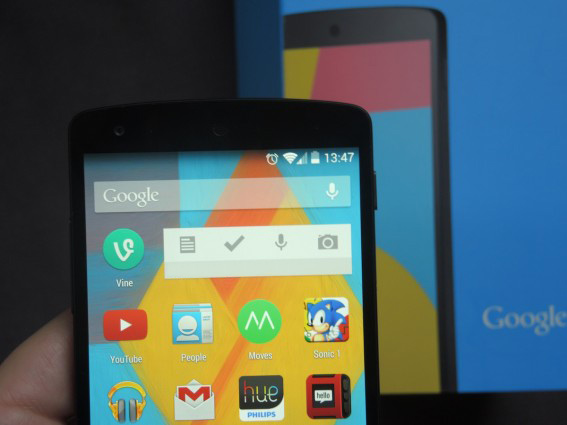
With Google Now and voice search Android has been utterly invaded by Google’s services and that makes KitKat scarily powerful. More importantly, with an understated build, terrific screen and unflappable performance, the hardware is a worthy match for the glorious Android 4.4 software. While no device bearing the Nexus name has misstepped, with the frenzy around the 5 it’s impressive to say that it lives up to the hype.
There’s no question that for anyone looking to buy a handset outright, this is the best £300-£350 you can spend. Google is making it possible for more people to buy great handsets SIM-free, escaping from the clutches of sky-high 24 month contracts. And while it may not have the resale value of an iPhone, in a year’s time we doubt you’ll want to sell. Nexus handsets are first to be updated, after all.
But the best of Google doesn’t make the best smartphone and as super-specced, good value and cool as the Nexus 5 now is, top smartphones such as the LG G2 take better care of the basics that really matter.
So Google’s still one killer camera and beefy battery away from total domination in smartphone hardware, but even now the Nexus 5 remains a cracking conduit to Google’s vision of the web, and it goes straight to number 3 in our list of the best smartphones in the world as a result.
Stuff Says…
The future of Google in a gorgeous package makes this by far the best phone on a budget
Good Stuff
That sub-£300 price
Powerful, scarily clever KitKat
Sexy screen
Bad Stuff
Sub-par battery life
Camera needs improvements


 Sophie Charara
Stuff contributor
Sophie Charara
Stuff contributor