Denon CEOL RCD-N7 review
Denon’s latest hi-fi might look dinky, but it’s a tech-packed, AirPlay-enabled Tardis inside

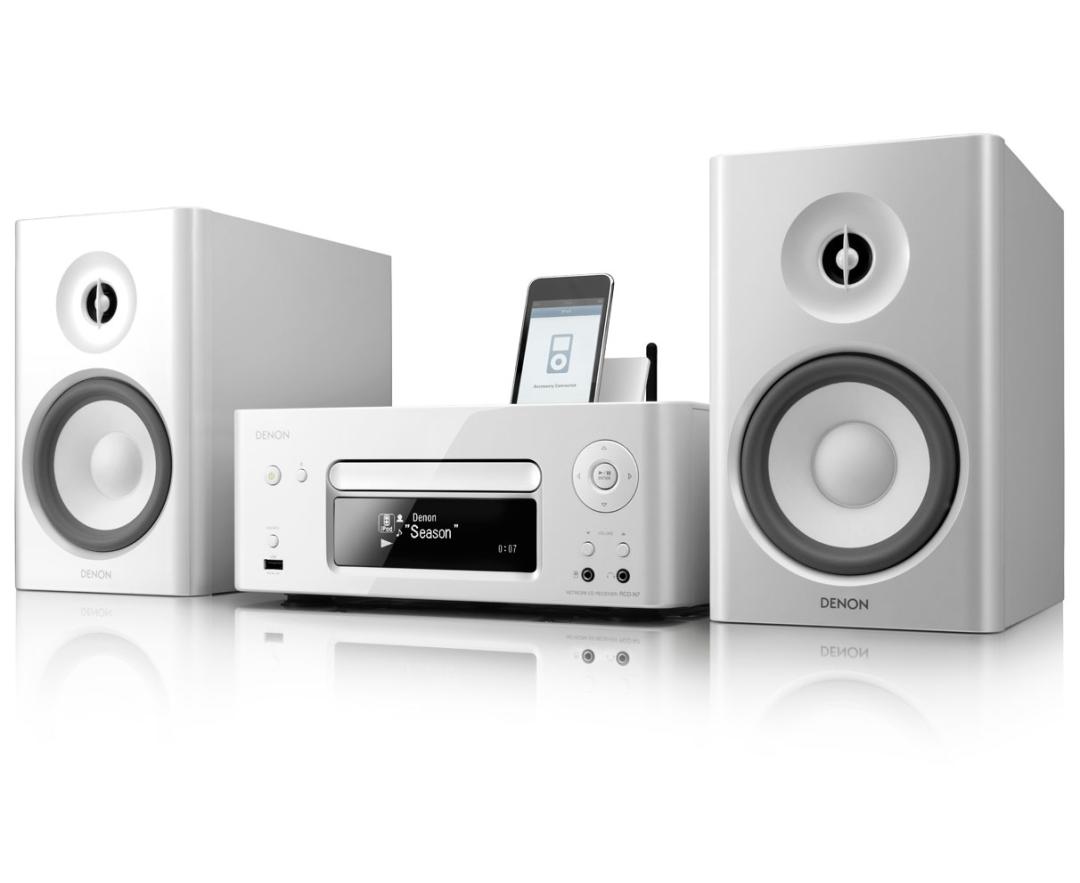
We have it on reasonably good authority that Denon’s AirPlay-capable hi-fi is pronounced ‘Coal’. We say ‘reasonably good’, as last week that same Denon rep was calling it the ‘Kee-ol’. If you want to win an argument down at Herbert’s High Street Hi-Fi Emporium, these things matter.
This little network system is simple to set-up and use, and is made even more convenient thanks to the Denon Remote App, which lets you use an iPod, iPad or iPhone to work it all. The display is clear and easy to read, at least close-up, but for better control and convenience it’s worth using that app, which makes choosing tracks so much simpler.
Networking social
There’s even an ambitious Party Mode which lets you connect up to four CEOL units over a network to play the same music. Looks like Denon has its target users pretty well worked out.
With AirPlay installed (a £40 additional extra) and the Denon connected to a network, it will appear in your iTunes window as a device to which music can be streamed. Otherwise you can just ‘flick’ music from an iPhone, iPod Touch or iPad to the CEOL.
There’s ample provision for playing music from elsewhere too, with an integrated iPod dock which connects digitally to the players, bypassing Apple’s low-rent digital to analogue conversion for better sound, as well as a USB input, Wi-Fi and Ethernet networking.
That built-in Wi-Fi gives simple ‘unplug and play’ connectivity, but if you’re going to be streaming a lot of music, especially using higher bitrates, it’s worth considering a cabled Ethernet hook-up to your router.
Air-raising Apple tech
Oh, and there’s a CD player and radio tuner, too, along plenty of power to drive some room-filling speakers. Just about the only thing missing is a DAB radio tuner, but when the CEOL can stream thousands of internet radio stations you’d only miss that in the event of an internet meltdown.
Stream machine
And the sound? Gutsy and involving with some good budget speakers. The AirPlay option works smoothly and reliably, and music that’s ripped and streamed at a decent bitrate sounds every bit as good as the built-in CD player.
You can buy the system with or without speakers. We’ll take the ‘without’ option, thanks, simply because while the packaged SC-N7 speakers are good-looking and do the job, we’d save the £70 and put it towards some better boxes, such as a pair of Mission MX1s or Tannoy V1s (£150); you’ll get a much bigger sound.
Stuff Says…


 Stuff Staff