Apple iMac 2012 hands-on review
We stole a few minutes with the new, super-skinny iMacs at the launch event. So, is thin beautiful?

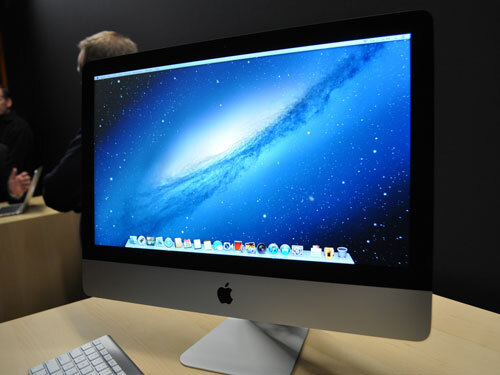
Apple iMac hands-on review – design
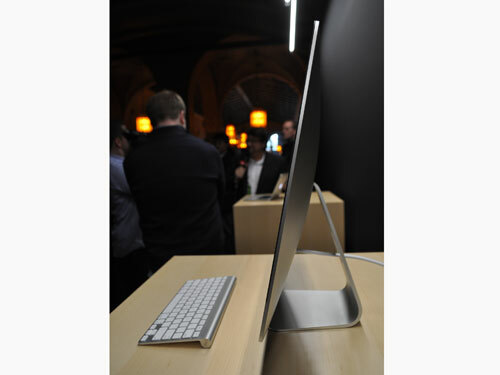

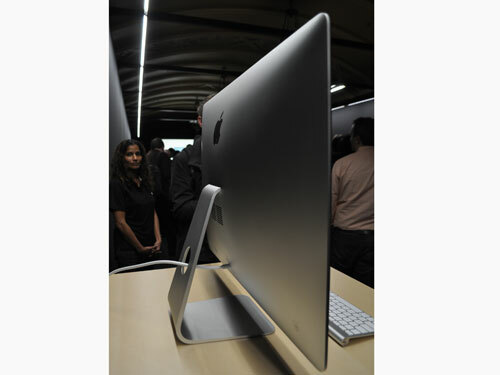
The most arresting thing about the new 21.5in and 27in iMacs is just how skinny they are. The screen tapers to 5mm – that’s thinner than an iPhone – and elegantly rounds out to a bulge in the back that connects the stand and contains the computing goodies. Even so, it’s amazing that so much computer is crammed into such a small space.
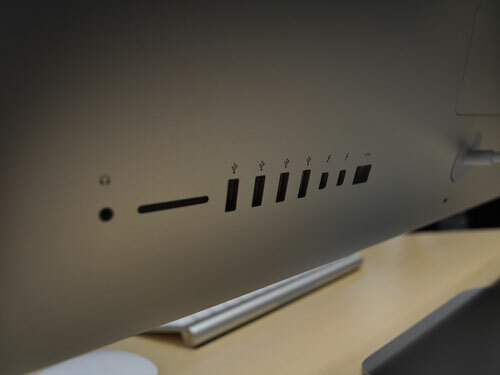
The aluminium cases are also completely seamless, except for a small service panel at the back, and with all of the ports stored in a neat row. This isn’t necessarily the most practical arrangement, and many PCs offer more than the four USB 3.0 ports found here, but the line-up certainly looks pretty. Tweakers beware – there’s no user access to the innards of the 21.5-incher, so future upgrades will be nigh on impossible.
Let’s not forget that the sleek look also means you lose the optical drive. Anyone who wants to rip CDs or DVDs will have to disrupt the sanctity of the design with an unsightly SuperDrive tethered to the back of the machine.
Apple iMac hands-on review – screen
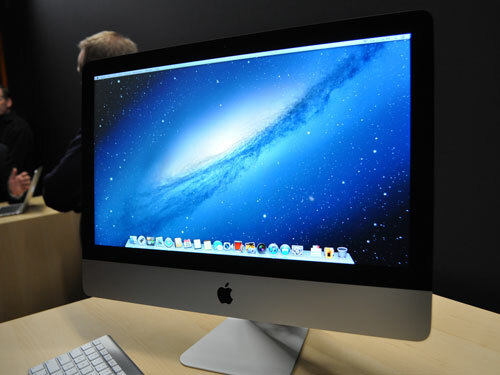

The iMacs’ new fully laminated IPS panels look fantastic – bright, colourful and crisp from normal usage distance, with the appearance of almost floating on the surface of the glass. Apple says a new coating eliminates 75 per cent of the reflections that plagued previous iMacs, and we were struck by the lack of glare in the bright demo room.
Next to the Retina Displays of other Apple kit, the resolution won’t astound, but the cost of a 20in-plus Retina Display would likely be prohibitive. And if you’re looking for the multitouch screens of competitor Windows 8 all-in-ones such as Lenovo’s A720 you’ll be disappointed – Apple’s still not convinced about touch on desktops.
Apple iMac hands-on review – performance

It’s hard to judge just how quick the Apple iMac 2012 edition is without a benchmark for comparison, but the amped-up, 21.5in, 3.1GHz i7 model we looked at positively flew. iTunes and Safari loaded in a split second, possibly owing to the new optional ‘Fusion Drive’ which combines 128GB SSD storage with either 1TB or 3TB of hard disk space. Apple is at pains to point out that this is no ordinary hybrid drive; rather, the system automagically keeps regularly accessed items in the SSD portion to ensure they’re always on tap. Very clever.
Again, we had no time to put the graphics through their paces with a demanding game, but on paper the 21.5 iMac’s GT 640M and 650M options are fairly rudimentary; the 660M and 675M of the 27-inch will be much more capable for gaming.
Apple iMac hands-on review – verdict

There are a few things to consider before dropping £1100 on a 21.5in iMac or £1500 on a 27-incher. First is that, unlike many PCs, upgrade possibilities are incredibly limited. It’ll be worth investing in the most powerful machine that you can, or risk future disappointment.
Second, the 21.5in design has no option for powerful graphics, so if you want to game, you’d be much better off with the bigger, pricier 27-incher.
Third, there’s little doubt you can buy better-specced PCs for less money. But this point is somewhat moot, as those PCs won’t run the slick, hardware-optimised Mac OS X, nor will they look as great as an iMac does.
In sum, these are far and away the most desirable all-in-one PCs we’ve seen. You’ll just have to pay more for the privilege of owning one.
You might also like
Motorola HC1 is Project Glass in disguise


 Dan Grabham
Editor-in-Chief
Dan Grabham
Editor-in-Chief