Antigravity A1 review: this all-seeing eye in the sky is so fun to fly
8K drone with 360-degree recording flies like nothing else


Stuff Verdict
Does things no other sub-250g drone can, including total 360-degree editing flexibility that Beginner aerial creators will love
Pros
- Brilliantly flexible 360-degree footage
- Sci-fi FPV goggles are slick
- App can create stunning shots
Cons
- Motion controller has a learning curve
- Googles force you to have a spotter
- Accessories add to the price
Introduction
When the Antigravity A1 arrived on my doorstep, my first thought was why a drone that weighs less than 250g – the magic number that lets you fly it without a license in most countries – need such a big box. Turns out it’s because the Insta360-backed category newcomer’s debut effort has supplied everything you need to get airborne, plus a bunch more besides.
Beyond the drone itself, even the basic kit comes with a pair of Vision Goggles and a Grip Controller; the more comprehensive bundle tested here also included a battery charger, enough extra batteries for over an hour of flight time, and a shoulder bag to lug it all around in. There’s no question Antigravity is here to muscle in on what’s traditionally been DJI territory.
The ability to reframe the 360-degree field of view should make this an ideal beginner camera drone – but the $1599/£1219/€1399 starting price says otherwise. The top-tier Infinity bundle climbs even higher, to a heady $1999/£1499/€1699. Can it possibly do aerial photography better than its more established rival at the first time of asking?
How we test drones
Every drone reviewed on Stuff is tested in a range of lighting and wind conditions where possible, with a variety of subjects and scenes. We use our years of experience to compare with rivals and assess ergonomics, features and general usability. Manufacturers have no visibility on reviews before they appear online, and we never accept payment to feature products.
Find out more about how we test and rate products.
Design & build
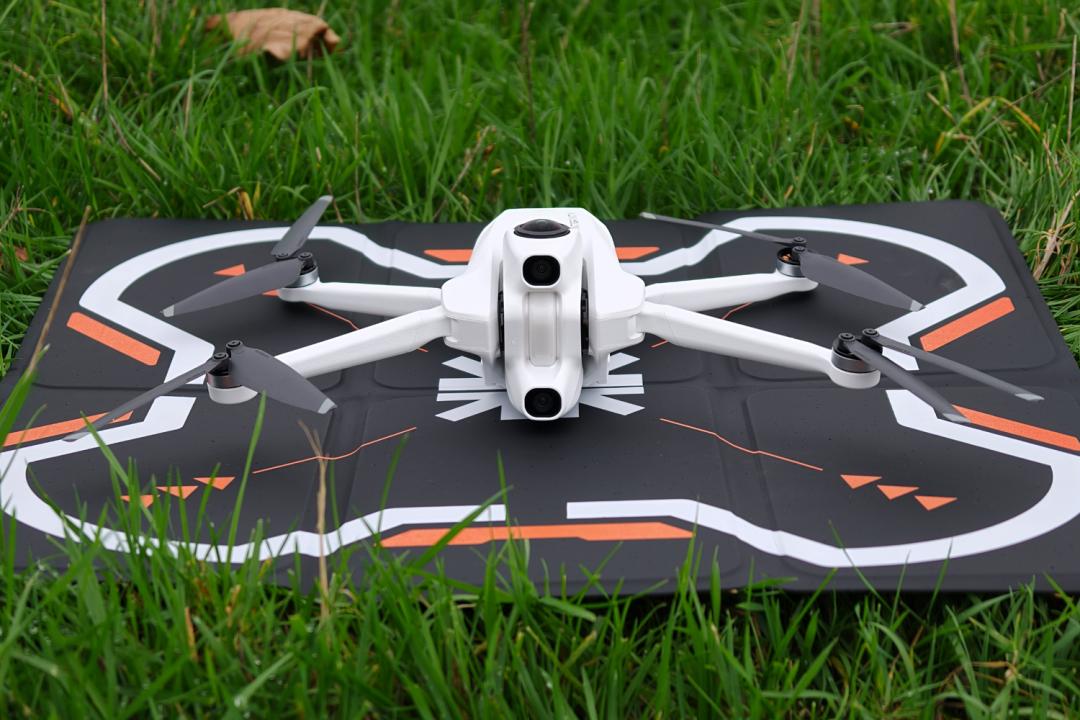
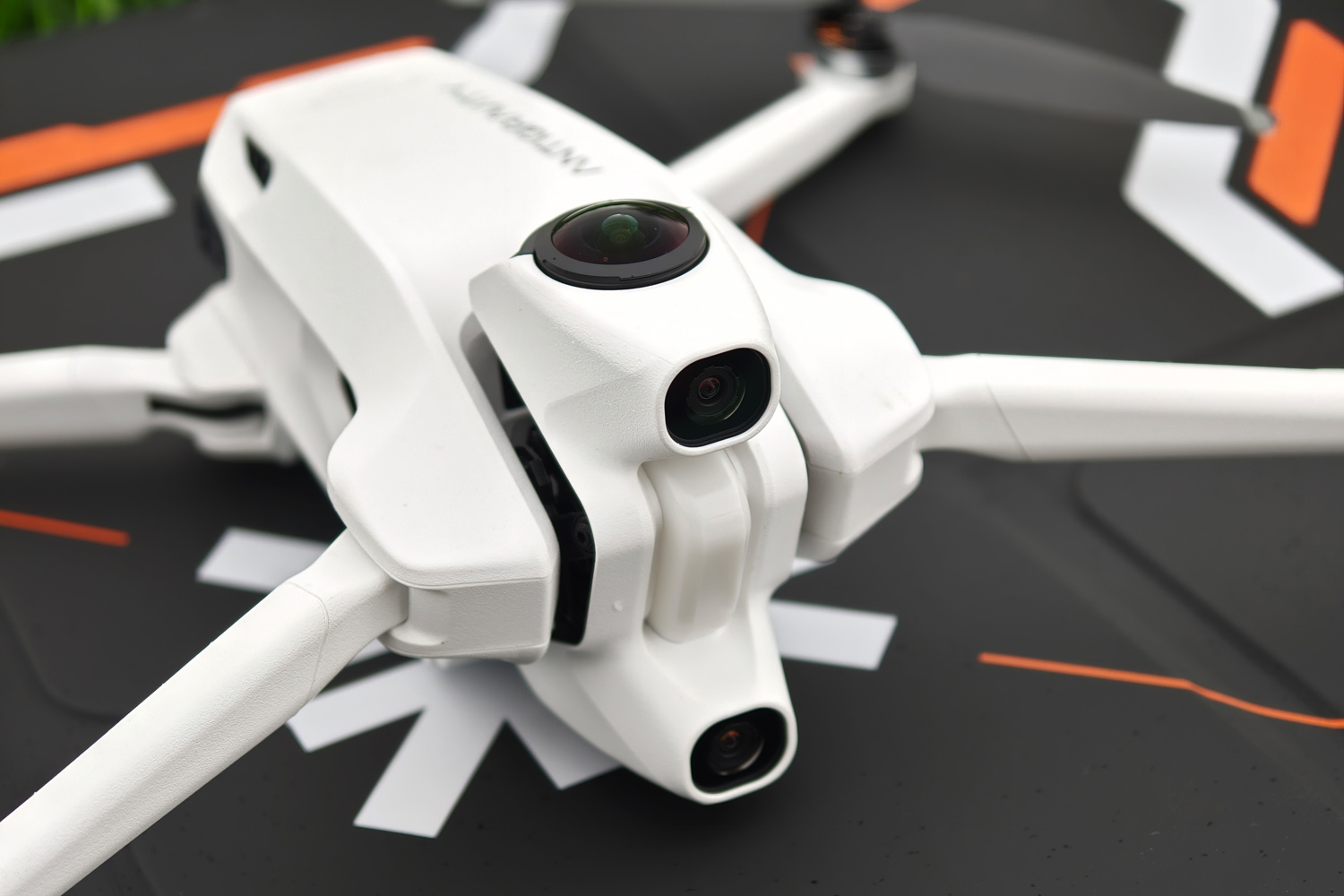
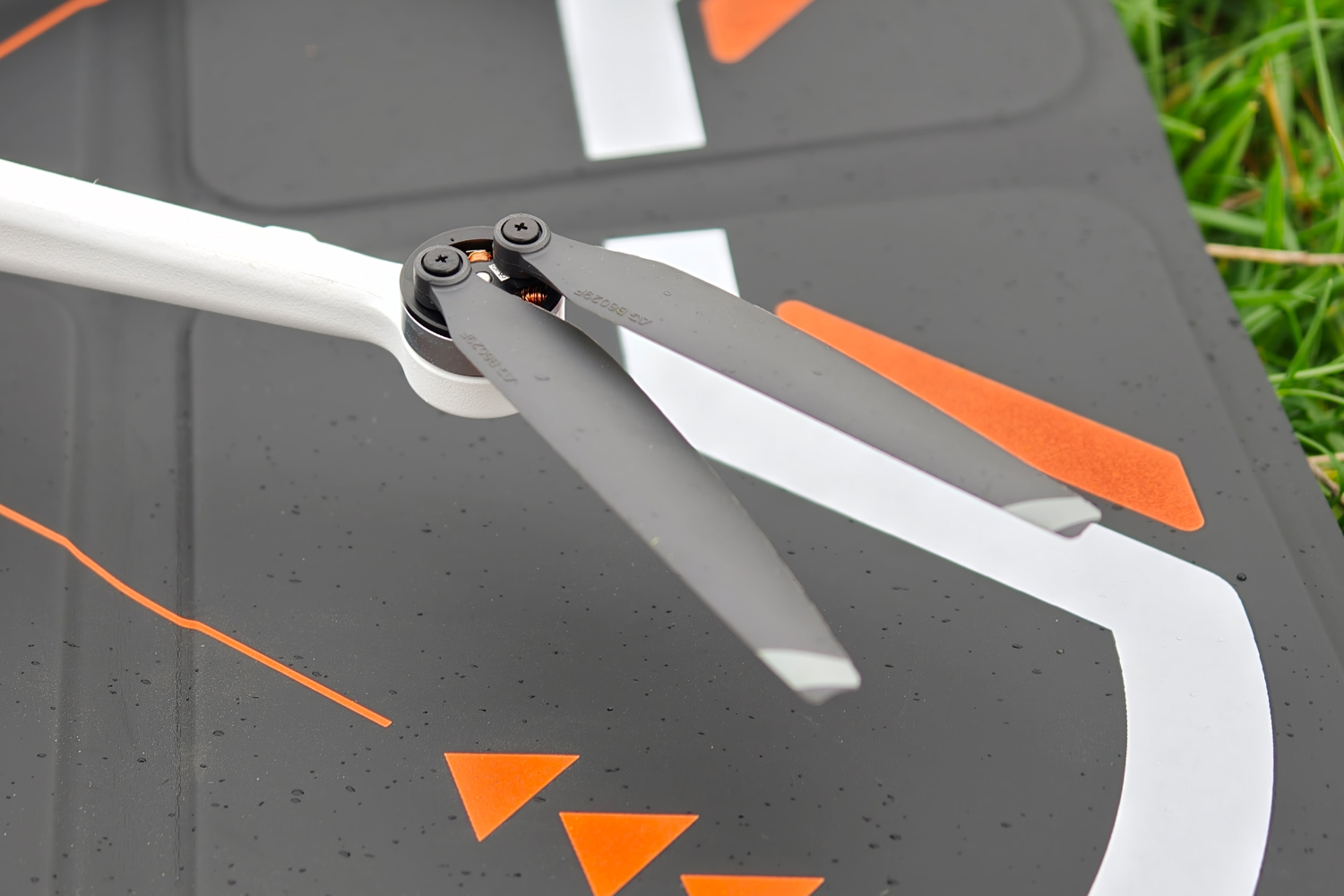
The Antigravity A1 isn’t all that different from other sub-250g drones in some respects: four manually folding rotor arms tuck into the skinny fuselage, for a pocket-sized package that’s easy to carry between flights. Safety LEDs and downward-facing tracking cameras are also industry-standard. The battery has its own LEDs that show remaining charge when you first power the drone; they slide in and out after squeezing the catches on either side.
It’s the camera module up front that sets the A1 apart from its rivals. As well as two forward-facing cameras, there are two all-seeing 180-degree lenses – one pointing up and the other downwards. It all sits on a gimbal platform for maximum stability when recording. Depending on where you are in the world, the fact it has a camera of any kind may mean you need to register it before first taking to the skies.
Rotor blades and battery pack aside, this is an all-white affair; the Vision Googles and Grip controller are a perfect match. It has a USB-C port for data transfers, a microSD card slot in case you need more capacity than the 20GB of built-in storage provides, and a single button to turn the drone on and off.
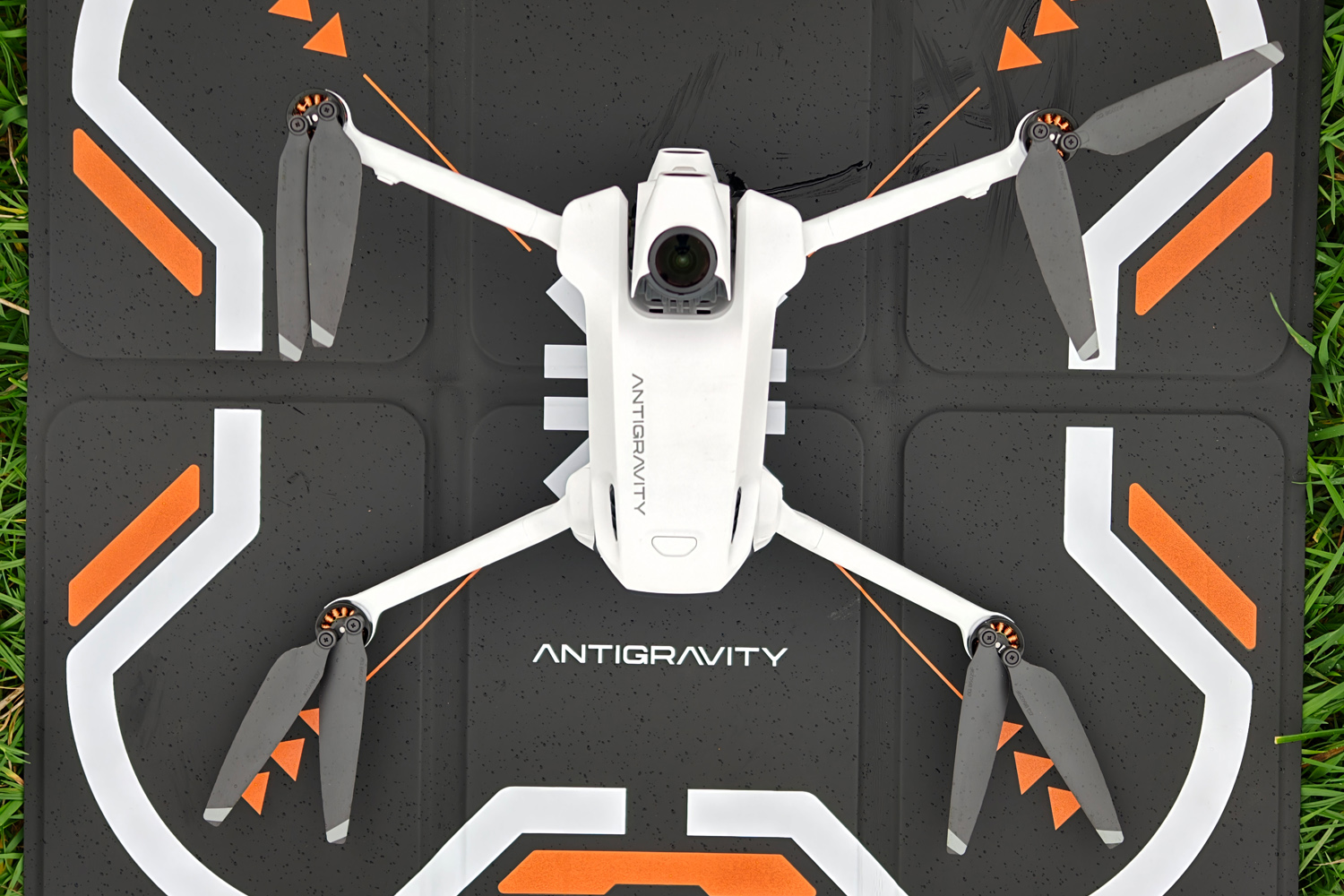

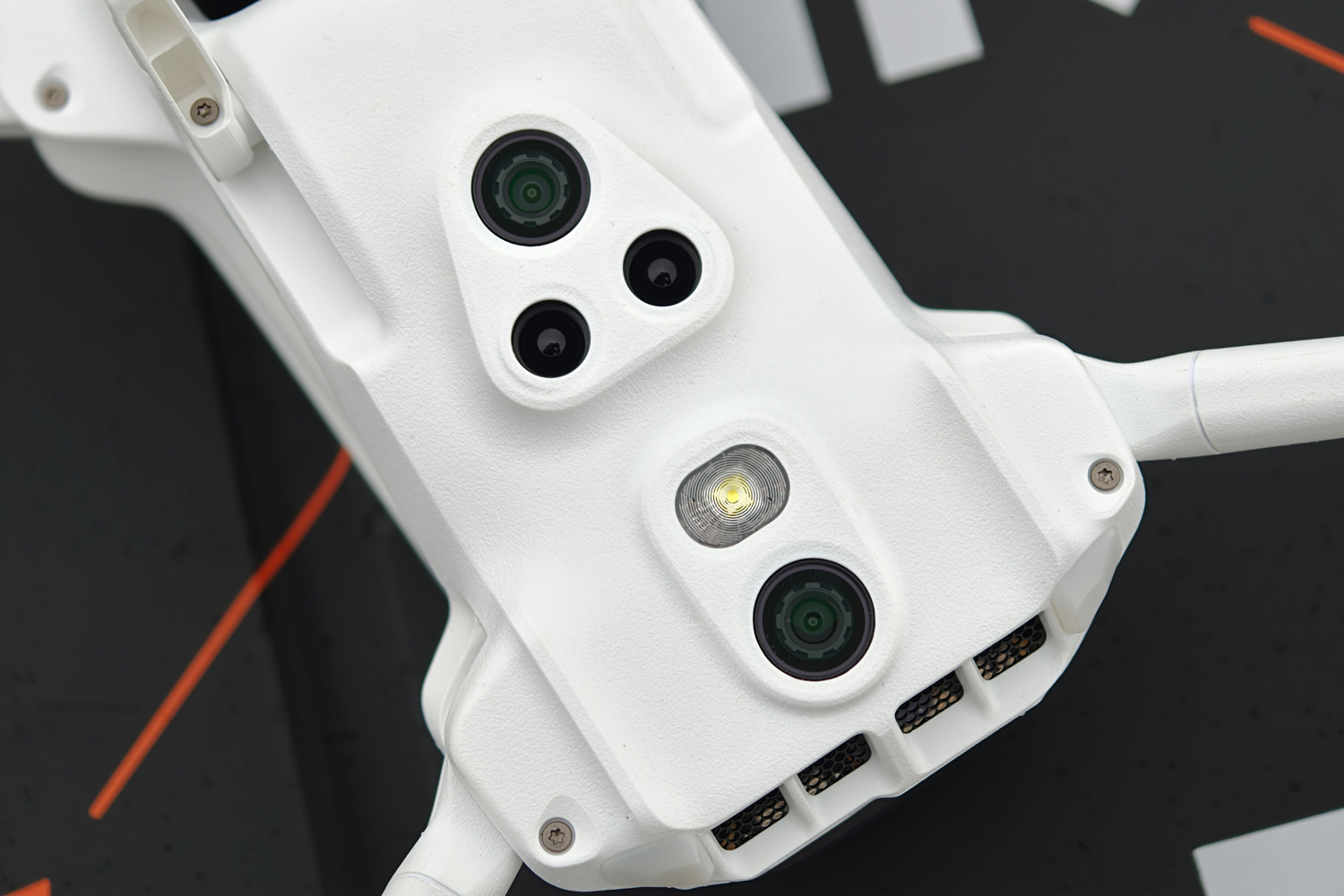
A teensy set of landing gear extends when you power on the drone and retracts after take-off, though you’ll still want to find the flattest surface you can for a seamless transition from land to sky. Or buy the optional fold-out landing pad, which is wipe-clean and weighs very little. It slots neatly into a handy pouch at the back of the shoulder bag. This isn’t a drone you’ll want to launch from the palm of your hand.
It all feels sturdy – or as sturdy as a lightweight drone can – and the propellors fold neatly in line with the chassis so I was never worried about it taking any dings while in the travel bag.
Features & battery life

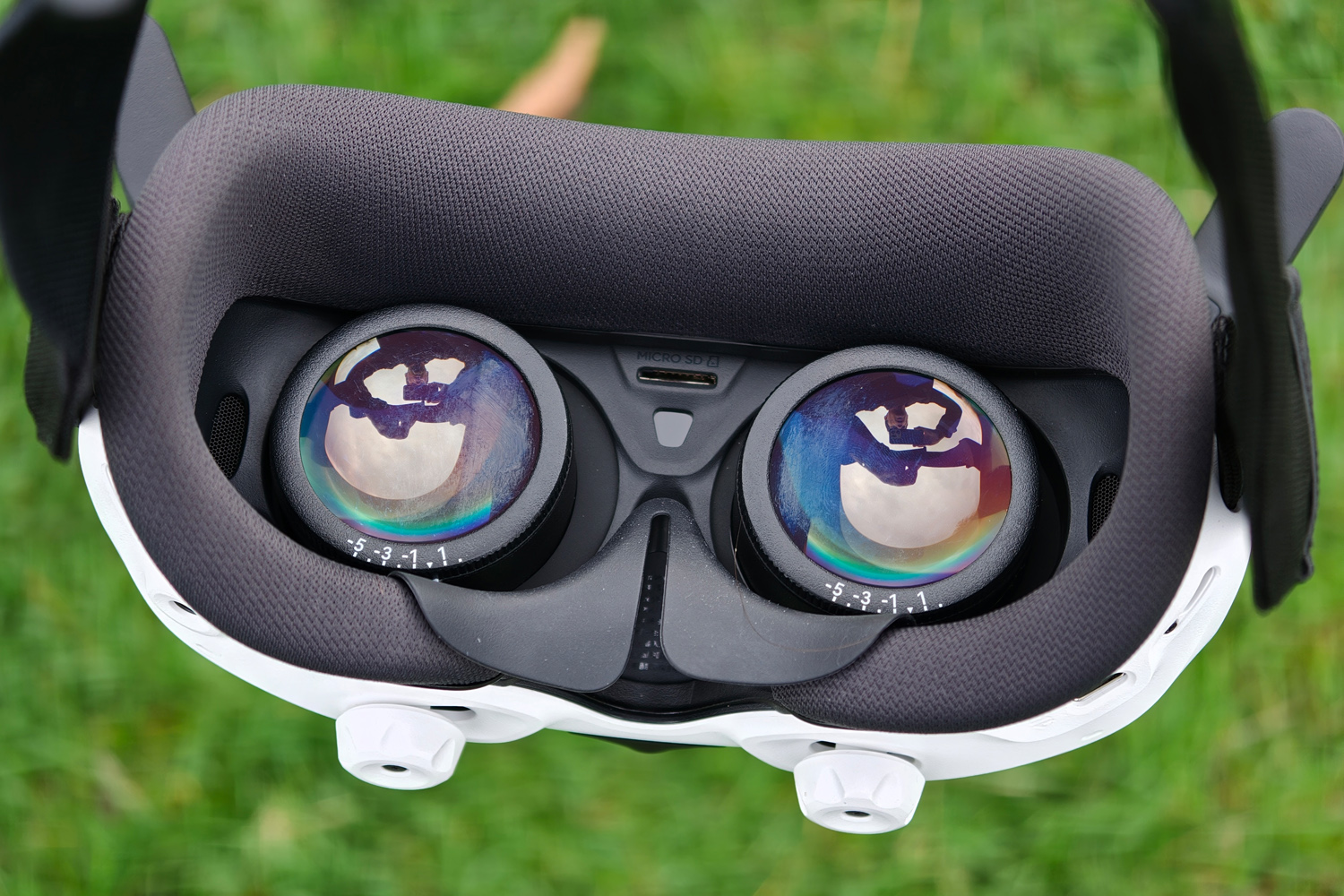


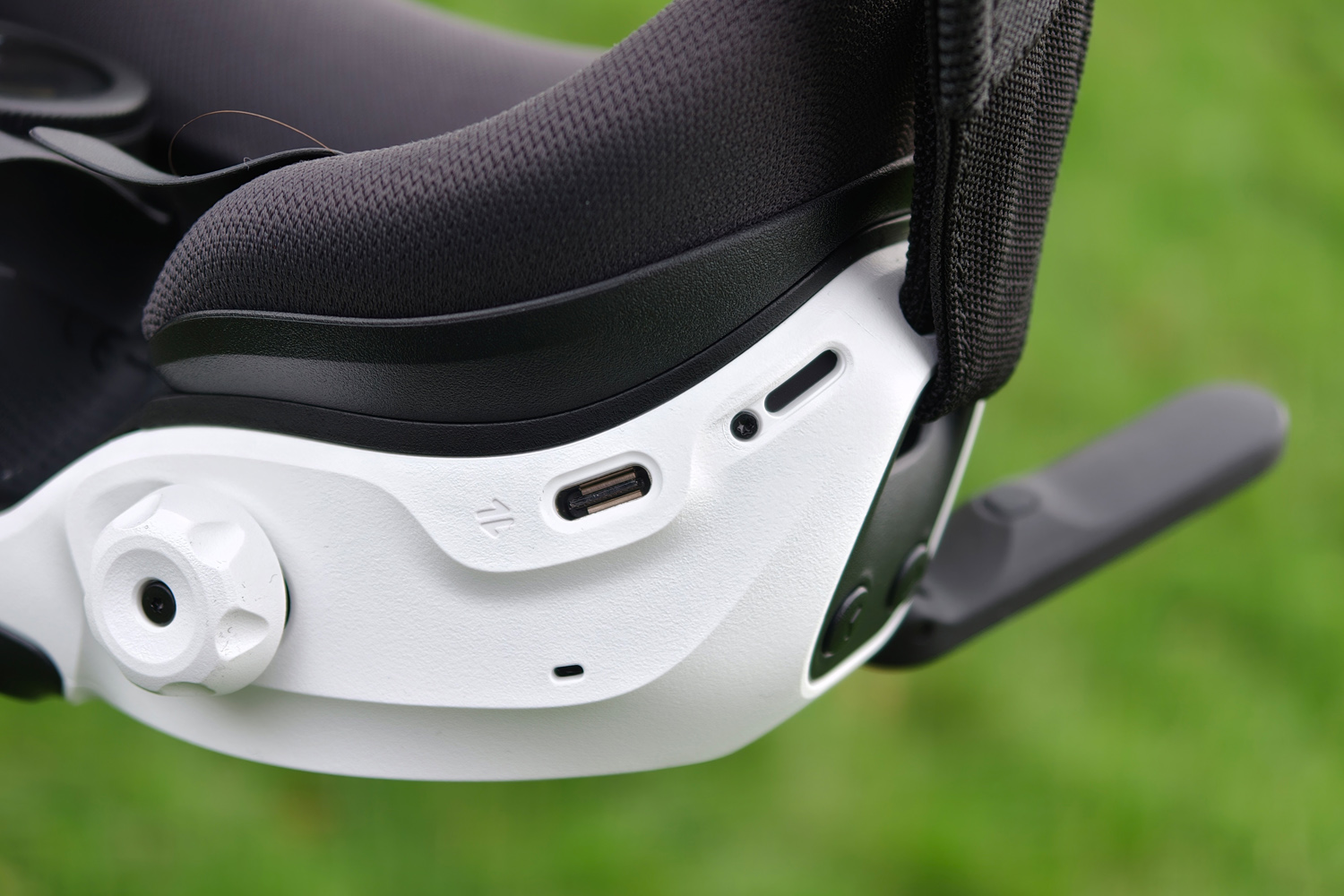
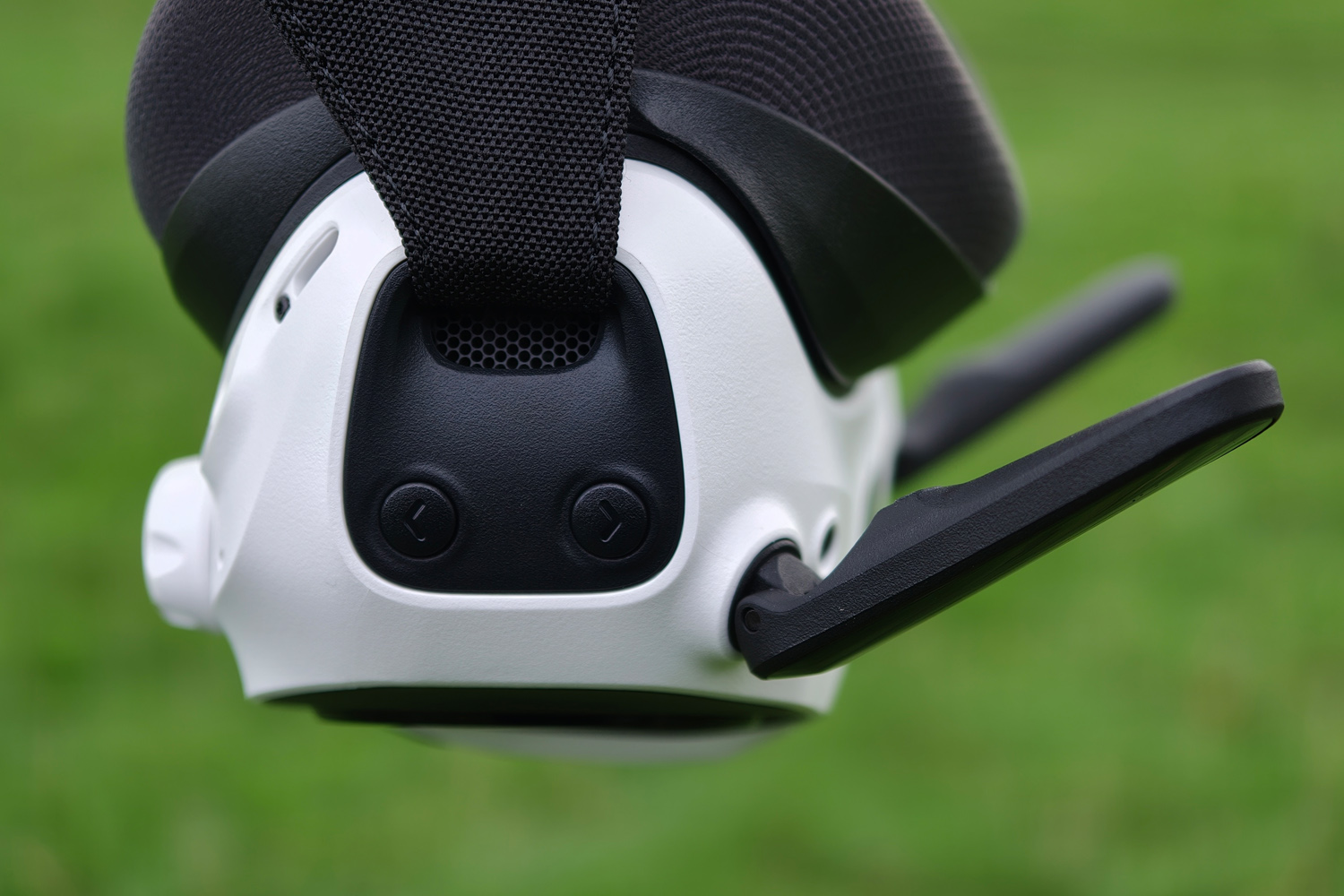
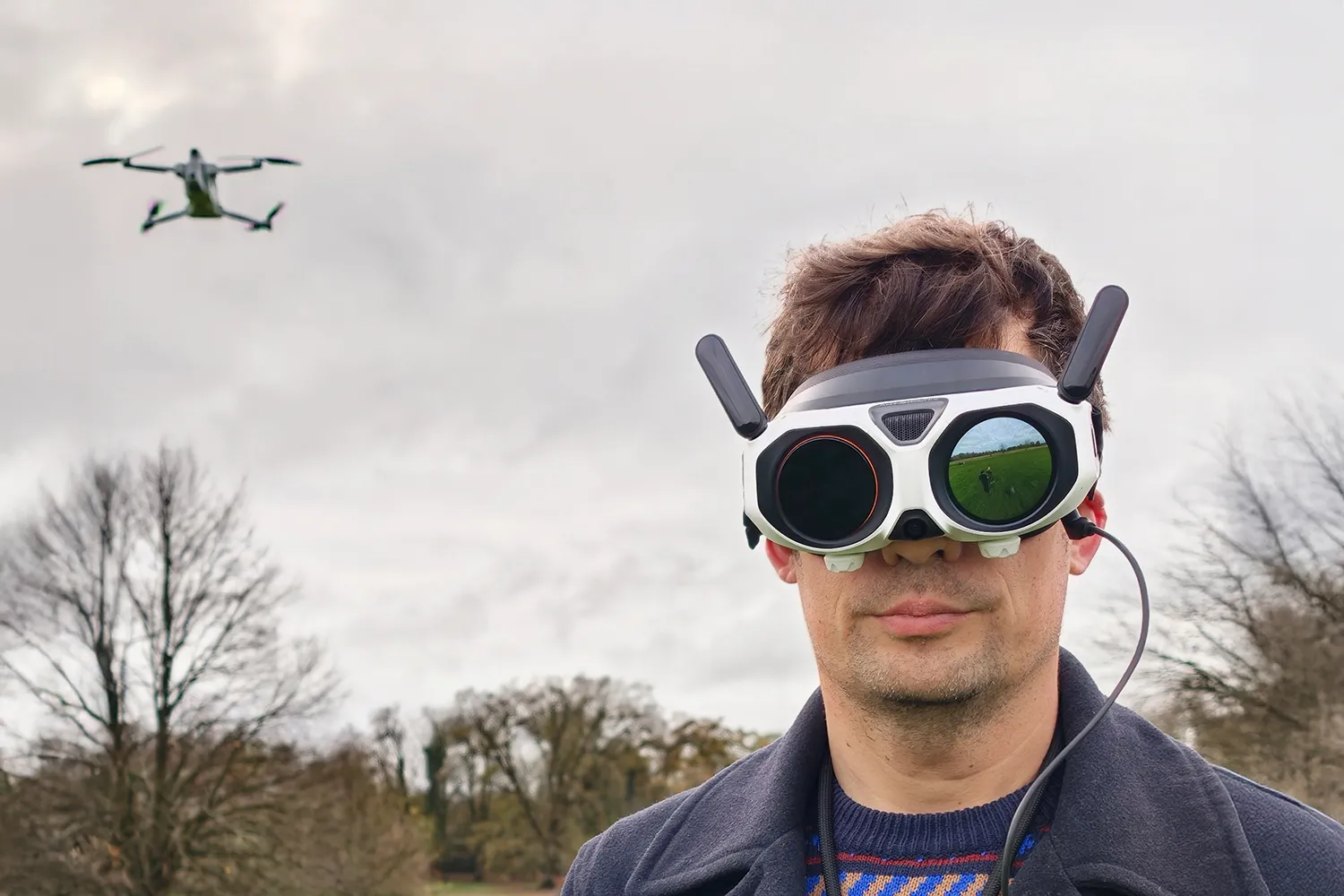
The Vision Goggles look particularly sci-fi, with pop-up antennae and an exterior OLED screen that lets your spotter see your first-person view during flight. The other ‘eye’ shows things like firmware update progress; this was largely how I spent my first few hours with the Antigravity A1, as the goggles, drone, controller and even the batteries each needed updates.
I found the headset generally comfortable to wear, with the elastic headband keeping it secure without putting too much pressure on my noggin. Buttons on either side are easy to find by touch alone when you need them, while internal gyroscopes let the drone mirror your head movements in real-time.
Manual diopters let you adjust the internal Micro-OLED display to match your vision. The 2560×2560 resolution is wonderfully crisp and colourful, with plenty of contrast. There’s very little external light leakage, so visibility is excellent, though the screen doesn’t entirely fill your field of vision.
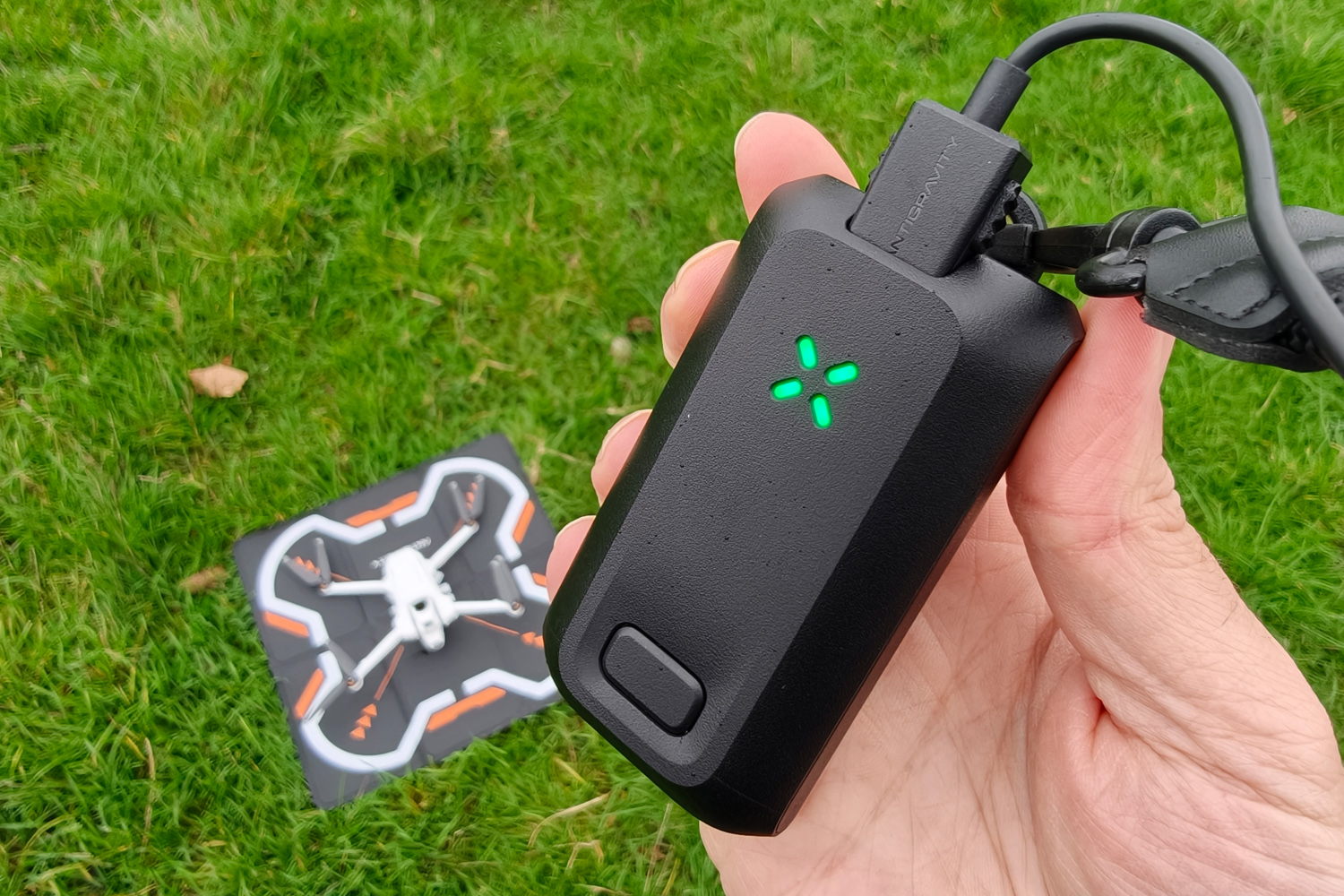
It’s a reasonably light headset, on account of the pancake optics and battery being a separate unit. I’ve been wearing it around my neck using the bundled lanyard, with a cable connecting the two. There’s enough juice here for around two and a half hours of use, or double my available flight time even with four separate drone batteries to hand.
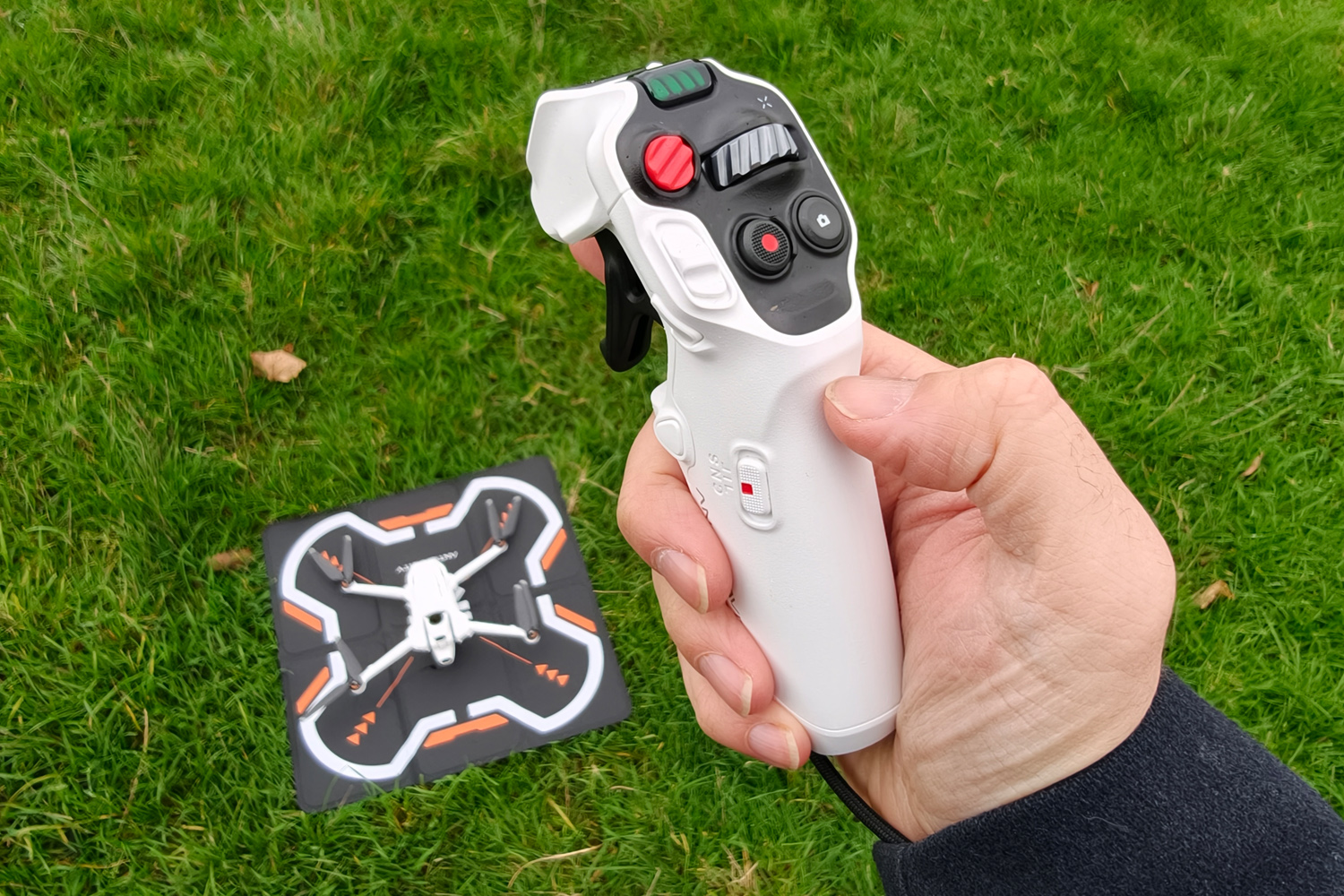
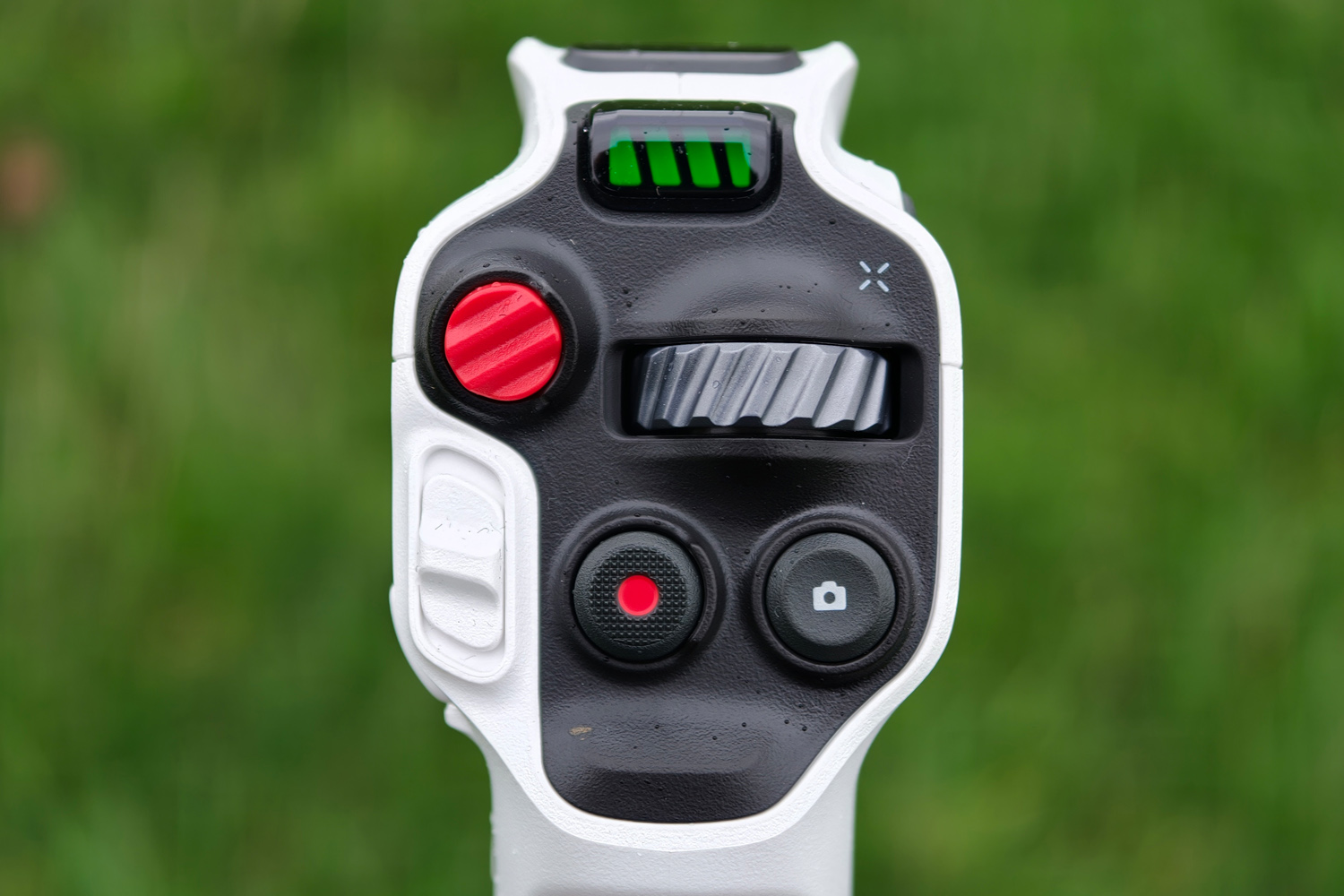
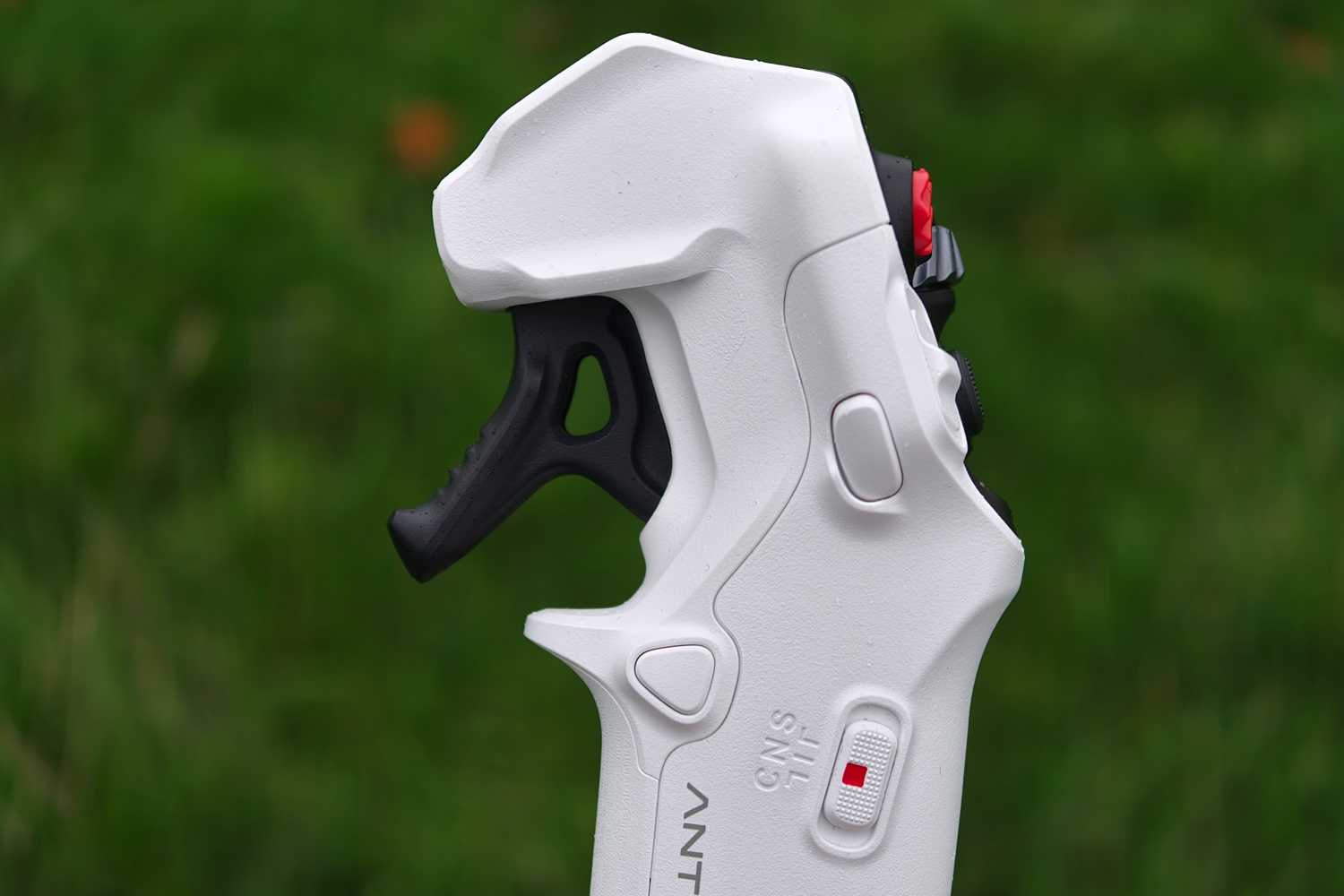
This drone can’t be flown solo using your smartphone, so you’ll want to pay attention to the comprehensive instructions shown in the Vision Goggles before your first flight. The Grip controller has a unique button layout that’ll take some time to consign to muscle memory. It took me a few flights to fully get the hang of it.
Basic movement is easy enough, with a trigger for the throttle, a slider to adjust height, and a jog wheel for rotating the drone. Waggling it around like a Wii remote is just as effective, and even more so in the specific FPV mode. But locating some of the side buttons by touch alone was tricky at first, as the Vision Goggles were blocking my peripheral vision. The one-handed operation made my other hand feel a bit useless too.
The internal battery lasts up to four hours between charges over USB-C, so it became the piece I plugged in the least. Having a clear battery indicator at the top of the controller made sure I never ran so low on juice I’d be out of luck the next time I came to fly.
Flight performance
Preparing the A1 for liftoff is as easy as unfolding its four rotor arms and powering it on. A double-press of the flight height slider on the controller will fire up the rotors and hover it a few metres above the ground, unless the payload detection safeguard – a rarity in this class of drone – spots any unsafe modifications.
I don’t have a huge amount of drone flight time, but found the motion-based flight controls brilliantly intuitive. It’s not as twitch-reactive as a twin stick controller would be, even in the Sport mode (which increases flight speed and responsiveness), but I don’t mind as this isn’t meant to be a FPV stunt drone. It’s still zippy enough to use as a chase camera, and reacts intuitively to the Grip controller’s inputs.
Object tracking is as easy as drawing a box using the controller, at which point the drone does most of the hard work. The fancier flight modes, like orbits and flyaways, are almost fully automatic, with plenty to choose from. The hardest bit is remembering which controller button opens the menu to find the one you’re after.
Obstacle detection was quick to recognise approaching foliage, and the GPS-powered return-to-home mode was spot on every time. The wireless transmission range is kilometres further than I’d want to fly while still keeping visual sight of the drone.
Aside from the batteries draining a little faster than usual on account of the propellors working overtime to maintain position, the A1 also coped just fine with windy conditions. I did notice the low battery Return-to-Home kicked in a little sooner than it normally would on calmer days, but thankfully my choice of a slightly unbalanced take-off site didn’t result in disaster.
Flight time maxes out at around 24 minutes per battery on the calmest of days. That’s less than some of DJI’s higher-end drones, but because each recorded clip can be exported as multiple angles, I’m needing less flight time to get the shots I want. While swapping out the drone’s batteries is a breeze, I’ve yet to burn through all three of my spares in a single session.
Image quality
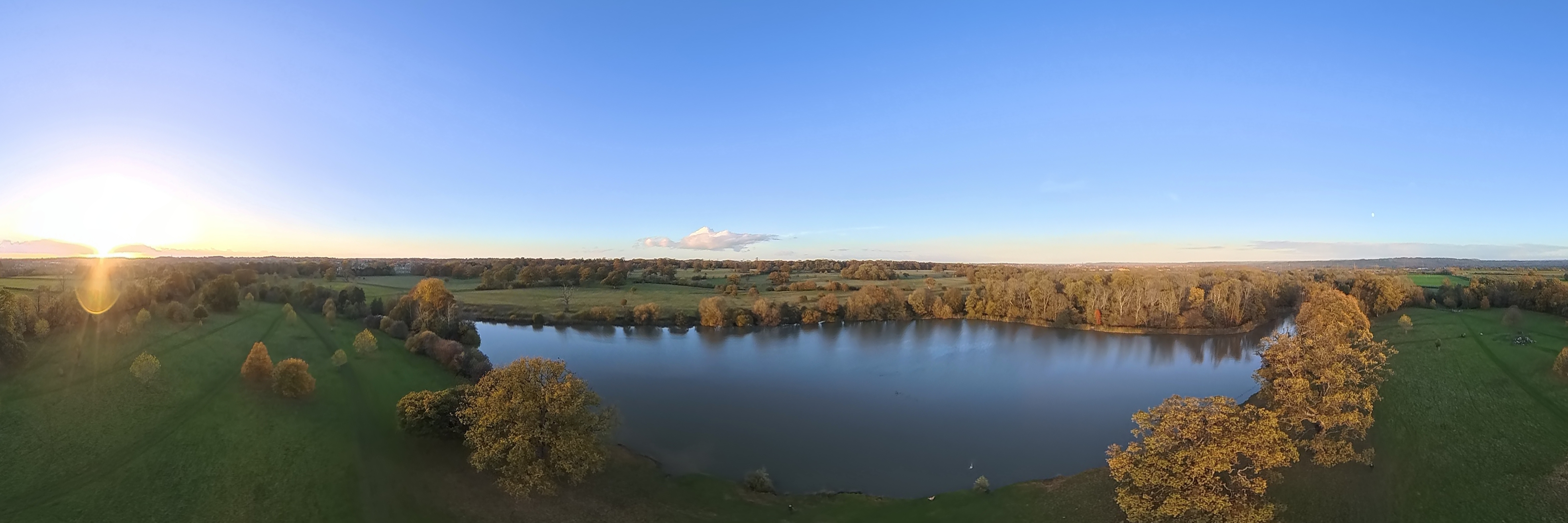
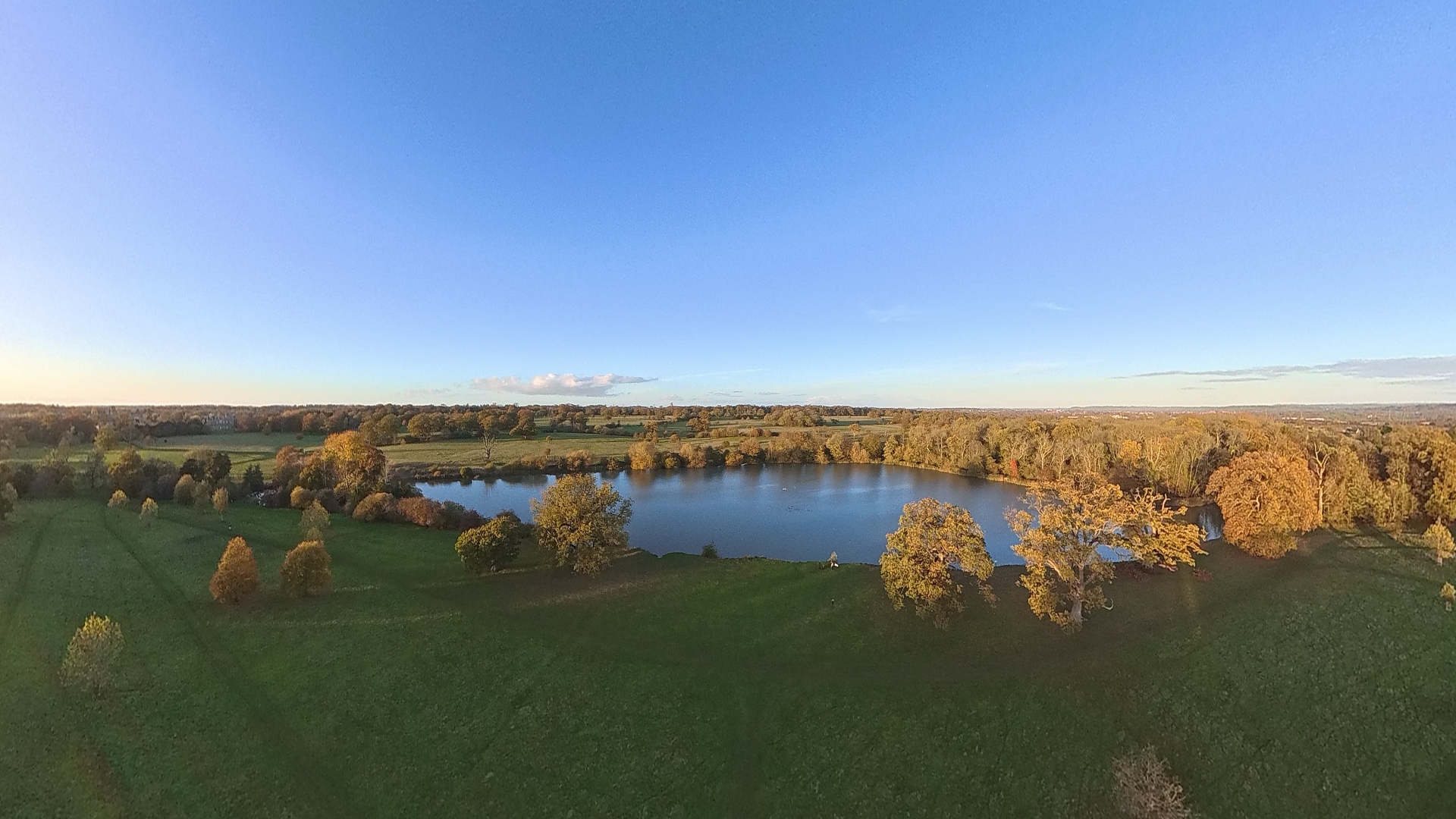
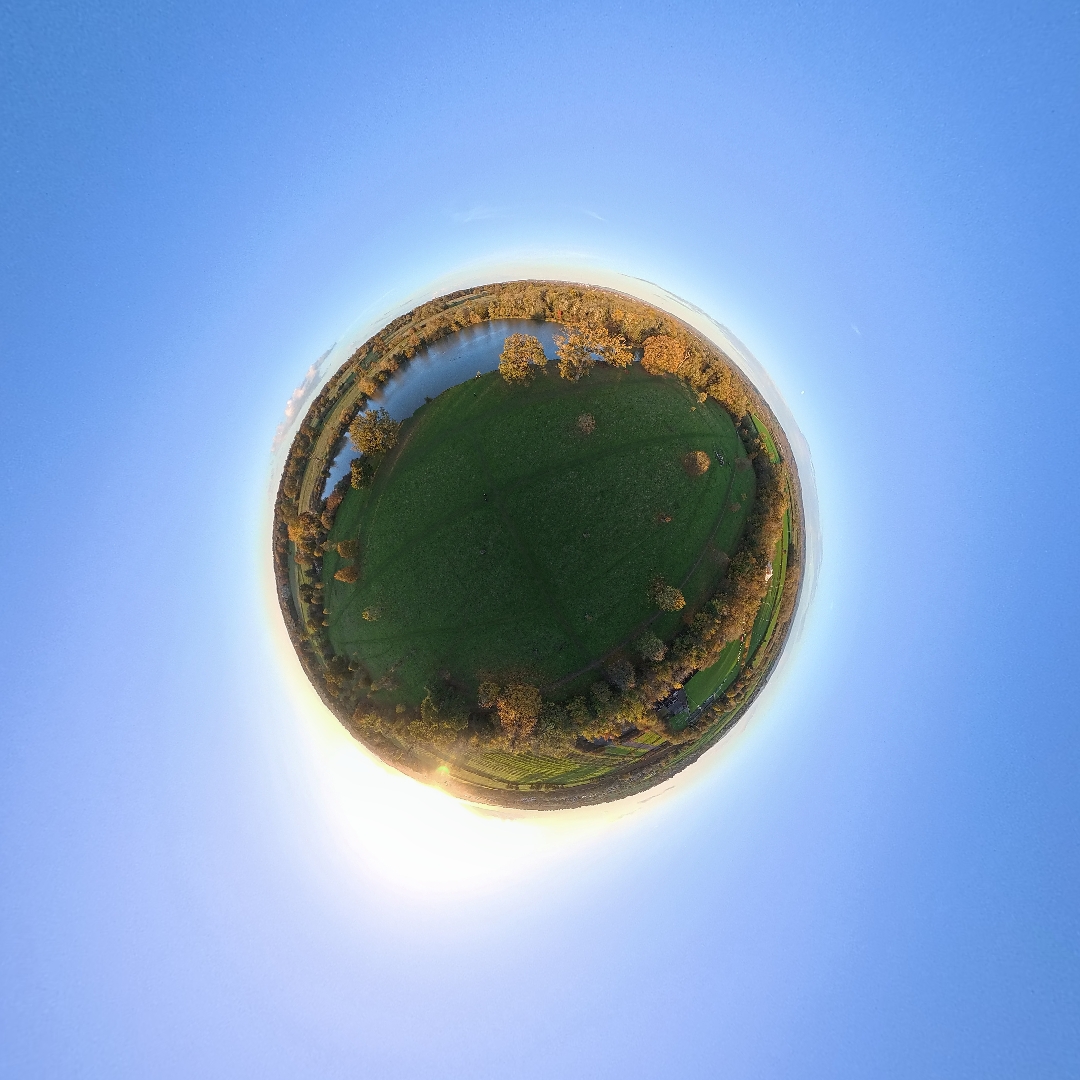
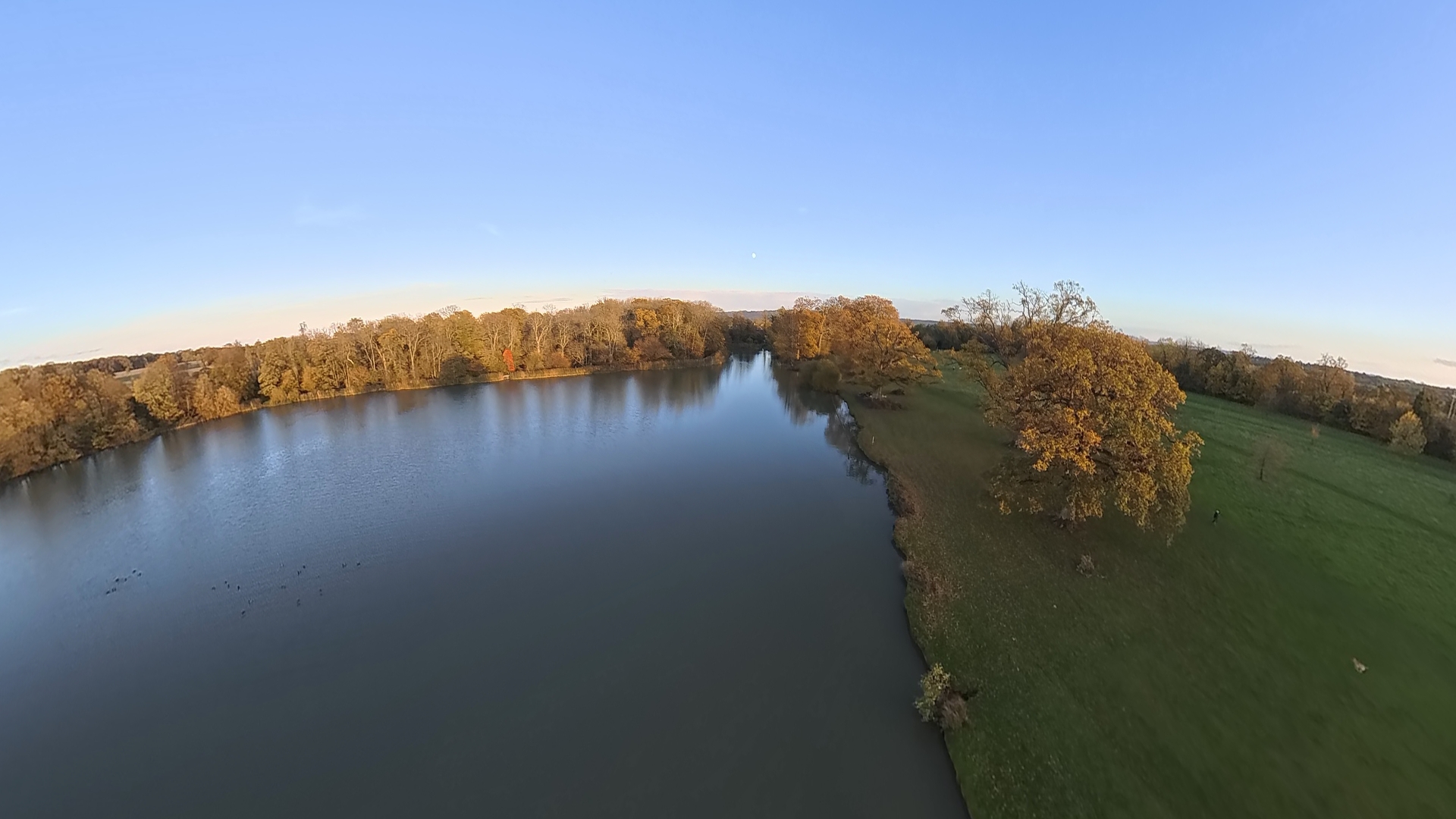
Once airborne, the A1’s dual 1/1.28in CMOS sensors use Insta360’s image stitching smarts to give you an uninterrupted 360-degree view. ‘Repositioning’ the camera just means turning your head, rather than moving or rotating the drone while in flight. It can also take 55MP photos.
I’ve been blown away by the footage I’ve been able to get out of the A1. It’s not because I’m an expert pilot, fantastic aerial cameraman, or a particularly good video editor; more that the 360-degree videos it records let you pick different angles post-flight, in any aspect ratio, without losing quality. With very effective stabilisation also in the mix, missing a shot has essentially proved impossible.
There are all the usual manual camera controls, but the A1 effortlessly managed exposure when left to its own devices. Image quality simply isn’t as crisp as the equivalent DJI’s rectangular footage, even if everything does look very detailed and displays lifelike colours while in motion.
The tradeoff is revealed in editing, with the Antigravity app’s ability to reframe shots and automate flight effects to a degree DJI just can’t match. Beyond the straightforward front/rear/left/right/overhead angles, there’s a head tracking view that mirrors your movements while in-flight, and a bunch of preset effects to pick from. Tiny planet is easily my favourite. The AI-powered automatic editor can make even mundane clips look exciting.
Antigravity A1 verdict
It’s an undeniably expensive bit of kit, but I can’t think of a better starting point for drone newbies. The Antigravity A1 is a cinch to fly, and the unique 360-degree video capture makes it easier still to create dramatic, dynamic content.
There’s still a learning curve, with the Grip controller’s button layout being a bit of a stumble for me at first. The abundance of menus and modes also make more sense over time, rather than feeling instantly intuitive. But the Vision Goggles are polished and the drone handles challenging conditions very well indeed.
Simply put, DJI doesn’t have the drone market all to itself anymore.
Stuff Says…
Does things no other sub-250g drone can, including total 360-degree editing flexibility that Beginner aerial creators will love
Pros
Brilliantly flexible 360-degree footage
Sci-fi FPV goggles are slick
App can create stunning shots
Cons
Motion controller has a learning curve
Accessories add to the price
Googles force you to have a spotter
Antigravity A1 technical specifications
| Flight time | 24 minutes |
| Camera sensors | 2x 1/1.28in CMOS |
| Video quality | 8K/30 (native) 5.2K/60, 4K/100 (reframed) |
| Storage | 20GB (internal), microSD support |
| Dimensions | 141x96x81mm (folded) 309x382x89 (unfolded) |
| Weight | 249g |


 Tom Morgan-Freelander
Deputy Editor
Tom Morgan-Freelander
Deputy Editor