I’ve been using Apple Siri AI so here are my initial thoughts – and why it surprised me
As soon as the iOS 27 Developer Beta was available, I installed it on a spare iPhone and started using Siri AI.

Apple’s AI-infused version of Siri is late. Two years late to be exact. It was first trailed alongside broader Apple Intelligence features at Apple’s developer conference in June 2024. But it never appeared, thanks to it just not being good enough. Now, a delay of that magnitude is understandable, provided that it actually works well now.
So as soon as the iOS 27 Developer Beta was available, I installed it on a spare iPhone and started using Siri AI. This is what I found and why it actually surprised me quite a bit.
Siri AI is in Beta and there is a waitlist, so even if you install the iOS 27 Developer Beta you won’t automatically have access to the new Siri. As always with beta software – and this isn’t even the public beta which will come next month – we strongly recommend you don’t install any kind of pre-release (beta) software on an iPhone or iPad you use every day and especially not if it’s something you rely on. Remember to always back up your data first.


Siri has been neglected by Apple for far too long – it seemed outdated compared to the capabilities of Amazon’s Alexa when it first appeared in 2014 and has lagged begind Alexa and Google Assistant/Gemini ever since, not least to the plethora of chatbots that have appeared in recent years such as OpenAI’s ChatGPT and Anthropic’s Claude.
Often, Siri would just not do what I wanted and over recent years I have just used it for really basic stuff, such as setting alarms or initiating music. Complicated tasks or web searches would just result in “I can’t help you with that” which was no longer good enough a decade ago, let alone now.
As well as Apple’s own technology, the new Siri AI uses a custom Google Gemini model for more complex reasoning – for which it is reported to be paying Google around $1bn a year. Siri AI was a description Apple used during the developer conference and will likely use during its iPhone launch later this year, but in the iOS 27 beta itself, the assistant/chatbot is still referred to as just ‘Siri’ which is good with me.
First impressions


The bottom line is that my first impression of the new Siri is quite positive. It copes well with a lot of things, can see what’s on your screen and picks out emails and interacts with third-party apps like WhatsApp.
It surprised me in how it was able to pull up quite localised information such as basic bus information based on my iPhone’s location, although it didn’t get my local stop exactly right. Siri isn’t that quick to pull up responses that it needs to go off-device for – each response tends to take a few seconds.
A couple of times Siri has had “trouble with the connection” when the phone has had internet connectivity. Probably just early bumps in the road and it was sporadic. It also couldn’t find a BBC radio stream I wanted, instead wanting multiple times to play a specific show I hadn’t heard of. Siri AI could do a better job of giving options for you if it doesn’t understand what you want – this will hopefully come over time.
Even though I have my iPhone language set to the UK, some of the localisation was also understandably off at this stage with distances in km when the UK uses miles and some US language in responses. But this will obviously improve over time.


Clearly Siri has been even more integrated into Apple’s software. It has now been included in Spotlight search, so if you pull down on the home screen you get straight into Siri if you don’t want to use your voice. This will be especially good for Mac and iPad keyboard users, as you’ll be able to use a keyboard shortcut to jump straight into a single search for what’s on your device or access Siri.
Responses are shown at the top of the screen and often seem to require you to pull down to see the whole response, such as a recipe. This isn’t a terrific experience as it looks like Siri hasn’t found the entire result. Pulling down the tab all the way will take you into the Siri app. That bit is fine, it just feels like it needs to show you the whole response initially.
The Siri app


There is also an accompanying Siri app. Apple isn’t intending you to use this to access the assistant as you’ll hold down the power button to access it or use your voice as before. But what it is intended for is to save your conversations with Siri so you can go back to them, in the same way you might currently use ChatGPT for example. When I was using this it didn’t save my chats so wasn’t working as intended in this early version of the software.
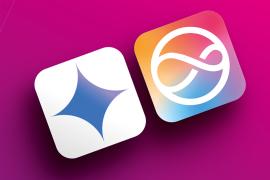
One thing I really don’t like is the muted, new Siri visuals and I hope Apple will go back to a colorful Siri logo for the final release. A lot of the OS visuals debuted at Apple’s recent WWDC26 event were in a dreadful muted green/grey. Hopefully the Siri logo is just this way for the beta. The app icon looks like it’s an app for your insurance or credit card rather than something you’d want to tap on regularly.
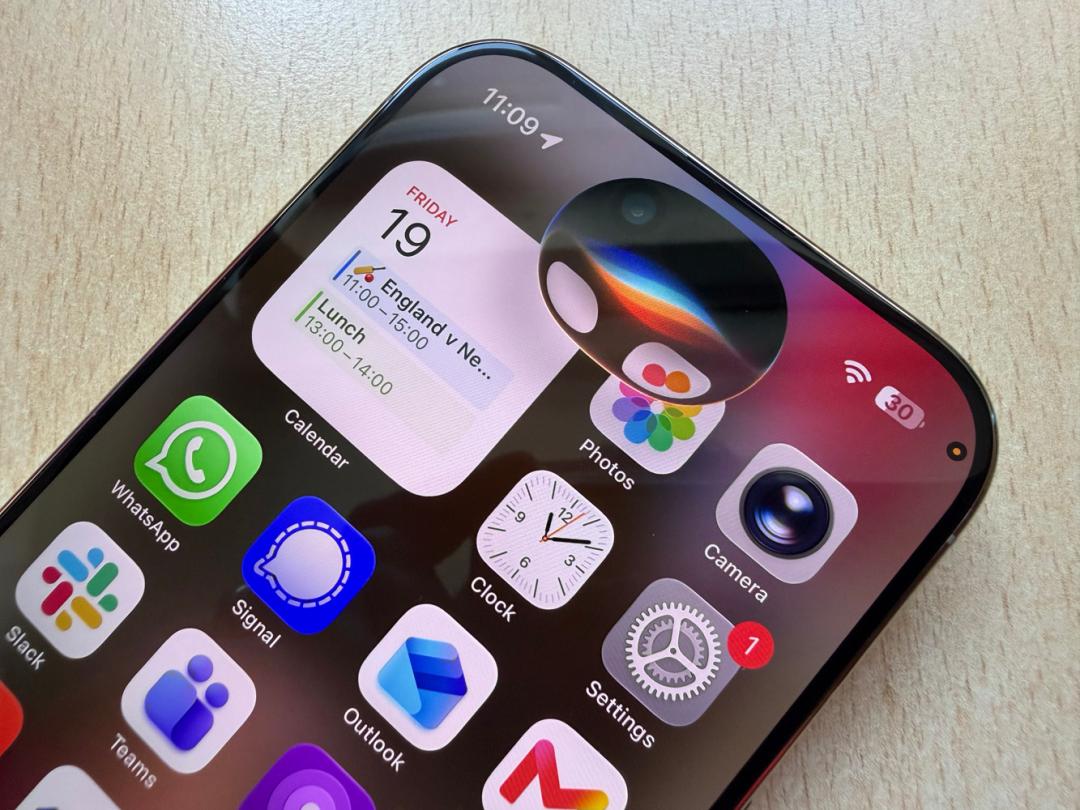
When it’s first invoked, Siri now appears in the iPhone’s Dynamic Island if you have one and again the colors here are fairly muted. It’s a far cry from the colourful halo effect your screen displays if you activate Siri in the current iOS 26.


 Dan Grabham
Editor-in-Chief
Dan Grabham
Editor-in-Chief