Adobe Photoshop Touch for Phone review
Photoshop Touch gets even smaller, with a new version available for iPhone and Android phones. But does it have the magic touch?

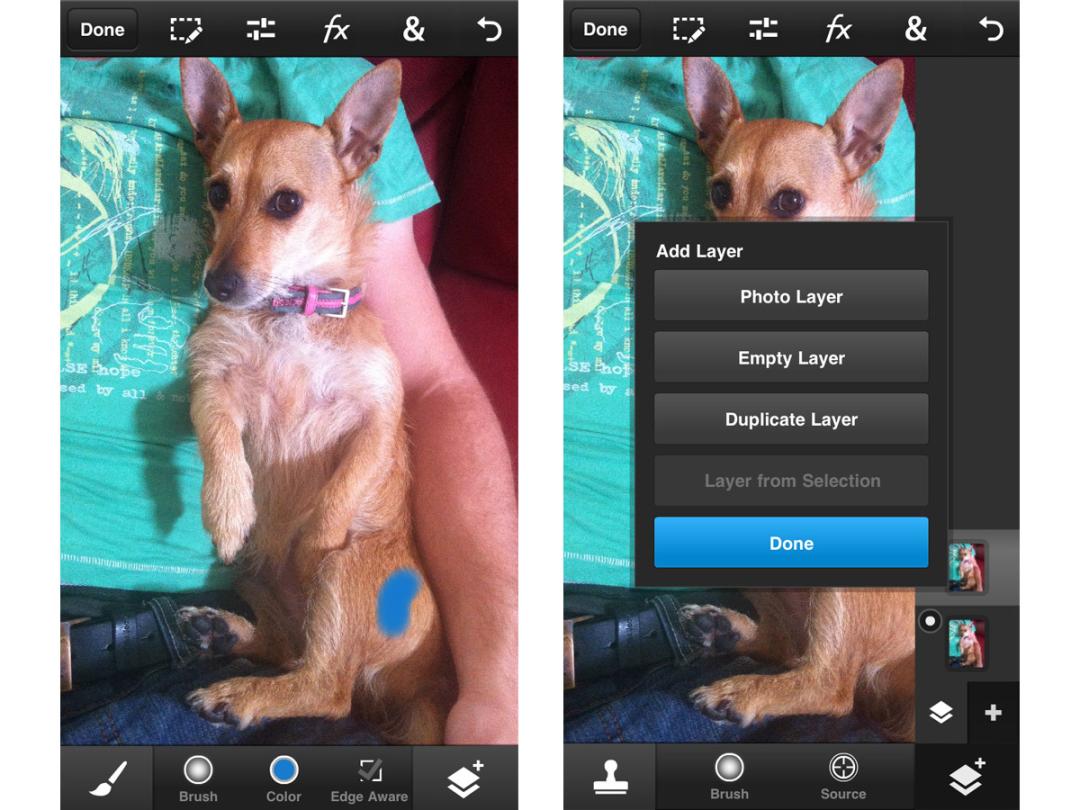
If you were disappointed by Photoshop Express and its distinct lack of features, Adobe’s Photoshop Touch for iPhone and Android phones should look a whole lot more familiar – and satisfying.
Adobe Photoshop Touch – review
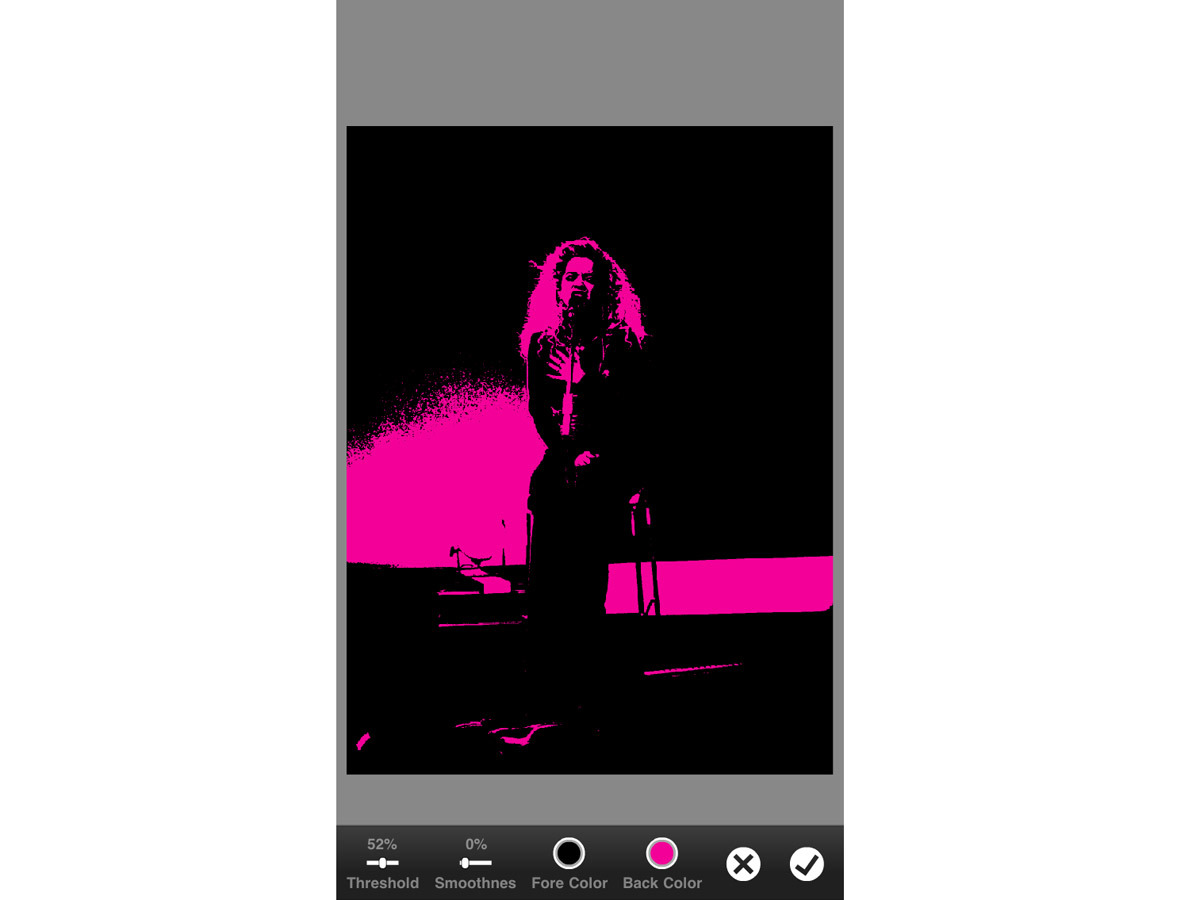
Much more than just another filter-adding photo editor, Photoshop Touch brings many of the core features from the full desktop version, letting you get serious about photo editing on the go.
While Photoshop Touch has been available for tablets since the end of last year, it has only just made its way to handsets. And since the app isn’t universal, you’ll still need to pay £2.99 to get it on your phone, even if you’ve already forked out the £6.99 for it on your iPad or Android tablet.
That stumbling block aside, Photoshop Touch is certainly a full-featured app and you’ll need to make sure your phone is up to the task. There are no specific recommendations for Android, but on iOS, you’ll need an iPhone 4S or above to ensure everything runs smoothly – on Stuff’s iPhone 5, there was no noticable lag or delay.
As the name would suggest, this version of Photoshop is optimised for touch, with a few nice additions to take advantage of your digits.
At the top and bottom of the screen – in both portrait and landscape modes – you’ll find all the tools you’ll recognise from Photoshop, including layers, selection tools, adjustments, filters and the standard cropping and text tools. Tools such as the clone stamp have been optimised for touch too, allowing you to simply tap the area where you want the clone to begin from, and start drawing with your finger to see it replicated.
Another of the touch-friendly tools is the Scribble Selection Tool, which will enable you to do a rough scribble over the parts of an image that you want to keep and remove, with the app automatically selecting the area it thinks you want to modify. You can always tweak it if it’s not quite right, too.
As for importing photos to work on, you can choose photos from your phone’s storage (up to 12 megapixels), choose to start with a blank canvas or even take a photo while in the app to start work on straight away.
When saving your masterpiece, you can save it to your phone’s gallery, sync it to Adobe’s Creative Cloud with its free 2GB of storage, or share it as a .JPG, .PNG or even a .PSD file for further editing in a full version of Photoshop (CS5.1 or later).
It’ll certainly help if you already have Photoshop skills, as there’s no real explanation on how to use each of the tools or what they’re for. Luckily, there is an undo button, so you can always go back on something you do if it’s not what you had in mind. Practice makes perfect after all…
On the other hand, hardcore Photoshoppers will have to maintain realistic expectations as to what they can do in the app as well. Don’t expect to find the more in-depth features and menus here – that’s top-level stuff, and you’ll need to save it for your computer.
All in all, the idea of Photoshop Touch makes more sense on a tablet. On a smaller mobile screen, it’s tricky to get down to the nitty gritty of photo editing – and it’s not clear just how many people want or need this level of photo editing on a phone.
Still, with a few usability snags aside, it’s to Adobe’s credit that it’s been able to create such a well-featured, well-designed Photoshop experience on mobile. Photoshop veterans and newbies alike are sure to find a lot to like here.
Stuff Says…
All the best bits of Photoshop on your phone – but a bit too fiddly for more intricate tasks
Good Stuff
Photoshop for phones
Functionality in spades
Bad Stuff
Can be fiddly to use


 Stuff Staff